Direct Inward Dialing: +1 408 916 9892
The Lightweight Directory Access Protocol (LDAP), introduced in the year 1993, is a core protocol that eventually paved the way for Microsoft's Active Directory and Open LDAP. It is an open and cross-platform protocol used to maintain distributed directory information in an organized and easy-to-access manner. LDAP also serves as a directory services authentication protocol by providing a common language that applications can use to communicate with servers of other directory services.
Anonymous authentication provides users access to resources without prompting them for a username or password. A client that sends a LDAP request without doing a "bind" is treated as an anonymous client. Bind operations are used to authenticate a client to a directory server.
In simple authentication, the client sends its distinguished name (DN) and password in clear-text format. This mechanism has security problems because the password can be read from the network. Hence, simple authentication must be used within an encryption channel.
SASL stands for Simple Authentication and Security Layer. It is a challenge-response protocol in which data is exchanged between the client and the server for authenticating and establishing a security layer on which subsequent communication will take place. SASL binds the LDAP server to other authentication mechanisms, such as Kerberos.
LDAP authentication follows a client-server model. The client is a system or application requesting access to information in an LDAP database, while the server is an LDAP server. The LDAP authentication process can be divided into two steps as follows:
To authenticate a username, the user's distinguished name (DN) is required. The DN is a sequence of relative domain names (RDN) connected by commas (,).
For example, here's how a user named Clara's DN looks. The DN resembles a path starting with the Active Directory root.
CN=Clara Holt, OU=Users, DC=ADAuditPlus, DC=COMGiven the length and various attributes that are included in the DN, it is difficult for a user to remember it when providing the credentials for authentication. So instead of the DN, the client collects the user's username or email address and performs a DN resolution, which is analogous to a DNS resolution when you're looking up a website's IP address.
The username or email address is run against a database of all user entries until an exact match turns up. The directory attributes to search for are specified in the searchFilter configuration parameter.
ldapAuth.dnResolution.searchFilter = (|(uid=%u)(mail=%u)) %u is replaced with the user identifiers collected in the login form.LDAP authentication uses a bind command to authenticate users and give them the required access. To validate the password, the DN of the user and the password provided by the user are scanned. This password provided by the user is checked against the value stored in the schema attribute named userPassword.
Simplify LDAP auditing and reporting with ADAudit Plus
Monitoring LDAP servers is necessary to ensure service availability and performance. By tracking the LDAP queries processed, IT administrators can detect suspicious queries that may be used to perform reconnaissance on the Active Directory environment, and curb attacks. ADAudit Plus simplifies LDAP monitoring by offering predefined LDAP Auditing reports along with intuitive graphical representation of the same for the ease of comprehension.
Once ADAudit Plus has been installed, it can automatically configure audit policies required for LDAP auditing. To enable automatic configuration:
Log in to the ADAudit Plus web console → Domain Settings → Audit Policy: Configure.
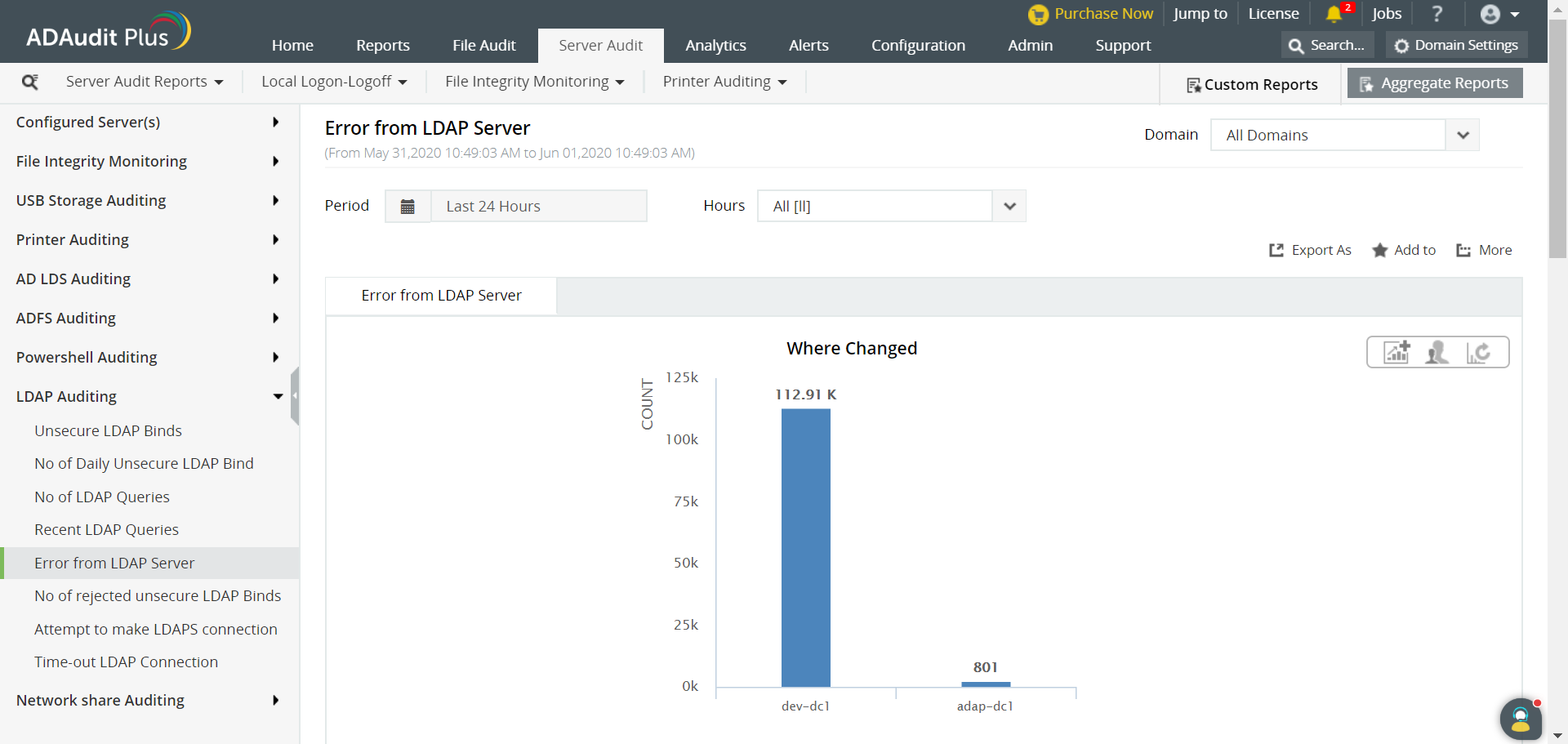
ADAudit Plus comes bundled with more than 200 predefined reports that make AD auditing easier. The solution also sends real-time alerts for critical events and helps you to secure your network from threats and boosts your IT security posture. Check out the capabilities of ADAudit Plus here.
Try ADAudit Plus login monitoring tool to audit, track, and respond to malicious login and logoff actions instantaneously.
Try ADAudit Plus for free
 Free Edition










