Direct Inward Dialing: +1 408 916 9892
With evolution of technology, there is also evolution in the types of threats. One of the most frequent types of threat to organizations is the breach of sensitive data like a patient's medical history, or cardholder information can sell for thousands of dollars in the black market. Critical data breaches can cost organizations their reputation and customers, and can even lead to the shutting down of the business.
Who should handle data security, and how is it possible to achieve maximum protection? The onus is certainly on the IT team of organizations. They must ensure that there are policies in place to spot, and stop data breaches. One crucial step to protect your data is having Secure admin workstations (SAWs) in your organization. SAWs are limited-use client machines whose purpose is to bring down the risk of compromise from malware, typosquatting attacks, pass-the-hash attacks, phishing attacks, and so on.
High-risk applications like Microsoft Exchange are not to be installed in a SAW. If needed, high-risk applications and productivity suites can be installed on a separate virtual machine, hosted on a SAW. This configuration is suitable since the user can access the utility tools and software required, and at the same time, ensure that the secure admin environment remains unharmed.
Essentially, for day-to-day work, employees must use their standard machine, and for privileged tasks, use the SAW.
It is important to monitor SAWs to ensure that it's not being used by unauthorized users, and for unauthorized tasks. Continuous monitoring of SAWs will make your organization much more secure.
Here's how you can monitor logon activity, and analyze history in SAWs with ADAudit Plus:
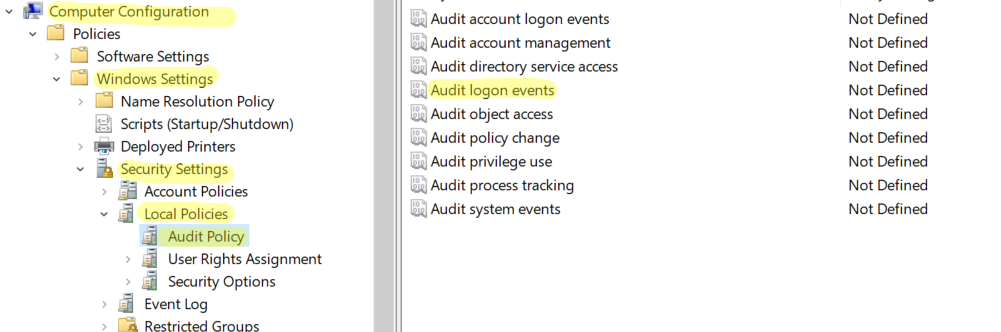
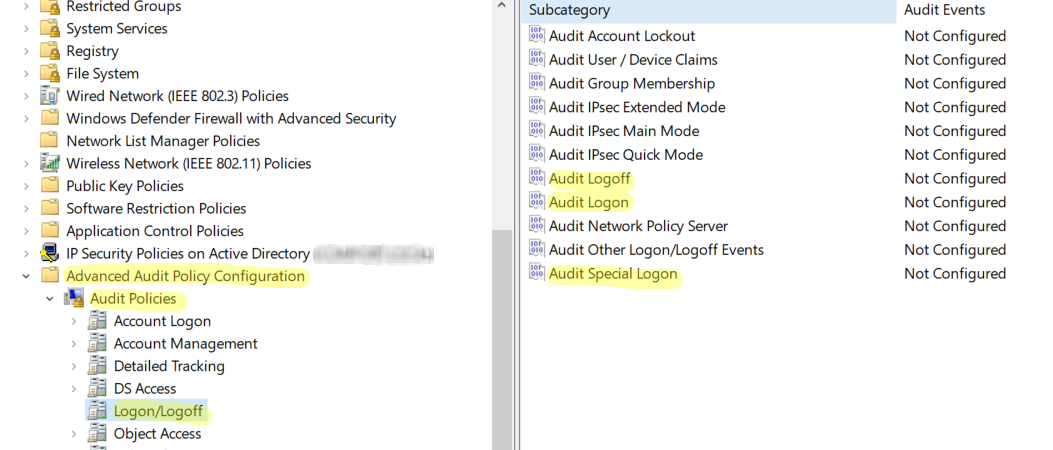
The Logon Activity report in ADAudit Plus shows the logon attempts, along with the username, logon time, name of the workstation, type of logon among other examples.
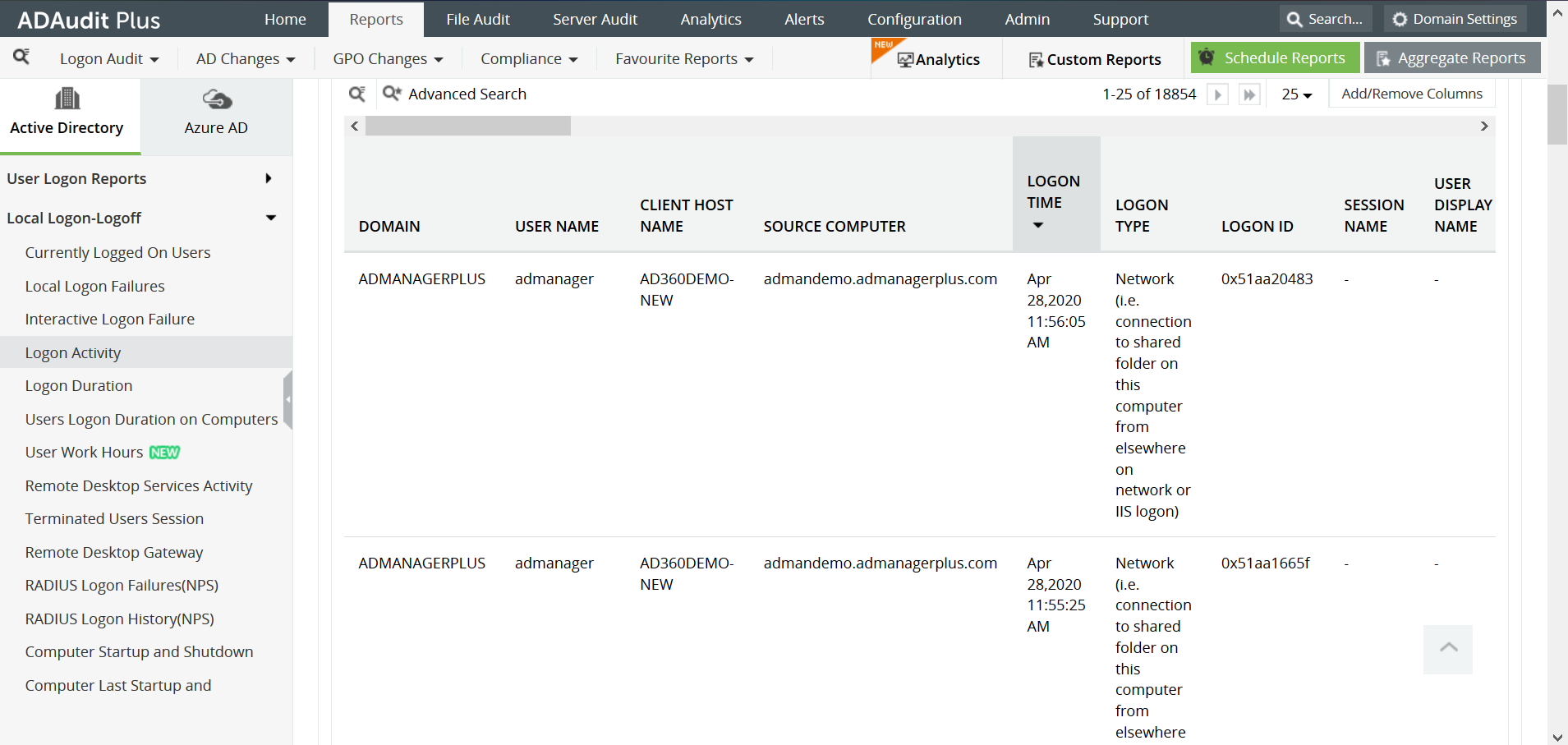
With ADAudit Plus, it is easy to obtain a report of logon activity in Active Directory in just a few clicks, and it is displayed in a simple and intuitively designed UI.
Try ADAudit Plus login monitoring tool to audit, track, and respond to malicious login and logoff actions instantaneously.
Try ADAudit Plus for free Free Edition










