Direct Inward Dialing: +1 408 916 9892
Written by Lakshmi, IT security team, ManageEngine Updated on November 2025
The Get-WinEvent cmdlet is a descendant of the original Get-EventLog cmdlet. It comes with the additional capability of retrieving 'Applications Logs' and 'Services Logs'. It also comes with a difference in properties in comparison with Get-EventLog. Get-WinEvent gives you extensive information about the logs stored on your system. This cmdlet offers you three means to request your data using
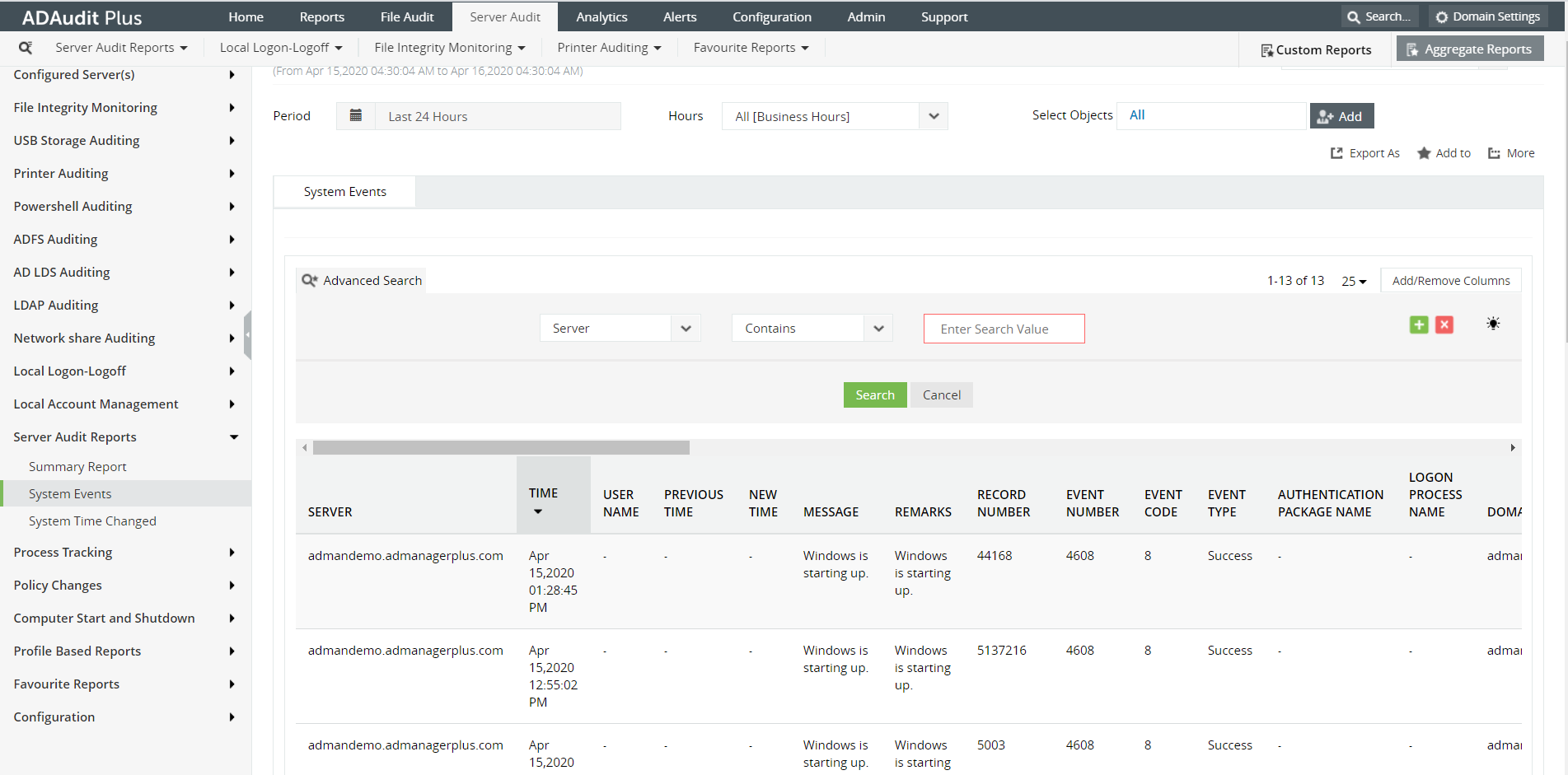
Despite the good performance Get-WinEvent provides to retrieve your data, it still makes sense to look for a quicker solution that requires less effort but also delivers in-depth event log reports. ADAudit Plus is one such solution that comes with an easy interface to identify relevant reports. It comes with a built-in search functionality to easily trace out specific events. The following is a comparison that shows how you can retrieve event logs using PowerShell an ADAudit Plus.
Get-WinEvent -ListLog * -ComputerName localhost | Where-Object { $_.RecordCount }
$S = 'Server01', 'Server02', 'Server03'
ForEach ($Server in $S) {
  Get-WinEvent -ListLog Application -ComputerName $Server |
    Select-Object LogMode, MaximumSizeInBytes, RecordCount, LogName,
      @{name='ComputerName'; expression={$Server}} |
    Format-Table -AutoSize
}
Screenshot:
Why ADAudit Plus is the better solution for you?











