Direct Inward Dialing: +1 408 916 9892
Written by Lakshmi, IT security team, ManageEngine Updated on November 2025
The following is a comparison between getting an NTFS permissions report using Windows PowerShell and ADAudit Plus:
(Get-Acl -Path C:\commands).Access
$FolderPath = Get-ChildItem -Directory -Path "C:\commands" -Recurse -Force
$Output = @()
ForEach ($Folder in $FolderPath) {
    $Acl = Get-Acl -Path $Folder.FullName
    ForEach ($Access in $Acl.Access) {
$Properties = [ordered]@{'Folder Name'=$Folder.FullName;'Group/User'=$Access.IdentityReference;'Permissions'=$Access.FileSystemRights;'Inherited'=$Access.IsInherited}
$Output += New-Object -TypeName PSObject -Property $Properties
}
}
$Output | Out-GridView
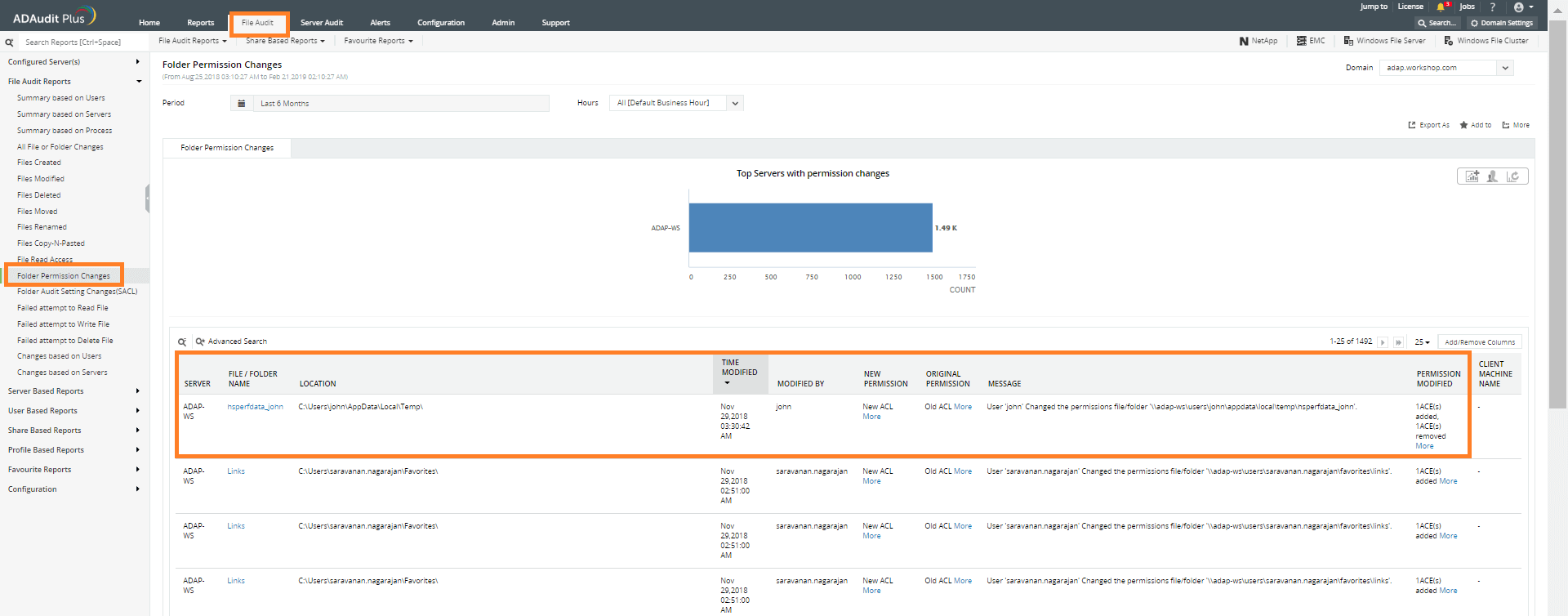
The details you can find in this report include:
The following are the limitations of using Windows PowerShell to generate NTFS permissions report:-
ADAudit Plus will swiftly generate reports by scanning all the DCs and these reports can be exported in multiple formats.











