How to get a list of locked-out user accounts in Active Directory
Written by Lakshmi, IT security team, ManageEngine Updated on November 2025
User accounts in Active Directory can get locked out either because a legitimate user locks themselves out, or because of a security issue. In either case, IT administrators need to search for locked-out accounts and take remedial action.
The following is a comparison between using Windows PowerShell and ADAudit Plus, to obtain the list of locked-out users in Active Directory:
PowerShell
Steps to obtain the list of locked out users:
- Identify the domain from which you want to retrieve the report.
- Identify the primary DC to retrieve the report.
- Compile the script.
- Execute it in Windows PowerShell
- In case you want to export the report in a particular file format, you will need to customize the cmdlet as required.
Sample Windows PowerShell script
Search-ADAccount –LockedOut -UsersOnly
Copied
ADAudit Plus
To obtain the report,
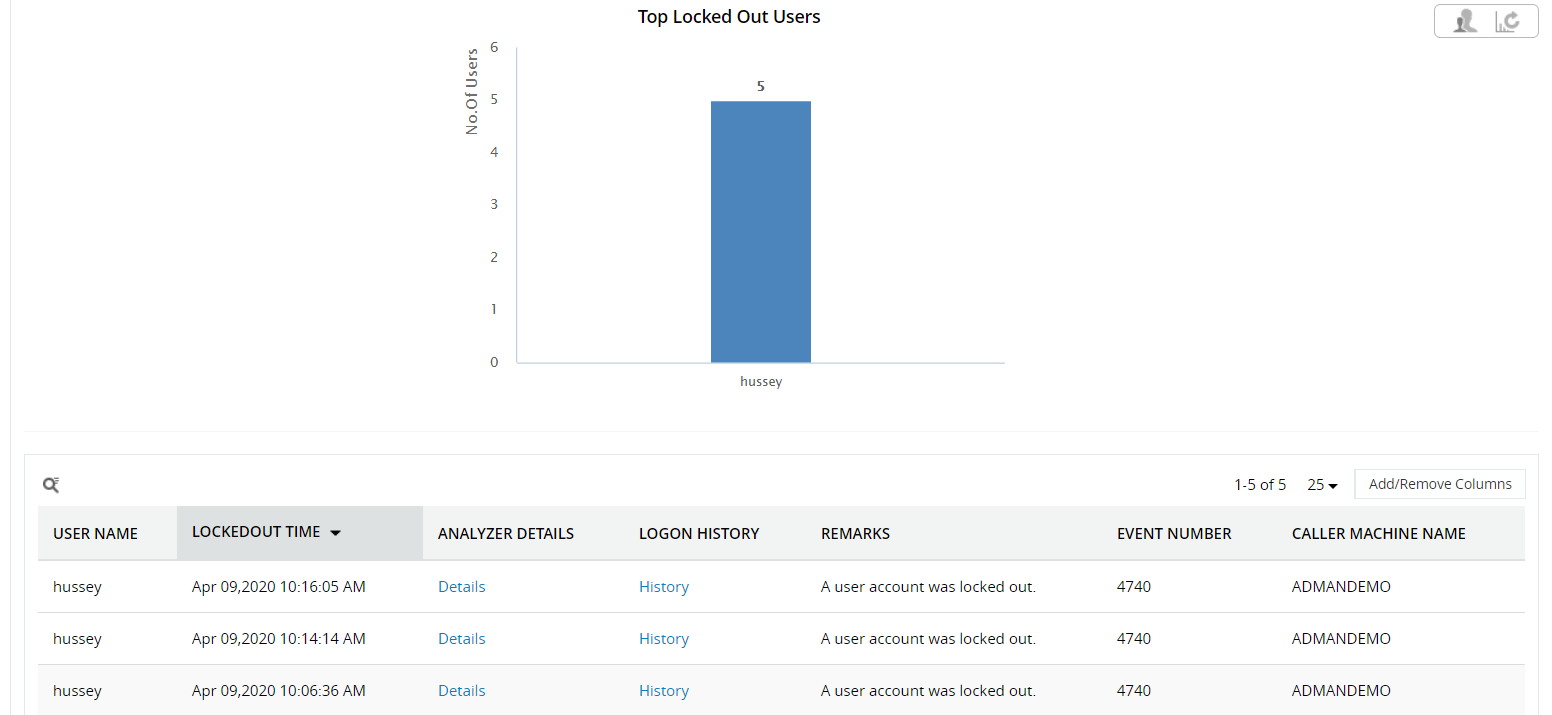
- Navigate to Reports -> User Management -> Account Lockout Analyzer
- Select either the required 'Domain' or select 'All Domains'.
- Use the 'Search' option to filter for specific user names, or domain controller, if required.
- Obtain a list of all the account lockouts for a time period of your choice.
- Export the report in a format of your choice: CSV, PDF, XLS, or HTML.
The following are the limitations of using PowerShell to track the source of an account lockout:
- We can run this script only from the computers which have Active Directory Domain Services role.
- Difficult to change date formats.
- Difficult to apply different time zones on the date results.
- Need to write a different code each time you want a report in a different file format.
- Applying filters, like 'During business hours', 'Period', and 'Export as' will increase the LDAP query complexity.
On the other hand, ADAudit Plus will automatically scan all DCs in the domain to retrieve the list of account lockouts.