Direct Inward Dialing: +1 408 916 9892
From risky system configurations to overlooked security risks, even minor errors can expose your organization to attacks.
Detect, analyze, and remediate indicators of exposure to minimize security misconfigurations across your
on-premises and cloud environments.

Enable ADAudit Plus' Attack Surface Analyzer to continuously monitor the state of your AD-managed servers and workstations, identify potential threats, and take actions to reduce your attack surface.
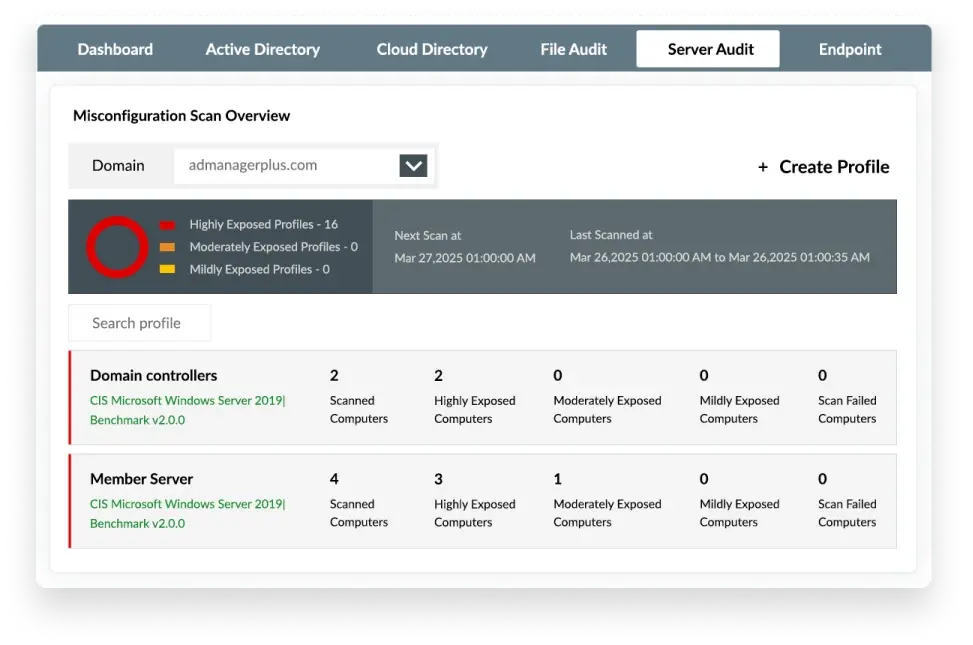
Identify highly exposed computers in your AD domain by analyzing the severity and number of misconfigurations.
Analyze risks posed by misconfigured settings and take corrective actions to secure your environment proactively.
Ensure the configurations meet industry standards such as the Center for Internet Security(CIS) benchmarks and the NIST Cybersecurity Framework.
Make use of ADAudit Plus' intuitive dashboards and actionable insights to detect and prevent misconfigurations.
Get a clear view of the exposure status of your organization. See which computers have the most misconfigurations and prioritize your security measures based on their severity.
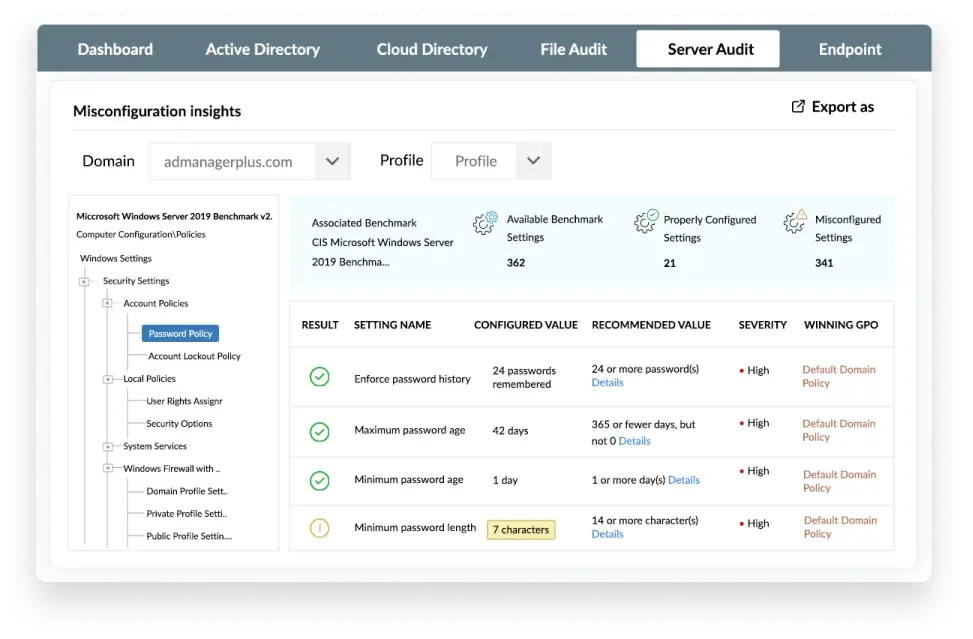
Assess group policy settings of endpoints and servers against CIS benchmark templates to identify settings that don't meet the standards. Get recommended remedial actions to achieve CIS compliance.
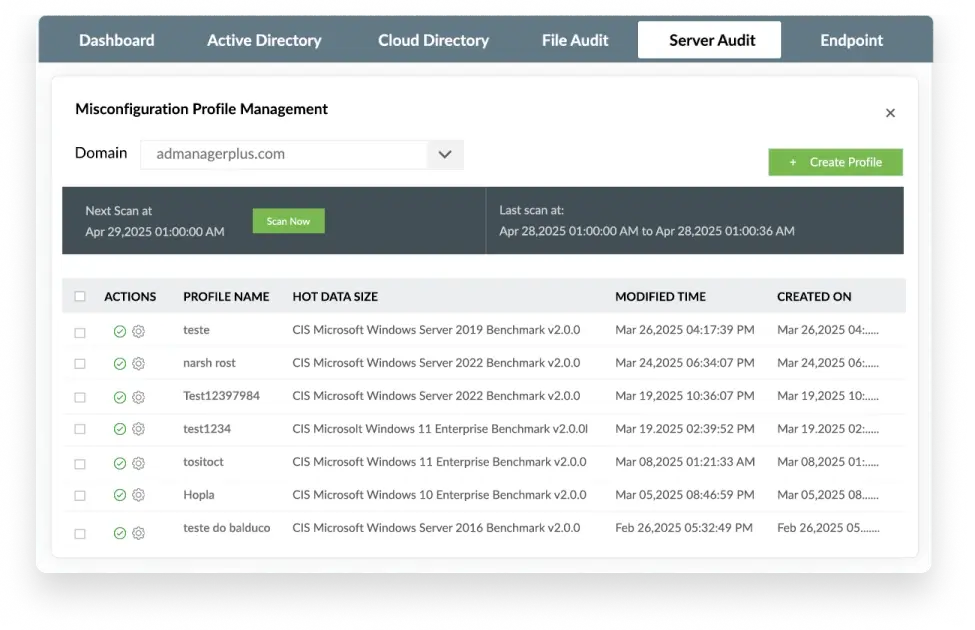
Create your profile, add required computers, domain controllers, and servers, and let automated daily scans detect misconfigurations regularly so you can fix them promptly and prevent breaches before they happen.
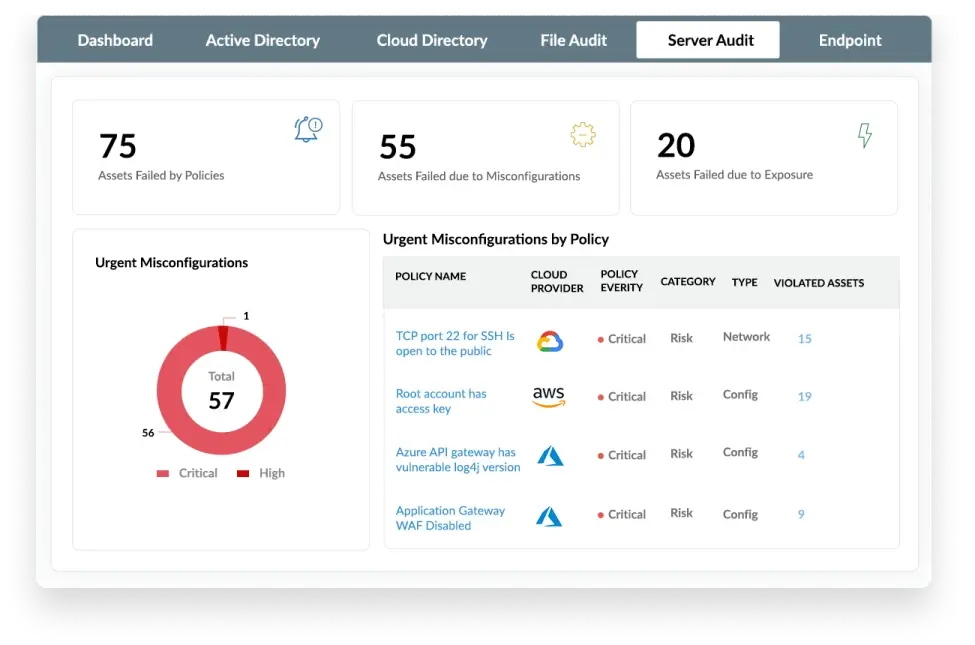
Identify default or misconfigured settings that violate any of the 700+ rules recommended by security standards for Azure and other cloud environments. Use actionable insights to reduce your network's attack surface.
ADAudit Plus, in a nutshell, has allowed me to sleep better. Without it, I can't imagine how many hours we would've spent trying to do forensics on certain incidents.

From a security, ISO 27001, and GDPR perspective, we use ADAudit Plus to help us keep an eye on [the] number of intruder lockouts and other various metrics in terms of breach detection.

Security misconfigurations happen when systems, applications, or networks have weak settings, such as default credentials, exposed services, or unnecessary features. These flaws create entry points for attackers to exploit, possibly leading to data breaches or system compromises.
Achieving CIS compliance for Windows servers and client OSs requires following the CIS benchmarks to improve security. These benchmarks provide hardening guidelines for system settings, access controls, logging, and network configurations. Windows Server benchmarks focus on securing AD, audit policies, and remote access, while client OS benchmarks cover user privileges, firewall rules, and patch management.
Indicators of exposure (IoEs) are the list of security weaknesses in a system that could lead to a breach, such as open ports, outdated software, or leaked credentials. Unlike indicators of compromise (IoCs), which show an attack has occurred, IoEs highlight risks before potential exploitation.
Attack Surface Analyzer for on-premises servers requires no configuration. You can add profiles and let automated scans detect misconfigurations under Server Audit > Attack Surface Analyzer > System Misconfiguration.
Attack Surface Analyzer for cloud directories can be configured following the steps in this document.
To test Attack Surface Analyzer in your environment, you can download a fully-functional, 30-day trial.
To have an expert take you through the features of Attack Surface Analyzer, schedule a personalized demo.To see Attack Surface Analyzer in action directly from your browser, launch an instant demo. In the demo page that opens, click Administrator Login, and navigate to Server Audit or Cloud Directory and click Attack Surface Analyzer.











