

- Free Edition
- Quick links
- Active Directory management
- Active Directory reporting
- Active Directory delegation
- Active Directory permissions management and reporting
- Active Directory automation
- Governance, risk, and compliance
- Microsoft 365 management and reporting
- Microsoft 365 management and reporting
- Microsoft 365 management
- Microsoft 365 reports
- Microsoft 365 user management
- Microsoft 365 user provisioning
- Microsoft 365 license managementn
- Microsoft 365 license reports
- Microsoft 365 group reports
- Dynamic distribution group creation
- Dynamic distribution group reports
- Exchange management and reporting
- Active Directory integrations
- Popular products
What are Active Directory custom attributes?
Every object in your Active Directory (AD)—like a user, computer, or group—has a set of default attributes such as displayName, telephoneNumber, and mail. However, these default fields are often not enough to store the specific, business-critical information your organization needs. AD custom attributes are user-defined attributes that you can add to AD to store this data. For example, you might need an employee ID, blood group, or a hardware asset tag attribute for each user, but these are not available by default.
Simplify Active Directory custom attributes management
Admins often extend the AD schema to add custom attributes. While powerful, creating and managing AD custom attributes using native tools is a high-risk, complex process. It requires the highest level of administrative privilege and involves permanent schema modifications and complex scripting, which creates a bottleneck for IT admins.
ADManager Plus, an AD management tool, removes the risk and complexity of creating and managing custom attributes in AD. It offers an intuitive interface that empowers admins and help desk technicians to manage custom attributes without ever touching the schema or writing a single script.
How to create a custom attribute in Active Directory
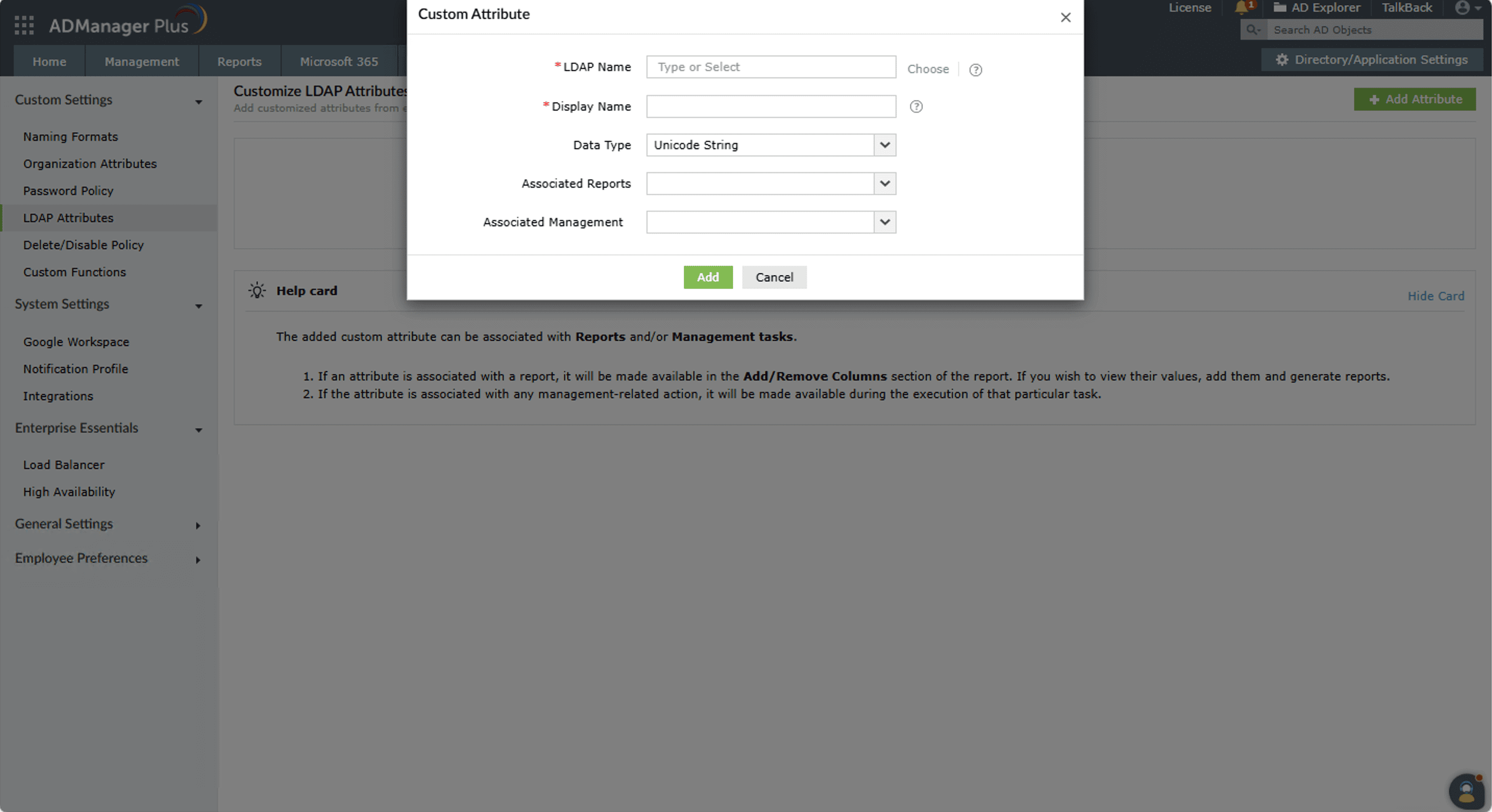
There are several methods to create custom attributes in AD, each requiring different technical expertise. ADManager Plus allows you to add custom attributes in just a few clicks.
- Define data type
Choose from the different data types, such as String, Integer, or Boolean.
- Set properties
Define the attribute's name, associated reports, and other properties.
- Create the attribute
The attribute is created and linked to the relevant management and reporting actions.

Managing custom attributes at scale
Managing your AD custom attributes through a centralized console moves the task from a high-risk, specialized function to a safe, everyday administrative duty. This approach provides significant benefits in terms of security, efficiency, and data governance.
- Effortless bulk updates: Update custom attributes for multiple users at once using a CSV file or smart templates.
- Secure delegation: Delegate the specific task of managing custom attributes to help desk technicians without elevating their AD permissions.
- Import existing attributes: Discover and import custom attributes from your AD schema and manage them seamlessly.
- Unify data for reporting: Build reports based on these attributes, create automation workflows, and populate them in bulk via CSV import.
- Streamline AD management: Incorporate AD custom attributes into user management templates to streamline the entire user life cycle .
Best practices for managing Active Directory custom attributes
- Plan before you create: Before you create custom attributes in AD, map out exactly what data you need, what you will name it, what data type it should be, and which objects it will apply to.
- Avoid direct schema edits: Direct schema modifications are permanent and risky. Use a dedicated AD management tool that abstracts this process and removes the risk.
- Use descriptive naming: An attribute named Blood Group is more useful and less confusing than customAttribute2 or extAttribute5.
- Audit and review regularly: Regularly review your custom attributes to remove unused fields and validate data accuracy.
FAQs
This is the most common issue admins face. There are a few reasons this happens:
- The Active Directory Users and Computers (ADUC) console caches the schema. You may simply need to close and reopen ADUC to force it to reread the schema and display the new attribute.
- The schema change needs to replicate to the domain controller you are viewing in ADUC.
- In ADUC, you must have Advanced Features turned on to see the Attribute Editor tab where custom attributes appear.
In the native AD schema, once an attribute is created, it can never be deleted. However, using ADManager Plus, you can easily delete the attribute and effectively decommission it from all operational use without any risk.
With ADManager Plus' AD delegation capability, you can securely delegate who can create and manage custom attributes by creating granular help desk roles and assigning them to help desk technicians.


