

- Free Edition
- Quick links
- Active Directory management
- Active Directory reporting
- Active Directory delegation
- Active Directory permissions management and reporting
- Active Directory automation
- Governance, risk, and compliance
- Microsoft 365 management and reporting
- Microsoft 365 management and reporting
- Microsoft 365 management
- Microsoft 365 reports
- Microsoft 365 user management
- Microsoft 365 user provisioning
- Microsoft 365 license managementn
- Microsoft 365 license reports
- Microsoft 365 group reports
- Dynamic distribution group creation
- Dynamic distribution group reports
- Exchange management and reporting
- Active Directory integrations
- Popular products
NetApp and EMC Isilon offer solutions to modernize and simplify data storage needs. Managing the file permissions manually for all users individually is not ideal as it is error-prone and time-consuming. ManageEngine ADManager Plus, an AD file server management solution, enables IT admins to manage and generate detailed reports on permissions, and access across multiple file servers including NetApp and Isilon servers. This tool eliminates the need to use native AD tools or PowerShell scripts as all the file server management operations can be executed from a centralized GUI-based console.
Manage NetApp and Isilon servers with ADManager Plus
With ADManager Plus, admins can perform the following operations on NetApp and Isilon servers:
Manage access permissions in bulk
Admins can modify the allow or deny permissions for users in bulk on NetApp or Isilon servers. They can simply import a CSV file to bulk modify the access permissions of different files and folders instantly. They can also assign granular permissions for specific files and folders.
-
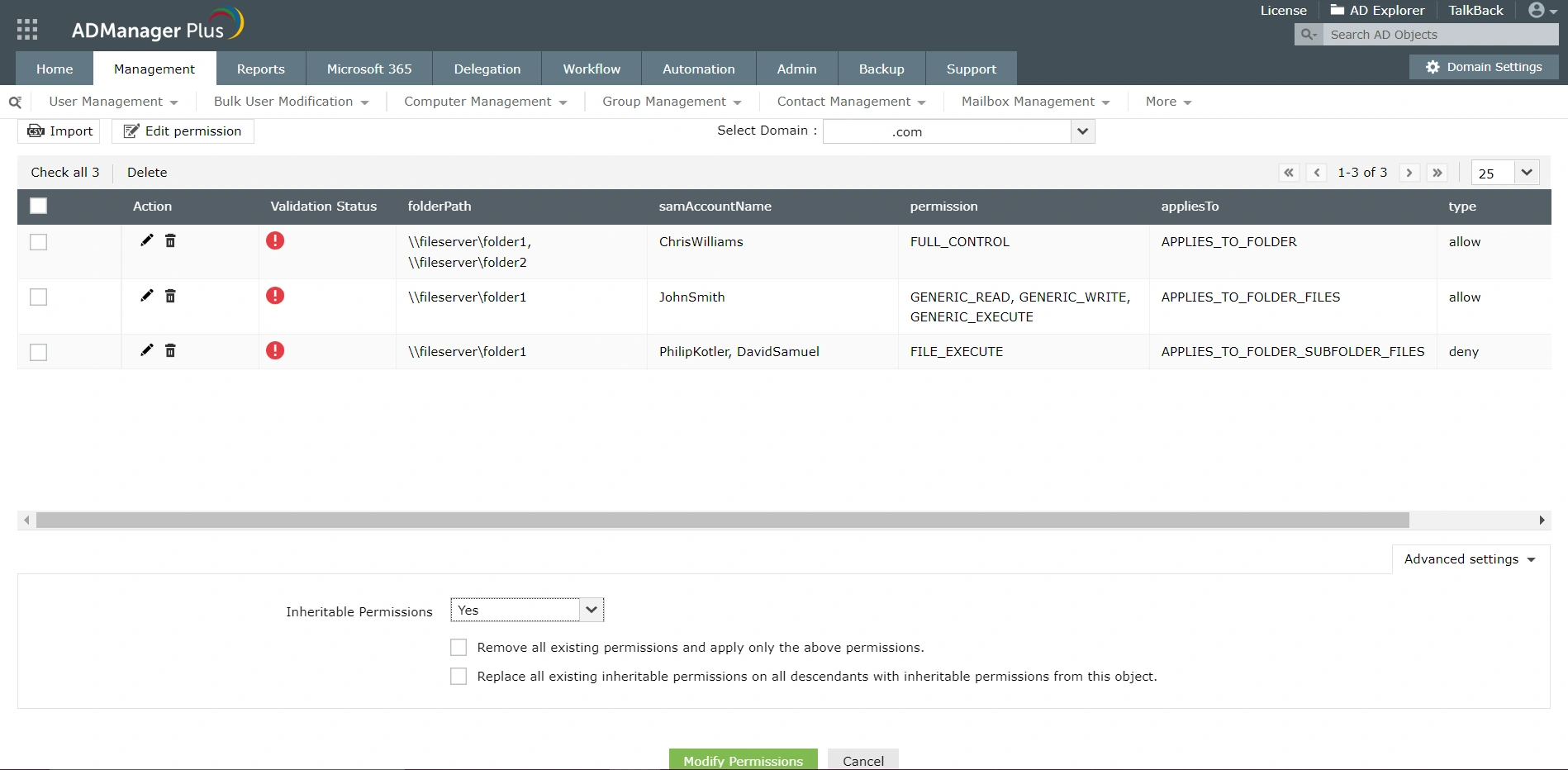 Once the CSV file is uploaded, the corresponding values are populated and displayed here.Once the CSV file is uploaded, the corresponding values are populated and displayed here.
Employ time-bound access provisioning and revoking
With ADManager Plus, admins can set a time limit after which the permissions assigned on specified folders will be automatically revoked. This enhances data security and enables admins to adhere to JIT access principle.
-
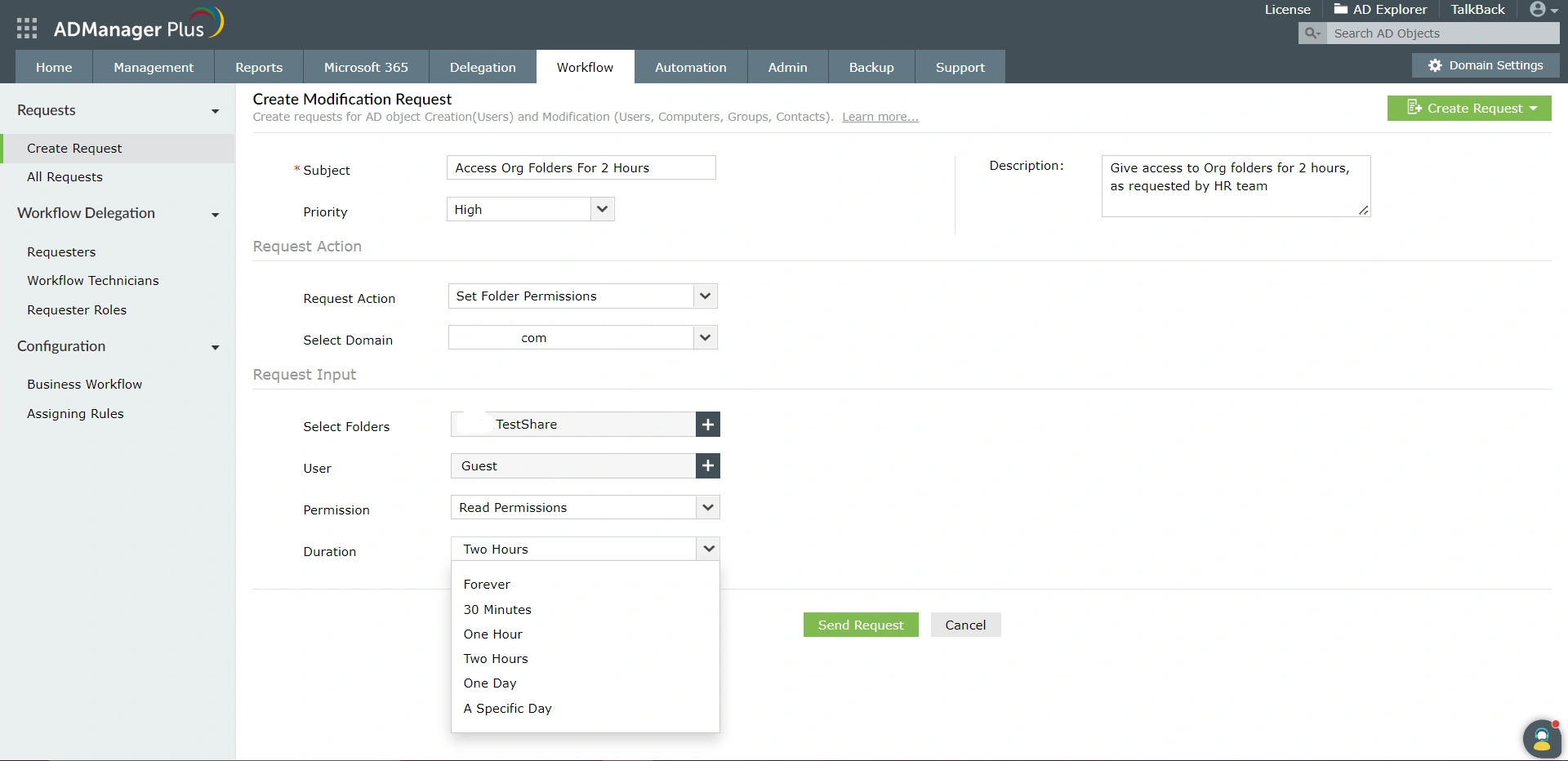 Specify the permission type here. It also supports advanced permissions such as Delete sub-folders and files, Take Ownership, Write Extended Attributes, etc.Specify the duration here. The permissions will be revoked automatically once this time period expires.
Generate reports on permissions and access to file servers
ADManager Plus is loaded with built-in reports using which admins can analyze and modify NTFS and Share permissions or access control lists of NetApp and Isilon servers. Admins can export the generated reports to various formats like HTML, CSV, PDF, and XLSX. The reports can also be scheduled to be delivered to the admins at specified times.
-
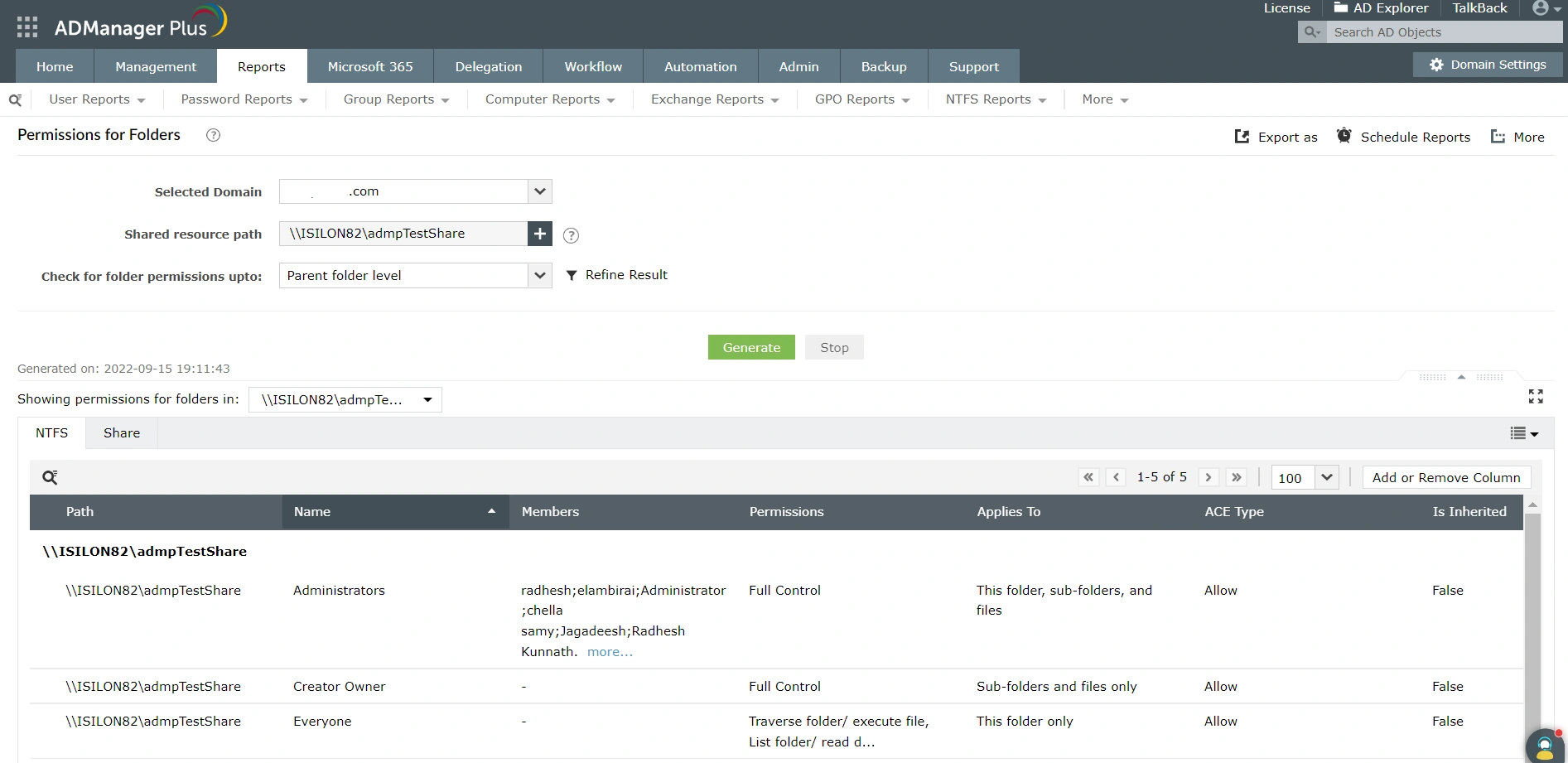 Refine the results of the report using Show Only and Exclude filters.Use this option to view the results grouped by folders, security principals, or the overall summary.
Delegate server management to help desk technicians
ADManager Plus' delegation capability allows admins to securely delegate NetApp and Isilon server management and reporting to non-admin users. The scope of this delegation can also be extended to specific OUs or groups. The admins can track and monitor the activities performed by help desk technicians using audit reports.
-
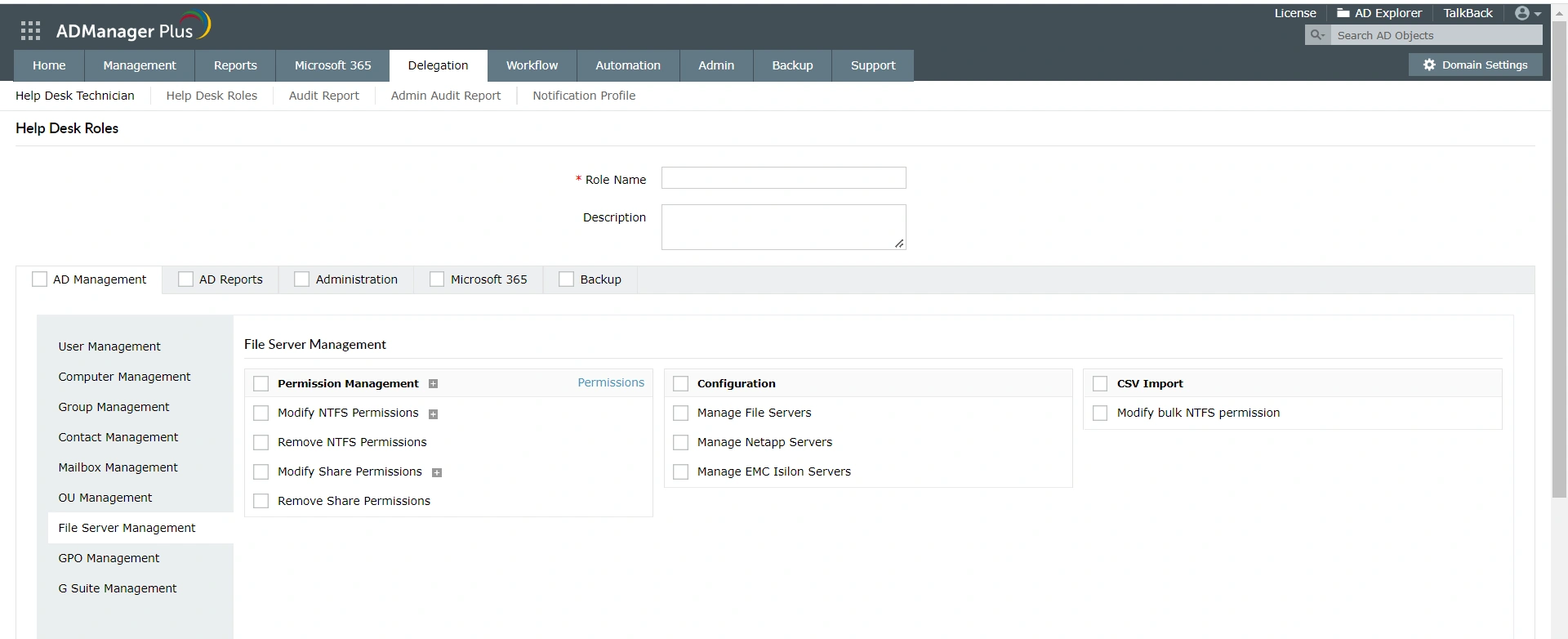 Delegate the management of NetApp or Isilon file servers to technicians using this option. The technicians can perform management actions only on those servers assigned to them.
Top benefits of using ADManager Plus to manage NetApp and Isilon servers:
- Manage the access permissions of multiple users at once from a GUI-based console.
- Obtain detailed reports on NTFS permissions without using any PowerShell scripts.
- Facilitate time-based permissions management to improve data security.
- Delegate NetApp and Isilon server management to help desk technicians.
Featured links
Other features
Active Directory Management
Make your everyday Active Directory management tasks easy and light with ADManager Plus's AD Management features. Create, modify and delete users in a few clicks!
Active Directory Reports
A catalog of almost every report that you will need from your Active Directory! Comprehensive and Reliable reporting. Schedule reports to run periodically. Manage your AD right from within the reports.
Active Directory Logon Reports
Get pre-defined reports on inactive users, real last logon, recently logged on users, and enabled users.
Active Directory Compliance Reports
Active Directory reports to assist you for compliance to Government Regulatory Acts like SOX, HIPAA, GLBA, PCI, USA PATRIOT...and much more! Make your organization compliance-perfect!
File Permission Management
Protect your organization by modifying and revoking NTFS and Share permissions of users and groups.
Office 365 User Management
Create Office 365 accounts, assign, revoke or remove their licenses, reset the password of accounts, and more.
Need Features? Tell Us
If you want to see additional features implemented in ADManager Plus, we would love to hear. Click here to continue


