Upgrade APM Insight PHP Agent
APM Insight PHP agent can be upgraded from server using either of the following methods:
Note:The Auto-upgrade feature has been disabled from Applications Manager v16700.
Manual Upgrade
Follow the installation steps to upgrade to the latest version of APM Insight PHP Agent for Linux and Windows.
Auto Upgrade
Note: The Auto upgrade feature will only work for major version changes in agent. Minor changes will not be covered.
Scheduled
You can choose to upgrade to the latest agent version automatically from the web client directly, without the need to download from the website manually. To do so, follow the steps given below:
- When the agent auto-upgrade is enabled, Applications Manager will automatically download the new agent zip file for upgrade whenever a new agent version is available.
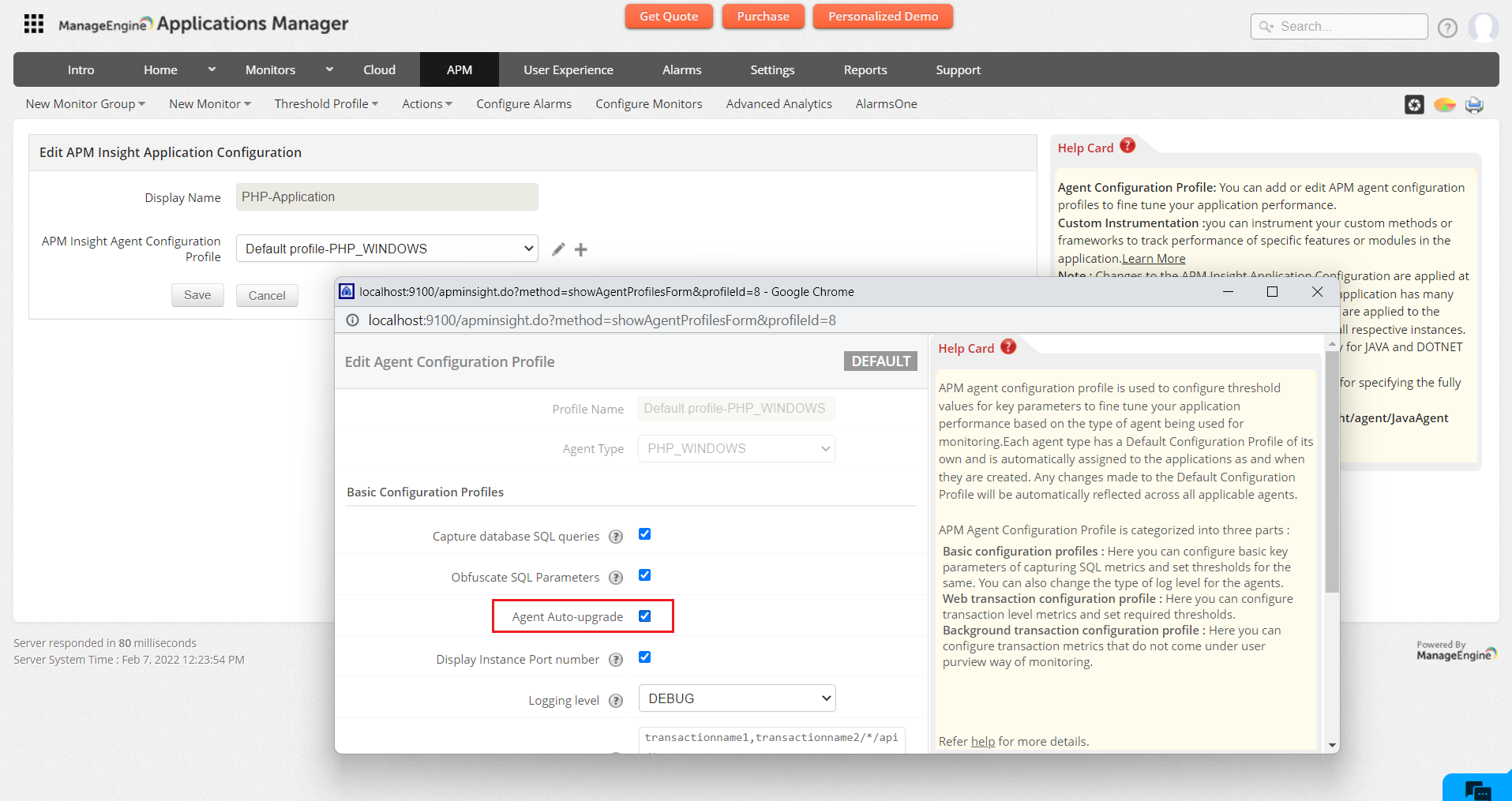
- By default, this auto-upgrade option is disabled. To enable, navigate to APM tab → Your application → Edit APM Insight Application Configuration → Edit APM Insight Agent Configuration Profile, then enable the Agent auto-upgrade option and click Save.
- After the deployment process is complete, you will be requested to restart your application server. Once the server is restarted, the updated version will come into effect.
On-demand
To upgrade to the latest agent version manually, follow the steps given below:
- When a new version of the agent is available, following message will be displayed at the top of the APM Insight details page "The deployed agent version at this instance is 3.2. Update Agent to the latest version 3.3. Refer our release notes."
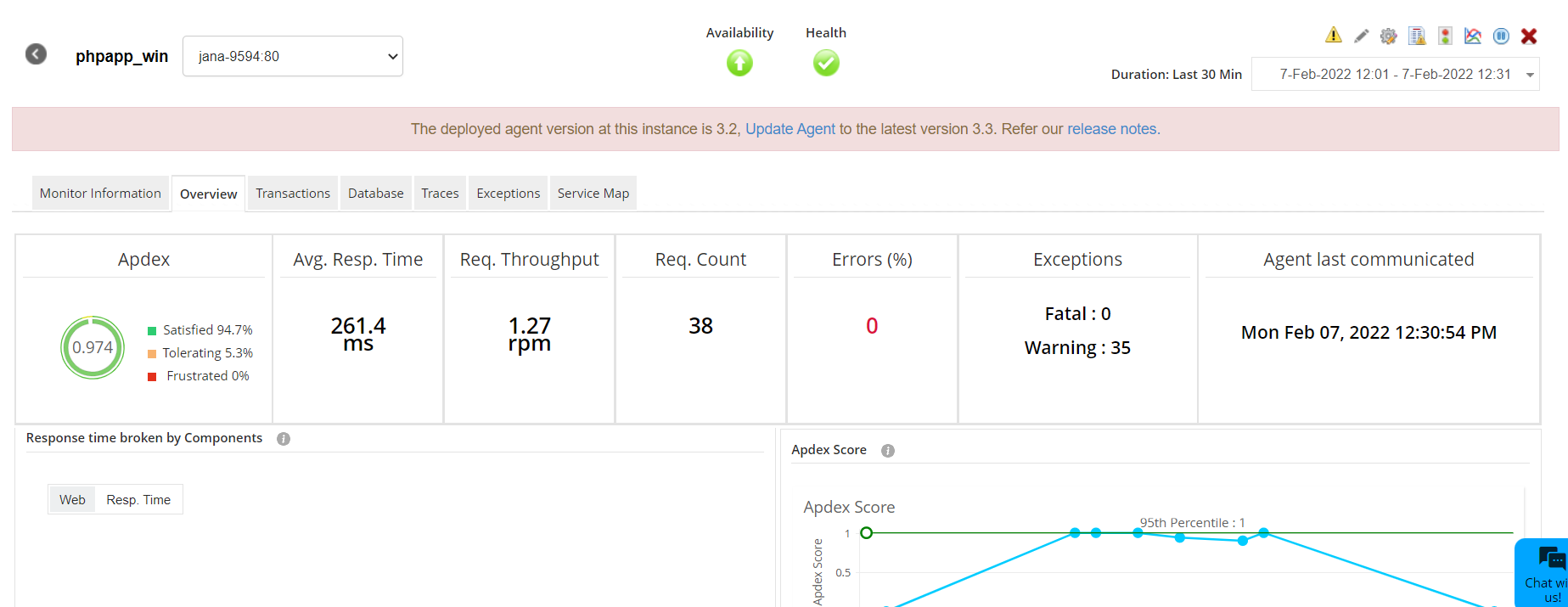
- Users can initiate the upgrade process by clicking on Update Agent link in the above said notification. On clicking the Update Agent link, a confirmation dialog will appear to initiate agent update.
- Click on Yes, continue button to start the agent update. On doing so, the alert message changes to "Agent update will happen shortly...".
- After a few minutes, either on page refresh or on navigating to other tabs, the alert message will be modified.
- On successful download of the agent, the alert message changes to "Agent downloaded successfully. Please restart your application". Once the server is restarted, the updated version will come into effect.
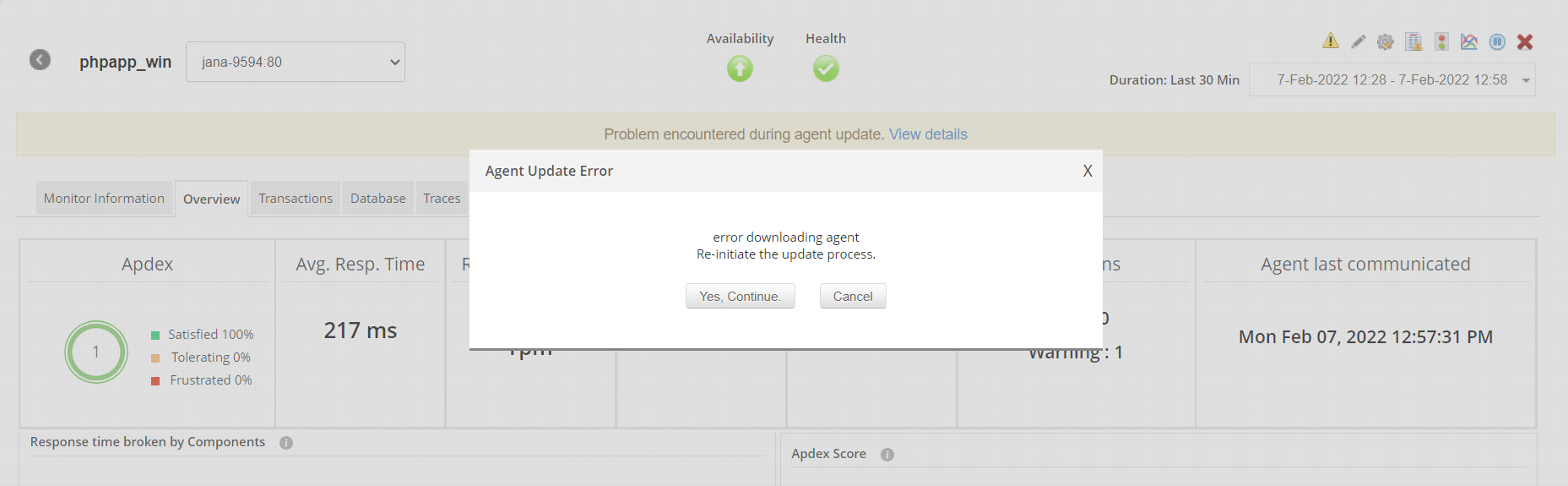
- If an error occurs during the agent update, then the message changes to "Problem encountered during agent update. View details.". On clicking the View Detailslink, the error message will be displayed with options to continue or cancel.
Note: The Re-initiate option will clear the upgrade status in the cache and immediately try to perform agent update, so message gets modified to "Agent update will happen shortly..." again.