Ask Zia
- Overview
- Prerequisites
- Accessing Ask Zia
- How to Ask Zia answers
- Understanding a response
- Working with a response
- Managing conversations
- Notes
- Data handling and privacy
- Related pages
Overview
Ask Zia is the conversational AI assistant in Applications Manager. Instead of navigating to a specific page or building a report, you can ask a question in plain language, such as which monitors are down or how a server has performed over the past week, and Ask Zia answers using the monitoring data already collected in your installation.
Ask Zia works through AI agents. Each agent is assigned a GenAI model and a set of tools that read data from Applications Manager. When you ask a question, the agent decides which tools it needs, reads the required data, and composes the answer as text, tables, or charts.
Prerequisites
- You must be signed in as an Admin user. Ask Zia, AI Agents, and AI Tools are not available to other user roles.
- A GenAI integration must be configured. Go to Settings → Product Settings → Integrations (Add-On Settings) and configure a supported provider. For details, refer to AIOps Integrations.
- At least one AI agent must be enabled, with at least one enabled tool assigned to it.
Accessing Ask Zia
Click Zia AI in the Applications Manager header and select Ask Zia to open the chat page. The same menu also provides two administration pages:
- AI Agents: Create, edit, enable, or disable the agents available in the chat. Refer to AI Agents.
- AI Tools: Review the tools agents can use and enable or disable them. Refer to AI Tools.
How Ask Zia Answers
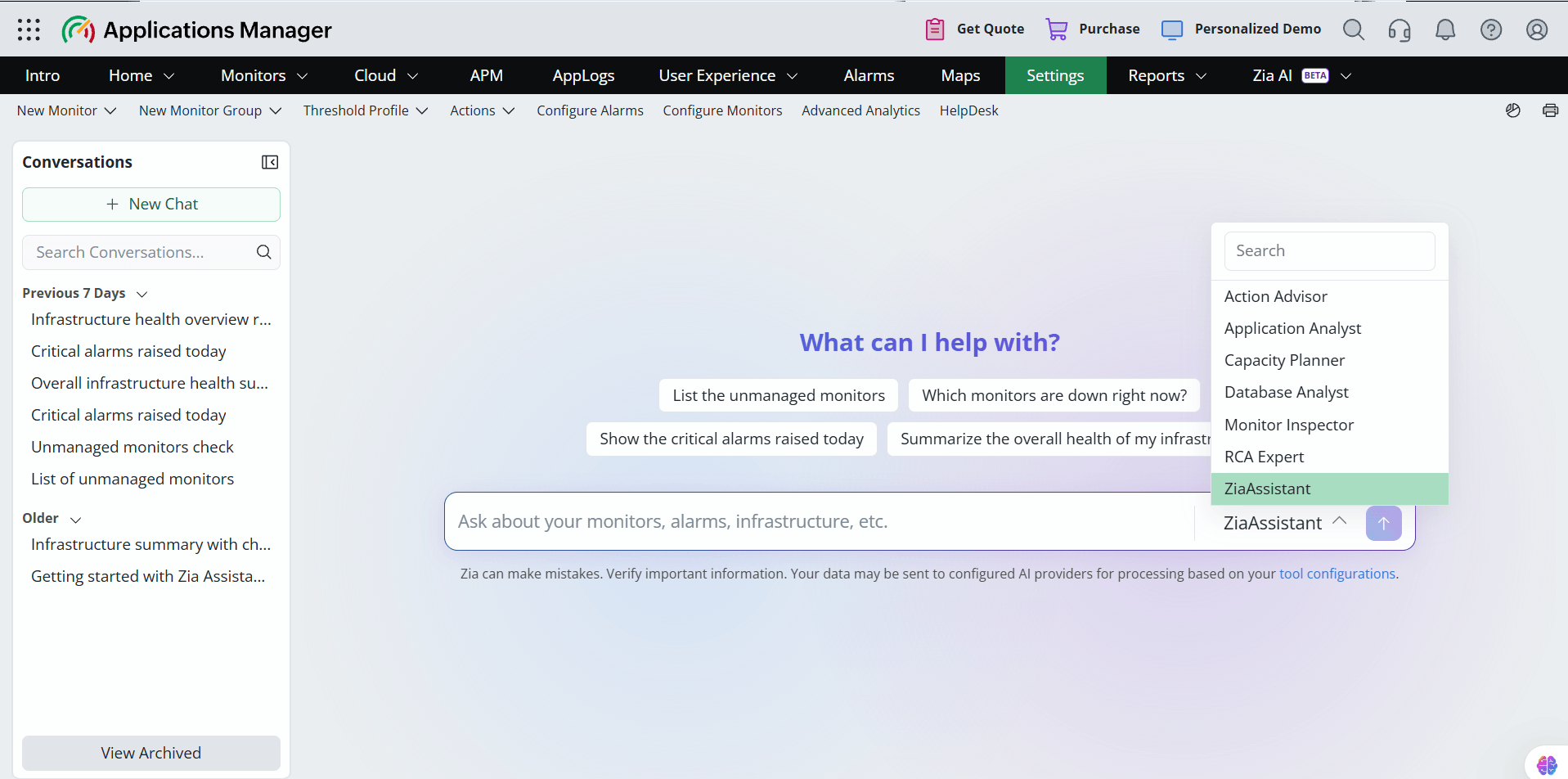
- Select an agent from the list in the message box. Each agent has its own specialization, model, and tools.
- Type your question and send it.
- The agent selects the tools it needs, fetches the data from Applications Manager, and composes the answer.
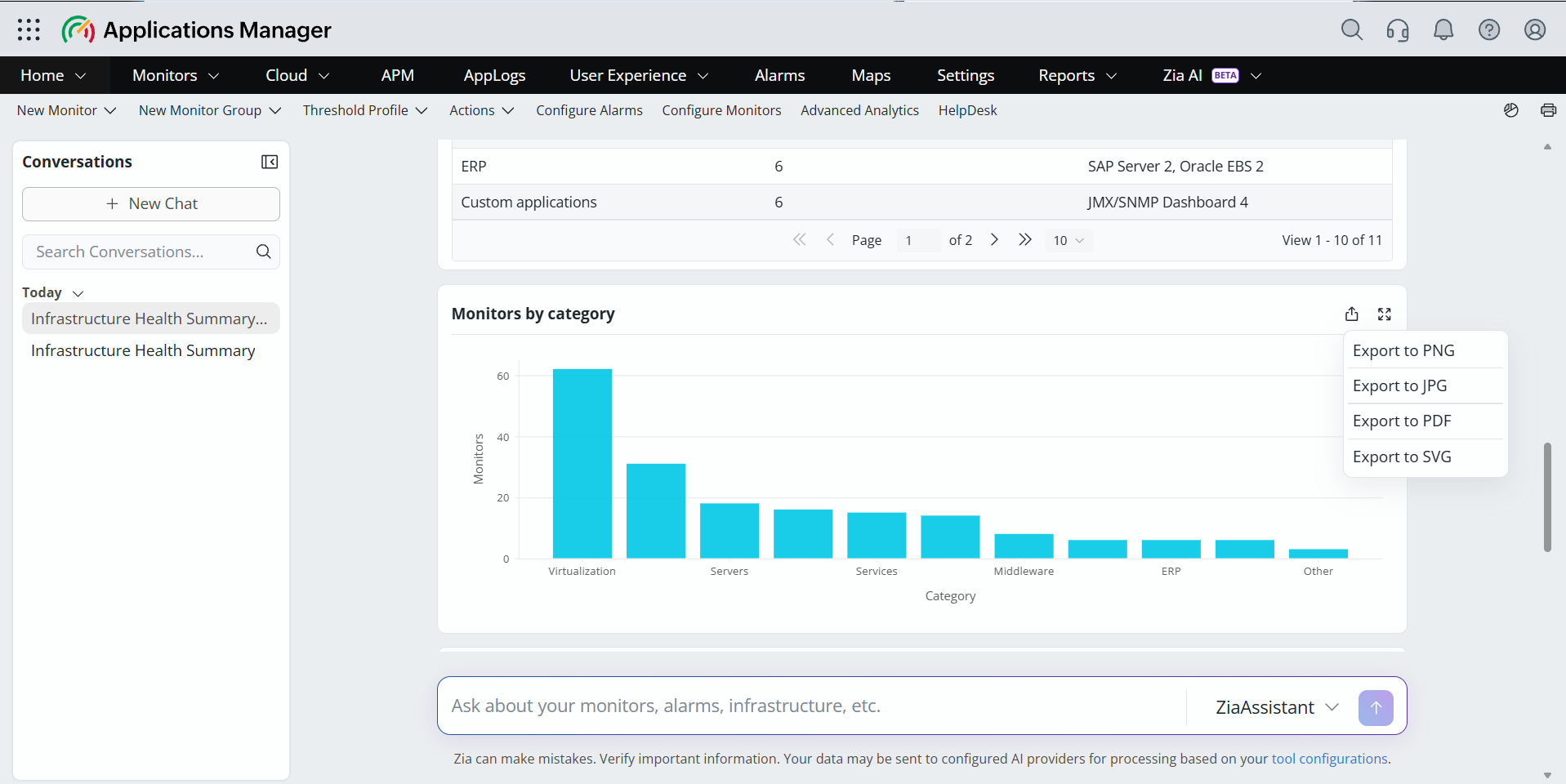
A reply can contain formatted text, tables, and charts. Tables can be exported as CSV or Excel, charts can be saved as PNG, JPG, PDF, or SVG, and both can be expanded to a larger view. Each reply also has actions to copy it, regenerate it, and give feedback on it.
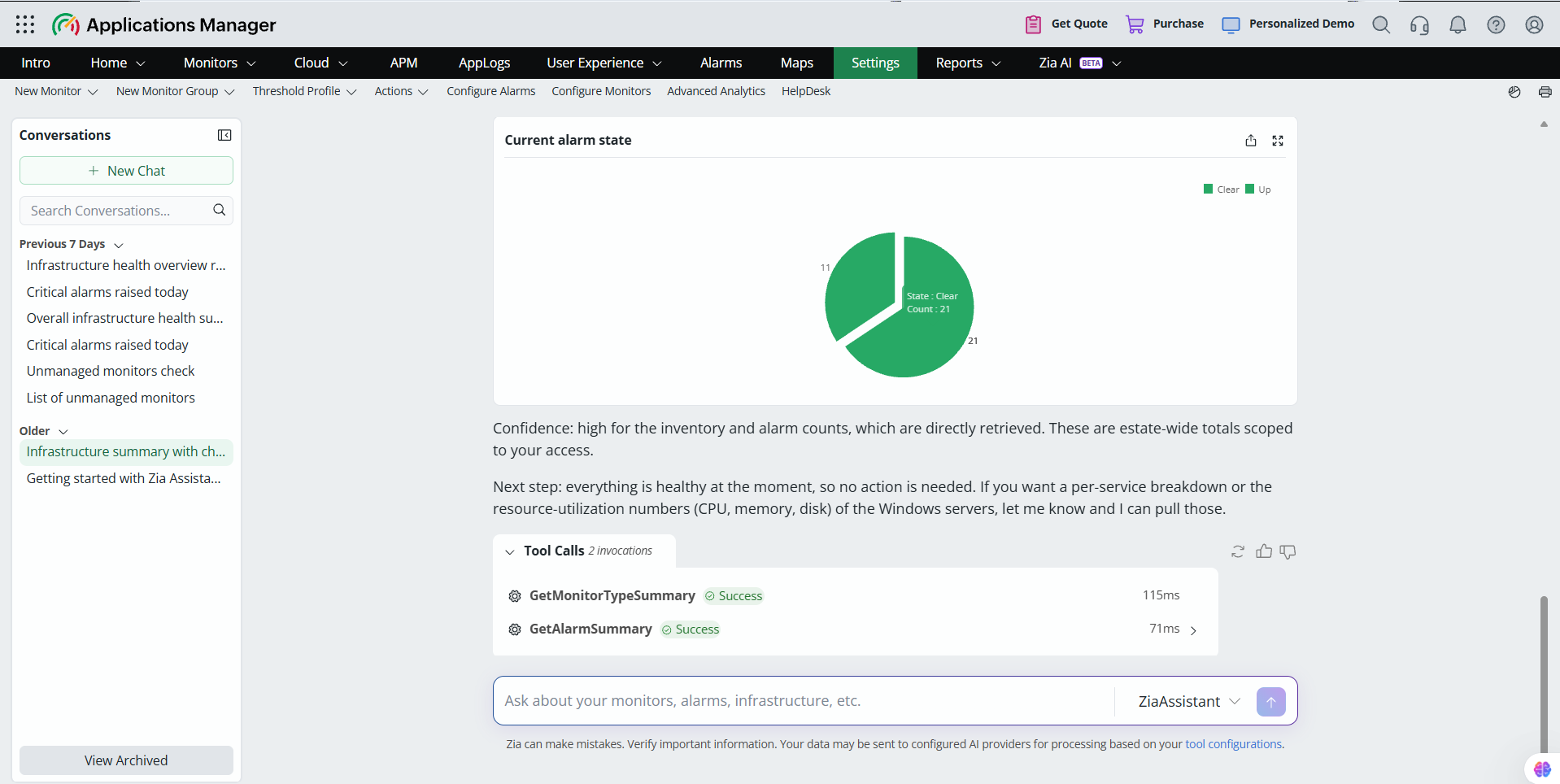
The Tool Calls section of a reply lists the tools the agent used, how many times each was invoked, their status, and the arguments passed to them.
Notes:
- Copy is available only for replies that contain plain text, without tables or charts.
- Regenerate response is available only on the latest reply in the conversation.
- You can give feedback on a reply (Helpful or Not helpful) only once.
Managing Conversations
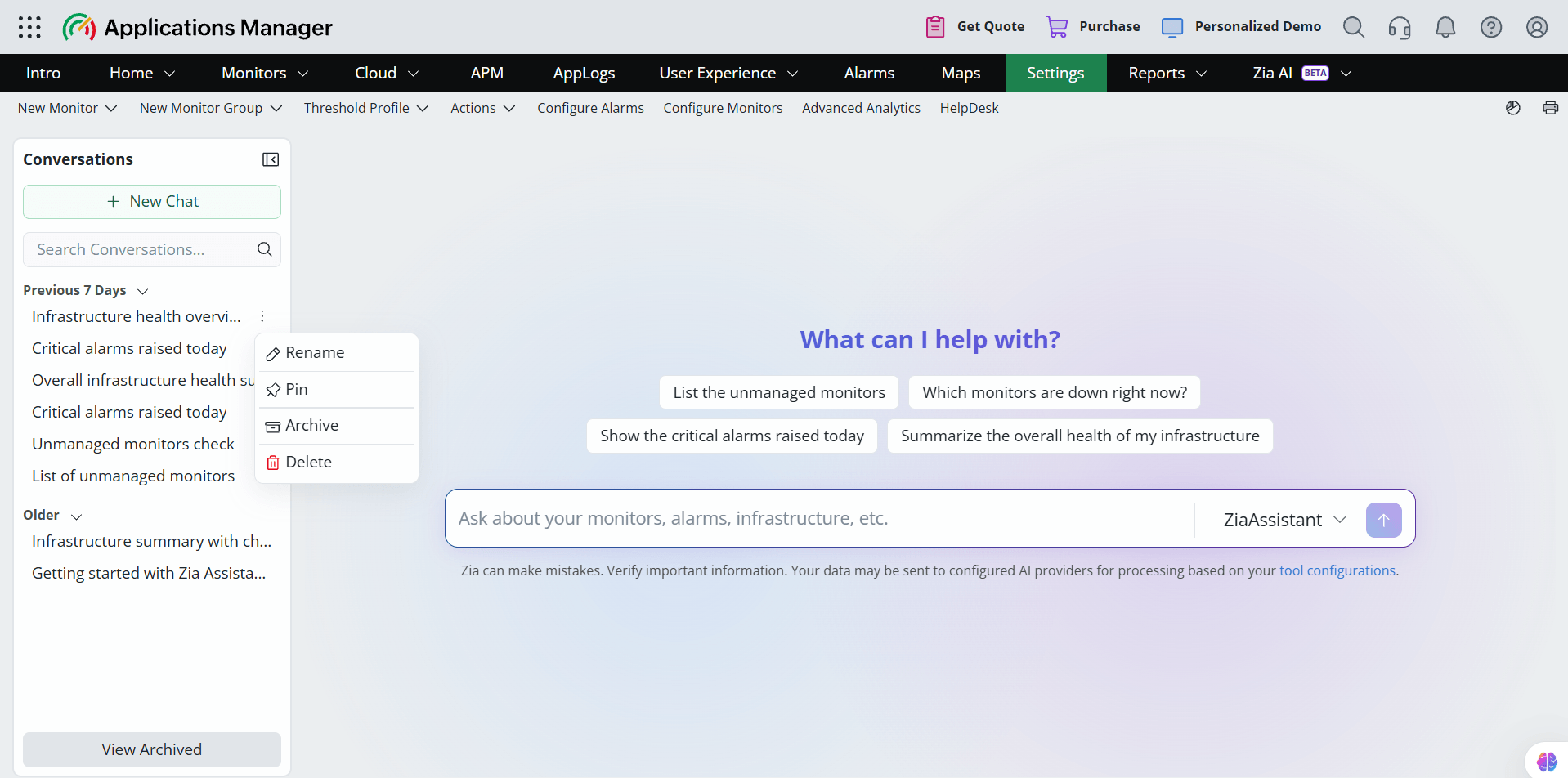
Conversations are listed in the sidebar, grouped by date, with pinned conversations at the top. Use New Chat to start a new conversation and the search box to find an earlier one by title. From a conversation's menu, you can Rename, Pin or Unpin, Archive or Unarchive, and Delete it. Use View Archived to open the archived conversations.
Notes:
- A conversation cannot be deleted while a reply is being generated. Wait for the reply to complete and try again.
- Conversations are retained for 60 days from their last activity and are then removed automatically. Pinned and archived conversations are excluded from this removal.
Data handling and privacy
- Your question, the conversation context, and the data retrieved by the tools are sent to the GenAI provider configured in your installation. Review that provider's terms before enabling Ask Zia for production use.
- Answers are limited to the data your user account is allowed to view.
- Giving each agent only the tool groups it needs keeps answers focused and reduces the amount of data sent to the GenAI provider. Refer to Tool access.
- Agent creation, modification, deletion, and tool enable or disable operations are recorded in the audit logs.
Notes
- Ask Zia is available only to Admin users.
- Only one reply is generated at a time within a conversation. Ask your next question only after the current reply is complete.
- Each agent responds using its assigned model. To use a different model, update the model assigned to the agent or select a different agent.
- AI-generated content may be inaccurate, and its quality and response time may vary depending on the selected provider and model. Verify important information before acting on it.
Related pages
Loved by customers all over the world

"Standout Tool With Extensive Monitoring Capabilities"
It allows us to track crucial metrics such as response times, resource utilization, error rates, and transaction performance. The real-time monitoring alerts promptly notify us of any issues or anomalies, enabling us to take immediate action.
Reviewer Role: Research and Development

"I like Applications Manager because it helps us to detect issues present in our servers and SQL databases."
Carlos Rivero
Tech Support Manager, Lexmark