AWS Route 53 cloud DNS monitoring and management in OpUtils: Hybrid DNS from a single console
Introducing AWS Route 53 cloud DNS monitoring and management in ManageEngine OpUtils, enabling administrators to manage Route 53-hosted zones and DNS records directly from the same console.
Here's how OpUtils handles AWS Route 53 cloud monitoring and management.
What’s new: Route 53 monitoring and management directly in OpUtils
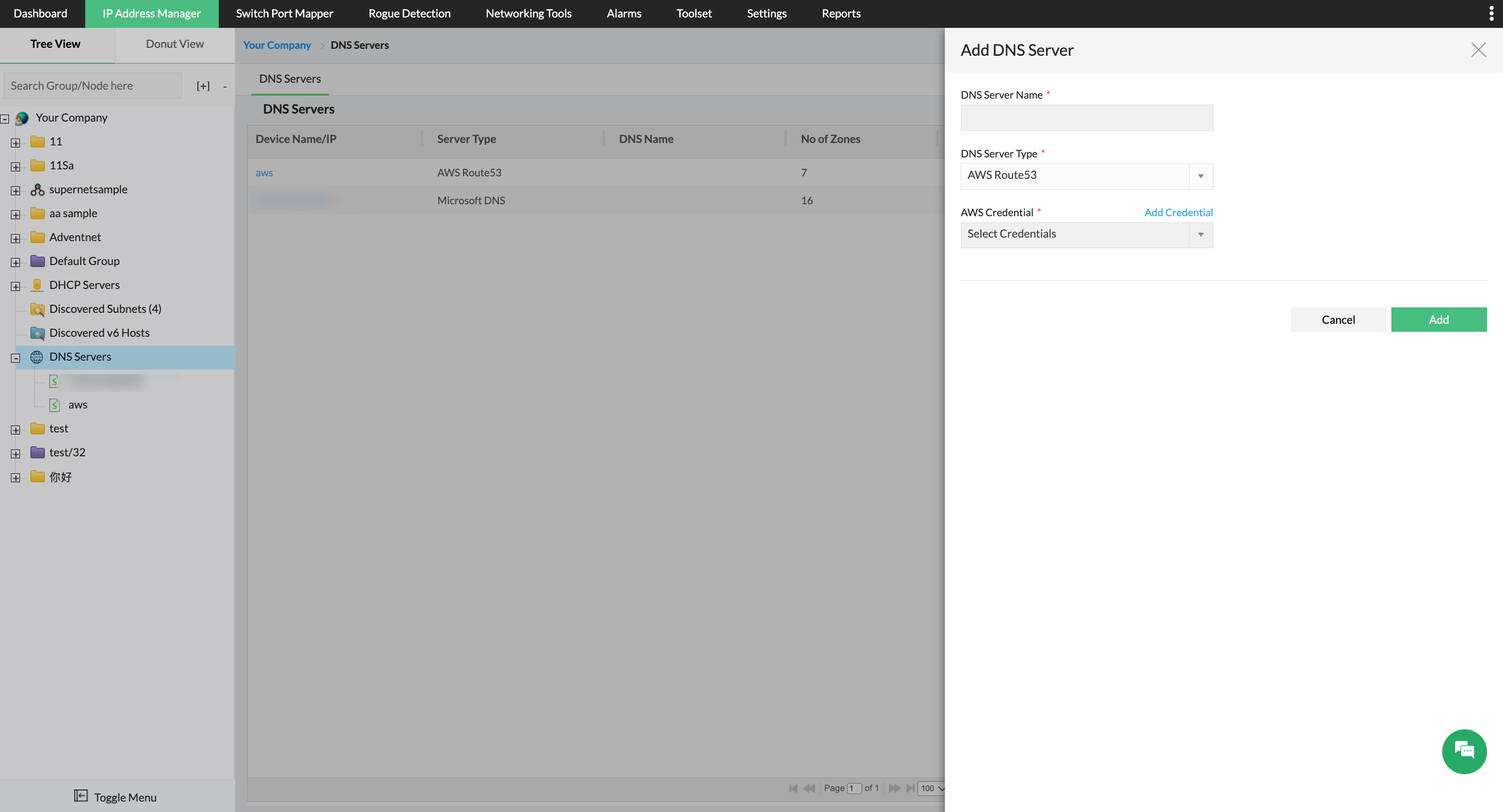
Connect AWS and automatically discover Route 53
Getting started takes just a few minutes. Add your AWS account to OpUtils using IAM-based credentials (Access Key ID and Secret Access Key), and OpUtils automatically discovers all Route 53-hosted zones linked to the account.
Both public- and private-hosted zones are mapped and displayed alongside your on-premises DNS servers in a unified console. You can also create DNS zones right from the OpUtils console.
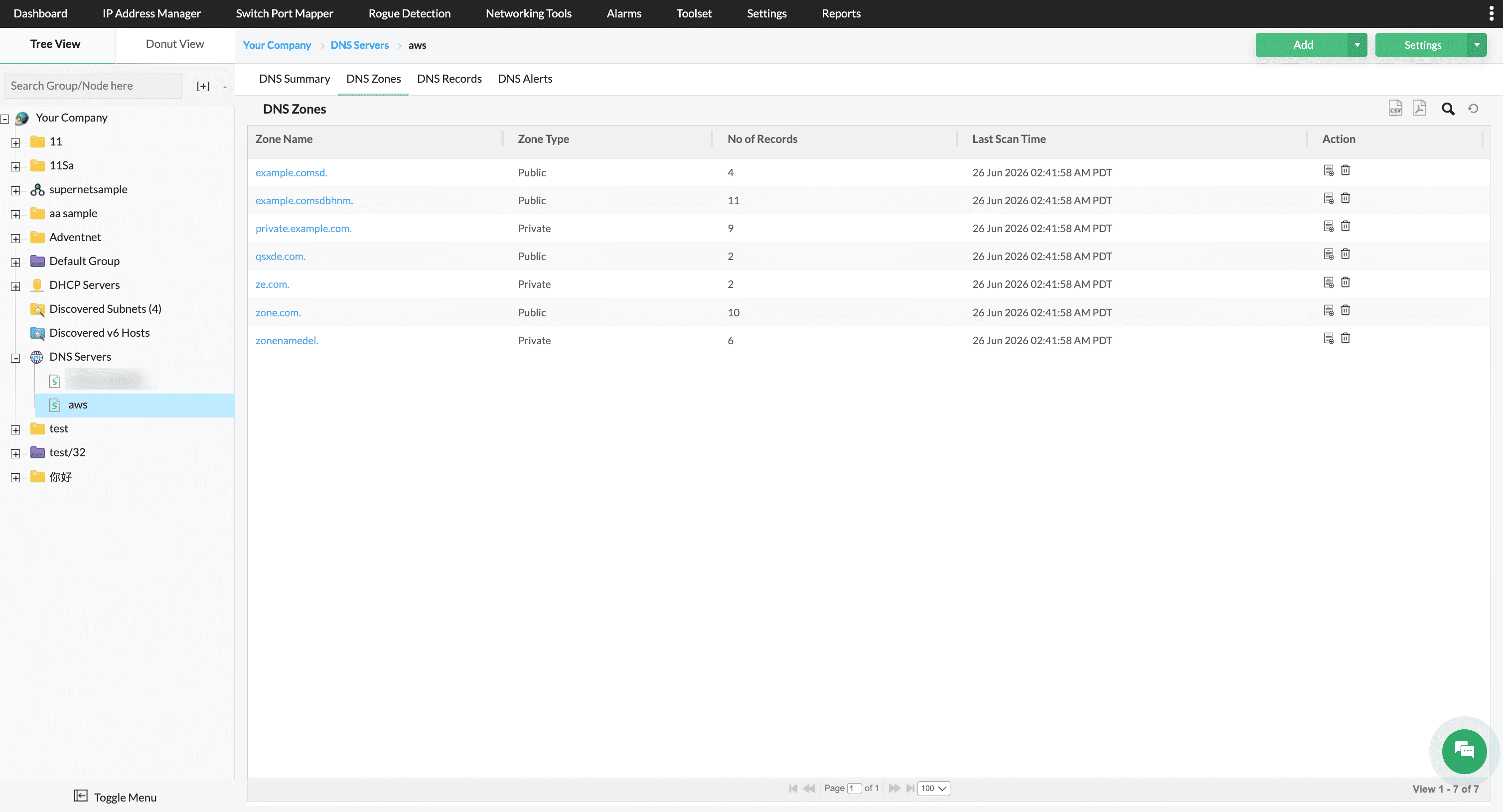
Manage public- and private-hosted zones
OpUtils provides a complete view of hosted zones, organized by zone name, type, record count, and last sync time. Administrators can create and delete hosted zones directly from the OpUtils interface, eliminating the need to access the AWS console.
Public-hosted zones require only a zone name, while private-hosted zones that are scoped to an AWS Virtual Private Cloud (VPC) require a VPC ID and region to ensure correct association. The entire zone life cycle can be managed from a single interface.
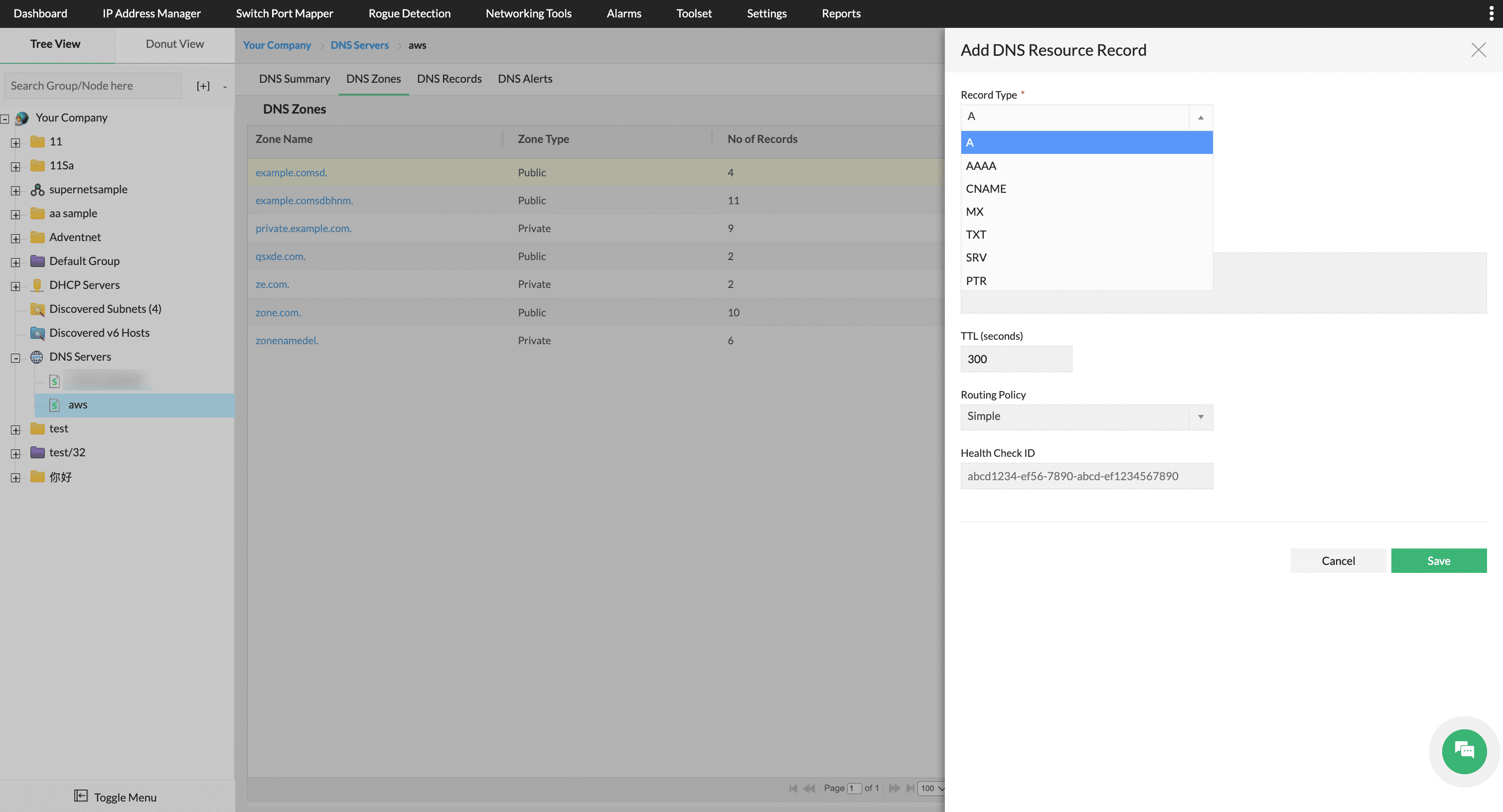
Full DNS record management across all core types
OpUtils supports create, edit, and delete operations for all major Route 53 record types, including A, AAAA, CNAME, MX, TXT, SRV, and PTR. Record management follows a structured workflow for defining record name, value, TTL, and routing policy, with support for multi-value entries where applicable.
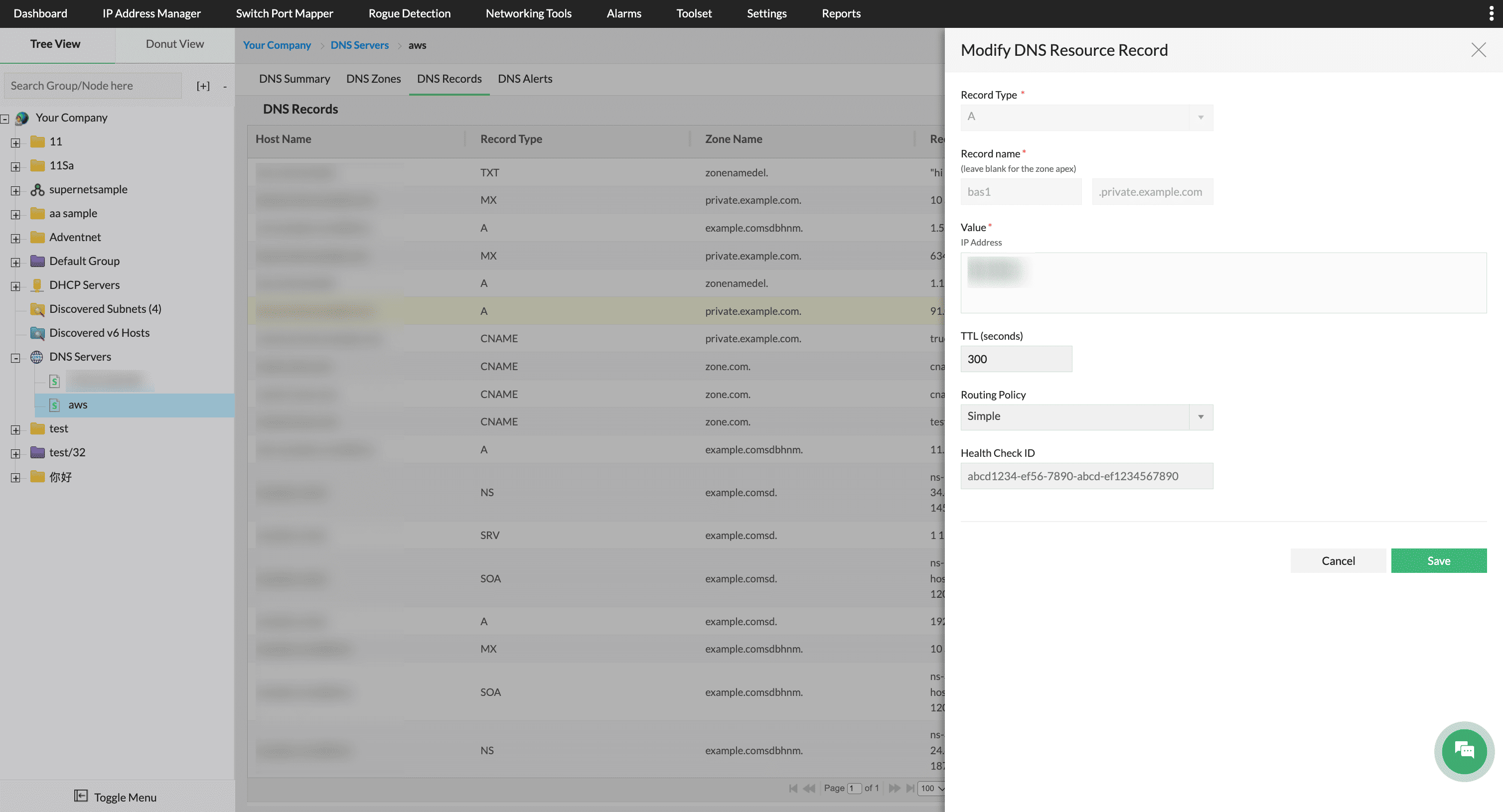
Advanced routing policies and health checks
OpUtils gives administrators full access to Route 53’s routing capabilities directly from the DNS record management console. When creating or editing a record, administrators can choose from Simple, Weighted, Failover, Latency-based, and Geolocation routing policies. Based on the selected policy, OpUtils dynamically displays the relevant fields such as Set Identifier, Location, and more. It also supports associating existing AWS Health Check IDs to help Route 53 automatically route traffic away from unhealthy endpoints.
Why AWS Route 53 DNS monitoring and management in OpUtils matters
Managing DNS across cloud and on-premises environments shouldn’t require multiple tools and disconnected workflows. By bringing AWS Route 53 into OpUtils alongside Microsoft DNS, IP address data, and DHCP records, network teams get a single console to investigate, manage, and act. Whether you’re troubleshooting a DNS issue, validating a new hosted zone, or updating routing after a deployment, the relevant data is available in one place.
This release also marks the first step in OpUtils’ broader cloud DNS roadmap. Support for Google Cloud DNS and Microsoft Azure DNS is planned, laying the foundation for unified, cloud-aware DNS monitoring and management across hybrid environments.
Download a free, 30-day trial to explore AWS Route 53 monitoring and management in OpUtils, or schedule a personalized demo to see it in action.