
Last updated on: March 06, 2026
From collaboration tools to finance applications, the average enterprise now uses 275 SaaS applications, according to Zylo. In terms of SaaS spending, analysts like Gartner expected close to $300 billion globally back in forecasts for 2025, with growth still chugging along at a solid double-digit rate (19.2%).
While SaaS accelerates business agility, it also introduces complexity that many IT teams struggle to control. What often starts as flexibility quickly turns into fragmented visibility. IT teams lose track of who is using which SaaS applications, how licenses are consumed, and whether spending aligns with business value. The result is overspending, unused licenses, missed renewals, and security gaps.
That's exactly why the integration between ManageEngine ServiceDesk Plus Cloud and ManageEngine SaaS Manager Plus makes so much sense. It's not about throwing another tool into the mix; it's about pulling SaaS information right into the ITSM processes you're already using every day.
Why integrate ServiceDesk Plus Cloud and SaaS Manager Plus?
On its own, ServiceDesk Plus Cloud is solid for handling the day-to-day IT grind: tracking incidents, managing service requests, keeping tabs on assets, automating approvals, and doing all that workflow magic with SLAs and reporting.
SaaS Manager Plus focuses on the SaaS side by automatically discovering applications, tracking account-level usage signals such as login activity and license consumption, flagging inactive accounts, and providing visibility into subscriptions and renewals.
When integrated with ServiceDesk Plus Cloud, SaaS no longer sits outside day-to-day IT operations. Access, renewals, offboarding, and cost reviews are handled through the same service workflows that IT teams already use for other critical systems. This helps IT, finance, procurement, and security teams make decisions using shared context, rather than operating in silos.
How the integration fits into
everyday IT operations

The value of this integration lies in how naturally it fits into everyday service operations:
1. Unified SaaS visibility
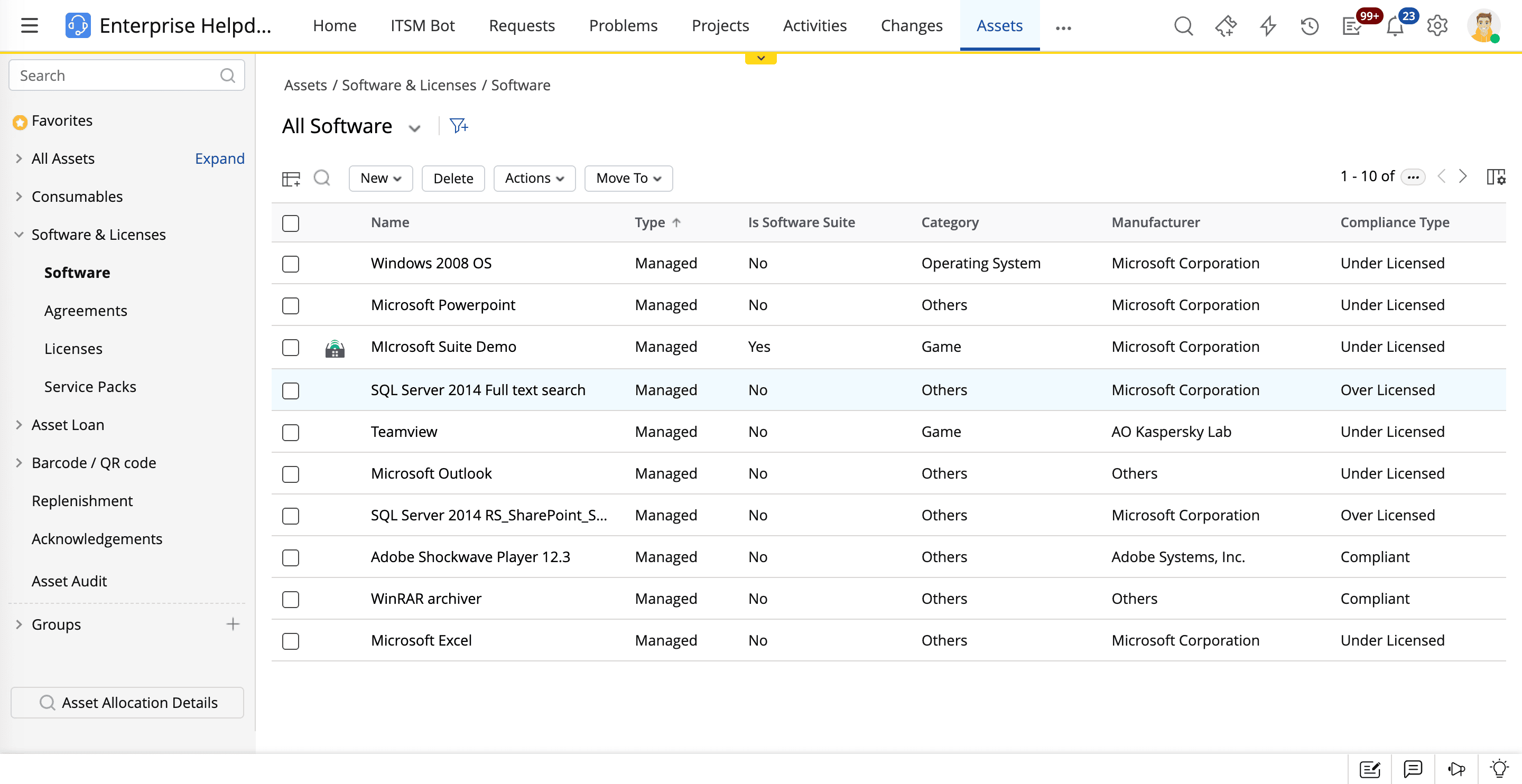
SaaS Manager Plus synchronizes user data, including names, email addresses, and user statuses, from ServiceDesk Plus Cloud. This creates a centralized view of SaaS access and license ownership within ITSM workflows. IT teams no longer need to switch between tools to understand SaaS usage. The ticket context, user statuses, and application access are aligned with real-time SaaS data.
What do you get?
- Faster troubleshooting
- Less back-and-forth
- Technicians who can resolve issues on the first try more often
2. Smarter ticket resolution with SaaS activity context
Support tickets raised in ServiceDesk Plus Cloud can be enriched with SaaS account context from SaaS Manager Plus, such as the last login information, account status, and license assignment details. Technicians gain immediate insight into whether an issue is user-related, license-related, or application-related.
The outcomes are faster root cause identification, improved first contact resolution, and a reduced mean time to resolve incidents.
3. License optimization and cost control
License usage insights help IT teams identify inactive or underutilized accounts. These licenses can be reclaimed and reassigned, reducing unnecessary purchases and controlling SaaS spending. Aligning license allocation with real usage data enables more informed budgeting and procurement decisions.
According to the 2025 SaaS Management Index, organizations waste $21 million on average on unused SaaS licenses annually. Additionally, over half of purchased SaaS licenses go unused, underscoring the opportunity for optimization through continuous governance and reclamation.
4. Improved compliance and access governance
The integration enables continuous monitoring of login behavior, admin roles, and account activity. Orphaned accounts and excessive privileges become easier to identify and address. This is especially valuable during employee exits or role changes, where delayed deprovisioning can create security and compliance risks.
This is also valuable for audits and regulated organizations, supporting least privilege access, compliance requirements, and stronger control over dormant accounts.
Use case: How Zylker brought order to its SaaS environment
Zylker is a fictional midsize global organization operating across multiple regions, with teams spanning marketing, sales, HR, finance, and engineering. Like many modern organizations, Zylker embraced SaaS aggressively to support remote work, faster collaboration, and rapid scaling. Individual teams adopted tools independently to meet immediate needs, accelerating productivity but quietly increasing complexity.
Over time, SaaS adoption outpaced the IT team’s ability to maintain visibility and control. The IT team struggled to answer fundamental questions: Which SaaS applications were actively used across the organization? Who had access, and at what privilege level? Were licenses being underutilized in some departments while other departments requested more? Renewal decisions were reactive, security reviews were inconsistent, and SaaS costs were rising without a clear explanation.
The core problem
Fragmented, uncontrolled SaaS adoption had outgrown Zylker’s existing ITSM workflows. While the organization had strong ITSM processes in place, SaaS usage was handled outside of those, making governance manual, reactive, and incomplete. This disconnect created several downstream challenges:
- Limited visibility into SaaS applications, users, and licenses
- Missed or rushed license renewals
- Inactive accounts driving unnecessary spending
- Difficulty enforcing access controls and explaining SaaS costs to leadership
Beyond IT concerns, these issues affected the business directly through rising costs, audit risks, and lost confidence in SaaS spending decisions.
Why integration became the answer
Zylker's IT team realized that deploying a stand-alone SaaS management tool would only add another dashboard to monitor. The real issue wasn’t just the lack of data but also the lack of connection between SaaS insights and everyday IT operations. To create lasting control, SaaS management needed to be embedded into the same workflows used for incidents, requests, approvals, and governance.
That's when Zylker integrated ServiceDesk Plus Cloud with SaaS Manager Plus.
How the ServiceDesk Plus Cloud and SaaS Manager Plus integration addressed the challenges
Increased SaaS visibility: Zylker relied on multiple SaaS dashboards to track applications and users. This fragmented view increased administrative effort and compliance risks.
Solution: With SaaS Manager Plus integrated into ServiceDesk Plus Cloud, all SaaS applications, users, and license details were centralized in a single view accessible from ServiceDesk Plus Cloud.
Impacts
- Full visibility of SaaS usage across the organization
- Reduced administrative overhead and manual tracking
- Improved control over user access and entitlements
Prompt license renewals: Zylker often struggled to track license expirations across multiple SaaS tools. This created the risks of service interruptions for critical applications and unnecessary emergency purchases.
Solution: SaaS Manager Plus pushed renewal alerts to ServiceDesk Plus Cloud, generating tickets that ensured SaaS license renewals were reviewed well before expirations.
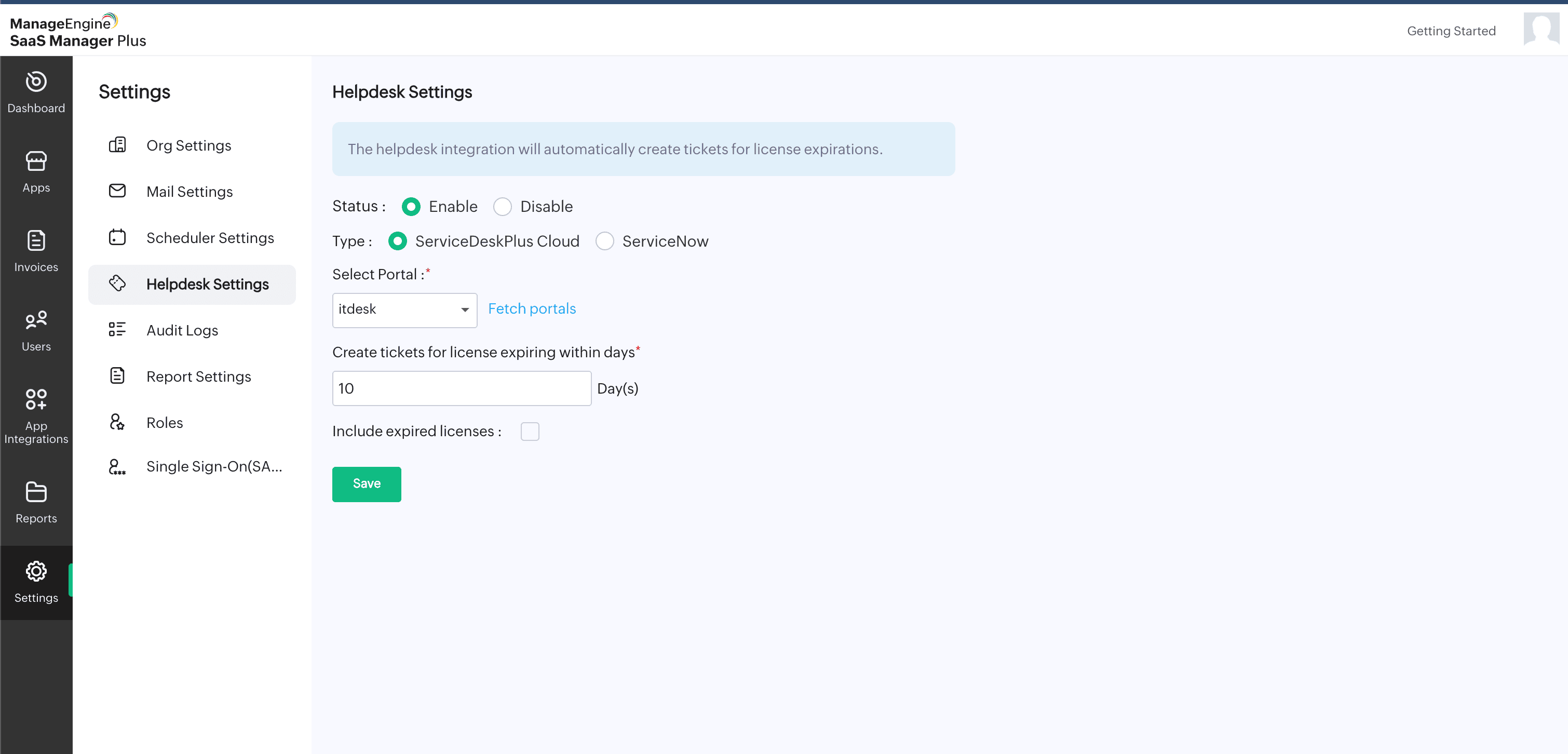
Impacts
- Timely license renewals without manual tracking
- A reduced risk of downtime due to expired licenses
- Streamlined license approval and review processes
Optimized license usage: Zylker discovered that some SaaS accounts were no longer being used but remained active, which resulted in unnecessary spending.
Solution: SaaS Manager Plus continuously monitored user login behavior and application engagement. The IT team identified inactive or underused accounts and reclaimed licenses, ensuring that access aligned with real business needs.
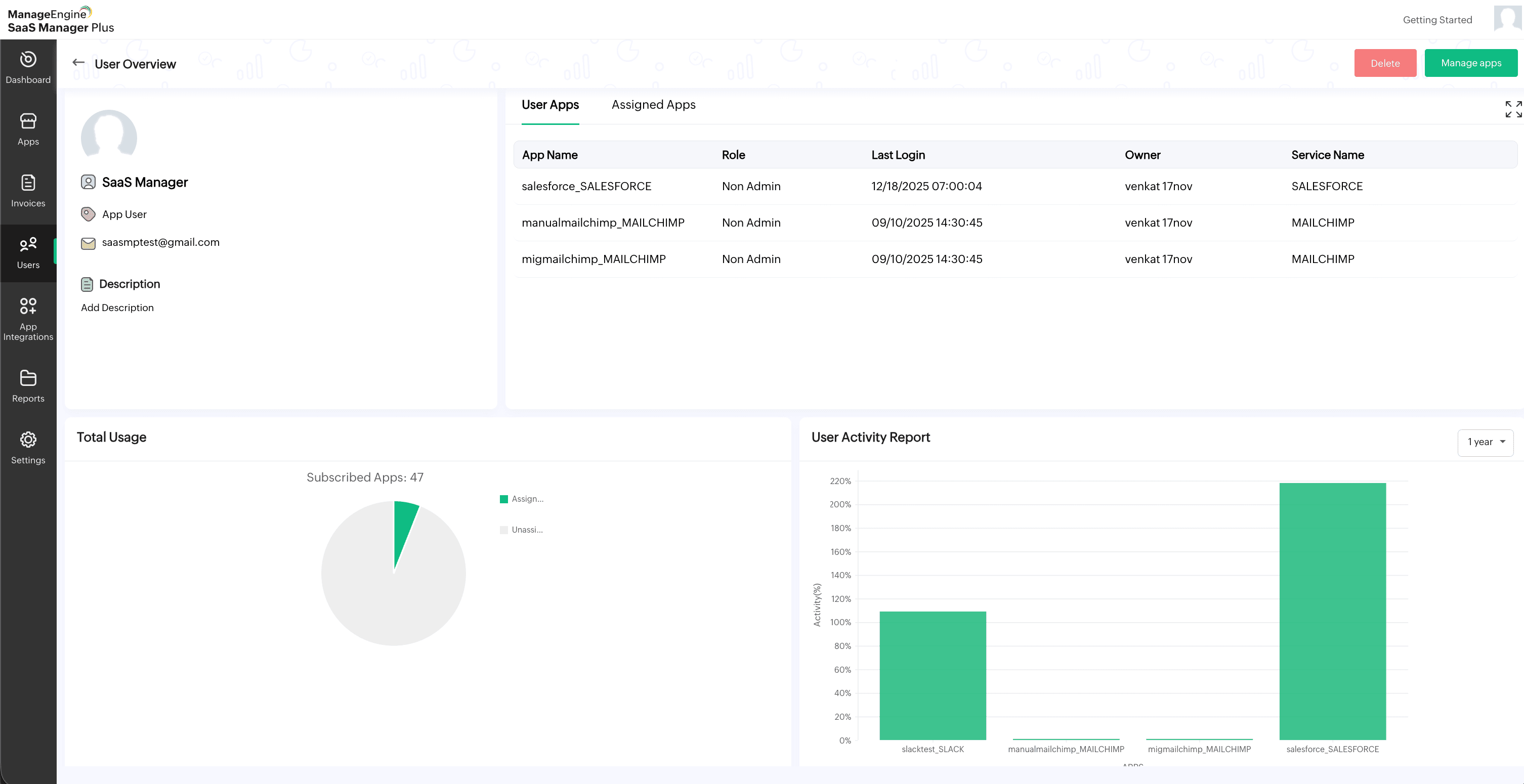
Impacts
- Improved license utilization
- Reduced SaaS costs
- Less manual cleanup
Controlled SaaS spending: Without consolidated spending data, Zylker struggled to identify cost-saving opportunities and enforce budgetary controls.
Solution: All SaaS subscription and spending data was consolidated onto a unified dashboard in SaaS Manager Plus. This enabled IT and finance teams to collaborate more effectively on renewals, budgeting, and procurement decisions.
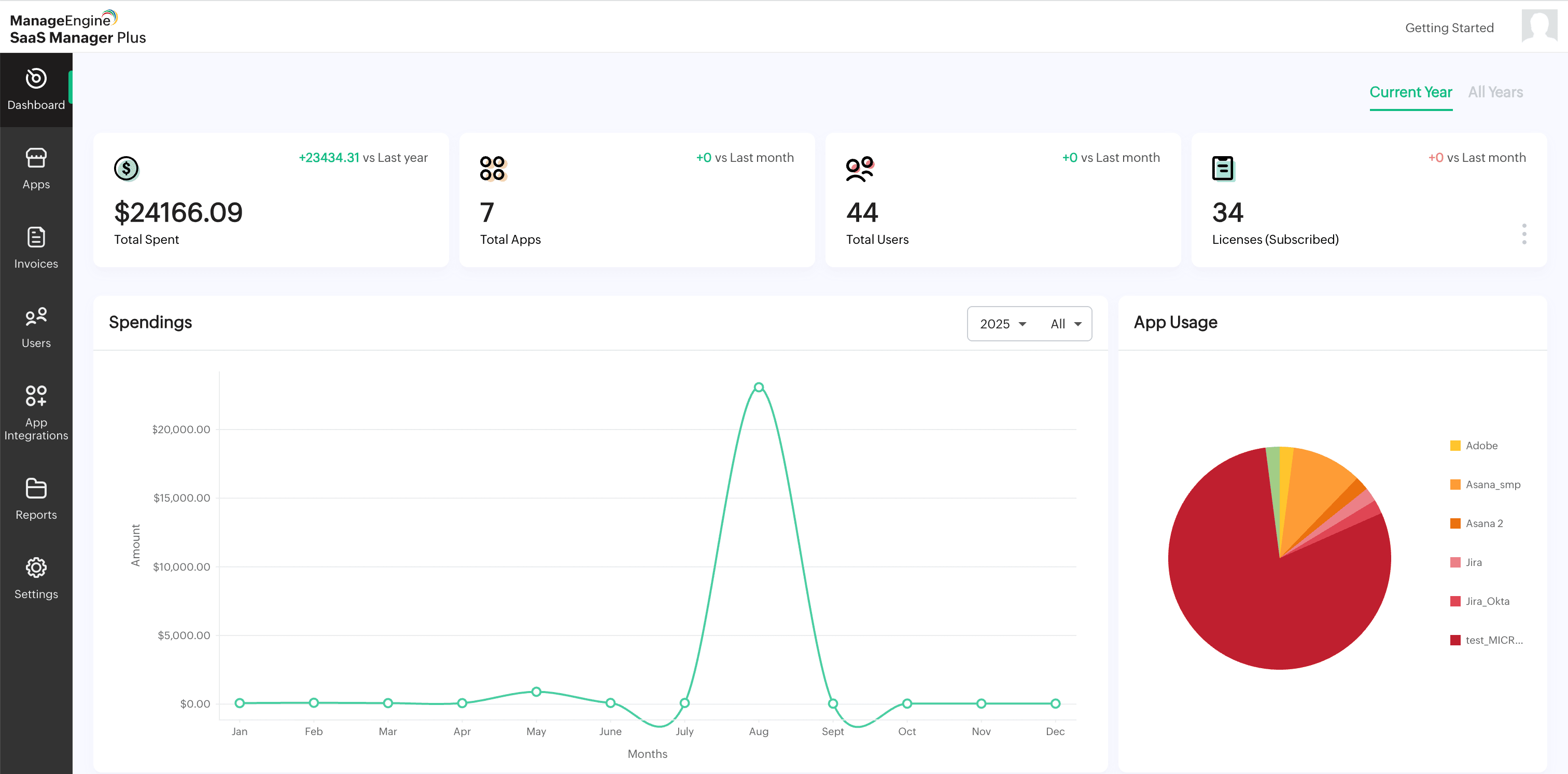
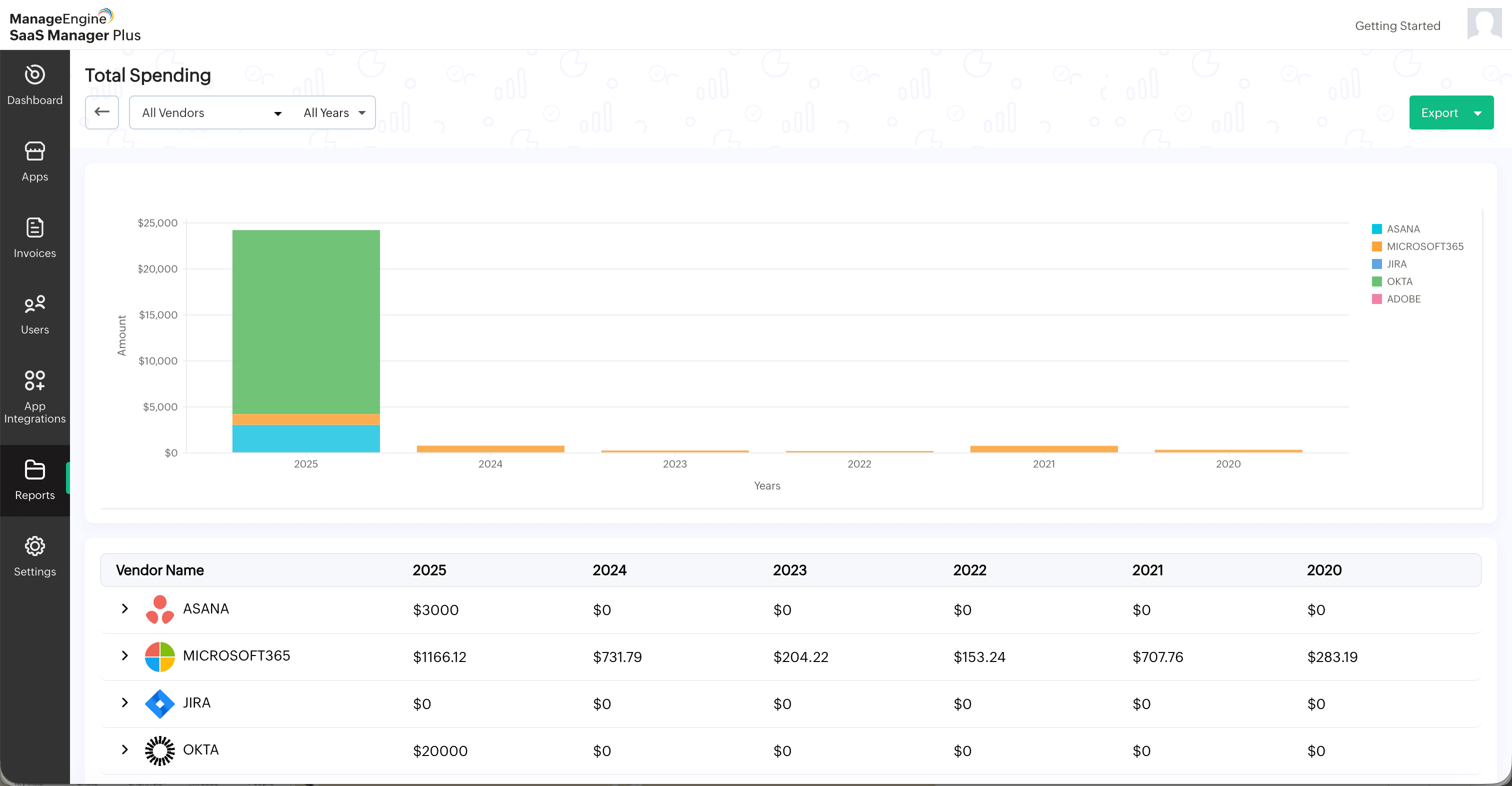
Impacts
- Clearer cost visibility
- Better renewal decisions
- Stronger collaboration between IT and finance teams
The end results? In about a year, Zylker materially reduced SaaS costs by reclaiming hundreds of unused licenses, avoiding unnecessary purchases, and rightsizing renewals. Renewal surprises dropped, shadow IT declined, and the offboarding deprovisioning time shortened from days to hours. Governance became continuous rather than reliant on periodic cleanup projects.
Who this integration helps most
This integration works best for organizations that:
- Manage a growing number of SaaS applications.
- Have frequent onboarding and offboarding.
- Are under pressure to control SaaS costs.
- Want SaaS governance to be part of ITSM, not a separate exercise.
Wrapping it up
Integrating ServiceDesk Plus Cloud with SaaS Manager Plus just makes SaaS part of everyday IT operations. Usage data guides approvals, renewals, and cleanups; automation takes care of the grunt work.
It's not going to make everything perfect. SaaS changes too fast for that, but the integration cuts out a ton of surprises, closes visibility gaps, saves organizations real money, tightens security, and frees IT teams from constant fires.
Bring SaaS visibility into ServiceDesk Plus Cloud. Learn more about the integration.