Bulk User Creation in Active Directory
ADManager Plus, an Active Directory user creation tool, enables administrators to create users in bulk in their Active Directory environment.
With its smart templates, automation, and CSV-based user creation capabilities, ADManager Plus simplifies bulk user creation in Active Directory, overcoming the challenges associated with traditional Active Directory management tools like PowerShell or Active Directory Users and Computers.
ADManager Plus also enables administrators to efficiently set up user attributes for all platforms in one go, including Exchange, Microsoft 365, and Google Workspace. Additionally, ADManager Plus can be integrated with a wide range of applications and databases using REST and SOAP APIs to automatically create users in enterprise applications.

Benefits of Using ADManager Plus To Create Bulk Users In Active Directory
Enhanced productivity
Save time by creating multiple user accounts at the same time, drastically reducing the effort required for bulk user creation in Active Directory.
Streamlined user onboarding
By configuring all the user attributes during user creation, ensure new users are fully operational from day one, avoiding delays or manual intervention.
Minimised errors
Leverage ADManager Plus' smart templates and automation capabilities to eliminate the risks associated with manual data entry.
Improved consistency
Through customisable templates, ensure that all accounts adhere to organisational policies, naming standards, and role-specific requirements, and maintain uniformity.
Create Bulk Users In Active Directory Without PowerShell Scripting
PowerShell scripts are a popular choice among administrators for managing Active Directory, particularly for creating user accounts. With a CSV file and a few lines of PowerShell script, administrators can provision users and some attributes.
Here’s an example of a PowerShell script that can be used to create users from a CSV file:
Import-CSV test.csv | foreach {New-ADUser -SamAccountName $_.SamAccountName -Name $_.Name -Surname $_.Surname -GivenName $_.GivenName -Path "OU=Finance,OU=UserAccounts,DC=SOUTHWING,DC=COM" -AccountPassword (ConvertTo-SecureString -AsPlainText $_.password -Force) -Enabled $true
However, real-world scenarios are often much more complex, requiring significant expertise in PowerShell scripting and Active Directory management to tailor scripts to meet specific needs. Even if IT administrators have the required technical expertise, performing this task day in and day out often consumes a substantial amount of time, diverting valuable resources from more critical tasks.
Active Directory Bulk User Creation Using ADManager Plus
Key methods of achieving bulk user creation in Active Directory
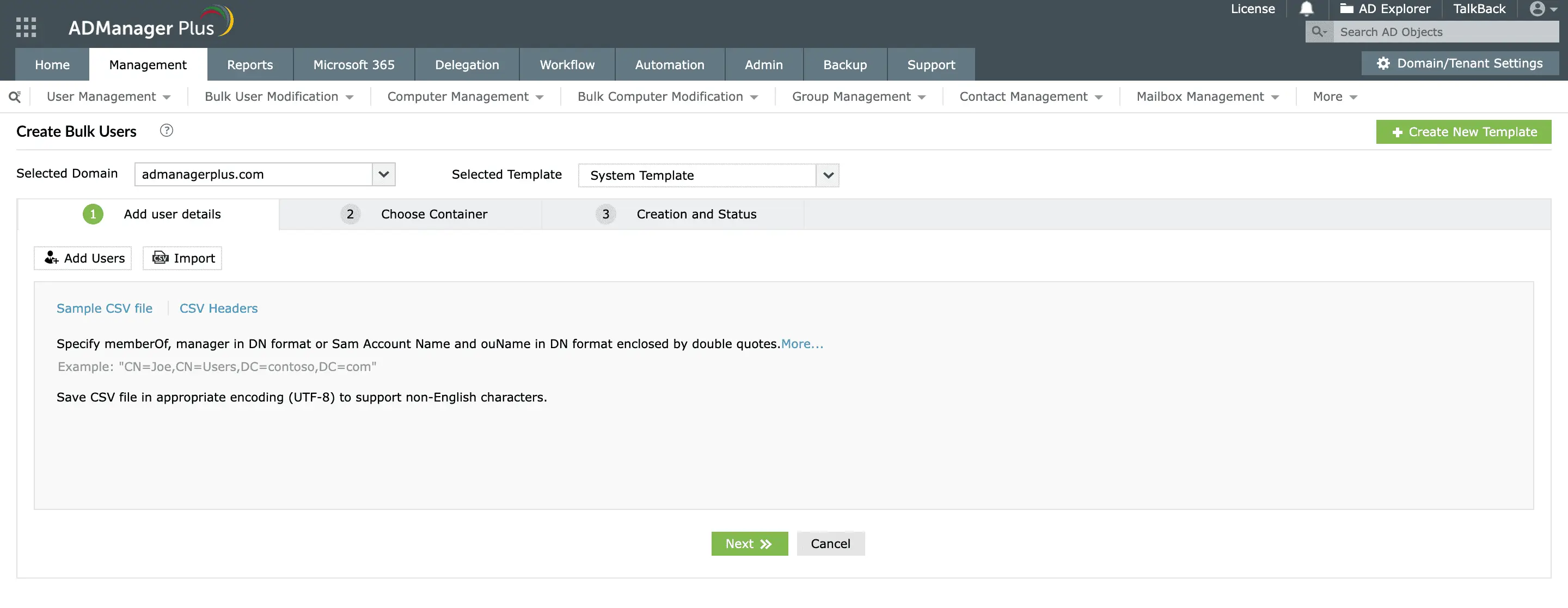
Create users using CSV files
Administrators can generate new Active Directory user accounts by uploading a CSV file containing user details such as first name, last name, logon name, organisational units (OUs), group memberships, and email addresses. This method simplifies handling intricate user data, ensuring an efficient and streamlined user creation process.
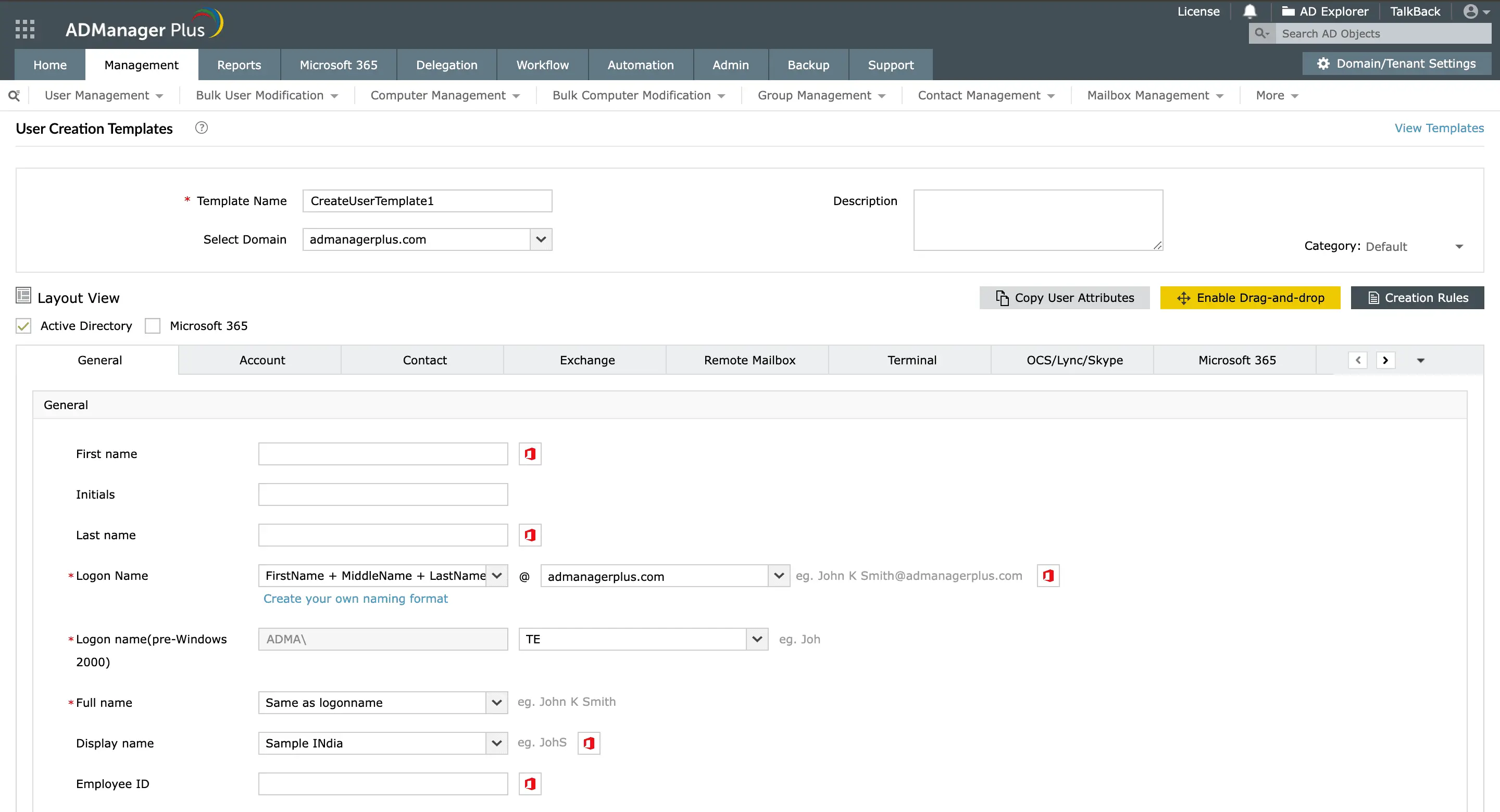
Create users using smart templates
With ADManager Plus' smart templates, administrators can predefine common user attributes such as departments, OUs, and group memberships, ensuring uniformity across the Active Directory environment.
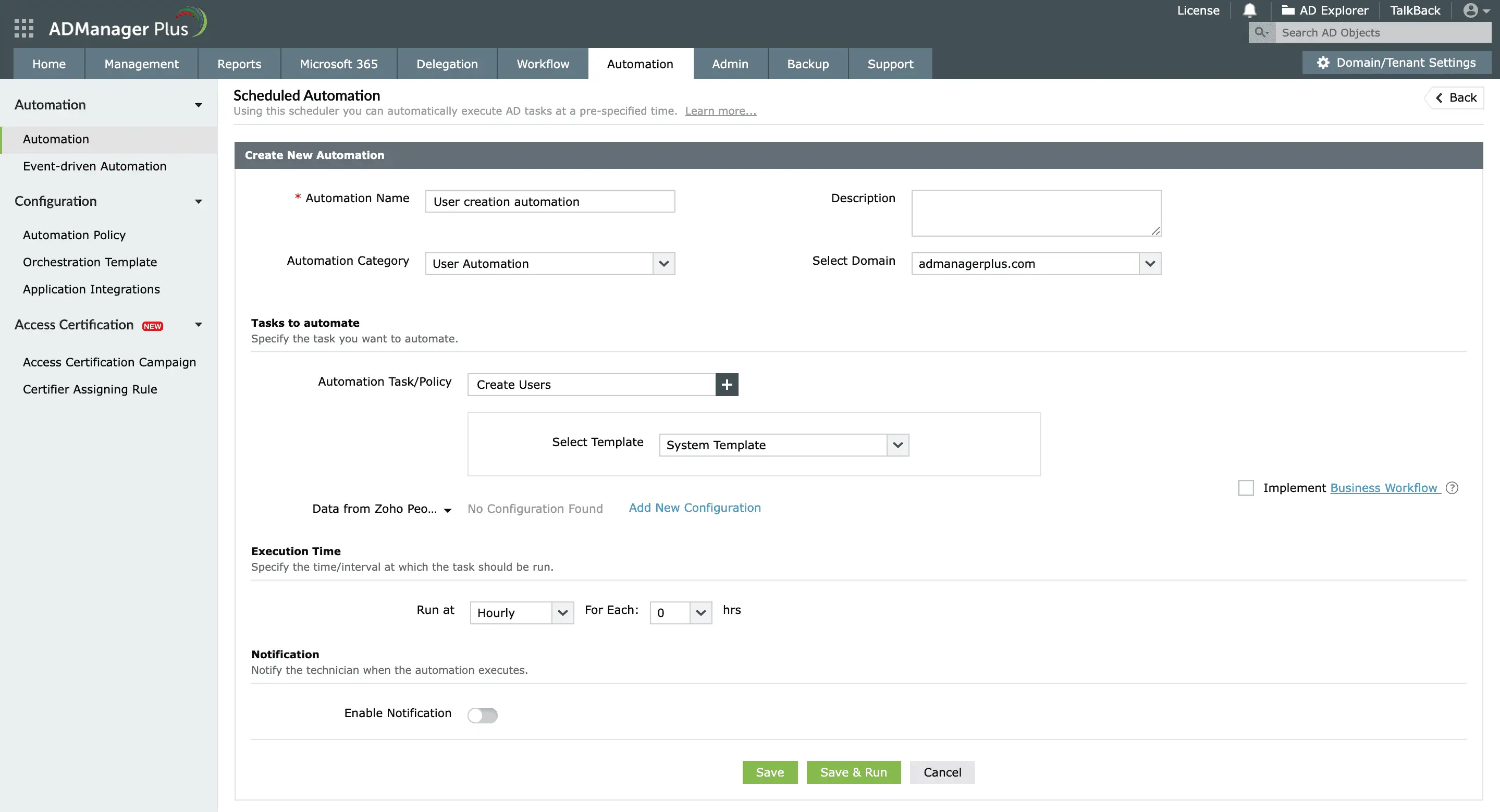
Create users using customised automations
Administrators can set up automated workflows and automatically create user accounts in Active Directory. These automations can be scheduled to run at specific intervals, minimising the need for manual intervention.
How bulk user creation works in ADManager Plus
With the bulk user creation feature in ADManager Plus, administrators can create users in the following ways without using PowerShell scripts:
Create user accounts manually one after another and provision them together.

Use this button to add users manually when you have to create only a few user accounts.
Import a CSV file with user data and create multiple users instantly.

Create a CSV file with the required LDAP headers and values and upload it.
Create templates by prefilling common attributes and necessary information and use them while creating users manually or using a CSV file.

Apply a template while adding users manually or through a CSV file and ensure consistency.
Other Features
Active Directory user reports
Exhaustive reporting on Active Directory Users and user-attributes. Generate reports in user-activity in your Active Directory. Perform user-management actions right from the report interface!
Active Directory compliance reports
Active Directory reports to assist you for compliance to Government Regulatory Acts like SOX, HIPAA, GLBA, PCI, USA PATRIOT...and much more! Make your organisation compliance-perfect!
Active Directory management
Make your everyday Active Directory management tasks easy and light with ADManager Plus's AD Management features. Create, modify and delete users in a few clicks!
Terminal Services management
Configure Active Directory Terminal Services attributes from a much simpler interface than AD native tools. Exercise complete control over technicians accessing other domain users' computers.
Active Directory cleanup
Get rid of the inactive, obsolete and unwanted objects in your Active Directory to make it more secure and efficient...assisted by ADManager Plus's AD Cleanup capabilities.
Active Directory automation
A complete automation of AD critical tasks such as user provisioning, inactive-user clean up, etc. Also lets you sequence and execute follow-up tasks and blends with workflow to offer a brilliant controlled-automation.