Direct Inward Dialing: +1 408 916 9393
Many major breaches start with something as small as a permission mistake. Access control lists (ACLs) are those permissions that decide who can access what inside Active Directory. When configured right, they quietly keep your network safe. When they're wrong, they can open doors you didn't even know existed.
An ACL is a list of permissions tied to an Active Directory object, like a user, group, folder, or file. It tells the system who can do what.
ACLs define these boundaries at a granular level for every object in Active Directory.
When Microsoft designed Active Directory, it knew one size wouldn't fit all. So it introduced ACLs to enforce object-level control, ensuring that only authorized users and groups can view, modify, or manage particular Active Directory objects.
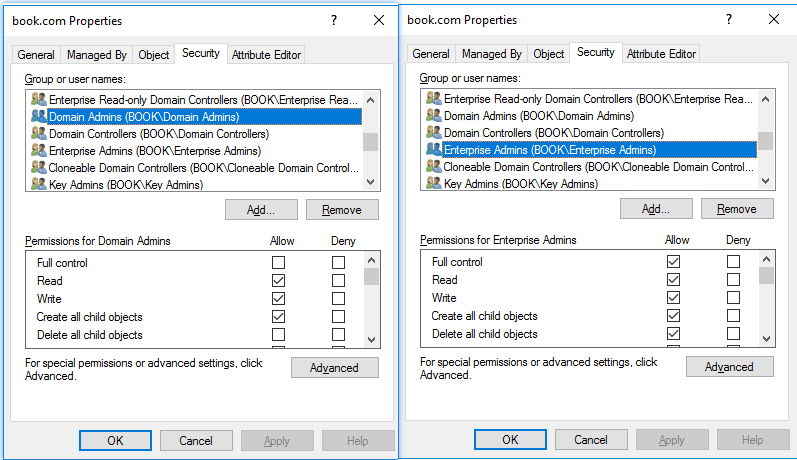
You'll come across different types of ACLs depending on what you're working with:
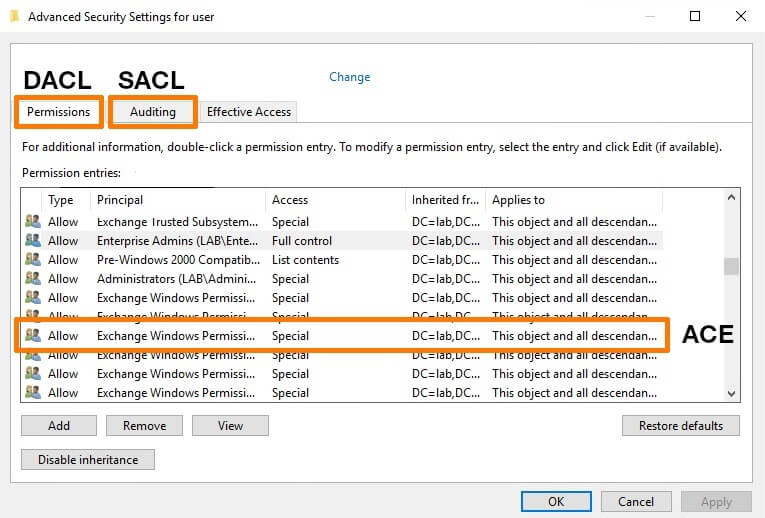
Each ACL isn't a single rule; it's a collection of smaller entries called access control entries (ACEs). Every ACE defines who has permission and what they can do. Together, all these ACEs make up the full permission set for that object.
Now, ACLs don't always start from scratch. Many permissions are inherited from a parent object; for example, an OU can pass down its permissions to all the users or computers inside it. This inheritance saves time and keeps permissions consistent across a department or folder, but it can also lead to surprises, like a group having unintended access because of a higher-level inheritance. That's why in the Advanced Security Settings, you'll see options to inherit permissions, disable inheritance, or convert inherited permissions into explicit ones. Disabling inheritance means the object stops receiving permissions from its parent, giving you full control but also more responsibility to manage it manually.
When you dig deeper into the Advanced Security Settings, you'll also notice something called Special permissions. These go beyond the basic read or write settings. They let you define detailed actions, like change permissions, take ownership, or delete subfolders and files. These Special permissions are what give administrators fine-grained control, which is useful when standard permission levels don't quite fit what you need.
You can manage ACLs in the following ways:
You can manage ACLs with cmdlets like Get-Acl and Set-Acl. Here's an example that grants John Doe read-only access to the FinanceData folder:
            $acl = Get-Acl "C:\FinanceData"

            $rule = New-Object System.Security.AccessControl.FileSystemAccessRule("JohnDoe","Read","Allow")

            $acl.SetAccessRule($rule)

            Set-Acl "C:\FinanceData" $acl
In 2025, several major breaches were traced back to misconfigured ACLs in Active Directory. Microsoft's CVE-2025-29810 revealed how poor ACL validation could lead to SYSTEM-level privilege escalation.
Frameworks like HIPAA, SOX, the NIST CSF, and the GDPR now require proof that access to sensitive data is restricted, monitored, and reviewed.
Auditors often ask three questions:
ACLs are meant to protect, but poor management can easily turn them into attack paths. To prevent that, every organization should follow a set of clear, consistent best practices.
In large environments, implementing these best practices manually can take days. Automation and visibility are no longer optional; they're essential.
Manual ACL management is time-consuming and error-prone, especially when permissions, compliance, and delegation span multiple servers and OUs. That's where ADManager Plus comes in.
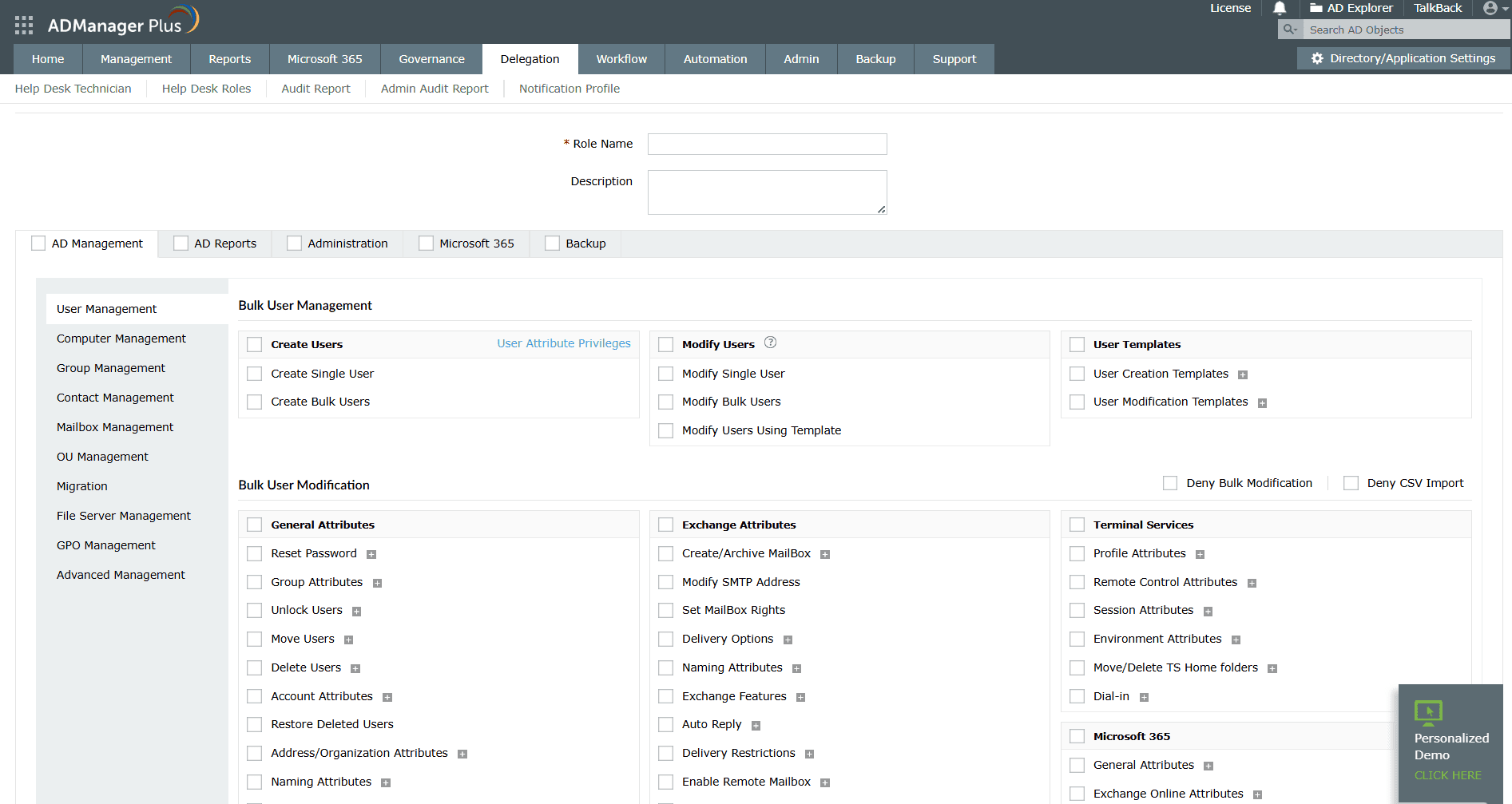
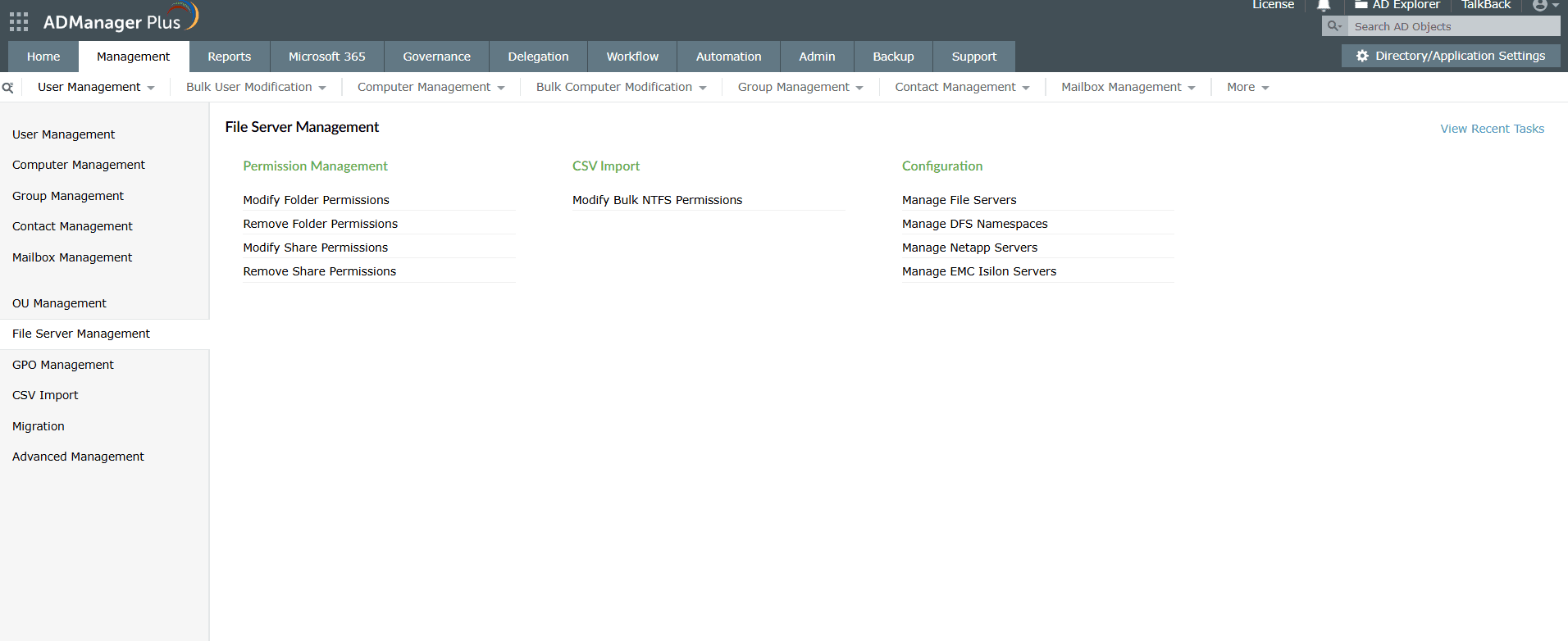
Modify and manage NTFS and share permissions in bulk across multiple file servers without scripts.
Access more than 200 prebuilt reports, including file access, compliance, and stale account reports.
Delegate specific Active Directory tasks to specific users or groups within chosen OUs without giving unnecessary admin rights.
Trigger automated Active Directory actions when specific events occur, even across multiple applications, reducing manual intervention and response times.
Detect and review privileged access, identify permission anomalies, and run access reviews to maintain least privilege access.