Direct Inward Dialing: +1 408 916 9393
 Free Edition
Almost 40% of an Active Directory administrator's time is spent on user account management activities such as enabling, disabling, moving or deleting user accounts. Add to this the password reset and account-unlock tasks, it is indeed a wise choice to automate the user account management process. But if you wish to set up automation with native tools or PowerShell, you might as well give it a pass.
The automation and workflow features work hand in hand to offer controlled-automation of Active Directory user account management: for selected actions including enable/ disable/ move/ delete users and also for password reset and account unlock activities.
With the help of a review-approve system, ADManager Plus offers a controlled automation of Active Directory user account management: for selected actions including enable/ disable/ move/ delete users and also for password reset and account unlock activities.
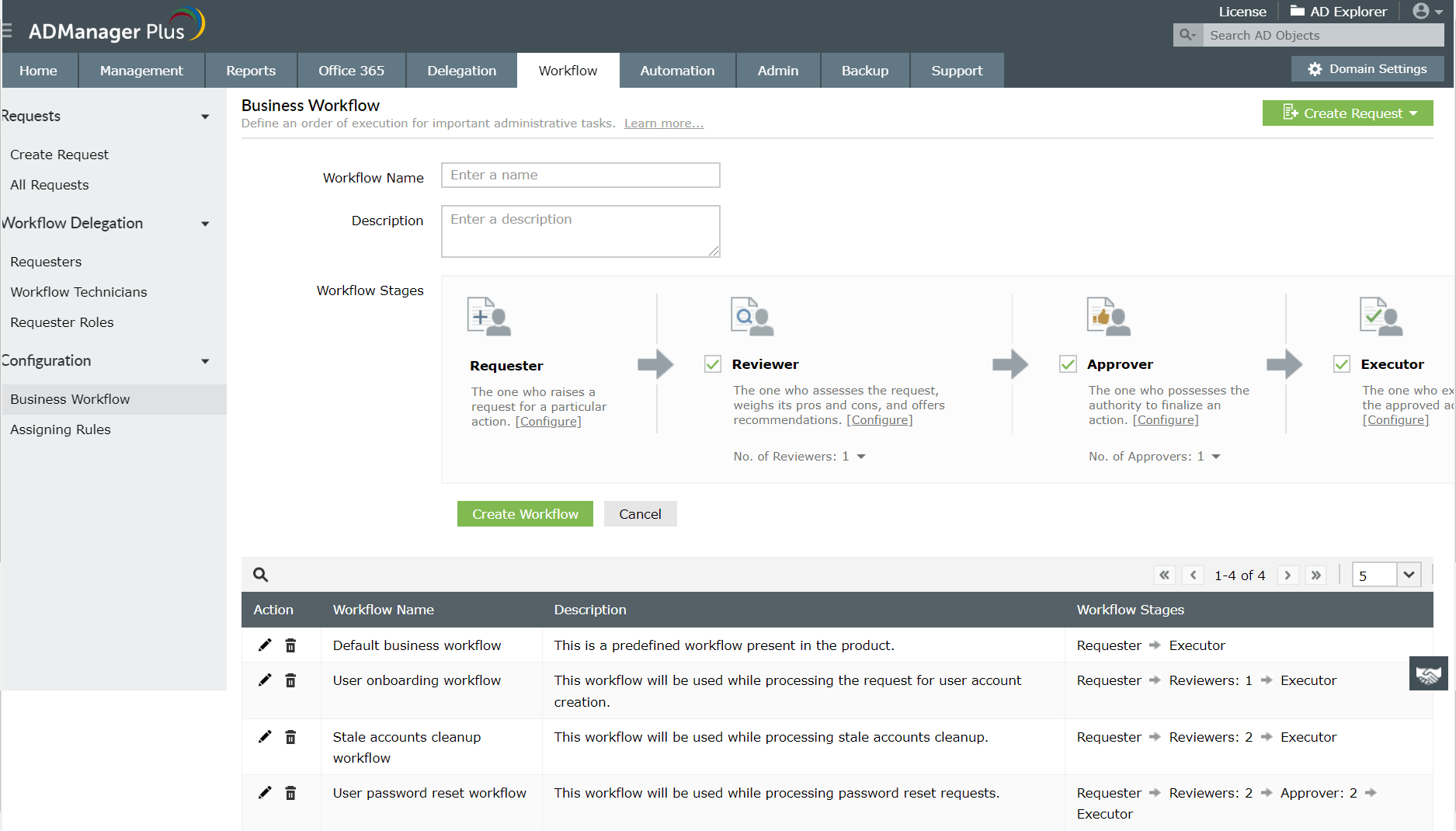
Approval Workflow is a linear hierarchy which defines who reviews the process and who approves it. Workflow available in ADManager Plus is configurable, wherein you can define various levels of pit stops for the automated process, where the process could be perused before proceeding.
In any given day, an administrator may come across various kinds of circumstances, such as:
If you look at these scenarios, the basic Active Directory operation is about the same - move, disable, enable, delete. However, every scenario sends the administrator chasing after a new set of user accounts on which these operations can be performed.
So, it's understandable that when it comes to automating Active Directory user account management, the key is to offer pre-built scenarios to choose user accounts on which these actions can be performed.
That's the reason ADManager Plus provides a wide array of pre-built scenarios to pull out user accounts on which these Active Directory tasks could be performed. Take a look at the following automator and the library of criteria to select user accounts:
User Account Management
Library of Reports
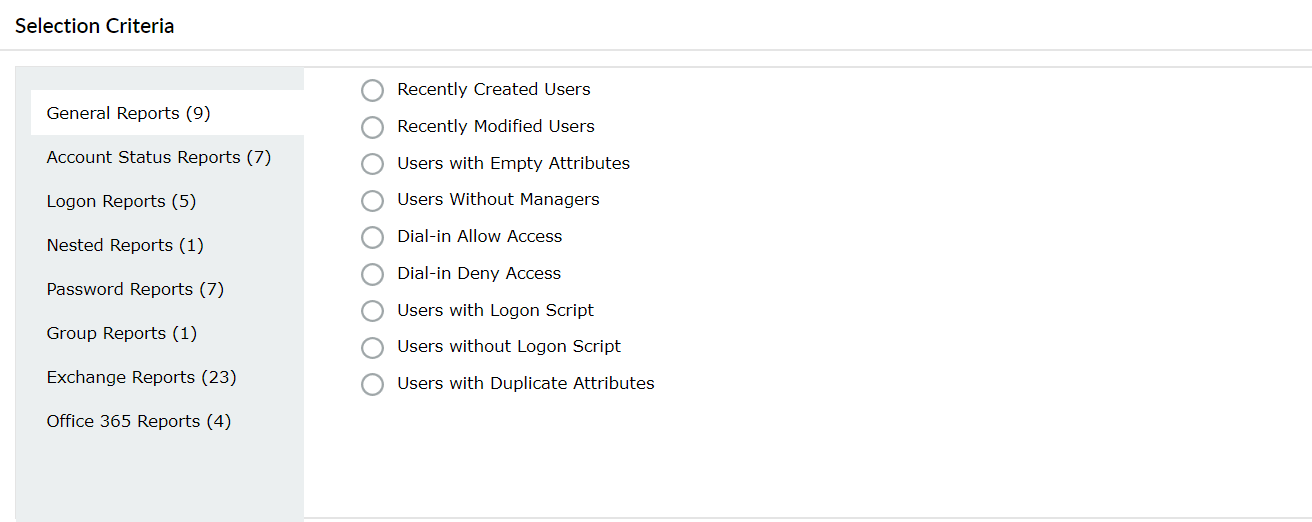
This allows you a great deal of freedom, which allows you to automate oft-repeated to "situation may arise" kind of Active Directory tasks.
ADManager Plus also gives you another option to choose user accounts on which AD operations are to be performed - CSV files.You can put them in a csv file, and while configuring the automation specify the path to the file in the " location of CSV" field.
For example take the scenario where the HR in your company has to create accounts for new employees on board every month, this would be complex and tiring to perform in the native environment, the HR can instead put the details of the employess in a CSV as they walk in and an automation configured for user provisioning will fetch this data at desired intervals and create the user accounts in Active Directory.
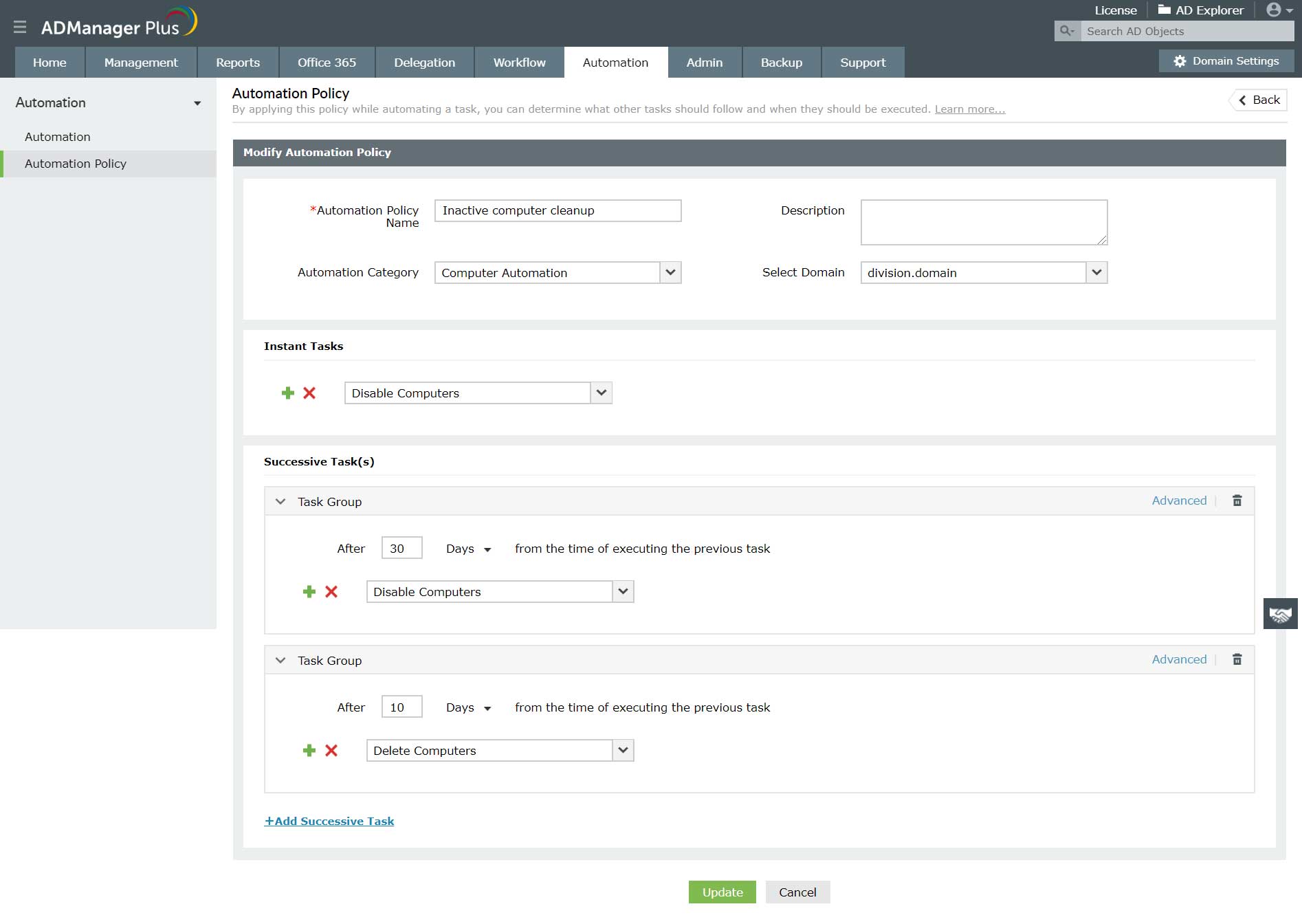
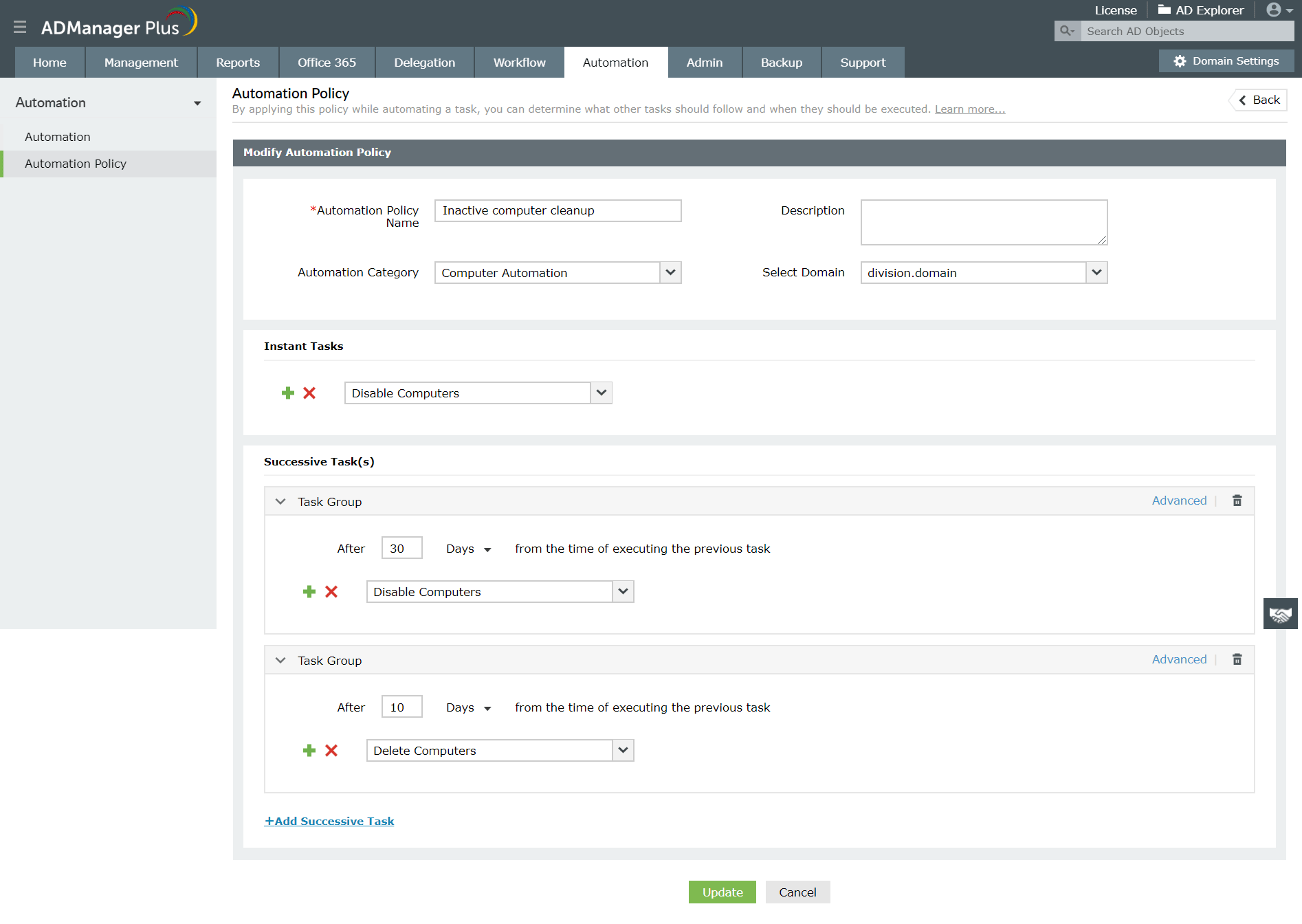
The Automatiuon policy feature in ADManager Plus also allows you to configure follow-up or supplementry tasks for all user account related actions.For example: say you want a automation to run on the 30th of every month that disables inactive users, and after a two month period you want to delete these disabled users. This can be achieved by configuring an automation policy with the sequence of tasks in the desired order of execution and implementing this policy in automator.
Your download is in progress and it will be completed in just a few seconds!
If you face any issues, download manually here
Featured links
Configure Active Directory Terminal Services attributes from a much simpler interface than AD native tools. Exercise complete control over technicians accessing other domain users' computers.
Monitor logon activities of Active Directory users on your AD environment. Filter out Inactive Users. Reporting on hourly level. Generate reports for true last logon time & recently logged on users.
Active Directory reports to assist you for compliance to Government Regulatory Acts like SOX, HIPAA, GLBA, PCI, USA PATRIOT...and much more! Make your organization compliance-perfect!
Create and manage Exchange mailboxes and configure mailbox rights using ADManager Plus's Exchange Management system. Now with support for Microsoft Exchange 2010!!
Get rid of the inactive, obsolete and unwanted objects in your Active Directory to make it more secure and efficient...assisted by ADManager Plus's AD Cleanup capabilities.
A complete automation of AD critical tasks such as user provisioning, inactive-user clean up etc. Also lets you sequence and execute follow-up tasks and blends with workflow to offer a brilliant controlled-automation.
Need Features? Tell Us
If you want to see additional features implemented in ADManager Plus, we would love to hear. Click here to continue














