Why do you need an automated Windows patch management software?
Taking into consideration the sheer number of patches released, it is impossible for IT Admins to take care of it all manually. Hence, an automated patch management solution is required that allows you to automate the entire patch management lifecycle for Windows systems and applications. Such software aim at overcoming the vulnerabilities that create security weaknesses, corrupt critical system data or cause system unavailability.
IT Administrators often find it tough to put together a security solution without understanding how vulnerable their systems are. They look out for a patch deployment software that not only does patch deployment but also scans for network vulnerabilities, identifies missing security patches and hotfixes, applies them immediately and mitigates risk.
How can you manage patches for Windows using Endpoint Central?
Endpoint Central's agent-based solution handles every aspect of Windows patch management. This includes system discovery; identifying the required Windows updates, deploying relevant patches, hotfixes, security updates, and patch reports to make network administrators' job simple. Network Managers can opt for this completely automated patch management software solution and don't have to worry about patching Windows systems ever. Endpoint Central's Patch Management solution works for both Windows Active Directory and Workgroup based networks.
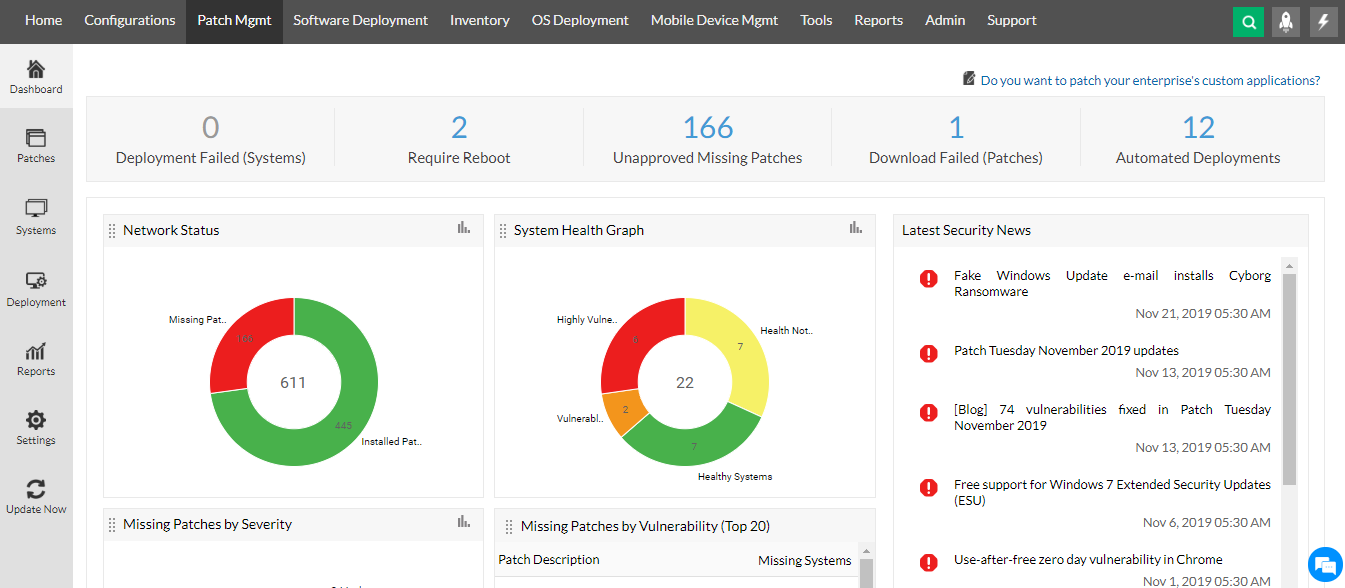
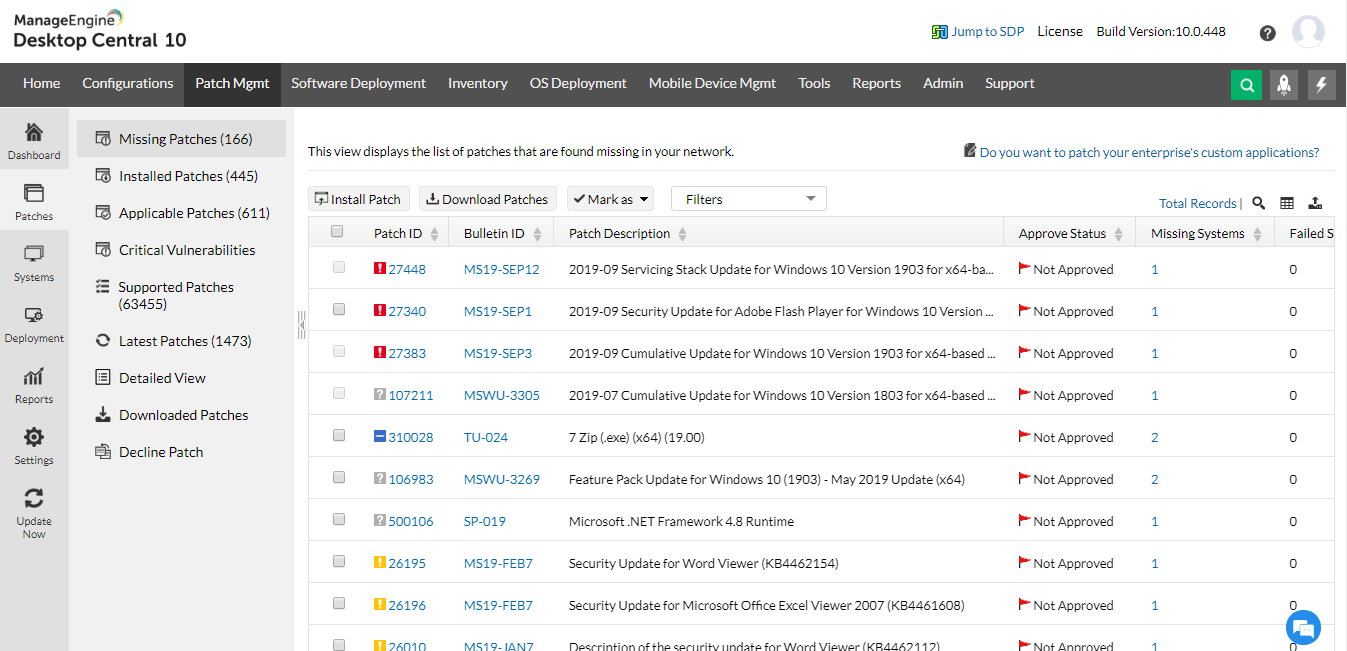
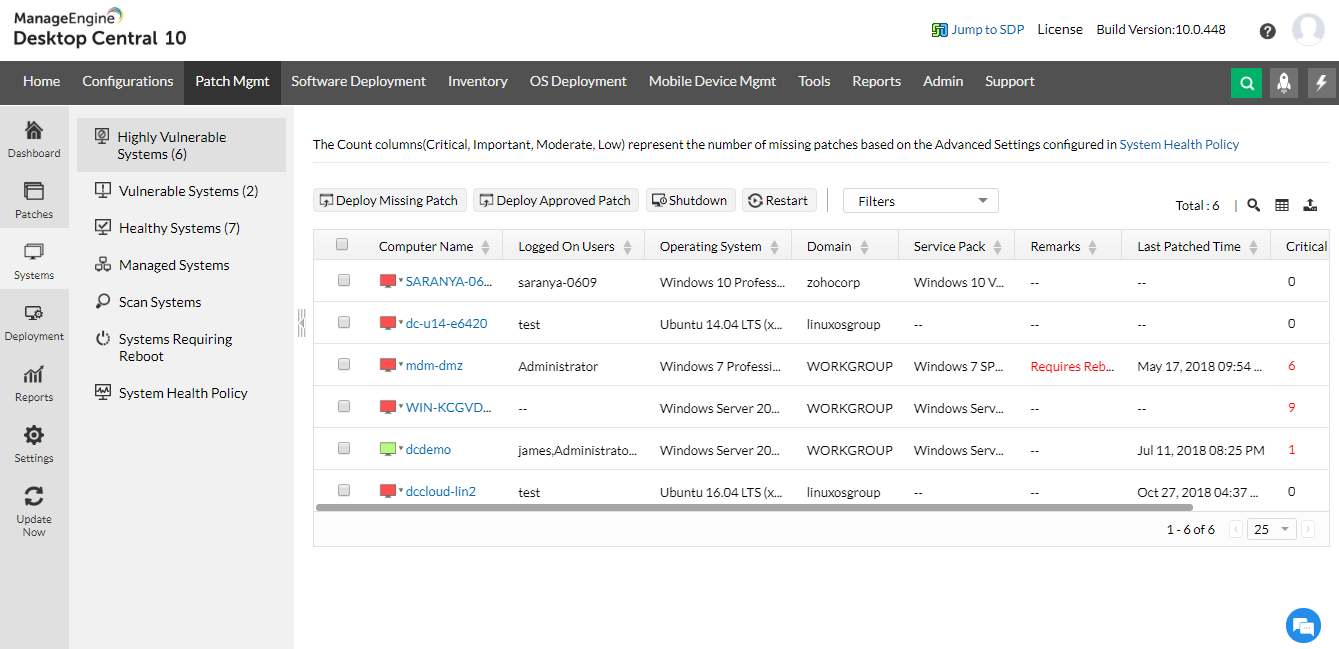
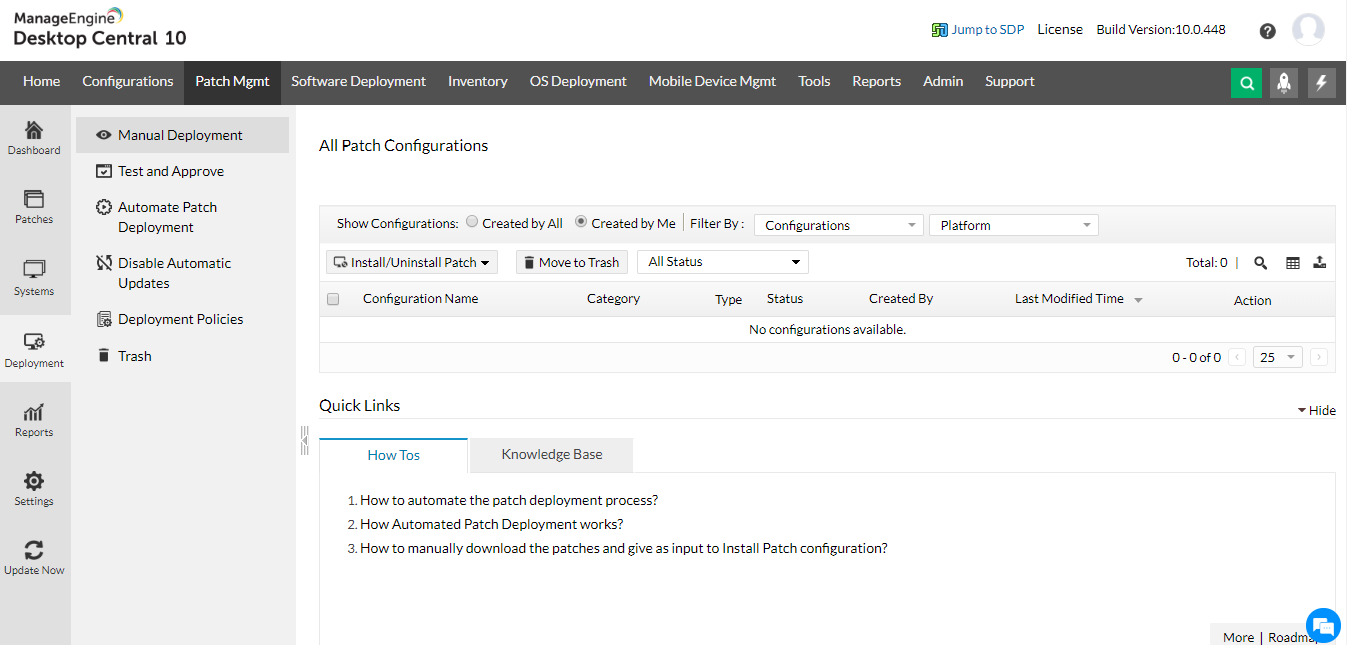
Patch Management Features
- Hosted Patch Database at ManageEngine site to assess the vulnerability status of the network
- Completely automated Patch Management Solution for both physical and virtual assets.
- Solution from detecting the missing patches/hotfix to deploying the patches
- Patch based deployment - Deploy a patch to all the systems applicable
- System based patch deployment - Deploy all the missing patches and hotfixes for a system
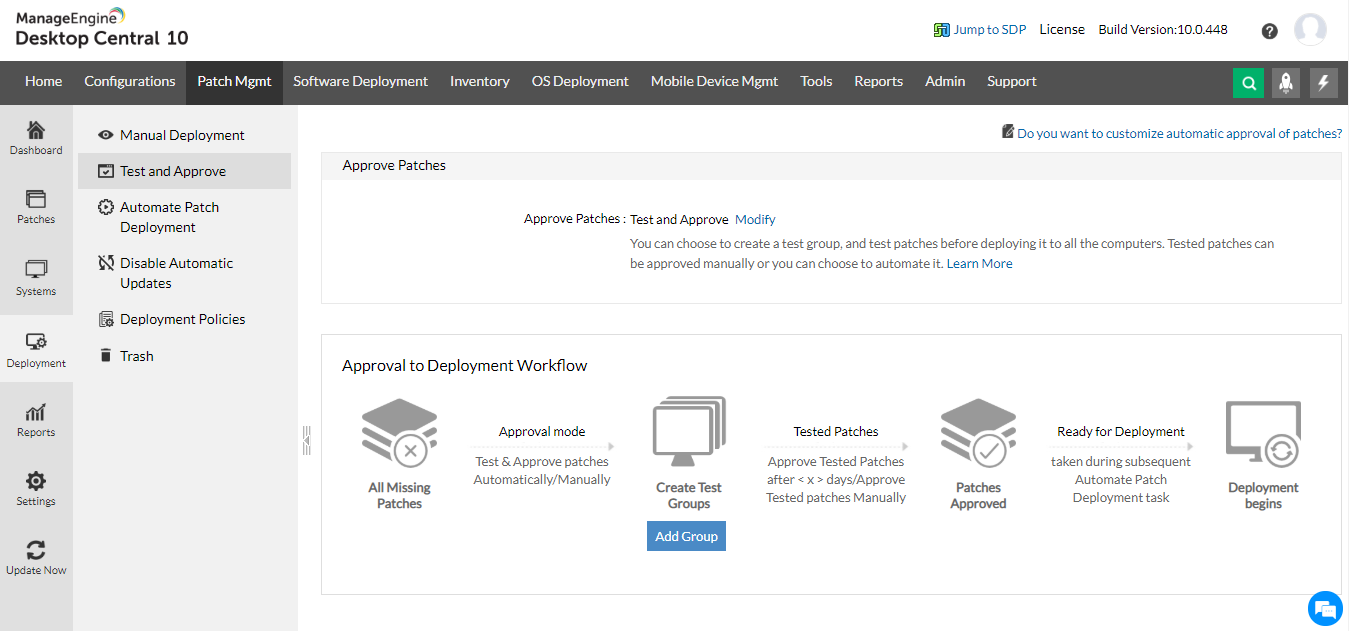
- Provision to test and approve patches prior to bulk deployment
- Automatic handling of patch interdependencies and patch sequencing
- Exhaustive reports on system vulnerabilities, patches, OS, etc.
- Periodic updates on the patch deployment status.
- Support for both Microsoft and Non-Microsoft Patches.
- Support for anti-virus definition updates for Microsoft Forefront Client Security software.
Automatic System Discovery
The Endpoint Central solution performs automatic discovery of Windows systems using Active Directory. Administrators can choose the systems that have to be managed using Endpoint Central. The Endpoint Central agents installed in the managed systems perform the actions initiated from Endpoint Central server. This agent is responsible for vulnerability assessment scan and patch deployment.
Online Vulnerability Database
The online vulnerability database is a portal in the ManageEngine site. This hosts the latest vulnerability database that has been published after a thorough analysis. The site lists all available Windows updates.The Endpoint Central server located at the customer site, downloads patches from this database. It provides information required for patch scanning and installation.
The Endpoint Central Server located at the enterprise (customer site) scans the systems in the enterprise network, checks for missing and available Windows patches against the comprehensive vulnerability database, downloads and deploys missing Microsoft patches and service packs, generates reports to effectively manage the patch management process of the enterprise.
Vulnerability Assessment Scan
Endpoint Central scans all the systems for missing Windows patches in the operating systems as well as applications. It reports the level of vulnerability after the scan. These missing Windows patches are identified from the local vulnerability database, which is periodically synchronized with ManageEngine's external online vulnerability database.
Approval of Patches
Most often the patches are deployed in a test environment before they are rolled out to the entire network. This makes the deployment error free and stable.When you have a team of system administrators, you can ensure that the patches tested by the team is directly approved for deployment, providing admins more time for other critical tasks.
Patch Deployment
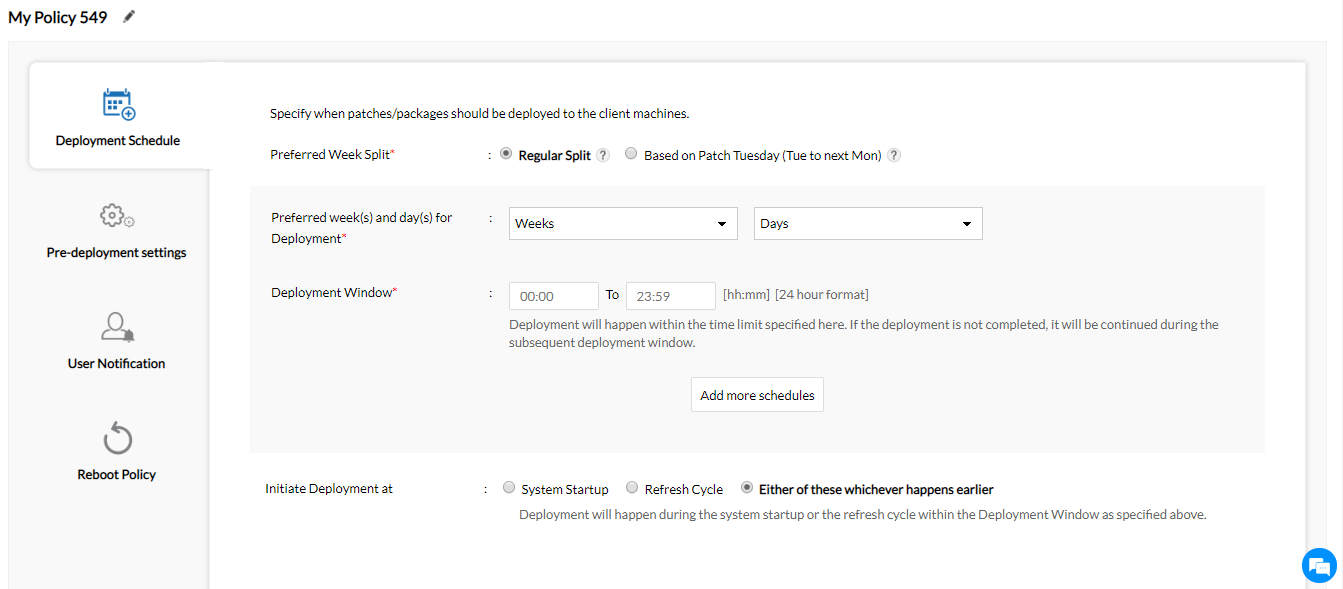
Endpoint Central deploys the patches based on missing Microsoft patches or system vulnerabilities. When deployed, the agent applies the relevant security updates and Windows patches.The status of patch deployment is then updated the status in Endpoint Central. The installation process can be scheduled from patch settings option. Windows Server Patch Management is a process for installing and preparing to patch all Windows servers in your IT environment.
Patch Reports
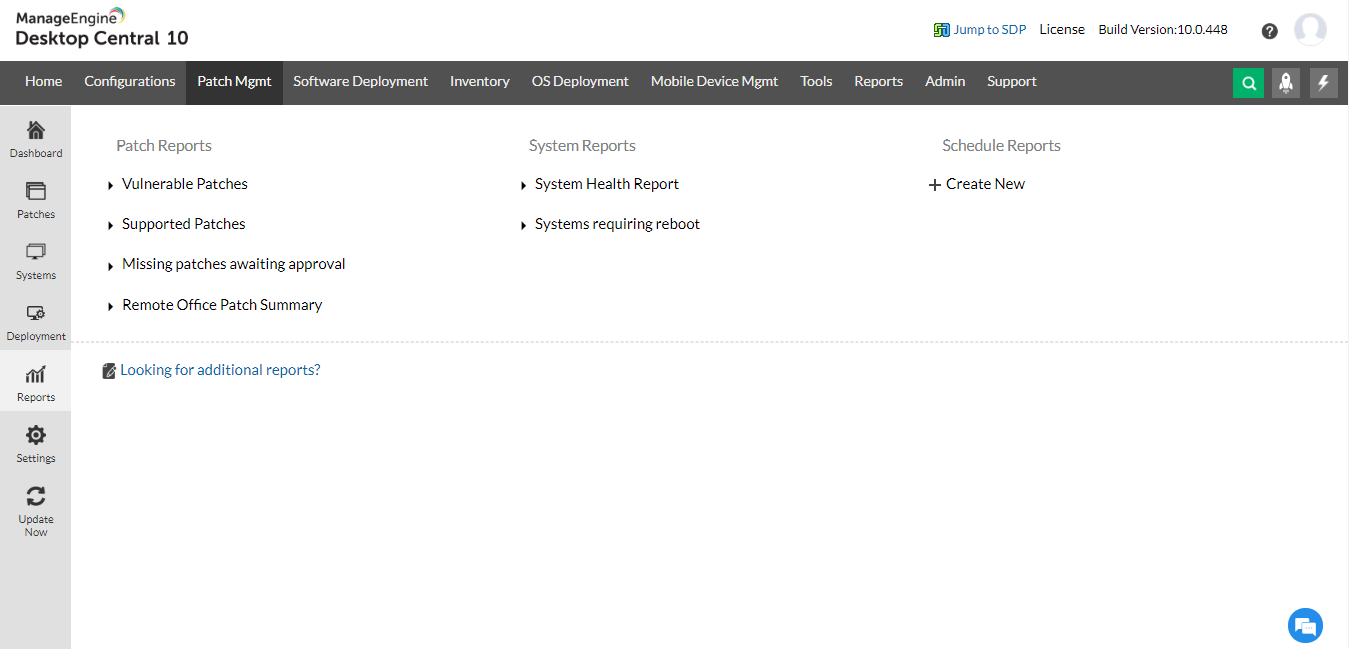
Patch reports are available for system vulnerability level, missing Windows patches, applicable Windows patches, and task status.The reports can be exported to PDF or CSV formats.
Severity Based Patch Management
Endpoint Central enables administrators to create and configure severity levels for the missing patches,eliminating the need to evaluate system health and vulnerability status based on a common list of missing patches. This helps deploy patches based on severity and ensures accuracy in identifying missing patches.
Automated Patch Management Solution
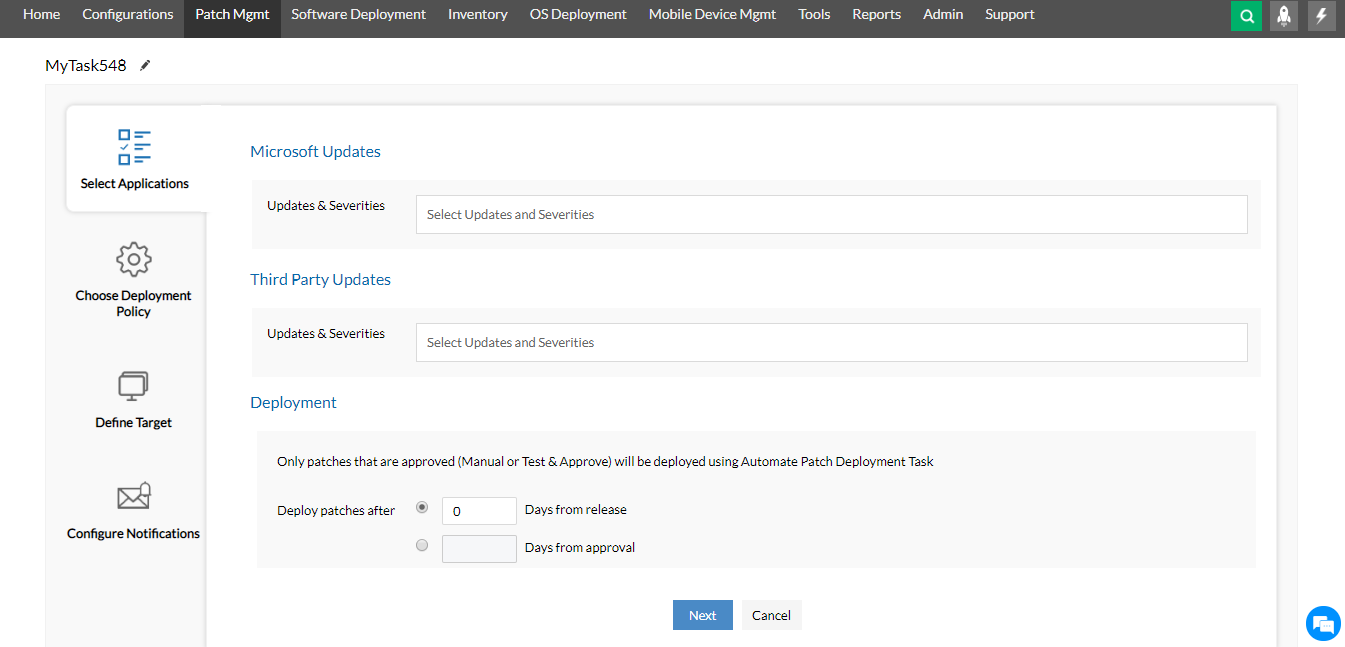
Automate your patch-management process using Endpoint Central's automated patch deployment feature. You can now automatically deploy missing patches on the computers in your network. It provides Automate Windows Patching which automates regular desktop management activities like installing software, patches, and service packs. The tasks you can automate using the automated patch deployment feature include:
- Scanning computers periodically to identify missing patches
- Identifying and downloading the missing patches from the vendors' websites
- Downloading required patches and creating tasks related to patch deployment
- Downloading required patches automatically and installing them on to specific computers
Automation of all the patch deployment levels mentioned above can be specified for a specific set of client systems. You can choose to have different levels of automation for different sets of client systems. The process of deploying patches automatically depends on the level of automation you choose. This Enterprise Patch Management software benefits greatly from automation, ensuring that all computers remain up to date with the latest patch releases from OS and application software vendors.
Microsoft Forefront Client Security Definition Updates
Anti-Virus definition updates is quite crucial for enterprises that run Microsoft Forefront Client Security software to protect their networks from the attack of trojans and viruses. With malicious code on the rise, Network Administrators need to keep an eye on these frequent definition updates to avoid any possible mishaps. However, you can simplify the process using Endpoint Central's Patch Management options. Use automated patch deployment to frequently scan the systems for virus definition updates;specify the action to be performed on successful completion of the scanning.
Supported OS and Applications
- Windows 7
- Windows Server 2008 R2
- Windows 8
- Windows Server 2012
- Windows 8.1
- Windows Server 2012 R2
- Windows 10
- Windows 10 Enterprise 2015 LTSB
- Windows Server 2012 R2 Server Standard (evaluation installation) Edition (x64)
- Windows Server 2016
View the complete list of supported applications
Free Patch Management Software
Manage Windows patches using the free edition of Endpoint Central.
Refer to Patch Management and Patch Management Life Cycle for more details.




