Gain quick insights into enterprise storage with details on file type, size, ownership, and more.
Configure policy-based management of redundant, obsolete, and trivial (ROT) data.
Track trends in enterprise storage growth to ensure continuous storage availability
View graphical insights on the total number and size of files in your Windows file servers, the storage density, and used disk space.
List files in order of their size, with associated details such as their location, when they were created, last accessed, and more.
Identify employees whose files take up the most space, and analyze whether they are within their storage quotas.


Detect duplicate files in your file servers, and delete them within the report, thereby eliminating storage redundancy.
Monitor total and available storage in disks, and trigger instant alerts when free space falls below a predetermined critical level.
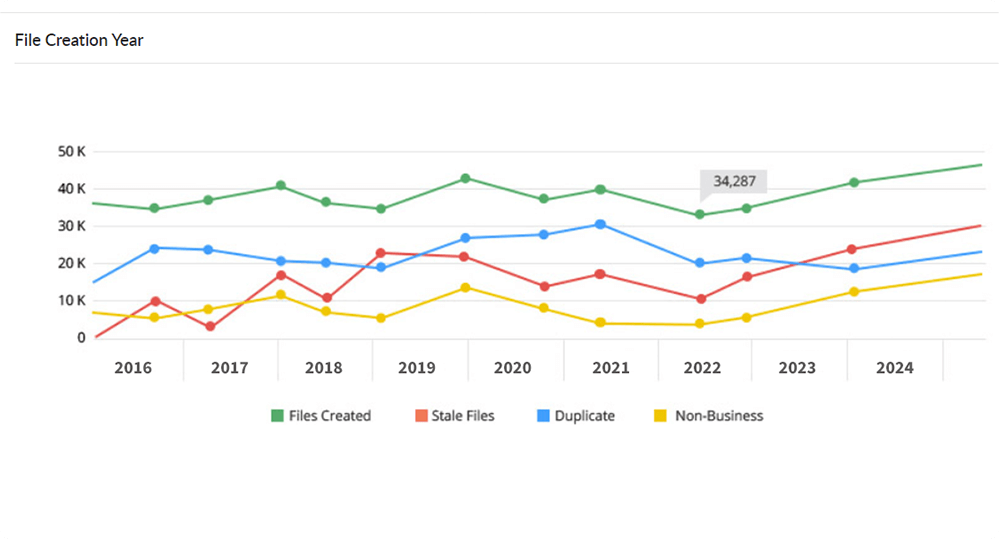
Track the yearly growth of your organization's file storage with useful breakdowns of the stale, non-business, and duplicate files created every year.
Monitor disk usage by employees, track storage growth, remove duplicate files, and more with ManageEngine DataSecurity Plus' disk storage analyzer
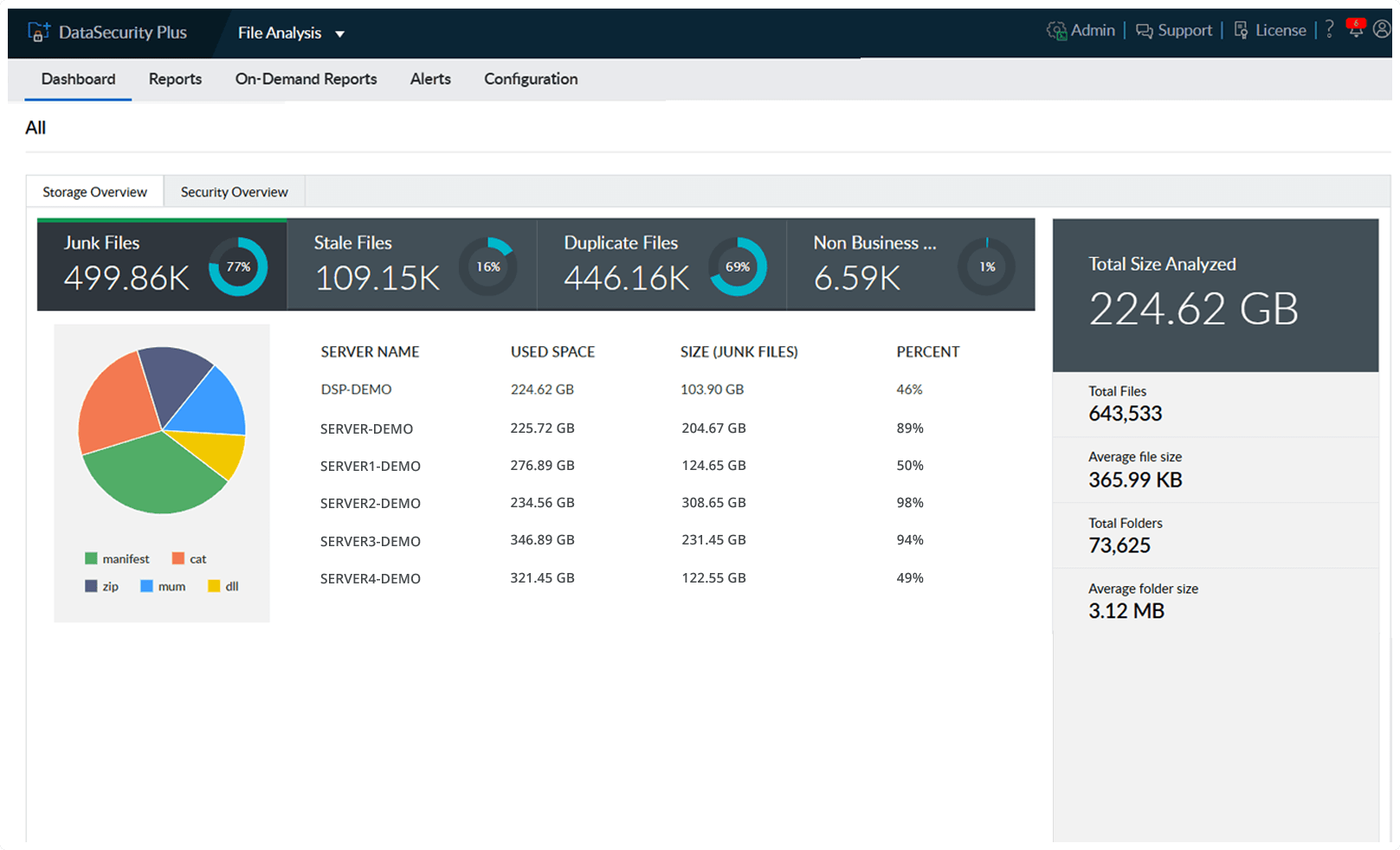
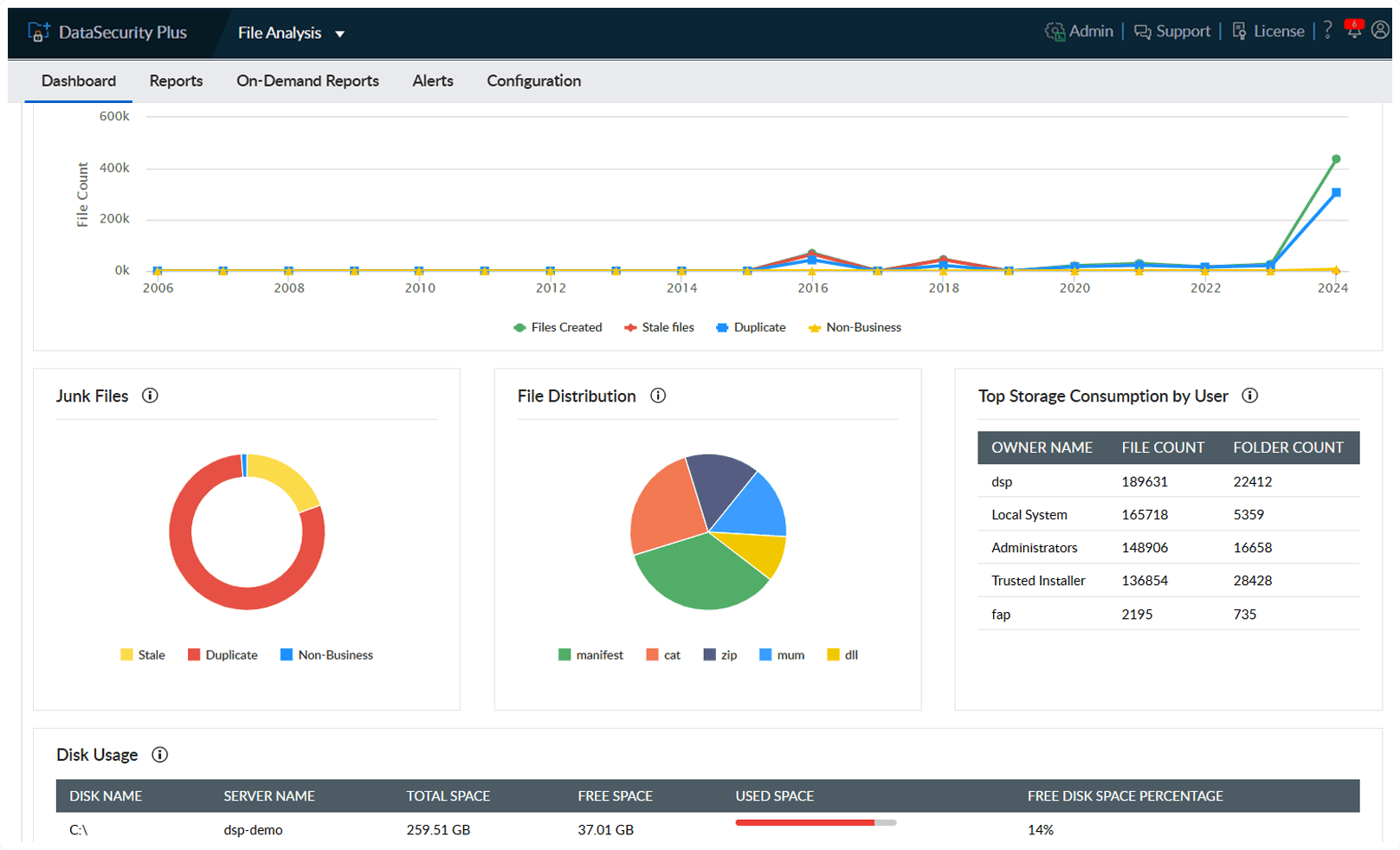

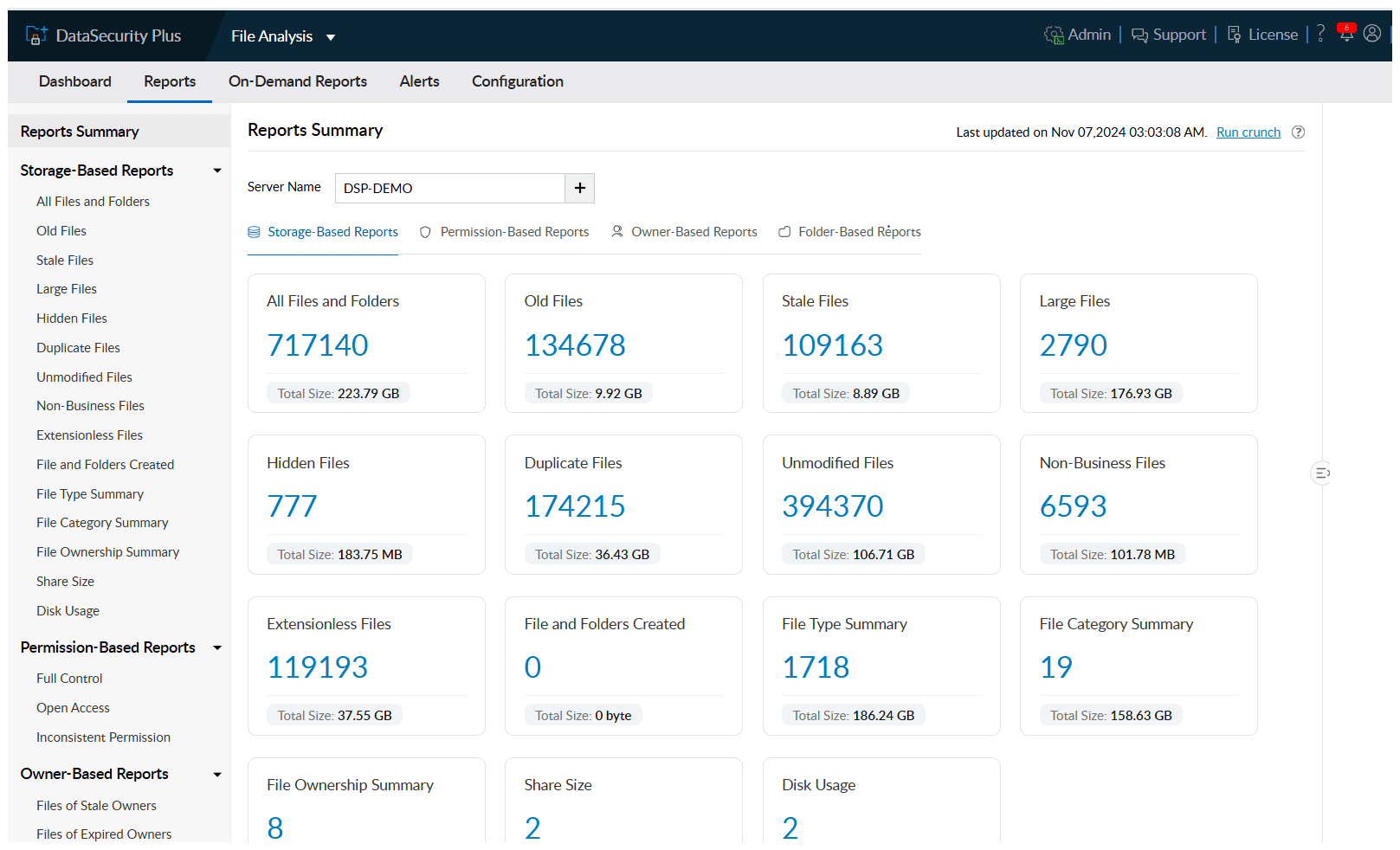
Receive graphical information on your enterprise file storage, with details on the type and size of files stored.
Get a detailed breakdown on the stale, duplicate, and non-business files, including their locations and the space they occupy.
View the counts of stale, duplicate, and non-business files created every year, and verify whether storage policies are adhered to.
Identify redundant, stale, and non-business files; analyze their business importance; and manage them accordingly.
View insights on the available storage in your file repositories and generate reports to see which files are taking up the most space.
Trigger alerts when available disk space falls below a critical level, enabling admins to know when and where to free up storage.
View the number and size of files in every file type and category, and drill down further to see which employees have high disk usage.
Leverage over 100 predefined rules powered by regular expressions, keyword matching, and contextual analysis to discover PII, PHI, and other regulated records across your storage environment.
Learn MoreEnable profile-driven automatic and manual classification to locate and categorize high-risk files containing sensitive information.
Learn MoreUnderstand what sensitive data your files contain and enforce content-aware DLP controls across USBs, removable media, cloud apps, and email channels.
Learn MoreScan repositories to identify redundant, obsolete, or trivial (ROT) data (like duplicates and non-business files) and take action to manage these outdated files.
Learn MoreAssess file- and folder-level security permissions to detect overexposure, broken inheritance, ownership anomalies, and more.
Learn MoreAnalyze file storage to understand usage patterns, track growth trends, and receive low-capacity alerts.
Learn More

