Common reasons for bulk modification failure using CSV in ADManager Plus
Last updated on:In this article:
Issue description
When attempting to bulk modify user accounts using a CSV file in ADManager Plus, the operation may fail due to various data inconsistencies or format issues. The failure could result in error messages, partial updates, or no changes being applied.
Possible causes
- Incorrect CSV format: Missing headers, incorrect delimiters, or extra spaces.
- Invalid attribute values: Data in incorrect format (e.g., date fields, Boolean values).
- Empty or null fields: Required fields missing or left blank.
- Non-existent user accounts: Specified users do not exist in AD.
- Incorrect attribute names: Mismatch between CSV column names and AD attributes.
- Special characters in data: Unexpected characters causing parsing errors.
- Permission issues: The ADManager Plus service account lacks modification permissions.
- Encoding issues: CSV saved in an incompatible encoding format (e.g., ANSI vs. UTF-8).
- Domain controller synchronization delay: Changes not yet propagated across DCs.
Prerequisites
Confirm the ADManager Plus service account has necessary permissions.
Resolution
Step 1: Verify CSV format
- Ensure column headers match AD attribute LDAP display names.
- Remove any extra spaces or special characters.
- Save the file in CSV UTF-8 format.
Step 2: Check for invalid or missing data
- Ensure required fields (e.g., SamAccountName, Email, Department) are populated.
- Verify data types:
- Dates: MM-dd-yyyy (or) yyyy/MM/dd (or) yyyy-MM-dd HH:mm:ss (or) yyyy/MM/dd HH:mm:ss (or) yyyy/MM/dd hh:mm:ss
- Boolean values: TRUE/FALSE
- DN values: Correct distinguished name format
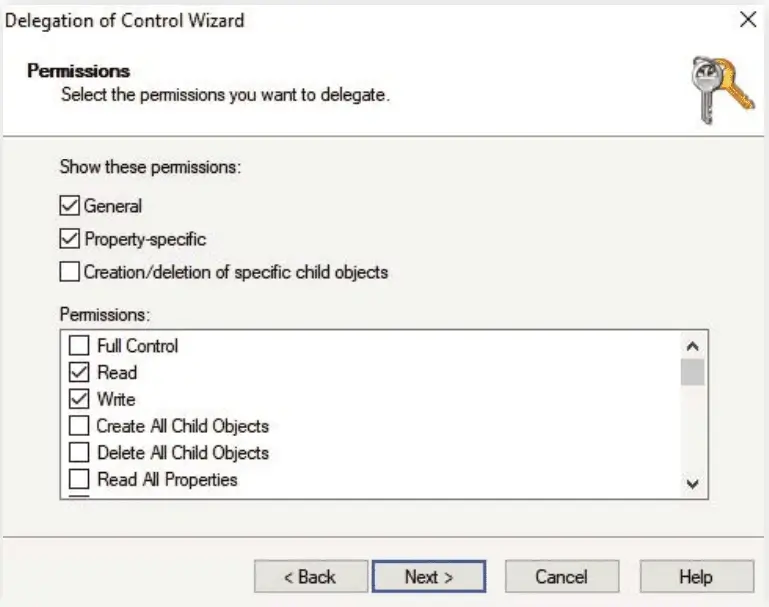
Step 3: Ensure the ADManager Plus service account has the necessary permissions
Ensure the service account configured in the domain settings has modification rights.
Tips
- Include only necessary fields to minimize unintended changes.
- Verify data accuracy before import to prevent incorrect modifications.
- Test with a few users before bulk modification.
- Ensure unique identifiers (like sAMAccountName or UserPrincipalName) to update the correct users.
- Back up AD data or export current user details before making changes.
- Review the modification summary before applying updates.
How to reach support
If the issue persists, contact our support team here.