

- Free Edition
- Quick links
- Active Directory management
- Active Directory reporting
- Active Directory delegation
- Active Directory permissions management and reporting
- Active Directory automation
- Governance, risk, and compliance
- Microsoft 365 management and reporting
- Microsoft 365 management and reporting
- Microsoft 365 management
- Microsoft 365 reports
- Microsoft 365 user management
- Microsoft 365 user provisioning
- Microsoft 365 license managementn
- Microsoft 365 license reports
- Microsoft 365 group reports
- Dynamic distribution group creation
- Dynamic distribution group reports
- Exchange management and reporting
- Active Directory integrations
- Popular products
Analyze and refine share permissions and ACLs using this simplified NTFS permissions tool
ADManager Plus is a comprehensive Active Directory management and reporting solution. It also serves as an NTFS permissions reporting tool for cluster shared volumes (CSVs) along with Isilon and NetApp servers. ADManager Plus offers predefined reports to view, analyze, and modify NTFS and share permissions or access control lists (ACLs) assigned to Windows or NetApp servers, CSVs, folders, and files.
With ADManager Plus, managing Active Directory NTFS permissions is efficient and straightforward.
Report on Active Directory access control permissions for users and groups
- Permissions for folder reports: Use this NTFS permissions reporter tool as a folder permissions auditing tool to see which users and groups have access to folders in a specified path. The associated access control entries will indicate the level of access a user or group has for a folder and specify the inheritable permissions, if any.
- How to use the NTFS permissions reporter to list the users and groups who have access to a specific folder.
- Log in to ADManager Plus and access the Permissions for Folders report.
- Specify the path of the folder and the level of access.
- Generate the report.
- Find the complete steps here.
- Security reports: View a list of all the servers, subnets, or objects accessible by a specified user account.
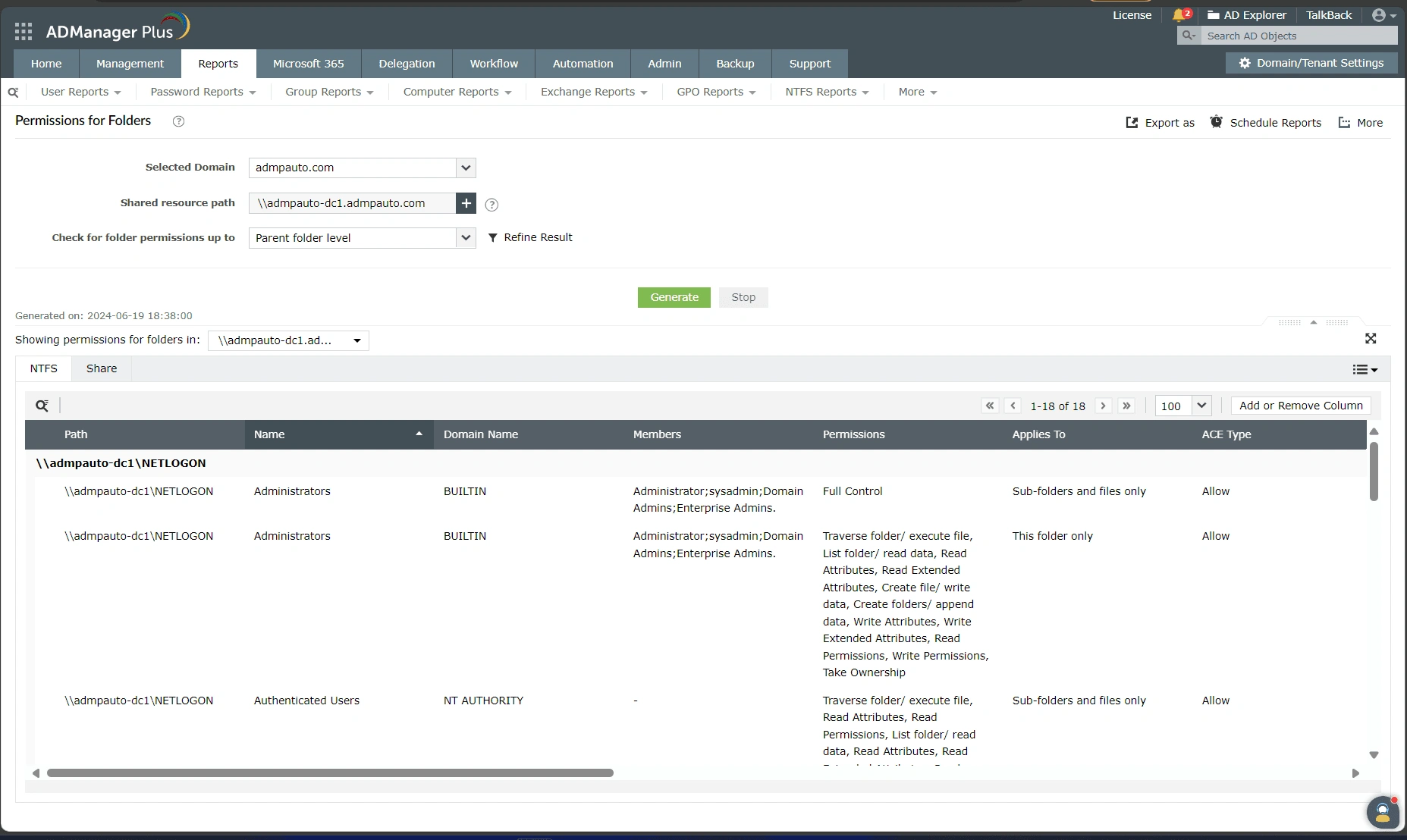
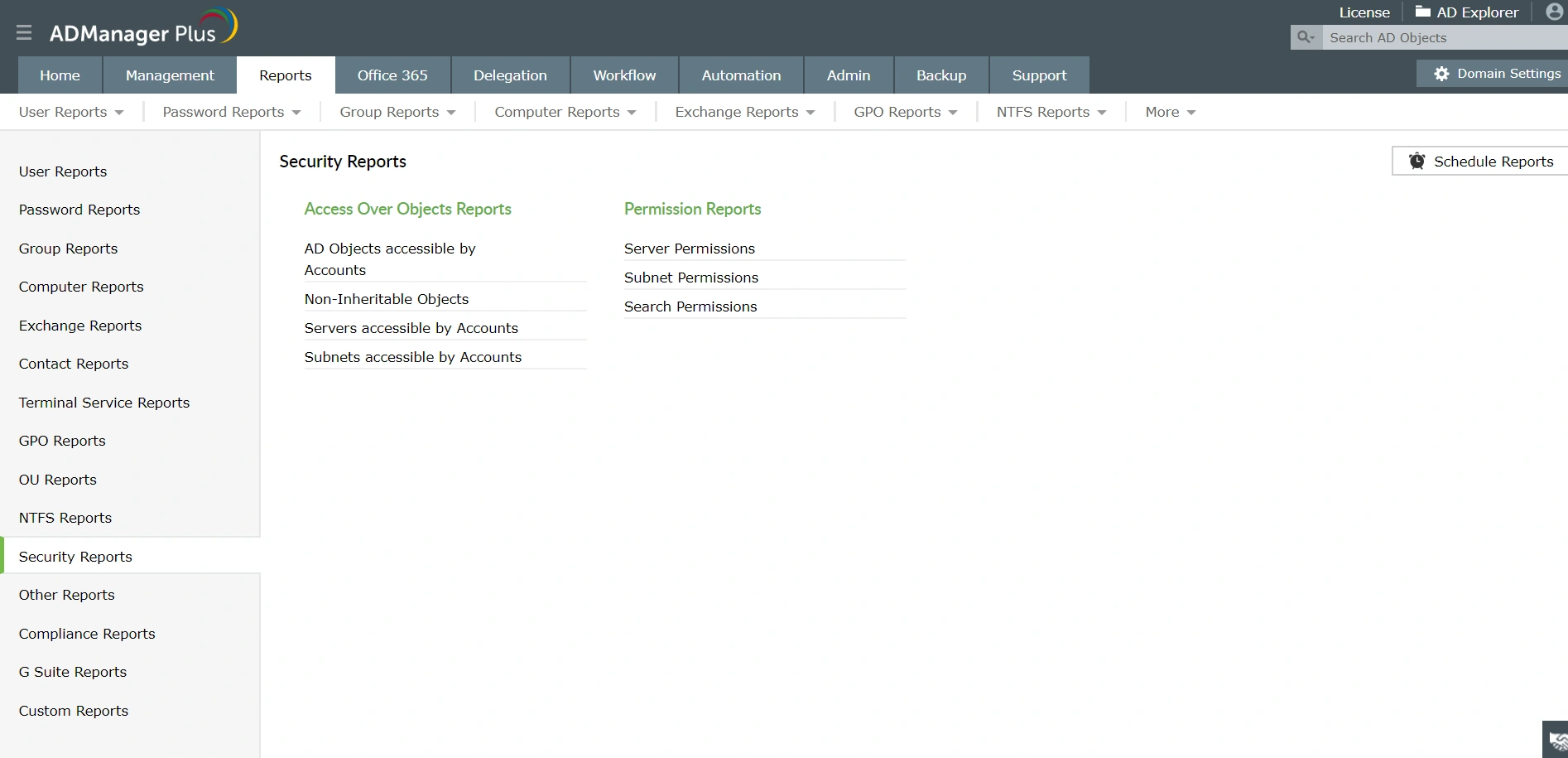
List folder permissions
- Shares in the Servers report: List all the shares available in the specified servers along with important details such as their location, the list of accounts that have permissions on the shares (security principals), their associated permissions, and the scope of the permissions (e.g., folder, sub-folder).
- Folders Accessible by Accounts report: Filter all folders and files based on their specific account permissions. Check for folders in a specified path and further define the level of access (full control or any other control) to generate a list of results.
- Non-inheritable Folders report: List the folders and files protected from inheritable permissions. Specify the path to generate a list of all files and folders that are restricted from inheriting their parent objects' permissions.


Export folder permissions to Excel or other formats
Export the Active Directory NTFS and share permissions of files or folders to Excel and in CSV, HTML, PDF, XLSX, and CSVDE formats.
Prevent unauthorized access to NTFS partitions and shares
Gain complete visibility into the NTFS and share permissions of all files and folders to prevent the misuse of files, including the corruption of file content due to unauthorized access. Generate access permissions reports for folders, files, and server shares. Drill down to the actual folder or file, and analyze the security settings and ACLs so you can take appropriate action and streamline user access control.
Automate NTFS and share permissions reporting
Schedule these reports to be generated at a specific time. Once generated, these reports can be designated to be automatically emailed to the administrator.
Highlights of NTFS reports in ADManager Plus
Manage and analyze NTFS permissions effectively with ADManager Plus:
Centralized management
Manage file server permissions across Windows file servers, CSVs, NetApp, and Isilon servers from a single, intuitive console.
Customizable columns
Add or remove columns in reports to customize the data presentation according to your requirements.
Real-time reports
Get real-time information on NTFS permissions, ensuring accurate and prompt reporting.
Benefits of using ADManager Plus as an NTFS permissions reporting tool
Manage and analyze NTFS permissions effectively with ADManager Plus:
- Generate detailed reports on NTFS, shares, and ACLs without using PowerShell scripts.
- Schedule and export reports in multiple formats such as CSV, PDF, HTML, XLSX, and CSVDE.
- Manage the file server permissions of Windows file servers, CSVs, and NetApp and Isilon servers from a single console.
- Audit file server permission changes made by technicians on user accounts and file shares with the built-in Help Desk Audit Reports.
Other features
Active Directory User Reports
Exhaustive reporting on Active Directory Users and user-attributes. Generate reports in user-activity in your Active Directory. Perform user-management actions right from the report interface!
Active Directory Compliance Reports
Active Directory reports to assist you for compliance to Government Regulatory Acts like SOX, HIPAA, GLBA, PCI, USA PATRIOT...and much more! Make your organization compliance-perfect!
Active Directory Management
Make your everyday Active Directory management tasks easy and light with ADManager Plus's AD Management features. Create, modify and delete users in a few clicks!
Terminal Services management
Configure Active Directory Terminal Services attributes from a much simpler interface than AD native tools. Exercise complete control over technicians accessing other domain users' computers.
Active Directory Cleanup
Get rid of the inactive, obsolete and unwanted objects in your Active Directory to make it more secure and efficient...assisted by ADManager Plus's AD Cleanup capabilities.
Active Directory Automation
A complete automation of AD critical tasks such as user provisioning, inactive-user clean up etc. Also lets you sequence and execute follow-up tasks and blends with workflow to offer a brilliant controlled-automation.


