The following cmdlet is used to fetch the membership details of a user:
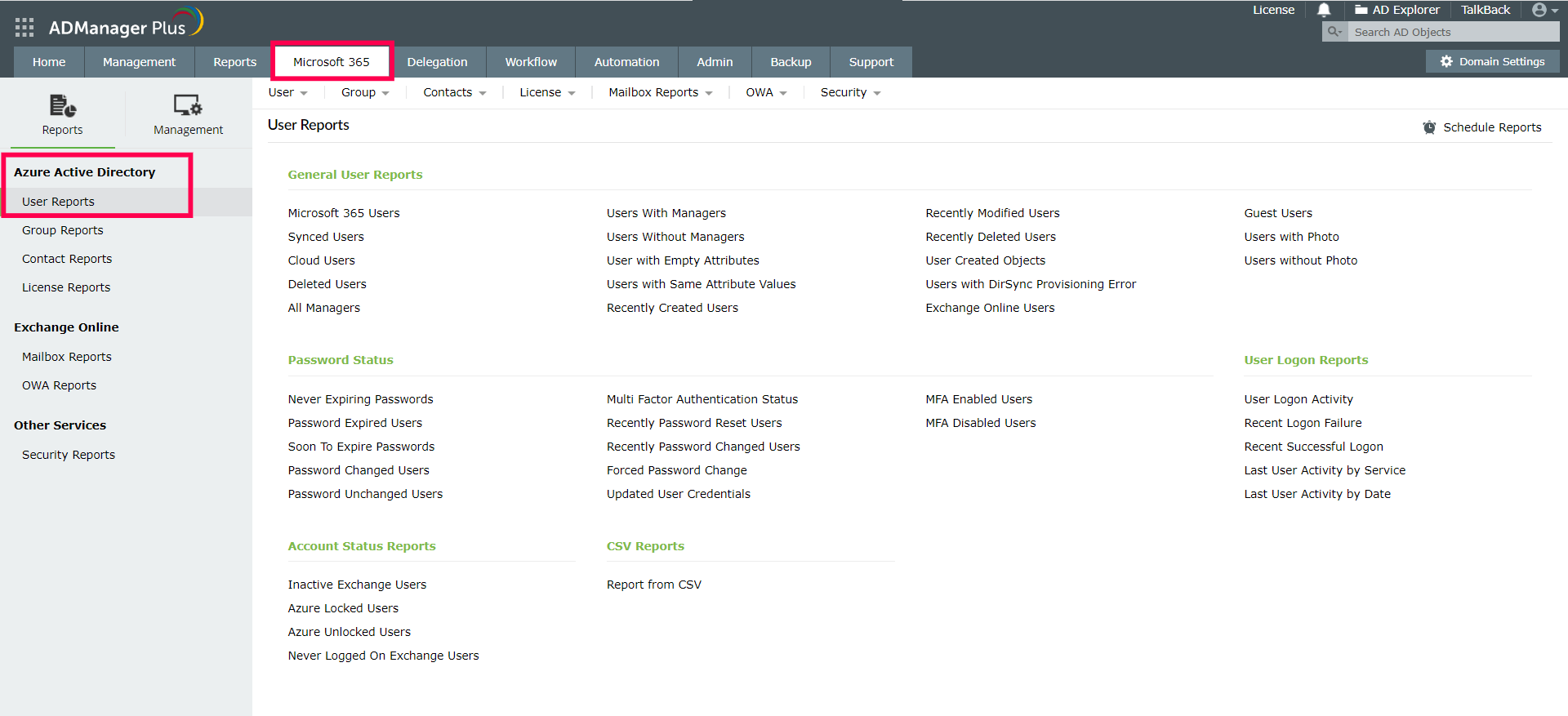
ADManager Plus is a powerful Azure AD reporting and management tool that saves you from the hassles of using PowerShell scripts with its smart and interactive UI. It has a myriad of preconfigured reports that helps you gain valuable insights into your Azure AD environment at one glance.
Here's how to access the Azure AD user reports of ADManager Plus:
Simplify Azure AD management and reporting with ADManager Plus
Get 30-day free trial.Your download should begin automatically in 15 seconds. If not, click here to download manually.
For AD User Management
For AD User Reporting
For GPO Management
For Password Management
For AD Group Management
For File Access Management
For AD Computer Management
For Office 365 Management
For Exchange Management
For Microsoft Graph PowerShell
Entra ID user management
Entra ID reporting
Entra ID group management and reporting
Entra ID domain management
Entra ID contact management and reporting
Other Entra ID tasks
For Windows Powershell
For AD User Management
For AD User Reporting
For GPO Management
For Password Management
For AD Group Management
For File Access Management
For AD Computer Management
For Office 365 Management
For Exchange Management


