Comply with CMMC requirements with EventLog Analyzer

Try a 30-day free trial  Help me comply 
 

What is CMMC compliance?

The Cybersecurity Maturity Model Certification (CMMC) is a framework developed by the U.S. Department of Defense (DoD) to enhance cybersecurity across the Defense Industrial Base (DIB). It mandates that DoD contractors and subcontractors implement cybersecurity controls to protect Federal Contract Information (FCI) and Controlled Unclassified Information (CUI).

CMMC has three levels of certification, with increasing security requirements based on the sensitivity of the information handled. Compliance is mandatory for all DoD contractors, subcontractors, and vendors seeking to bid on or perform DoD contracts.

Related Content

How does EventLog Analyzer fulfill CMMC requirements?

  • User activity monitoring
  • Network device monitoring
  • Auditing database actions
  • Incident detection and response

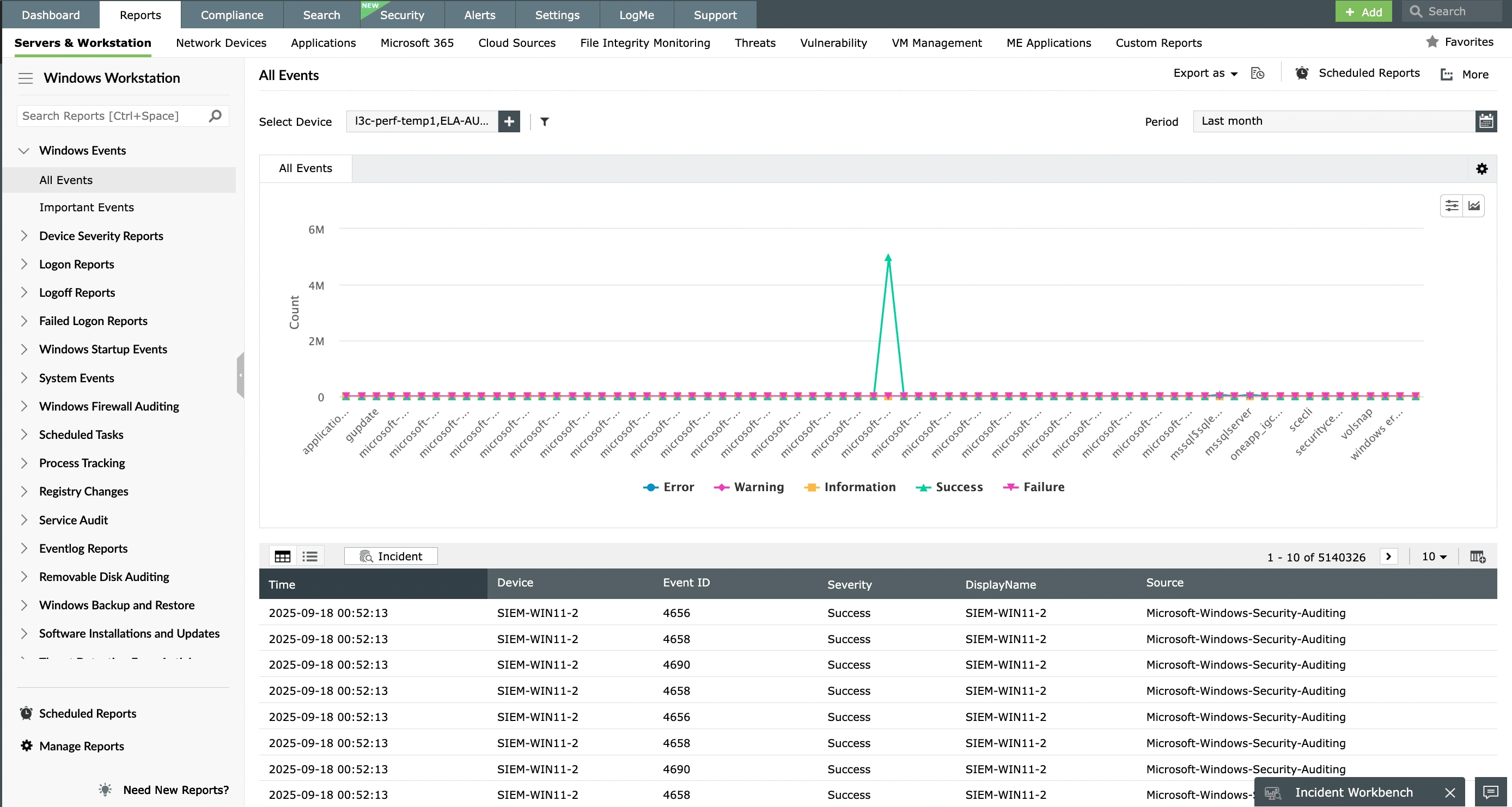
User activity monitoring

With EventLog Analyzer, you can monitor access to terminal servers, Windows workstations, Linux and Unix servers, network devices, and database servers, and get notified in real time when suspicious events are detected. You can also get detailed, out-of-the-box reports on user logon and logoff activities, privileges assigned to new logons, failed logons along with the cause of failure, usage of removable disks, tampering of sensitive data stored in databases, VPN logon activities, and more.

  • User activity monitoring
  • Network device monitoring

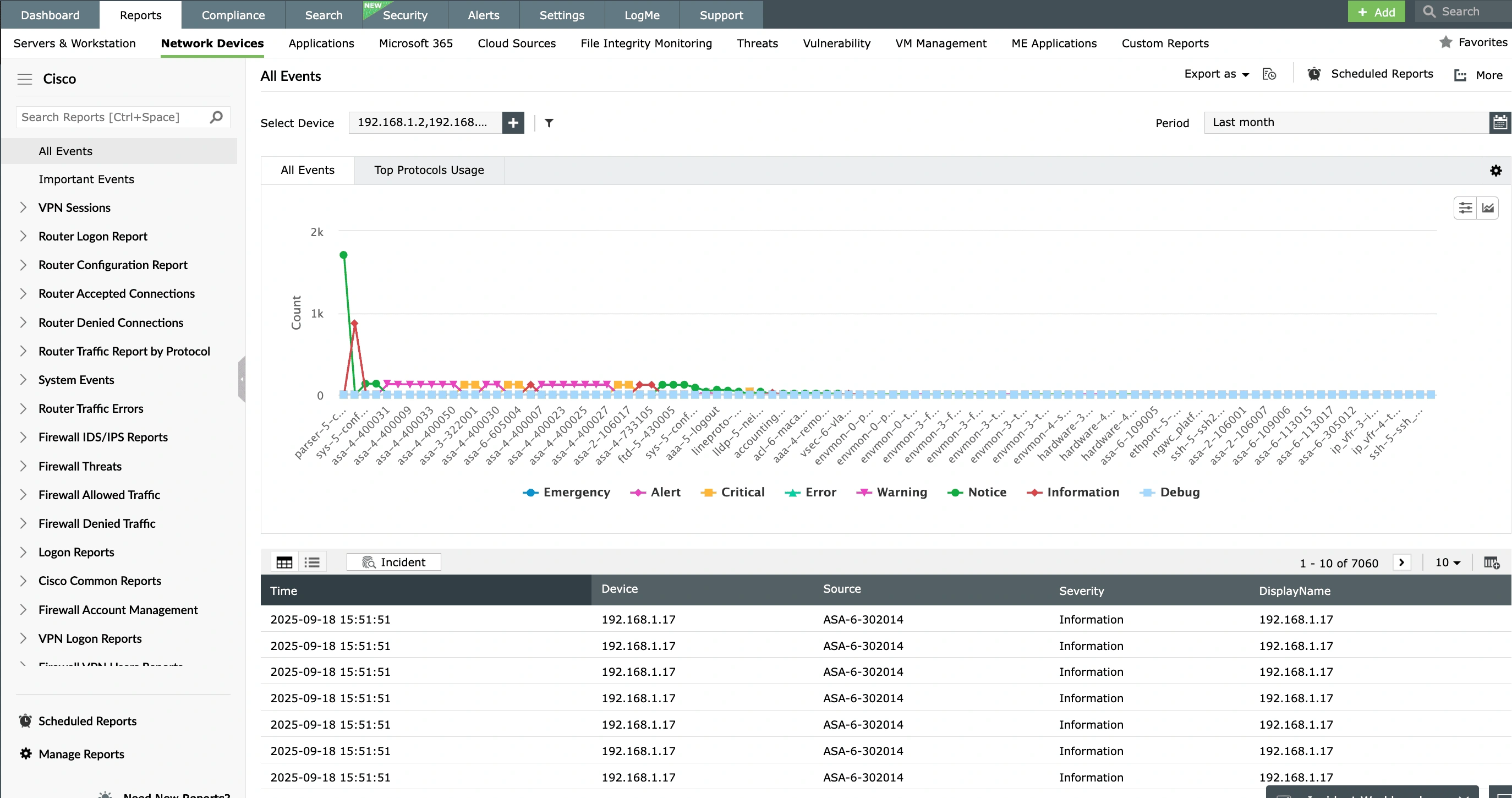
Network device monitoring

Detect security threats and get real-time notifications by auditing your network devices using EventLog Analyzer. It provides out-of-the-box support for firewalls, next-generation firewalls, intrusion detection systems, and intrusion prevention systems from leading vendors. Apart from monitoring allowed and denied traffic, logon activities, policy modifications, configuration changes, and more on your network devices, EventLog Analyzer also provides exhaustive information about it all in the form of intuitive, graphical reports to help you keep track of network activity.

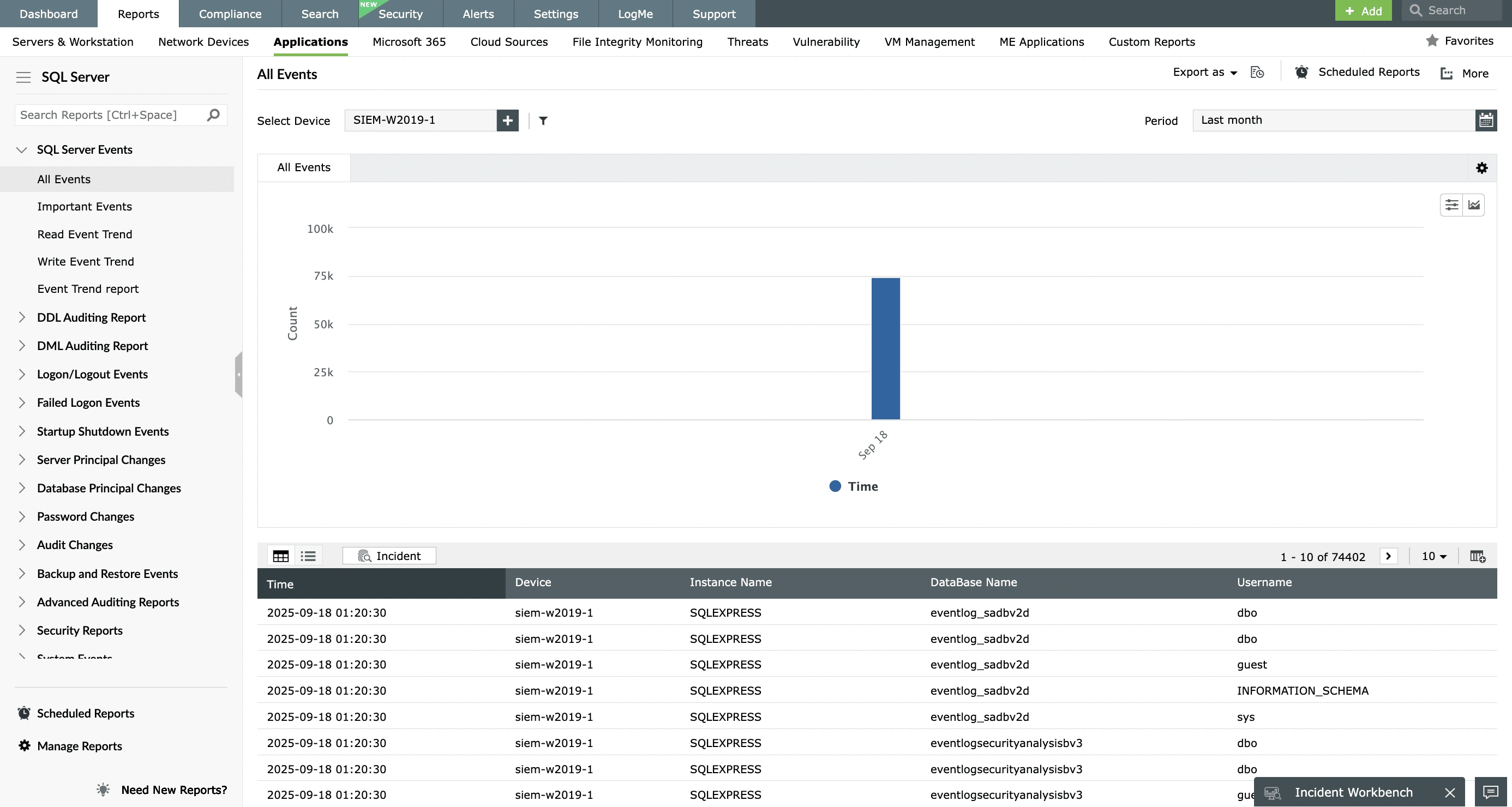
Auditing database actions

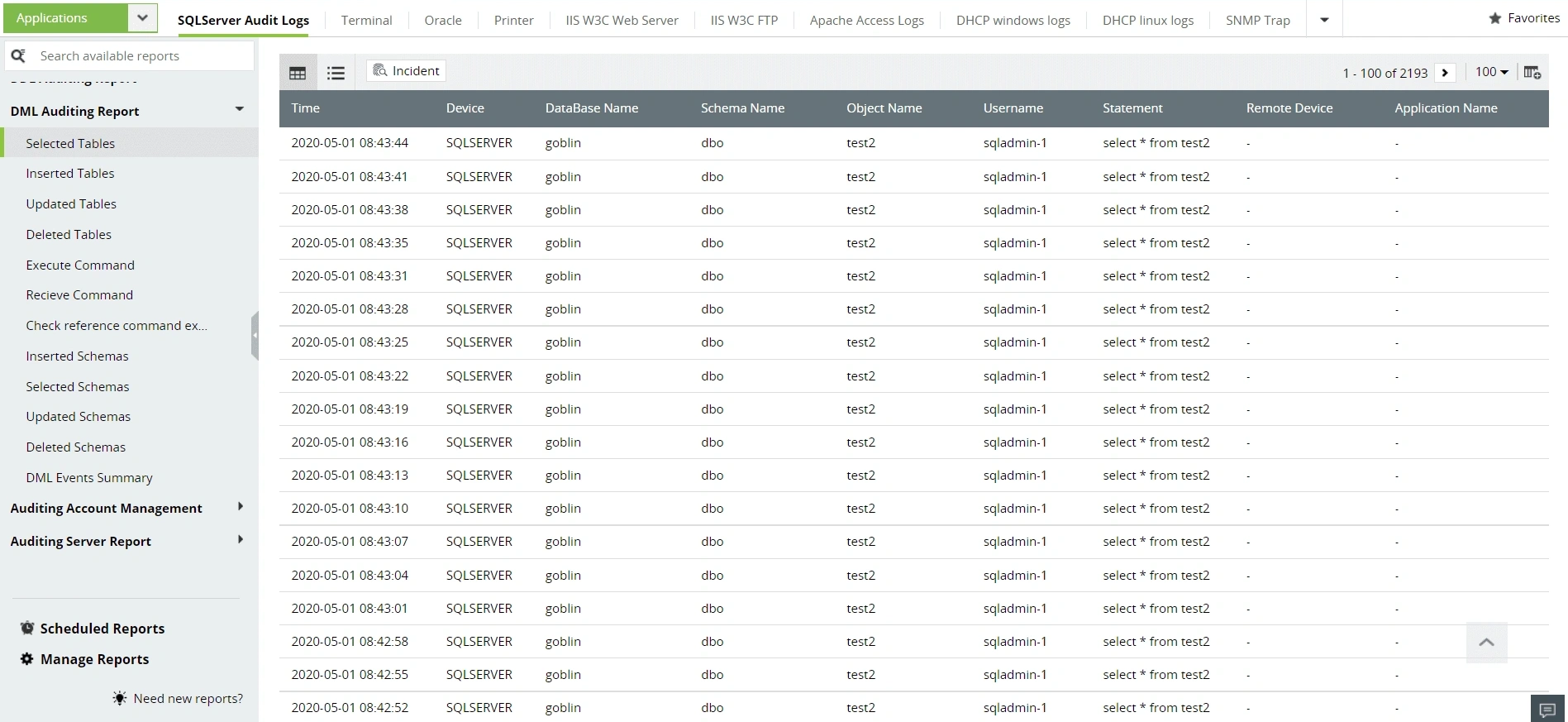
Track access to confidential information stored in database servers using EventLog Analyzer. By collecting and analyzing logs from database servers such as Microsoft SQL servers, Oracle servers, and MySQL servers, EventLog Analyzer generates comprehensive reports that can help you monitor database activities such as logons, DDL and DML queries executed on the database, password modifications, permission changes, privilege escalations, role changes, and more. Get alerted instantly when any suspicious activity occurs in your database server.

  • Auditing database actions
Incident detection and response

Incident detection and response

EventLog Analyzer's end-to-end incident management system includes incident response workflows that can be used to automate quick responsive actions like disabling compromised accounts or terminating processes when a threat is detected in the organization network. Tickets can also be generated automatically when an alert is raised, and these tickets can be assigned to the appropriate security administrator for quick incident resolution. EventLog Analyzer's intuitive security incident dashboard can also help you keep track of the status of an incident from detection to resolution.

Be CMMC compliance ready with EventLog Analyzer

CMMC sections Description of requirement Some of EventLog Analyzer's reports that can help fulfill the CMMC's requirements
C001 - AC.1.001

Limit information system access to authorized users, processes acting on behalf of authorized users or devices (including other information systems).

Detailed Windows Logon Reports
  • Windows User Access
  • User Account Changes
  • Computer Account Changes
  • User Group Changes
  • Unix User Access
Windows Logoff Reports
  • Windows Successful User Logoffs
  • User Initiated Logoffs
  • Interactive Logoffs
  • Remote Interactive Logoffs
  • Network Logoff
Windows Failed Logon Reports
  • Windows UnSuccessful User Logons
  • Failed Interactive Logons
  • Failed Remote Interactive Logons
  • Failed Network Logons
  • Failed logons due to password expiry
  • Failed logons due to account expiry
  • Failed logons due to account lock outs
  • Failed logons due to disabled accounts
  • Failed logons during non-working hours
  • Failed Logons due to Bad Password
  • Failed Logons due to Bad UserName

Other features offered by EventLog Analyzer

In-depth auditing and reporting

EventLog Analyzer includes over 1,000 predefined reports that are updated instantly upon log collection, helping you analyze your network efficiently in real time.

Learn more  

A powerful correlation engine

EventLog Analyzer's more than 30 predefined correlation rules can help you detect suspicious attack patterns in your organization network.

Learn more  

Augmented threat intelligence

EventLog Analyzer's built-in threat intelligence capabilities can detect and flag suspicious sources, such malicious domains, IPs, and URLs intruding in a network.

Learn more  

Integration with external ticketing systems

With EventLog Analyzer, you can integrate with third-party ticketing systems such as Jira Service Desk, Zendesk, and ServiceNow to assign tickets to security administrators and manage security incidents efficiently.

Learn more  

Join the countless banks and financial institutions relying on Log360 for seamless PCI DSS compliance

Help me comply

  •  
    This field is required.

    Done

     
  • By clicking " Schedule a free demo", you agree to processing of personal data according to the Privacy Policy.

Your request for a demo has been submitted successfully. Our support technicians will get backto you at the earliest.

Built-in support for prominent IT compliances

Frequently Asked Questions

  • Level 1: Basic safeguarding of FCI with 15 security requirements from Federal Acquisition Regulation (FAR) 52.204-21.
  • Level 2: Advanced protection of CUI with 110 controls from NIST SP 800-171 R2.
  • Level 3: Enhanced security against APTs with 24 additional requirements from NIST SP 800-172.

CMMC implementation begins 60 days after the publication of the final Title 48 CFR CMMC acquisition rule. A phased rollout over three years will gradually include CMMC requirements in DoD contracts.

Yes, all DoD contractors and subcontractors that handle FCI or CUI must achieve and maintain the required CMMC level to bid on or perform DoD contracts.

  • Level 1: Annual self-assessment.
  • Level 2: Self-assessment or C3PAO assessment every three years.
  • Level 3: DIBCAC assessment every three years.

Resources you might be interested in

EBOOK

Achieve PCI DSS v4.0 compliance with SIEM

Download now  

CHECKLIST

PCI DSS compliance checklist 

Access the checklist  

VIDEO

Six crucial SIEM functions for complying with the PCI DSS

Watch now  

EBOOK

PCI DSS Resource Kit for security monitoring 

Explore now  

Compliance ManageEngine adheres to

Our solutions undergo rigorous third-party audits to ensure compliance with the same global security and privacy standards we help you achieve.

Compliance ManageEngine adheres to

Powerful log management and automated compliance reporting