Complying with information security level protection (ISLP) made easy by EventLog Analyzer

EventLog Analyzer is a log management tool with a dedicated compliance management module. This module provides ready-made reports for complying with various IT mandates, including the ISLP. To simplify ISLP audits, EventLog Analyzer has predefined reports listed under the various articles of the regulation.

Try a 30-day free trial  Help me comply 
 

Here's how EventLog Analyzer simplifies ISLP compliance management

  • Firewall log auditing
  • Application log monitoring
  • Real-time user session tracking
  • Compliance reports

Firewall log auditing

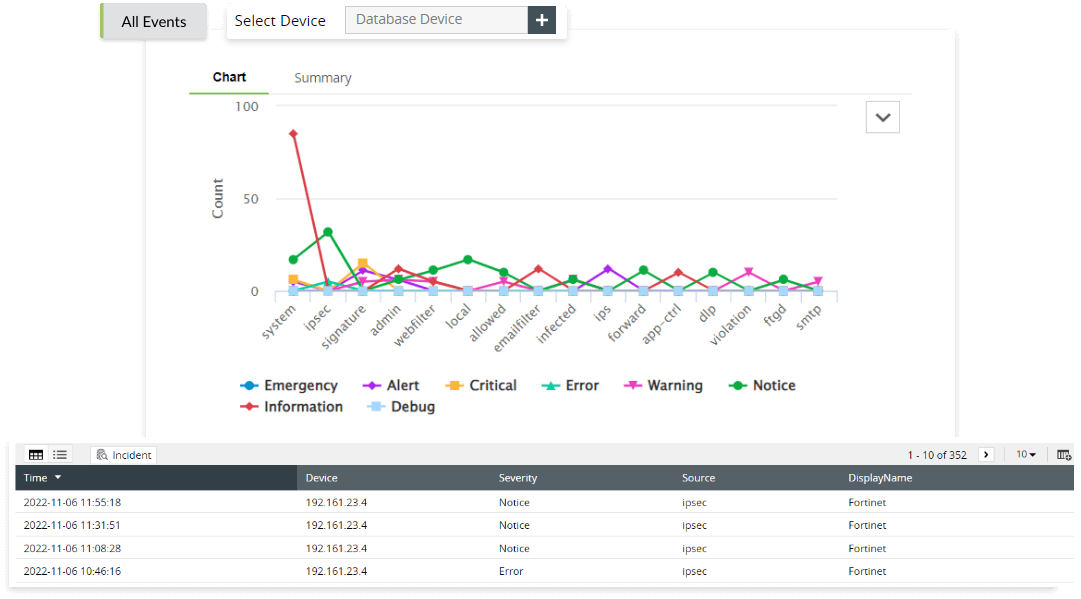
EventLog Analyzer performs a complete firewall log management and analysis, which helps to detect any security threats within the system. The solution has predefined reports which will provide insights to traffic details, security attacks, VPN logon and logoff trends, user logons, failed logons, and firewall rule changes. With these details, security admins can detect abnormal traffic from malicious sources and prevent threat actors from gaining access to the network. With help from the firewall log auditing capability, organizations can audit Fortinet and FortiGate firewall, SonicWall firewall, Palo Alto Networks firewall, and Huawei firewall logs to monitor inbound and outbound traffic, and protect your network against firewall-based cyberattacks (as per ISLP article 20.2, 20.3, 20.10).

  • Firewall log auditing
  • Application log monitoring

Application log monitoring

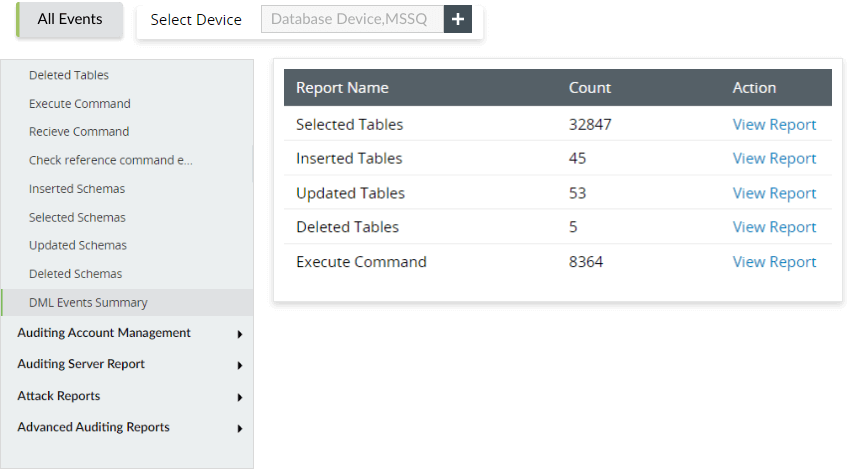
Application log monitoring is an important feature of EventLog Analyzer, as it collects, analyzes, and correlates any application logs and provides insights about network events. It also simplifies the database auditing and monitors database applications like MS SQL, MYSQL, Oracle, IBM DB2, and PostgreSQL.The solution also keeps a thorough log of all data manipulation language (DML) and data definition language (DDL) changes, as well as database access, including who accessed the database, what operations were carried out, and the timestamp of each activity (as per ISLP article 12, 13, 19.3, 30.4, 30.6, 20.5).

Real-time user session tracking

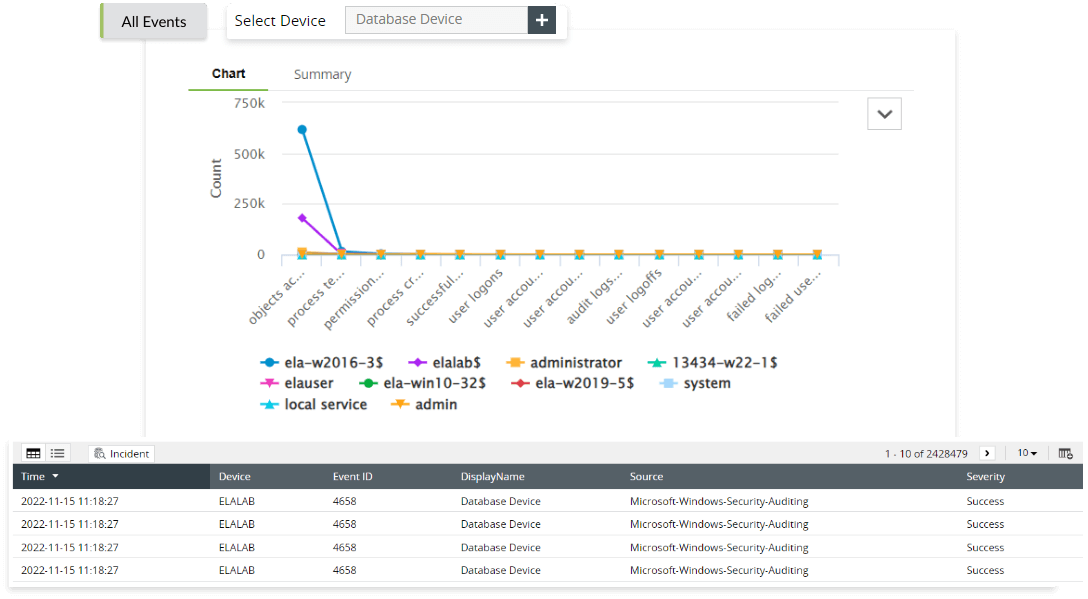
The solution's user session monitoring gives a thorough understanding of all user activity and aids in the real-time detection of suspect users. It helps in limiting unwanted access to your vital network assets by suspicious users. EventLog Analyzer also generates privileged user monitoring and auditing reports by tracking the activity of privileged users (as per ISLP article 16.3, 18.1, 19.3, 30.6).

  • Real-time user session tracking
Compliance reports

Compliance reports

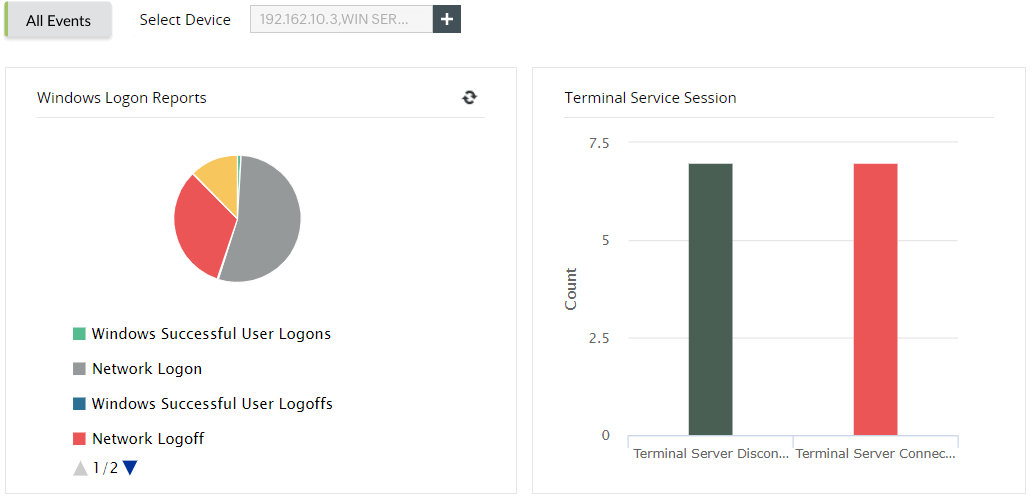
EventLog Analyzer generates predefined compliance reports for regulations like GDPR, FISMA, PCI DSS, ISLP, etc., by collecting, examining, and archiving Windows event logs and syslogs received from your network infrastructure. The solution generates these reports by monitoring your network environment in real time. It also helps retain and archive log data for a certain period, enabling you to perform forensic analysis on the archived logs, investigate data thefts, and monitor network intruders.

ISLP Compliance with EventLog Analyzer

Article Compliance aspect Reports
16.3, 13.6 Logons
  • Successful user logons
  • Successful user logoffs
  • Unsuccessful user logons
  • Terminal service session
12, 13, 19.3, 30.4, 30.6, 20.5 Object accesses
  • Object accessed
  • Object created
  • Object modified
  • Object deleted
  • Object handled
16.3, 18.1, 19.3, 30.6 User accesses
  • Individual user action
16.3, 18.1, 19.3, 30.6 Policy changes
  • User policy changes
  • Domain policy changes
  • Audit policy changes
20.2, 20.3 Firewall logons
  • FortiNet failed logons
  • FortiNet failed VPN logons
  • SonicWall failed VPN logons
  • SonicWall denied connections
  • PaloAlto failed logons
  • PaloAlto denied connections
  • Huawei failed logons
  • Huawei denied connection
20.2, 20.3, 20.10 Firewall attacks
  • FortiNet possible attacks
  • FortiNet critical attacks
  • SonicWall critical attacks
  • SonicWall website traffic
  • PaloAlto possible attacks
  • PaloAlto critical attacks
  • Huawei possible attacks
20.2, 20.3, 20.10 Firewall attacks
  • FortiNet possible attacks
  • FortiNet critical attacks
  • SonicWall critical attacks
  • SonicWall website traffic
  • PaloAlto possible attacks
  • PaloAlto critical attacks
  • Huawei possible Attacks
18.1, 20.1, 20.3 Firewall configurations
  • FortiNet configuration changes
  • FortiNet commands failed
16.3, 30.6 Account logon
  • Successful user account validation
  • Unsuccessful user account validation
18.1 Account management
  • User account changes
  • Computer account changes
  • User group changes
12, 13, 19.3, 30.4, 30.6, 20.5 Microsoft SQL/Oracle DDL changes
  • Microsoft SQL database created
  • Microsoft SQL database deleted
  • Microsoft SQL table created
  • Microsoft SQL table dropped
  • Microsoft SQL procedure created
  • Microsoft SQL procedure deleted
  • Microsoft SQL schema dropped
  • Microsoft SQL schema modified
  • Oracle database created
  • Oracle database deleted
  • Oracle table deleted
  • Oracle table modified
  • Oracle procedure created
  • Oracle procedure deleted
  • Oracle cluster deleted
  • Oracle cluster modified
12, 13, 19.3, 30.4, 30.6, 20.5 Microsoft SQL/Oracle DML changes
  • Microsoft SQL table updated
  • Microsoft SQL table deleted
  • Microsoft SQL execute command
  • Microsoft SQL receive command
  • Microsoft SQL schema updated
  • Microsoft SQL schema deleted
  • Oracle table inserted
  • Oracle table deleted
  • Oracle procedure altered
  • Oracle trigger created
  • Oracle trigger deleted
12, 13, 19.3, 30.4, 30.6, 20.5 Microsoft SQL/Oracle security changes
  • Privilege abuse
  • Unauthorized copy
  • Account lockouts
  • SQL injection
  • Denial of service
  • Oracle SQL injection
  • Oracle failed logons
  • Oracle account lockouts
  • Oracle denial of service
12, 13, 19.3, 30.4, 30.6, 20.5 Printer reports
  • Printer documents printed
  • Printer documents deleted
  • Printer paused documents
  • Printer corrupted documents
  • Printer insufficient privilege to print

What else does EventLog Analyzer offer?

Network device auditing

Monitor network perimeter devices like firewalls, routers, and switches as these devices helps IT admins to spot and mitigate intrusions, troubleshoot operational issues, and secure the network from attackers. EventLog Analyzer collects, analyzes, correlates, searches, and securely stores logs from all network devices.

Learn more  

Event correlation

The solution has a powerful correlation engine, which helps to identify attack patterns within your network. It detects patterns in the logs coming from various network entities that point to possible attacks and promptly notifies you of the threat.

Learn more  

Compliance violation alerts

With help of print server reports, organizations can keep track of all activities on the print server, and identify any suspicious patterns in employees' printing habits (as per ISLP article 12, 13, 19.3, 30.4, 30.6, 20.5).

Learn more  

Threat intelligence

Anticipate and promptly identify possible security risks, while seamlessly incorporating external threat intelligence sources (STIX, TAXII, and AlienVault OTX) to deliver immediate data on potential threats. These capabilities enable you to stay proactive in the face of evolving threats and respond effectively.

Learn more  

Join the countless banks and financial institutions relying on Log360 for seamless PCI DSS compliance

Help me comply

  •  
    This field is required.

    Done

     
  • By clicking " Schedule a free demo", you agree to processing of personal data according to the Privacy Policy.

Your request for a demo has been submitted successfully. Our support technicians will get backto you at the earliest.

Built-in support for prominent IT compliances

Frequently Asked Questions

The digital data that a company collects and processes plays a pivotal role in that company's business. That's why enterprises can't afford any data compromises, especially their customers' data. One way to ensure that proper measures are in place to counter network security attacks is by complying with IT mandates.

As part of ISLP compliance, a special committee should periodically review the security measures you've implemented to safeguard information and information systems in your organization. Since ISLP has a number of sections and covers a variety of aspects, complying with this regulation could be a challenge without the right tools in place.

Resources you might be interested in

EBOOK

Achieve PCI DSS v4.0 compliance with SIEM

Download now  

CHECKLIST

PCI DSS compliance checklist 

Access the checklist  

VIDEO

Six crucial SIEM functions for complying with the PCI DSS

Watch now  

EBOOK

PCI DSS Resource Kit for security monitoring 

Explore now  

Compliance ManageEngine adheres to

Our solutions undergo rigorous third-party audits to ensure compliance with the same global security and privacy standards we help you achieve.

Compliance ManageEngine adheres to

Effortlessly meet ISLP requirements with EventLog Analyzer