DDI Central 6.0: Now with Windows credentials management, Windows bulk server import, RBAC for subnets and hosts, improved cluster dashboard, and more
With the release of DDI Central 5.6, we brought in some of the major features—anomaly detection, DNS query and DHCP lease forecasting, record monitoring, zone versioning and Cisco DHCP integration—all to help you seamlessly and securely manage your organization's network operations.
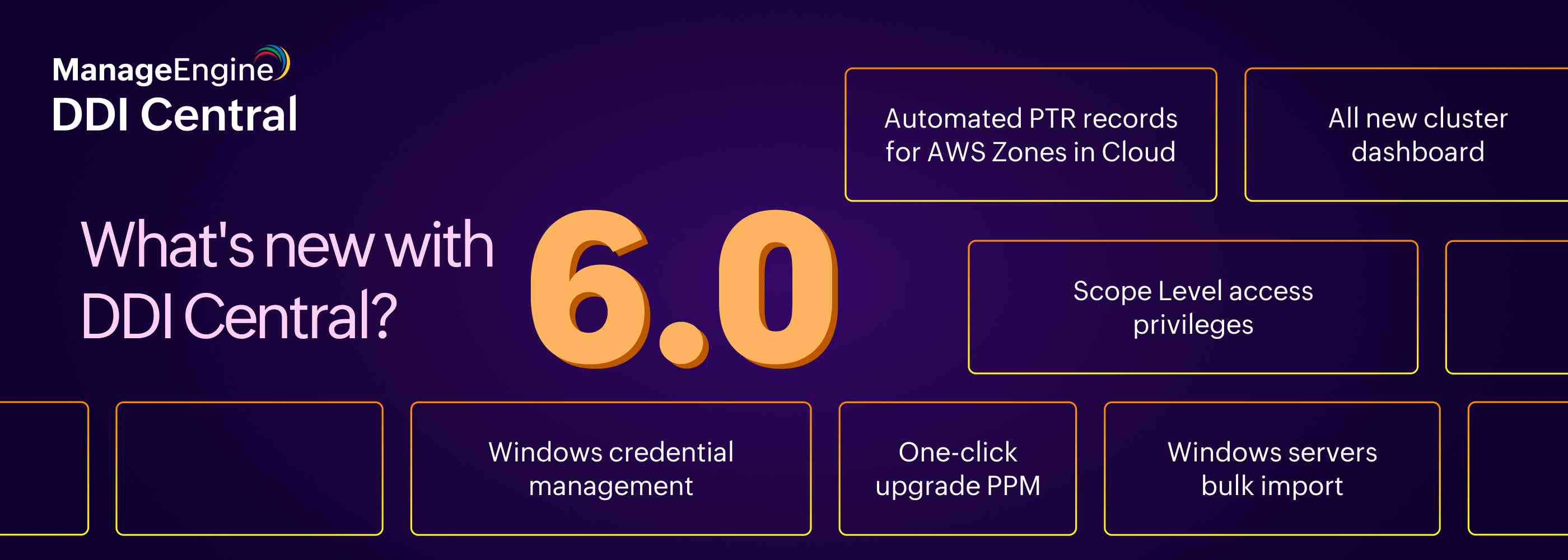
Now, DDI Central has come up with new enhancements and facilities with the new release DDI Central 6.0 this year. This release facilitates managing your organization windows servers' credentials, importing more than one windows server into the application, access granting, and much more.
This release is primarily focused on enhancing your network administration process. Here's everything you need to know on what DDI has to offer you!
What's new in DDI Central 6.0 and why?
DDI Central 6.0 is comprised with enhancements for an optimized server and credentials management, access management, and better visibility over the clusters—all helping create a burden-free administration of your network.
1. Windows Credential Management: Managing your windows servers' credentials for easy implementing
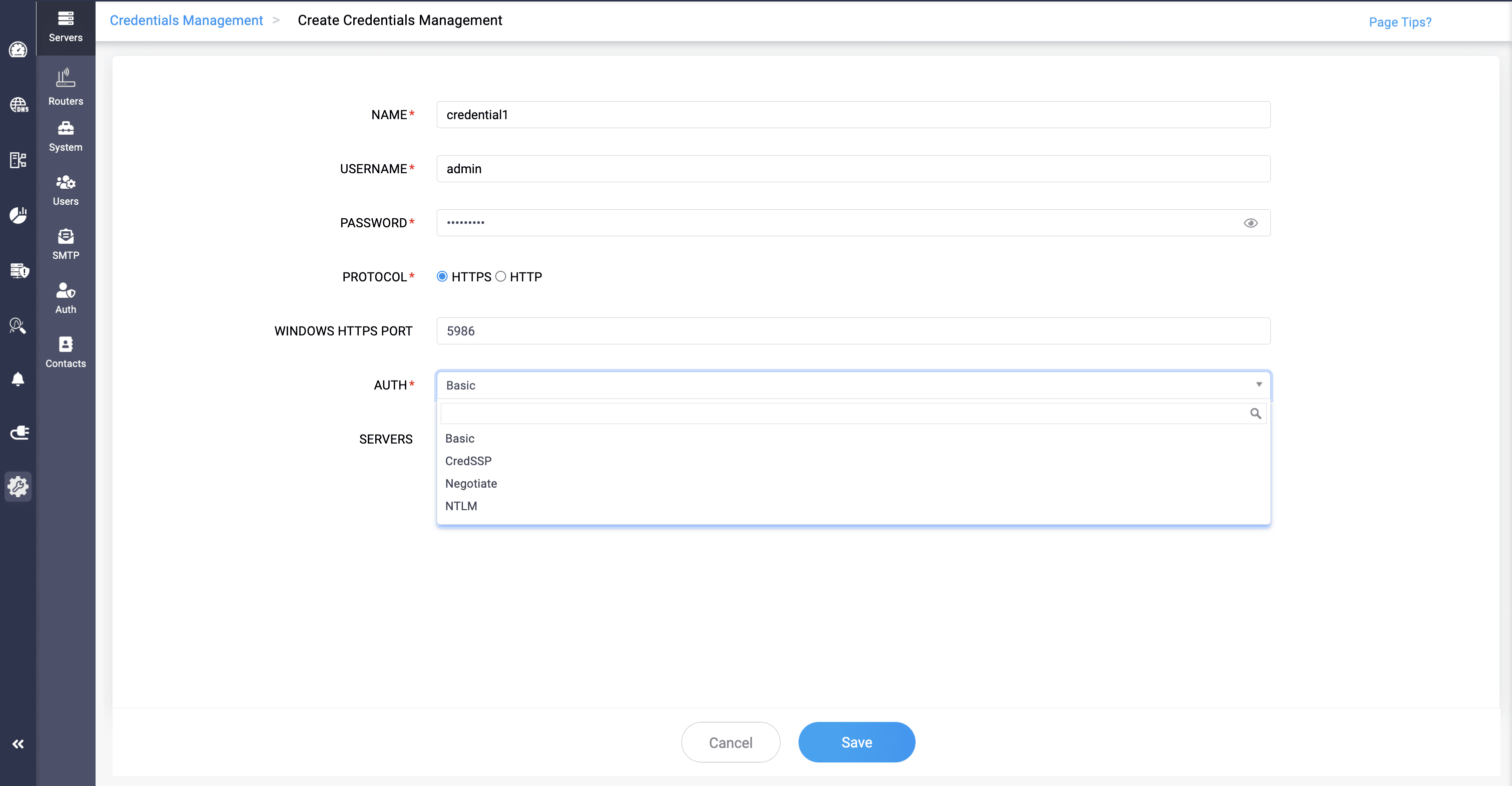
The credentials of your organizations' Windows Microsoft DNS and DHCP servers can be added into DDI Central's database, which can then be used to onboarding those servers into the application, and importing them through CSV files.
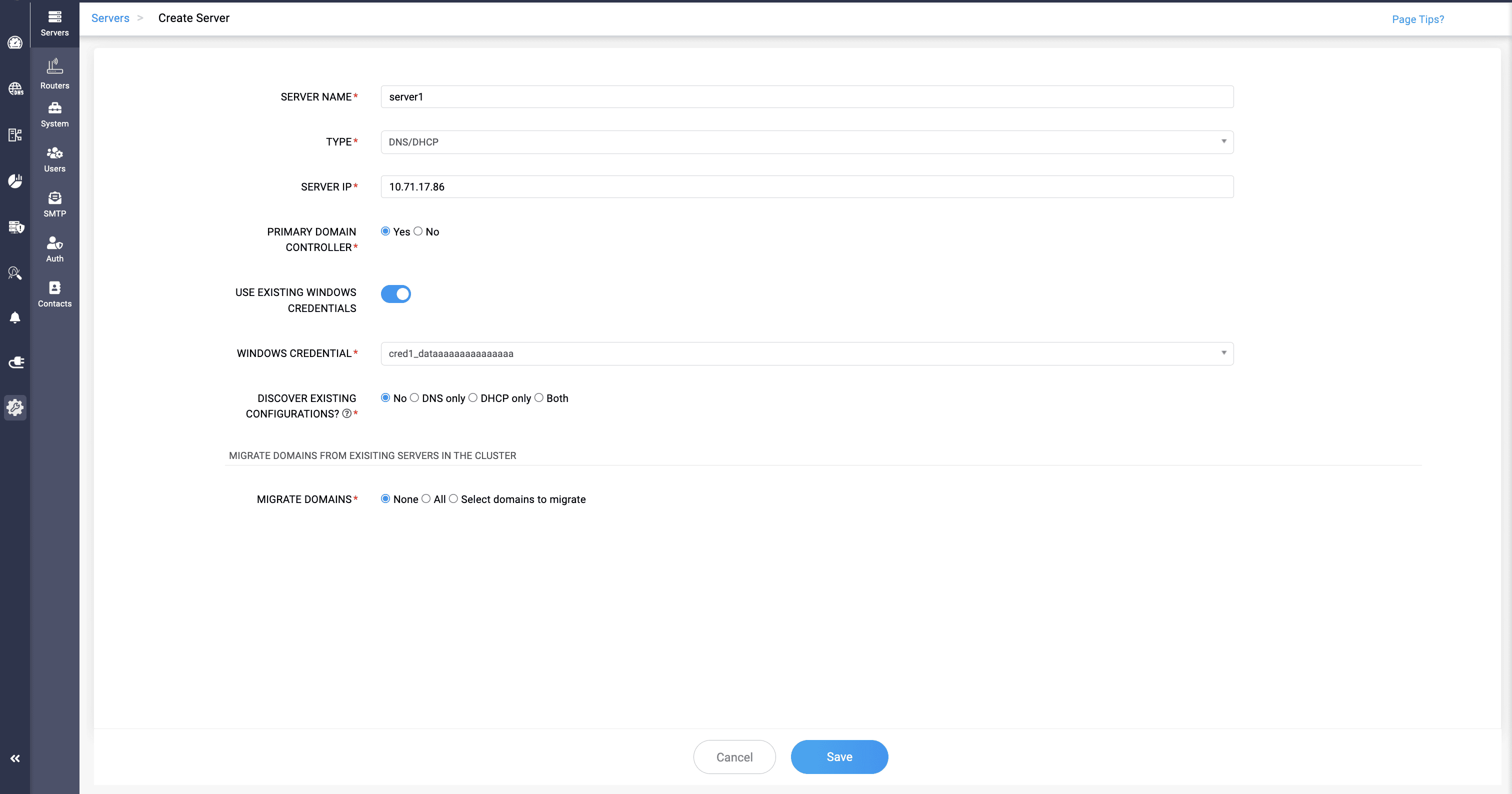
Those credentials can be given a name while adding, which is then used to identify and implementing by toggling on Use Existing Windows Credentials in the Create Server page. Admins can also provide the credentials manually by toggling off the field.
2. Windows bulk server import: Bringing in multiple servers with their details in a single import
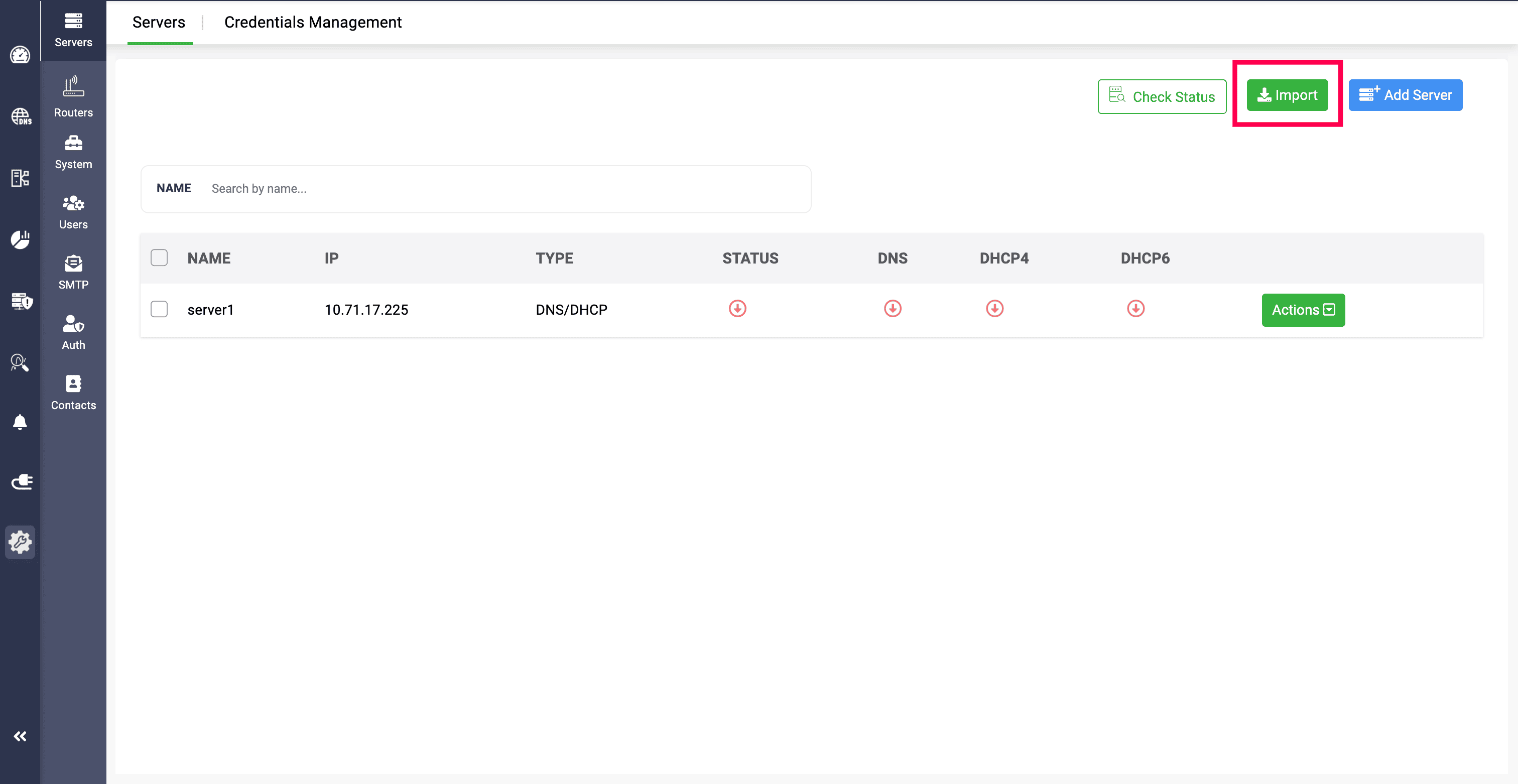
Windows Microsoft servers of your organizations can now be imported as a bulk into DDI Central through a single CSV file. Admins need to provide the server details with their credentials, or providing the credential name if they are already added into the application.
This reduces the manual work of admins to add individual servers into the application one by one, with each CSV file.
3. RBAC for subnets and host: Granting granular control over your DNS and DHCP resources' access management
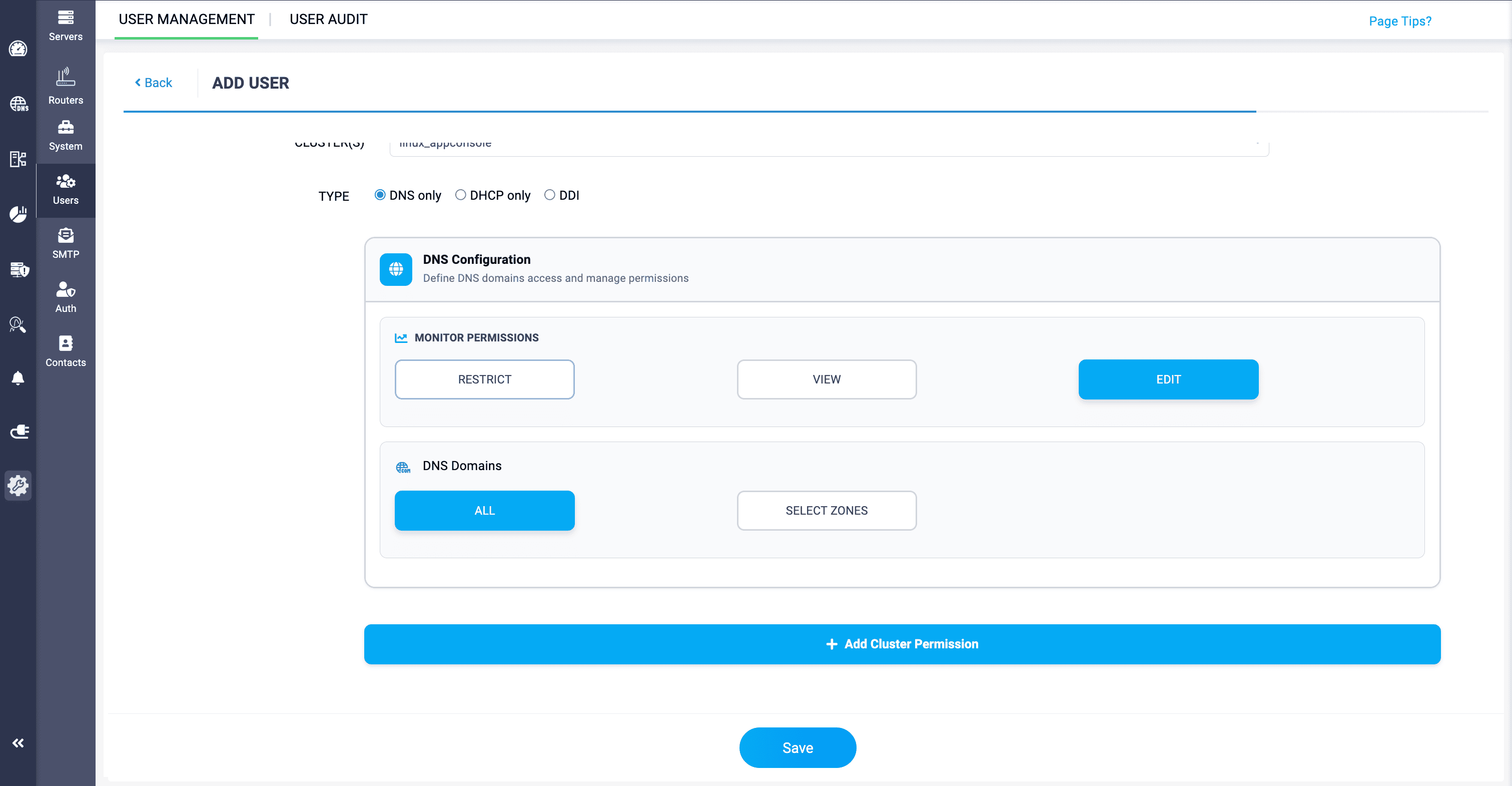
With the new release, DDI Central allows network admins to have granular control over the organizations' DNS and DHCP resources, and granting access for those resources to the individuals in the network based on their roles and responsibilities.
Role-based access control (RBAC) in DDI Central is now available for DNS domains, as well as DHCP subnets and hosts, where admins can grant permissions to view, manage and even configure them.
They can grant permissions for DNS monitors, and for DNS domains where they can select all to access all zones, or select select zones for specific zones to access.
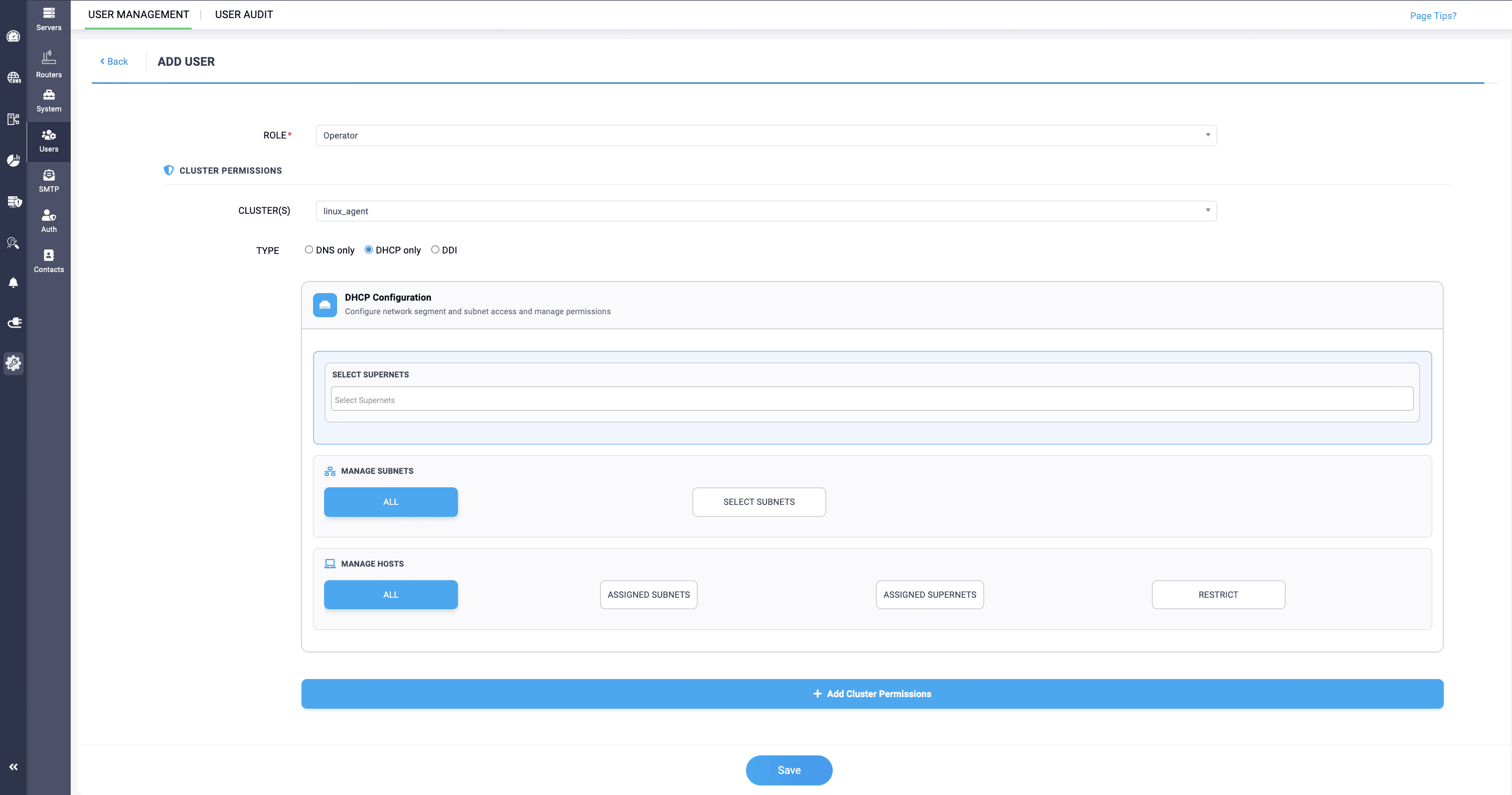
The same way, for DHCP, they can grant permissions for individuals to manage all the subnets in the network or specific subnets by selecting them. For hosts, access can be granted to manage all, or assigned subnets, or assigned supernets, or can be restricted from managing.
4. New cluster dashboard: Clear visibility over the number of Linux and Windows clusters in your network.
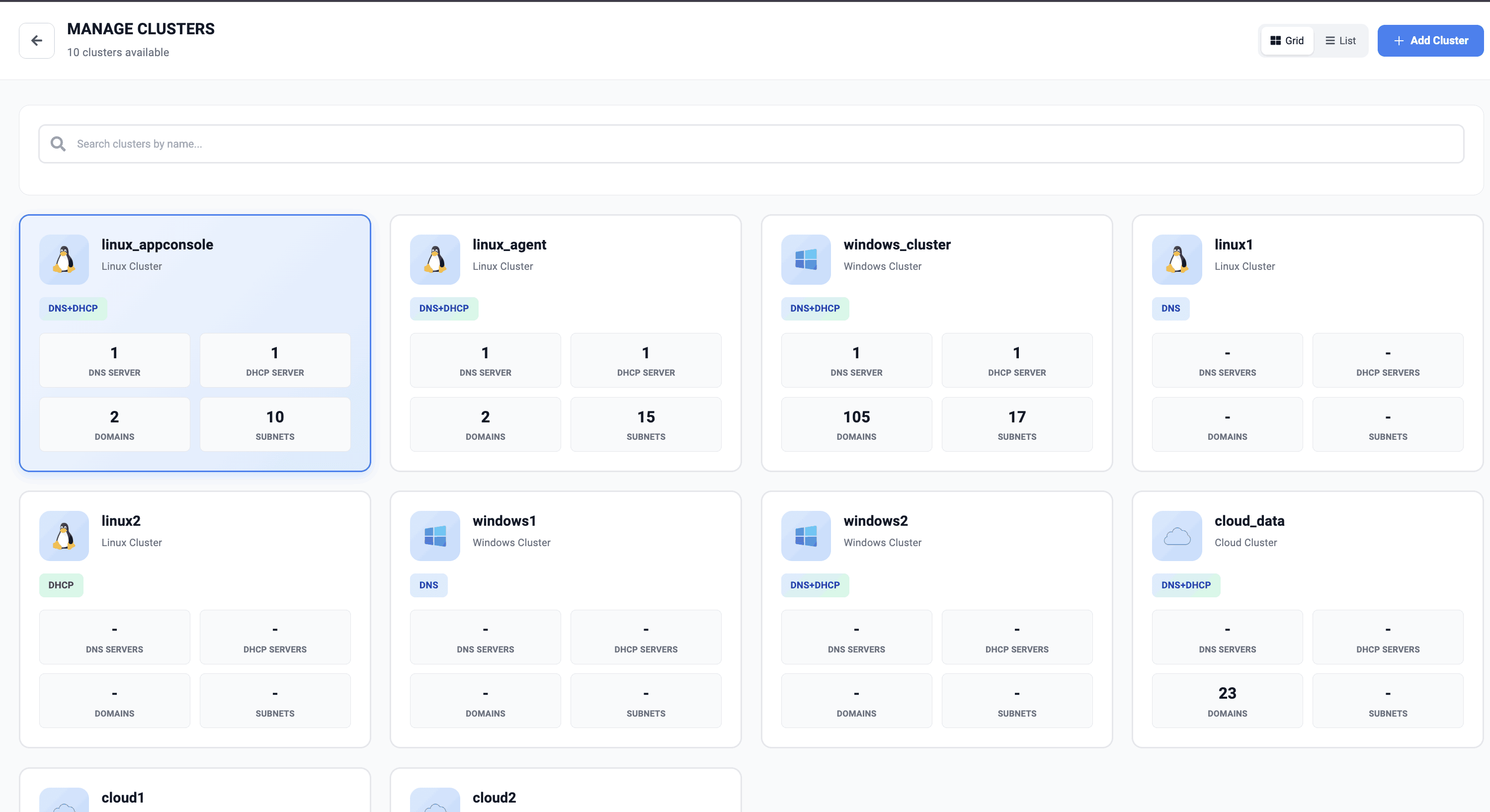
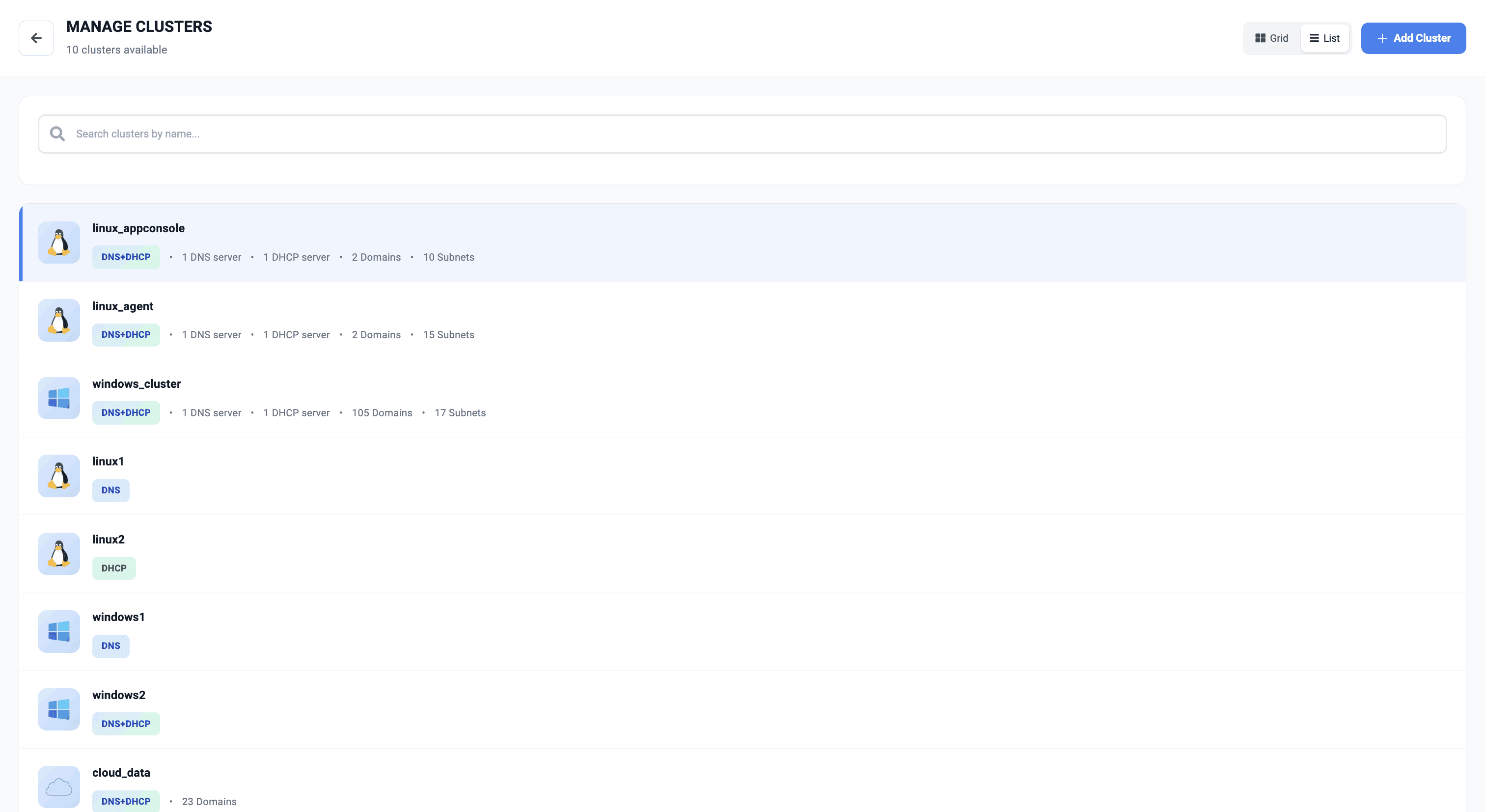
The cluster dashboard has been improved to offer admins a greater visibility and detailed insights over the number of Windows and Linux clusters added in the network. It can be viewed on both grid and list view. This majorly helps keep track over the multiple Windows and Linux clusters added into the application.
5. Other new features:
a) Managing and unmanaging of multicast subnet
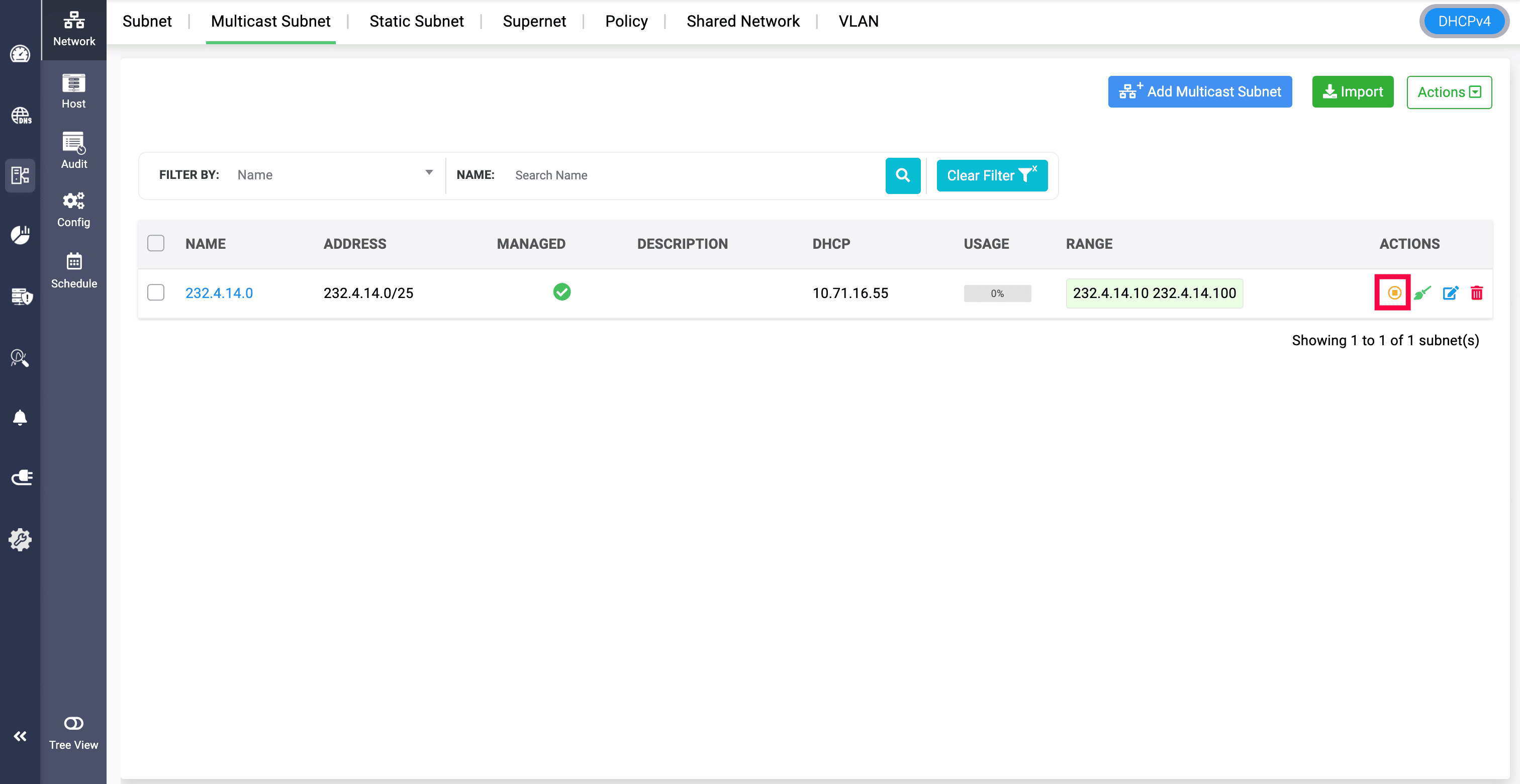
The multicast subnets added into the DHCP servers can now be unmanaged from serving in the network, by clicking on the Yellow pause icon and confirming to unmanage the selected subnet.
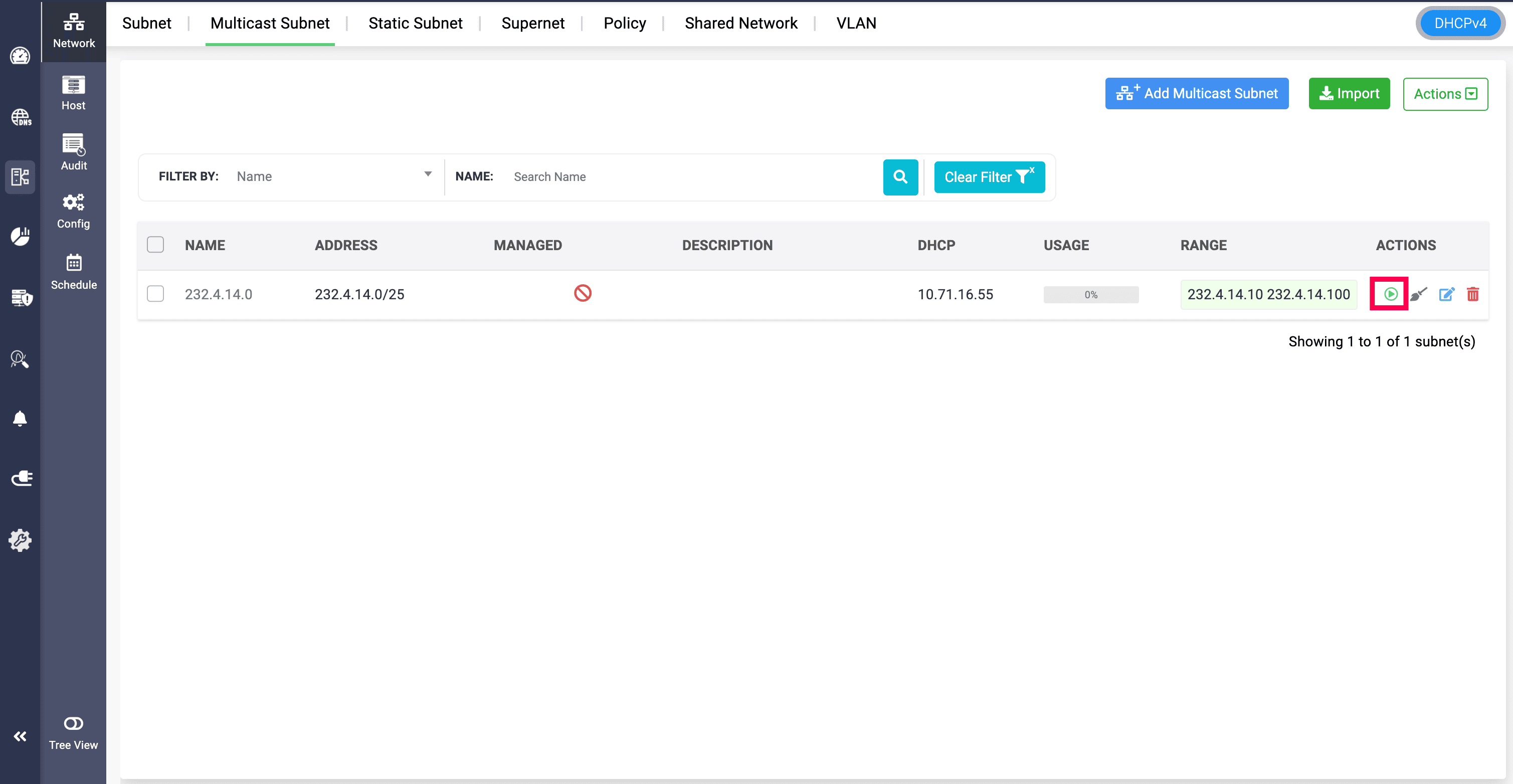
The same way, to bring an unmanaged multicast subnet back to serving in the DHCP server, admins just need to click on the Green resume icon and confirm to manage the selected subnet.
This way, network admins have hands on control to selectively provide DHCP services in the network for the clients.
b) Associating multiple pool ranges in a client class
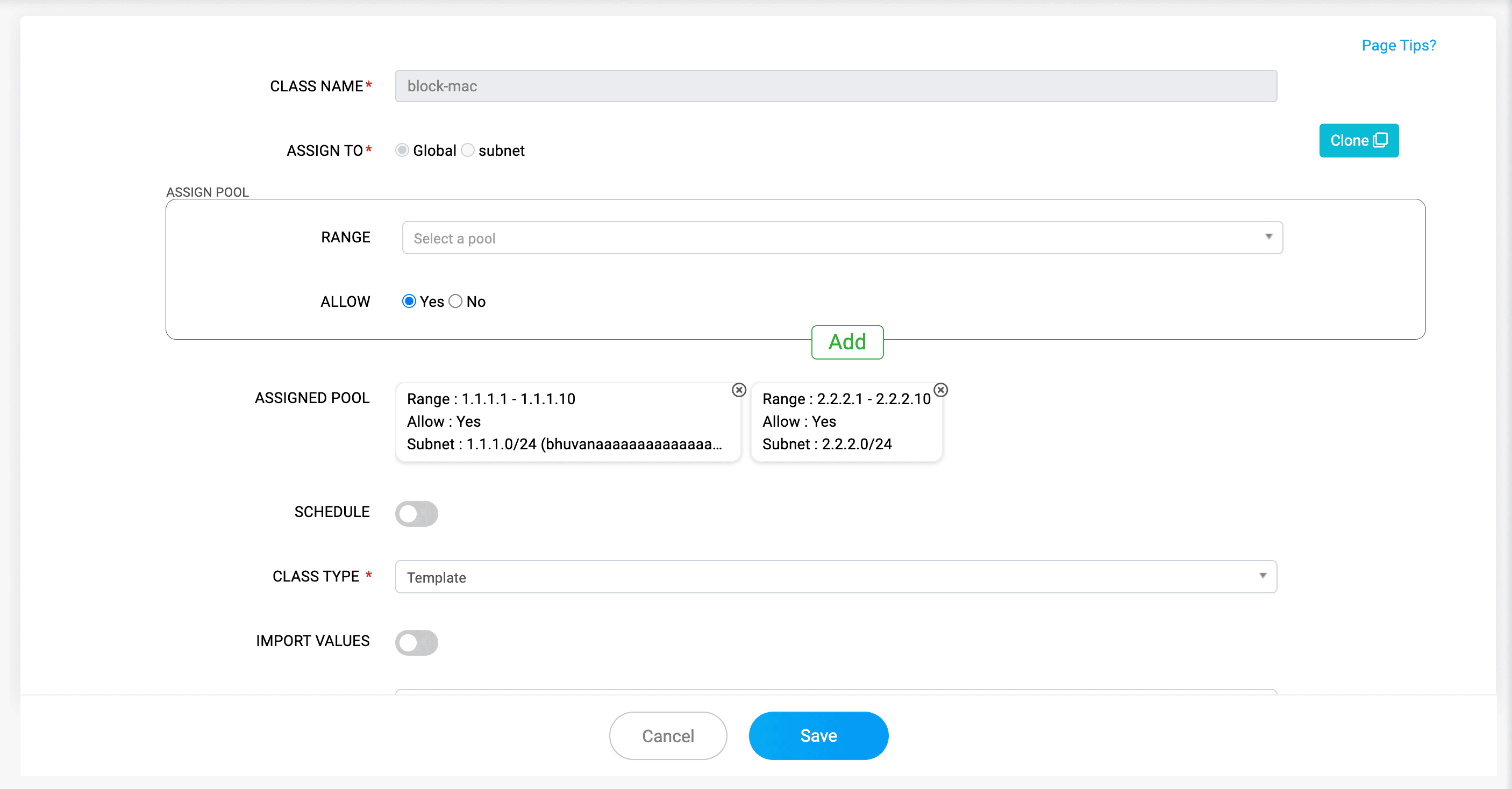
In client class, it has been enabled to add more than one IP address pool range and associate to a single specific client class during client class creation. This has been upgraded from associating only one pool range to multiple pool ranges to that client class. This reduces creating multiple client classes for every pool ranges.
c) Associating PTR records in Cloud Obversability's DNS zones
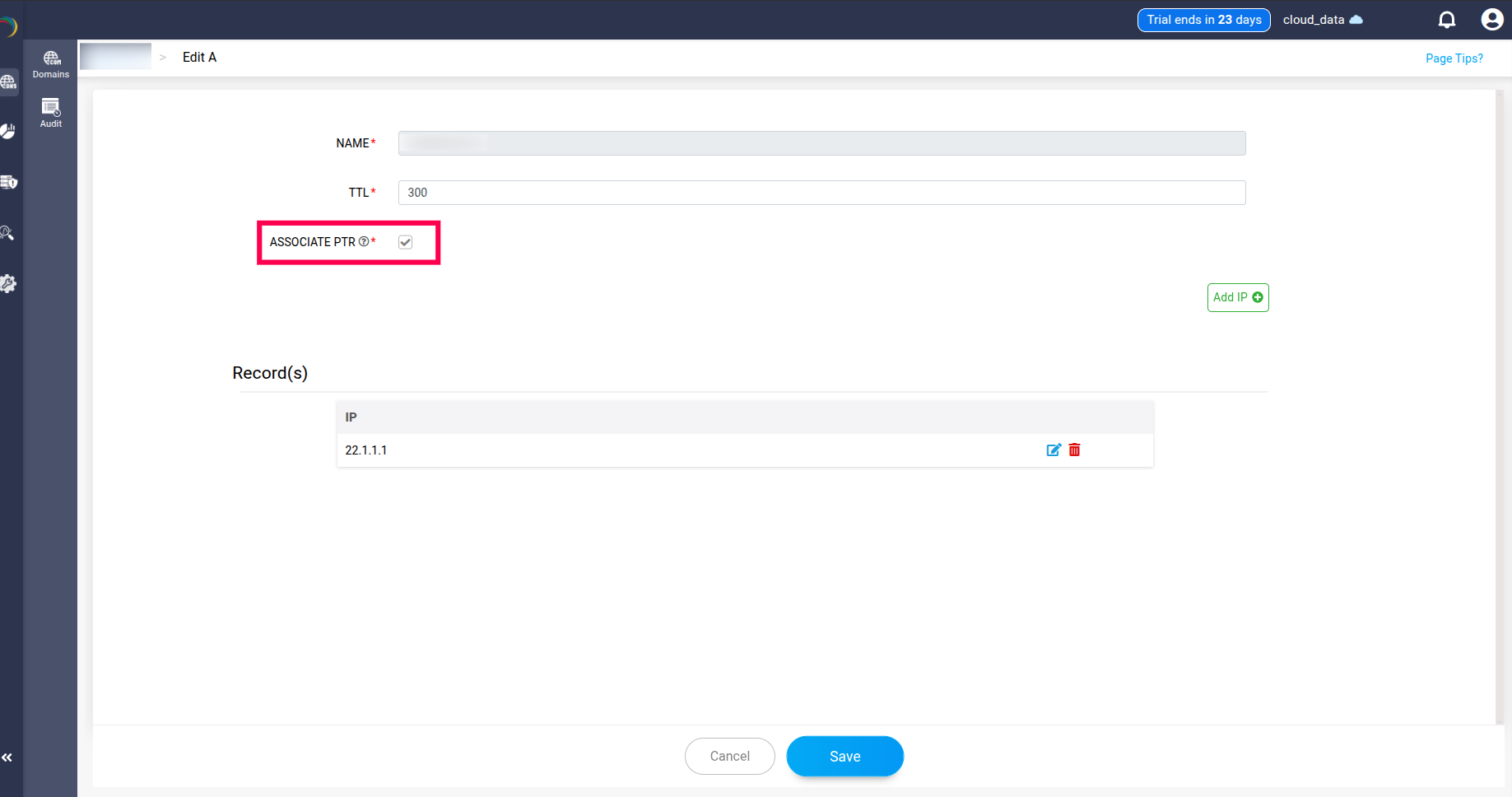
PTR records can now be associated with the Cloud Observability's DNS zones, by selecting Associate PTR option while creating or editing a DNS zone in AWS. You need to ensure PTR records are added and available for associating with the DNS zones.
d) Updating Linux agent nodes within the application
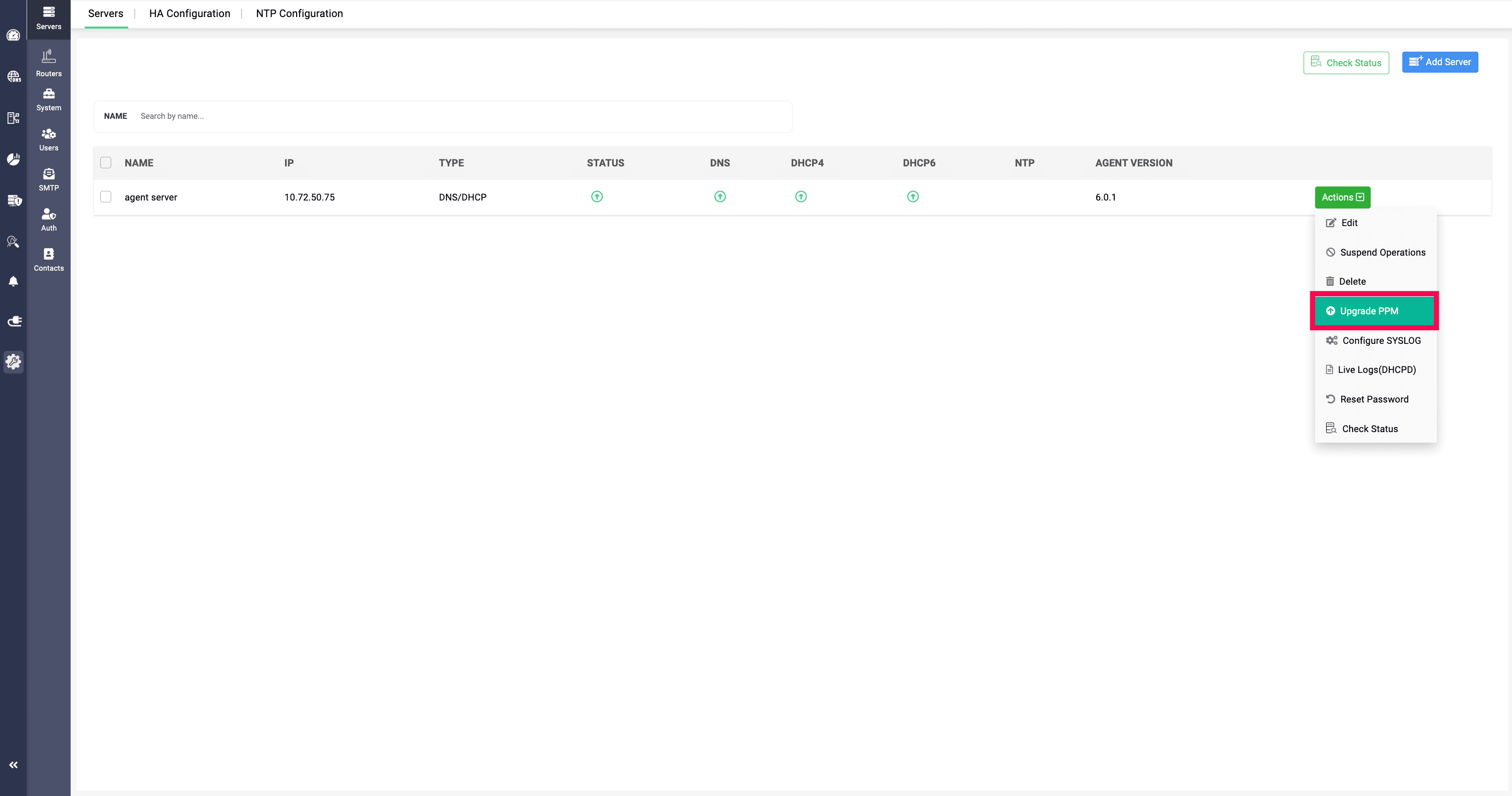
The Linux agent nodes can now be implemented and upgraded within the application, by clicking on Upgrade PPM option in the Actions menu, without the need to go out of the application and manually login to the server and implement agent nodes, thus reducing tedious process of logging in and installing into multiple servers in the network.
Ready to upgrade your DDI stack?
With the release 6.0, DDI Central encourages you to bring in and manage your existing DNS, DHCP, and IPAM services in a more enhanced and user friendly platform.
By updating to this version, tracking of the number of clusters in the network, importing large number of servers, granting specific access permissions for DNS and DHCP resources, and many other administrating processes, will be much more seamless and simplified for you.
Upgrade to 6.0 today—or start your 30-day free trial to see how DDI can make your administration easy and hassle free!