How does DDI Central assist in onboarding and managing Cisco DHCP routers within a network?
DDI Central now offers the ability to onboard an organization’s Cisco routers into the application, giving network administrators hands-on control over router configurations and resources. It also enables centralized monitoring of all DHCP leases across the router’s pool ranges. Administrators can add and manage DHCP pool ranges for both DHCPv4 and DHCPv6.
Cisco router management in DDI Central is compatible with Linux-based ISC BIND and ISC DHCP servers, as well as Windows-based Microsoft servers. DNS services can be linked to DHCP pool ranges by specifying the IP addresses of the DNS servers.
Here's how to configure Cisco DHCP management features in DDI Central:
Adding Cisco routers
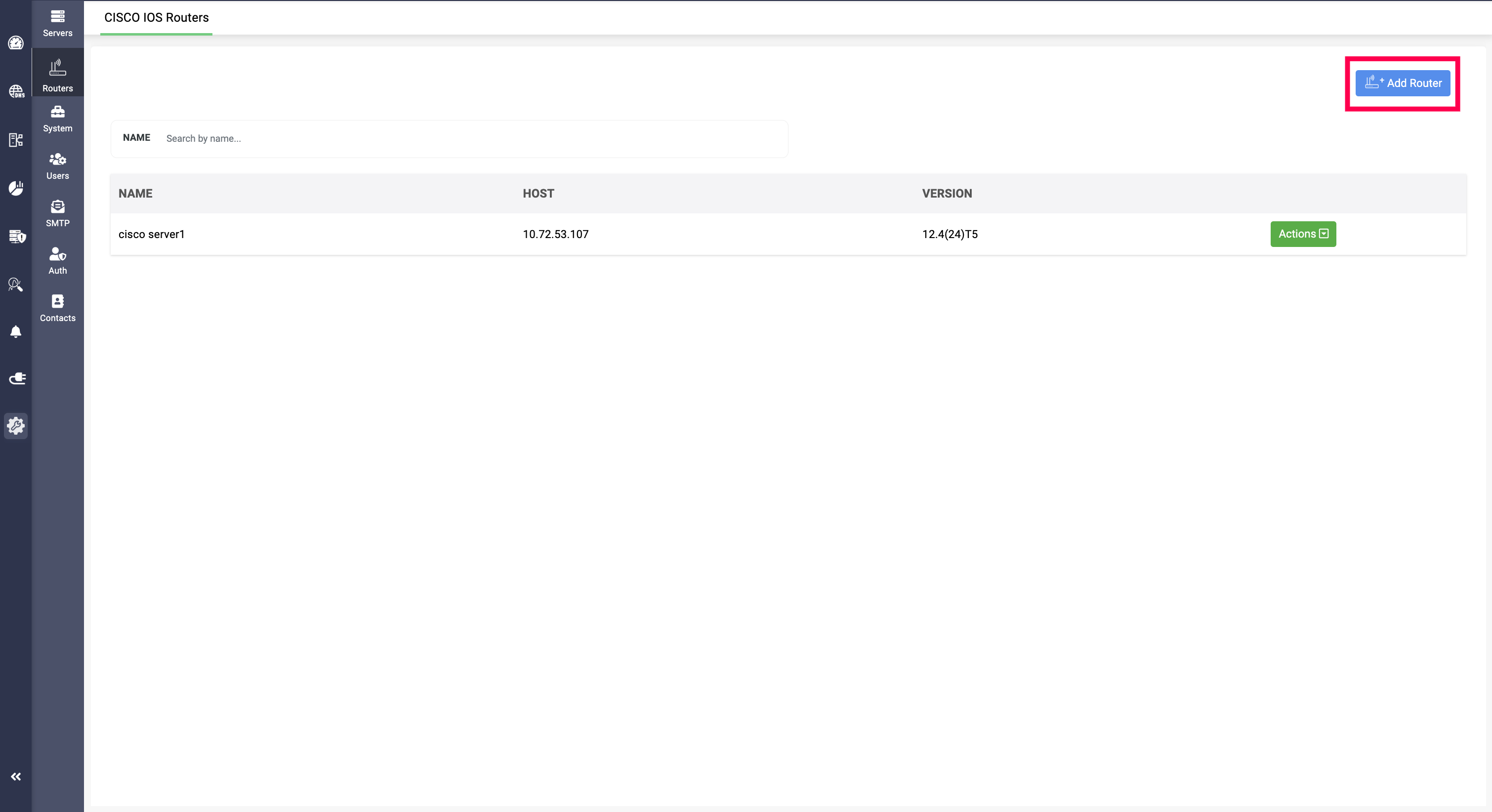
Cisco routers can be onboarded into the DDI Central interface by providing the router’s name, IP address, and router credentials. Also, administrators must enter the Enable Password used to extract DHCP data, which serves as a token for accessing the router’s DHCP information.
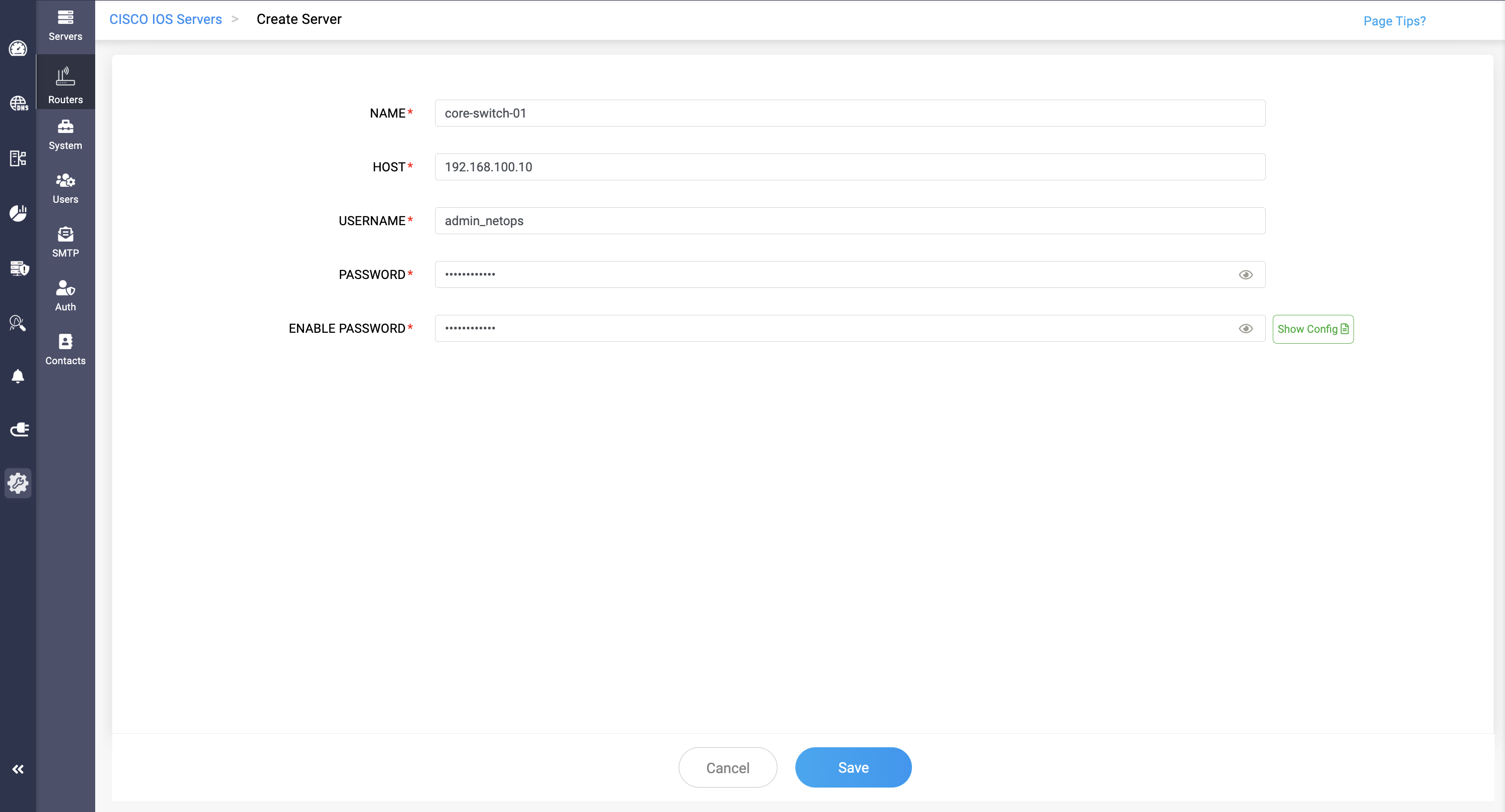
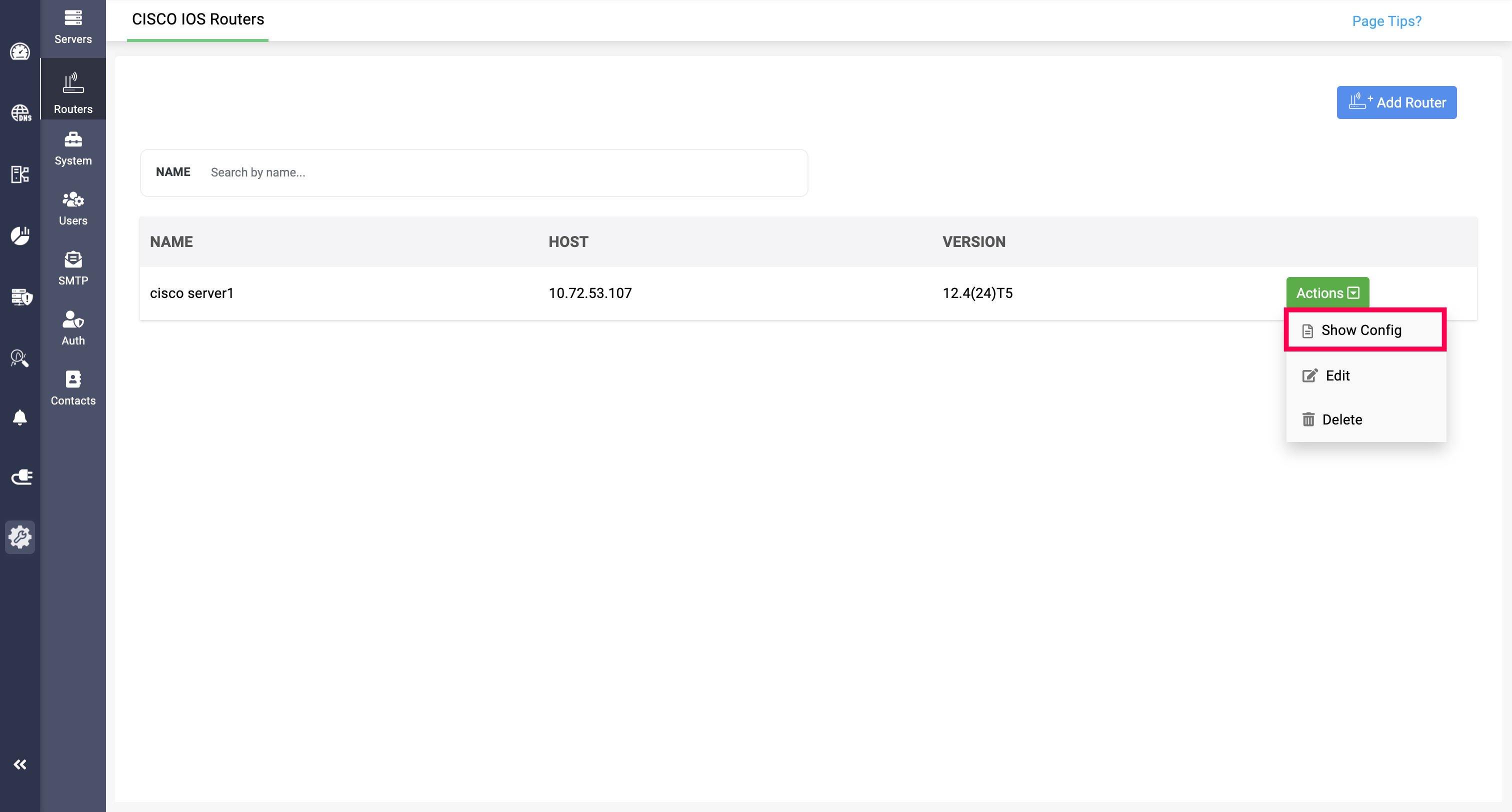
There is also a Show Config option next to the Enable Password field, which displays the router’s configurations when selected. This allows administrators to review and verify all settings before adding the router to the application for management.
The same option is available on the Routers page by navigating to Actions > Show Config.
Configuring DHCPv4 and DHCPv6 pool data
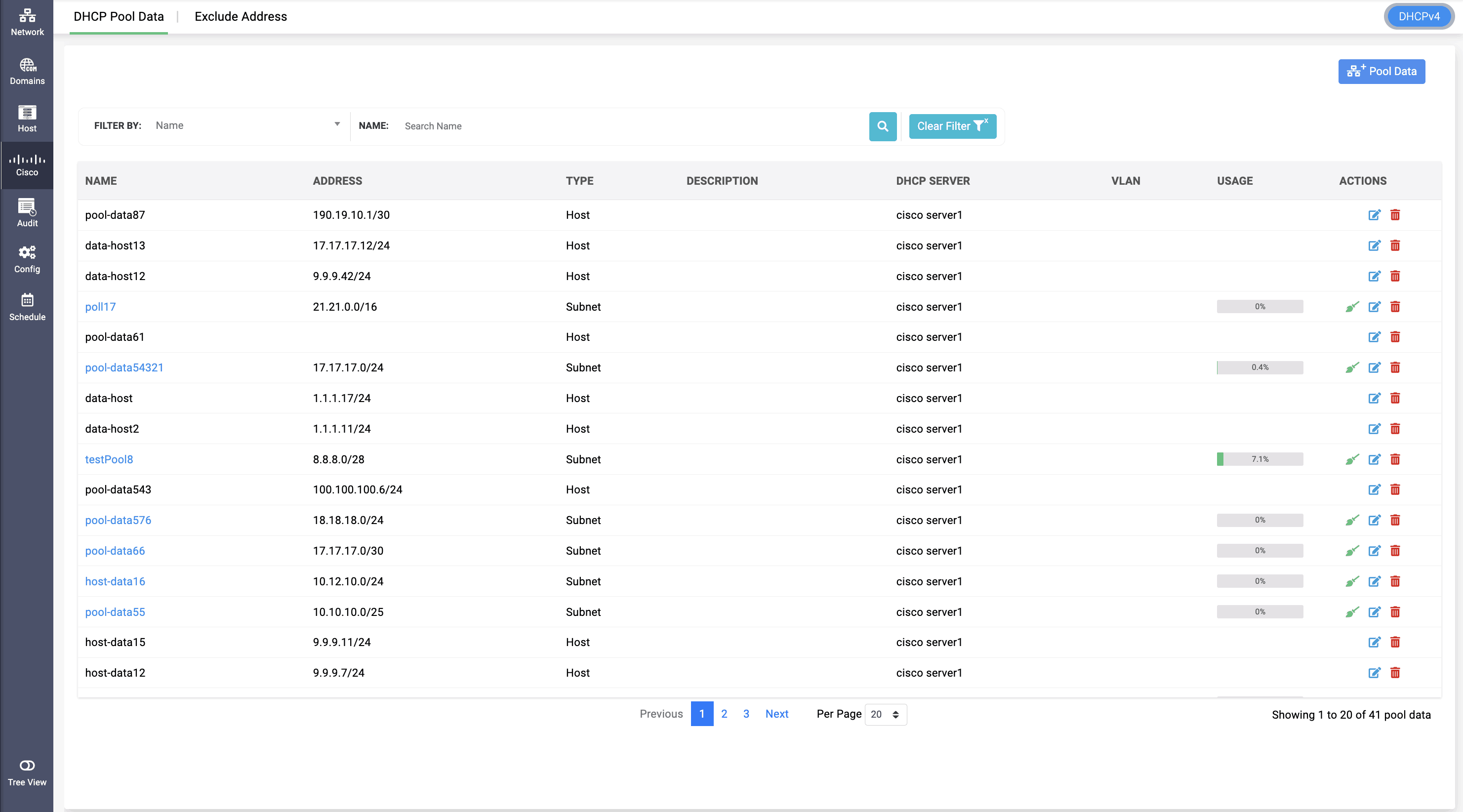
Network administrators can add and manage DHCP pool data for various IP pool ranges on their routers, supporting both DHCPv4 and DHCPv6. For DHCPv4, two pool types are available: Subnet and Host.
The Subnet type allows DHCP to dynamically assign IP addresses within a defined network range, enabling multiple clients to receive addresses from the same subnet. In contrast, the Host type assigns fixed IP addresses to specific devices based on their MAC addresses, making it ideal for static IP allocation where consistent IP availability is required.
For both DHCPv4 and DHCPv6, custom options can be configured for pool data by providing the Option ID, selecting Data Type, and providing Value of the option.
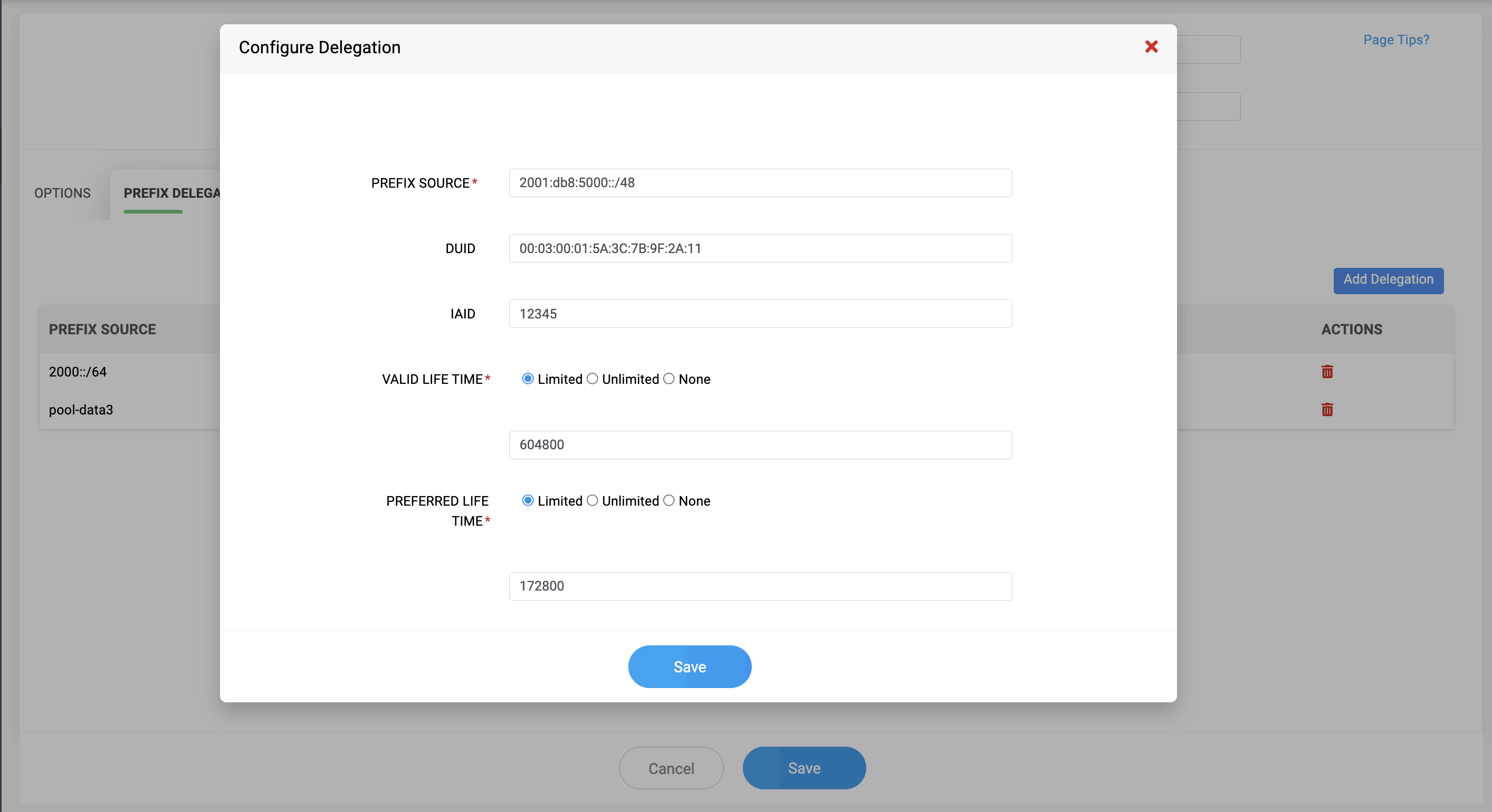
For DHCPv6, Prefix Delegation allows a router to automatically obtain an entire IPv6 network prefix (such as /56 or /48) from a DHCPv6 server. The router can then create and assign /64 subnets to its internal interfaces. The server identifies the requesting router using its DUID and tracks each prefix request using an IAID.
Excluding DHCP pool ranges
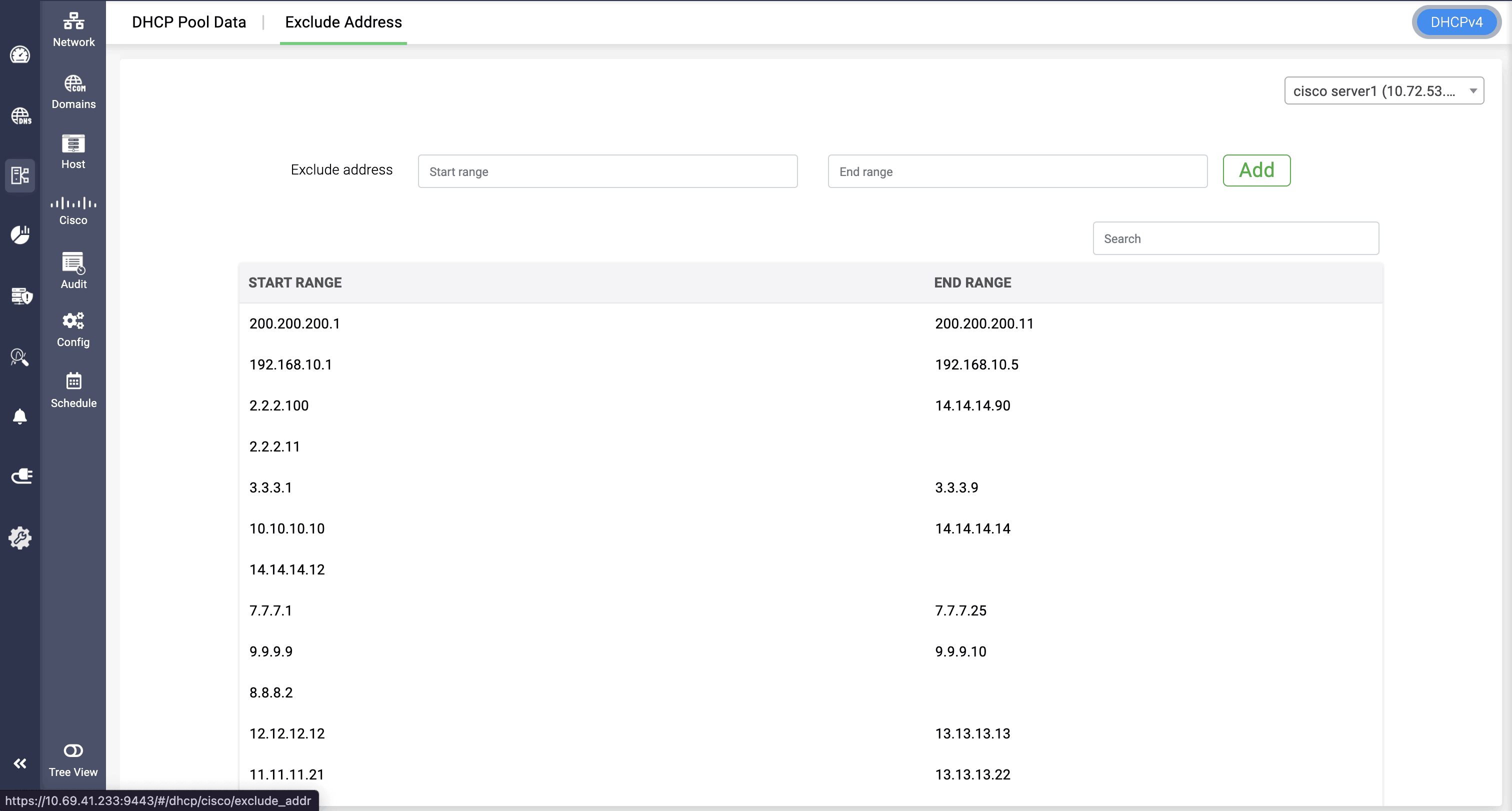
The DHCP Exclude Address feature in DDI Central allows administrators to exclude specific IP pool ranges on a router, not only at the subnet level but also globally, by specifying a start and end IP range. This option is available only for DHCPv4 and is not supported for DHCPv6.
START IP: The first IP address in the exclusion range, indicating where the block of addresses to be excluded begins.
END IP: The last IP address in the exclusion range, marking the end of the excluded block. For excluding a single IP address, the START IP and END IP will be the same.
Using this feature, network administrators can reserve specific IP ranges on the router from general DHCP allocation for special or controlled use cases.
Easily onboard and manage Cisco DHCP routers and their pool data using DDI Central
Leverage DDI Central’s Cisco DHCP management capabilities to onboard routers, add and configure pool data, and exclude specific ranges—all from a centralized interface for complete control and enhanced visibility.
Start your free 30-day trial of DDI Central to experience seamless Cisco DHCP router management!