Segmenting visibility with DNS Views for tighter network access control
Most organizations experience a strange DNS problem at some point: The same domain name means something different depending on who's asking for it. For example, a single internal app, workspace.company.com, might need to serve a locked-down instance to finance, a live staging build to engineering, and a stable production build to support — all under one domain and from the same DNS server.
Handling this with separate domains works, but it pushes the problem onto every team that has to remember which subdomain applies to them, and it multiplies the number of zones an admin has to maintain. DNS Views solve this at the source: The domain name stays the same, but the answer—and the policy behind that answer—changes based on who's asking.
What is a DNS view?
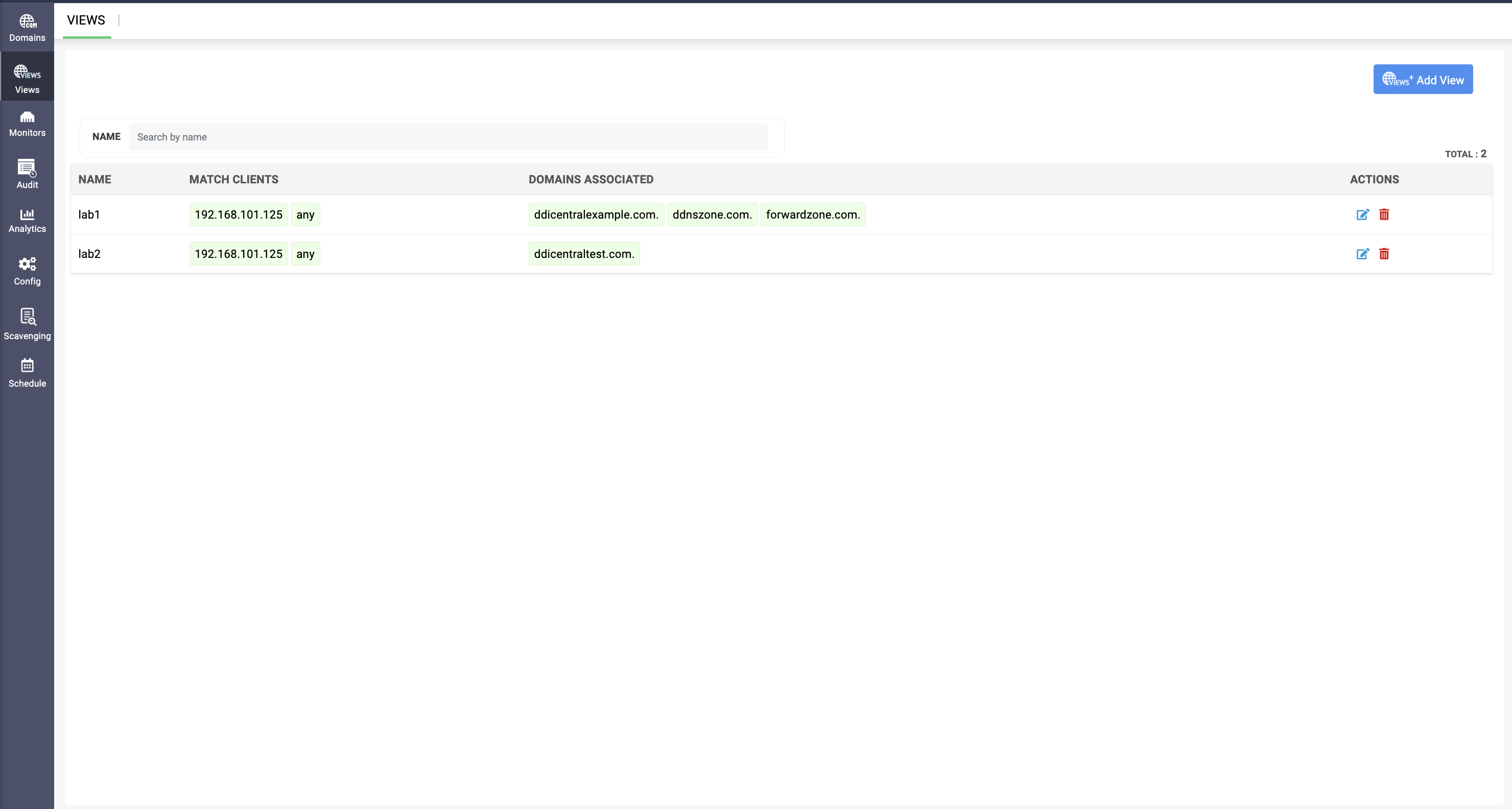
DNS views let nameservers provide different responses to the same query depending on the client device's MAC address. Instead of one global answer for a domain, the server evaluates who's asking first, then decides what they're allowed to see and do. Each view carries its own set of DNS options— two departments can query the identical domain name and get different resolution behavior, recursion permissions, and security postures, without either one knowing the other view exists.
To create a DNS view in DDI Central, go to the DNS menu and select Views. To add a department-specific view, click Add View, give it a name, and define its Match Clients list (IP addresses or ACLs) to specify which clients the view applies to, and click Save. You can select and configure DNS options such as recursion, forwarders, DNSSEC validation, and etc.
One domain, three departments, and three different jobs
Say workspace.company.com needs to serve three departments, and each has a genuinely different relationship with that same domain name. Finance needs a hardened, audit-logged instance, since it handles sensitive financial data that requires tightly controlled, traceable access. The development team needs a staging instance with active feature flags, since engineering moves fast and needs frequent DNS changes along with reachability to external development tooling. Customer support needs the stable production instance, since their CRM and ticketing integrations depend on consistent performance and fast lookups. With three different needs under one domain name,here's how the DNS options differ per view to support each:
Finance view
Option | Value | Why |
allow-query | Finance subnet only | Only authorized finance clients should be able to query this view at all. |
allow-recursion | Internal secure resolvers only | Recursive lookups stay inside trusted infrastructure, with no external resolution path permitted for this view. |
dnssec-validation | Enabled | Compliance-sensitive traffic gets DNSSEC-verified answers, protecting against tampered responses. |
allow-transfer | None | Zone data never leaves the finance segment via transfer. |
max-cache-ttl | Short | If access is revoked, the change propagates quickly instead of sitting cached. |
R&D view
Option | Value | Why |
allow-query | R&D subnet | Scoped to engineering's network segment. |
allow-update | Enabled | Ephemeral development/test hosts can self-register without manual DNS entries for every spun-up service. |
allow-recursion | Broader (reaches external registries) | Engineering needs to resolve external dependencies— package registries, and code repos—that finance and support never touch. |
min-cache-ttl | Low | DNS changes during active development propagate fast, instead of getting stuck behind stale cache entries. |
Support view
Option | Value | Why |
allow-query | Support subnet / VPN range | Only support staff and their remote access paths can resolve this view. |
forwarders | Specific upstream resolvers | Queries for connected SaaS tools (CRM, ticketing) route through resolvers tuned for those lookups. |
max-cache-size | Moderate, tuned for stability | Production traffic favors consistent performance over frequent change. |
allow-recursion | Internal only | No need for open-ended recursion; support's queries are predictable and scoped. |
With the same domain name, three views, and three completely different answers, there are three different security and performance postures enforced at the DNS layer before any connection is even attempted.
How the server actually picks a view
None of this works unless the server can tell which view a given query belongs to before it applies any of the options above. That's what Match Clients does:It's the field that maps an incoming query's source IP or named ACL to a specific view. When a query comes in, the server checks it against each view's Match Clients list in order; the first view that matches is the one that handles the query. Anything that doesn't match a named view falls through to a Default View, which behaves like a standard, unrestricted DNS server—no view-specific rules are applied.
The sequence looks like this: query arrives → source IP checked against Match Clients → matching view selected → that view's allow-query, allow-recursion, and other options take over → response served (or denied).
A quick walkthrough
A financial analyst's machine queries workspace.company.com. Its IP falls inside the finance subnet, so it matches the finance view:DNSSEC-validated, tightly cached, and a non-recursive answer pointing to the hardened instance.
Ten minutes later, someone on the R&D subnet queries the exact same domain name. It is a different source IP and view match, and this time it resolves to the staging instance with looser caching and permissions that let their development tooling register new hosts.
The same query text, domain, and two completely different outcomes are decided entirely by where the query came from, before either client ever reaches an application.
Takeaway
DNS views turn a single domain into a policy boundary: The same name can have various meanings and be governed differently for every group of clients that queries it. For organizations where departments have different resolution, security, or performance needs but still need to share a domain, views enforce that separation at the resolution layer, before a connection is even attempted.
Start your 30-day, free trial. or Book a personalized demo to learn how DNS views work and how they can benefit your network.