DDI Central 6.3: Now with Windows Node Agent for agent-based server communication
DDI Central 6.2 introduced GSS-TSIG authentication for secure dynamic DNS updates, JIT user provisioning via LDAP and LDAPS, and native scavenging support for Windows AD-integrated and DDNS domains, giving network admins greater control over DNS updates, domain hygiene, and user access across their infrastructure. These new additions have addressed major pain points on how admins manage DNS security, authentication, and resources.
Building on that, DDI Central 6.3 turns its focus to how the App Console communicates with Windows DNS/DHCP servers. DDI Central 6.3 introduces the Windows Node Agent, a lightweight agent service that you can install directly on your Windows DNS/DHCP servers, shifting the communication responsibility from the App Console to the agent itself, thus making the whole setup considerably simpler to manage.
What's new in DDI Central 6.3?
Windows Node Agent for agent-based server communication
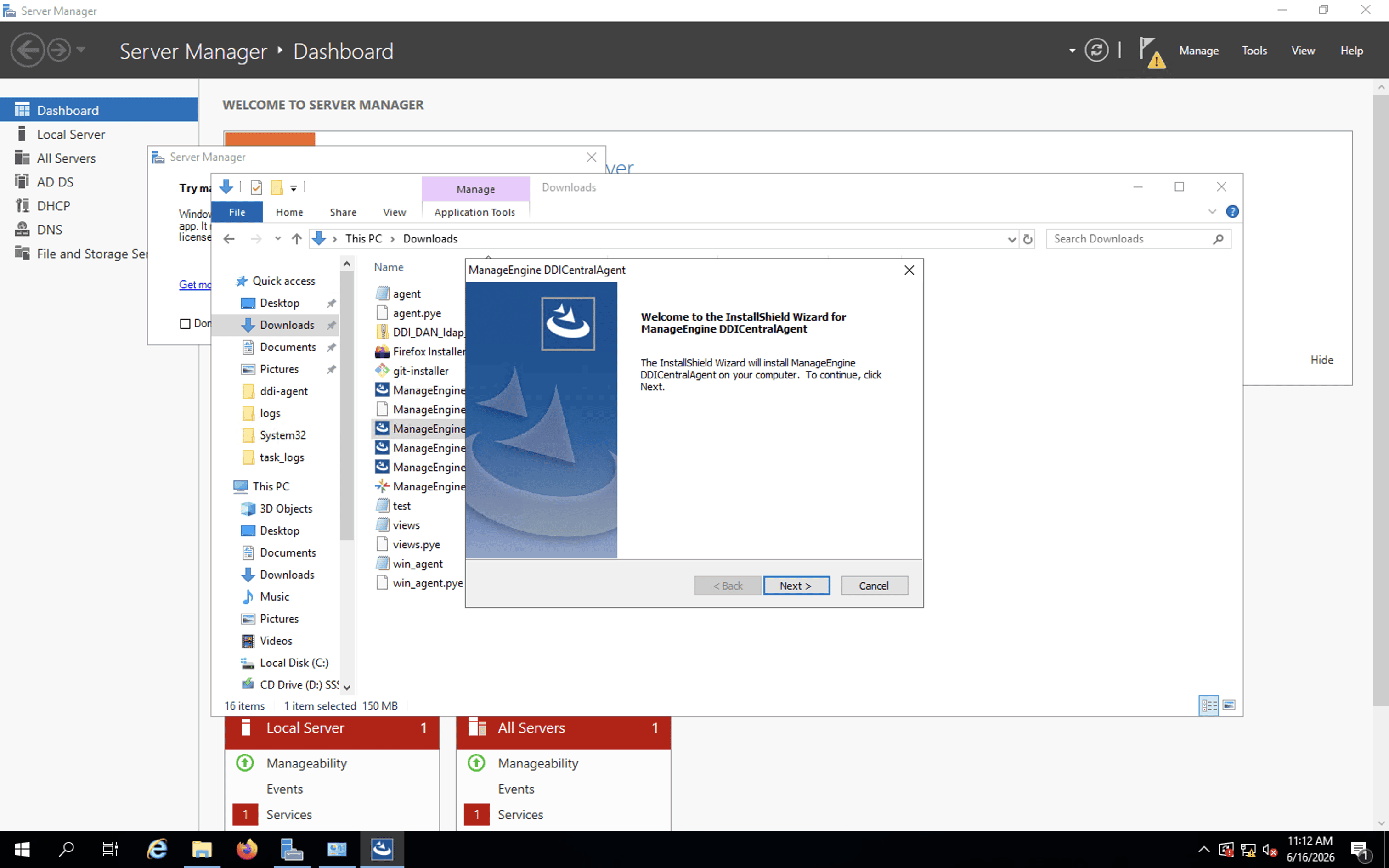
With WinRM-based communication, the App Console server has to reach out to each Windows DNS/DHCP server, run PowerShell scripts remotely, and handle all the data transfer itself. This process works at a smaller scale, but in environments where a large number of Windows servers are managed, or in environments where WinRM is restricted for security reasons, it starts to show its limits.
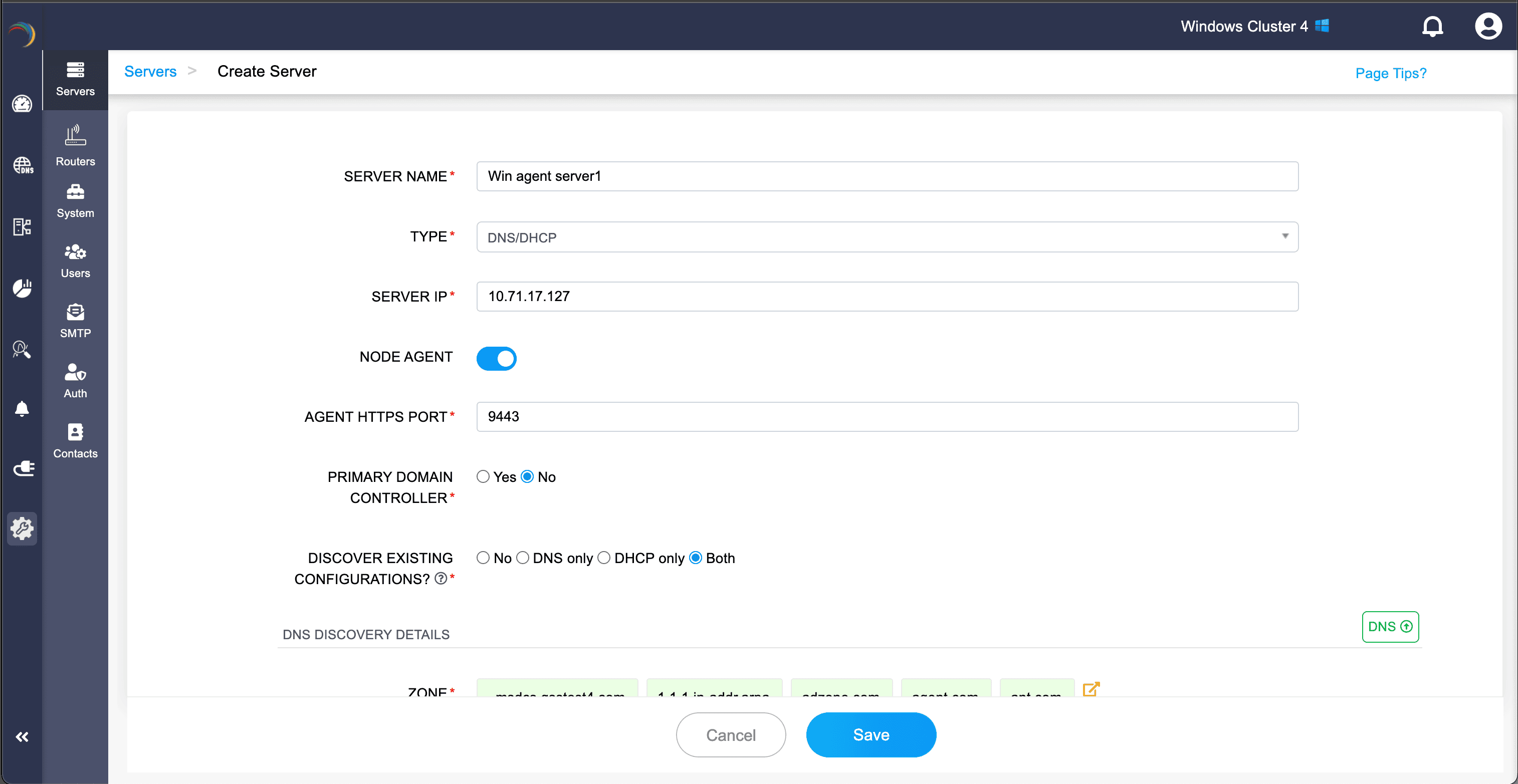
The Windows Node Agent flips that model. Once installed on a Windows server, the agent takes over the communication job entirely, it monitors the server for DNS/DHCP configuration changes and syncs them to the App Console on its own. No PowerShell scripts, no WinRM setup, just a straightforward HTTPS port connection.
You can also bulk import a large volume of servers all at once, via CSV or XLSX rather than adding each one manually, thus reducing manual work for network admins.
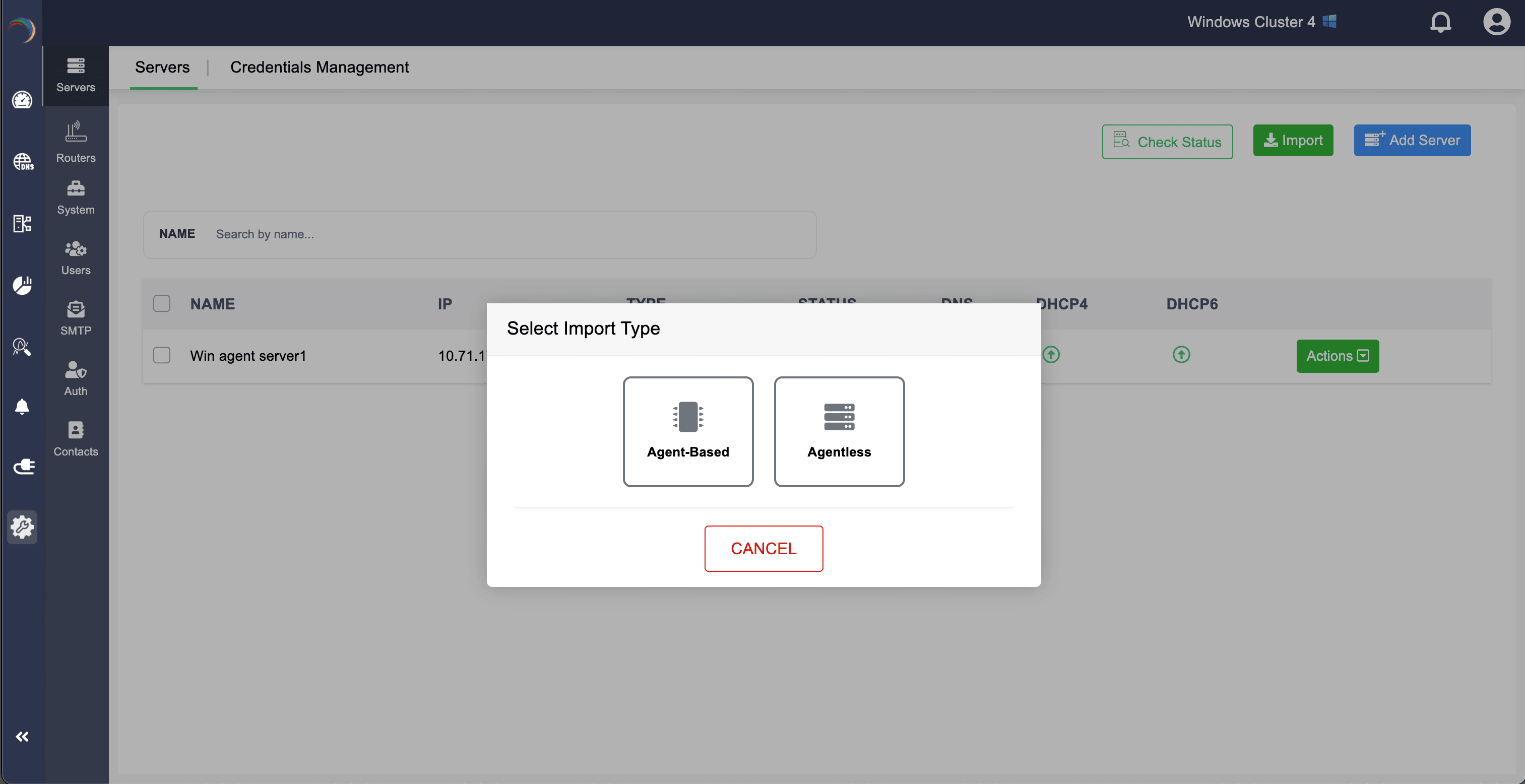
If you already have Windows servers configured with WinRM in DDI Central, you don't need to start from scratch either. You can switch any server from agentless to agent-based communication, and also the other way around.
This capability of switching from agentless to agent-based and vis versa facilitates seamless configuration and adaptation for network admins.
Ready to implement DDI Central 6.3 for streamlined Windows server communication?
The Windows Node Agent takes the complexity out of Windows server communication in DDI Central, no remote scripts, no WinRM overhead, and a setup that actually scales.
Network admins who manage large Windows DNS/DHCP environments can spend less time troubleshooting connectivity issues and focus more focusing on what actually matters. Also, for organizations where WinRM has always been a security concern, it finally offers a clean alternative that doesn't require you to work around your own policies.
Whether you're onboarding new Windows servers or migrating existing ones from WinRM, the transition is straightforward, and once the agent is in place, it largely takes care of itself.
Upgrade to 6.3 today or start your 30-day free trial to see the difference it makes in your environment.