- Quick Links
- Highlights
- MFA
- SSO
- Adaptive authentication
- Related Products
- ADManager Plus Active Directory Management & Reporting
- ADAudit Plus Real-time Active Directory Auditing and UBA
- ADSelfService Plus Identity security with adaptive MFA, SSPR, and SSO
- Exchange Reporter Plus Exchange Server Auditing & Reporting
- EventLog Analyzer Real-time Log Analysis & Reporting
- M365 Manager Plus Microsoft 365 Management & Reporting Tool
- DataSecurity Plus File server auditing & data discovery
- RecoveryManager Plus Enterprise backup and recovery tool
- SharePoint Manager Plus SharePoint Reporting and Auditing
- Identity360 A cloud-native identity platform for workforce IAM
- AD360 Integrated Identity & Access Management
- Log360 (On-Premise | Cloud) Comprehensive SIEM and UEBA
- AD Free Tools Active Directory FREE Tools
Why you need an MFA solution
Credentials have become the new perimeter. Instead of breaking through defenses, an attacker will steal a password and sign in as a trusted user. Phishing, brute-force attacks, and credential stuffing allow them to exploit weak, reused, or stolen credentials and move laterally across connected systems. MFA adds a second verification step, preventing a stolen password from granting access on its own.
The exposure grows in hybrid and multi-cloud identity environments. A single compromised account no longer opens just a file server; it can reach Microsoft 365, Salesforce, and every connected SaaS app. Roughly a third of breaches over the past 10 years involve stolen or weak credentials, according to Verizon's Data Breach Investigations Report. When one identity underpins that much access, a password alone can't be the first line of defense.
An MFA solution adds a verification step that stops a single leaked secret from becoming a full-blown incident. ManageEngine Identity Access delivers that verification layer from the cloud, putting MFA in front of the apps, machines, and directories your workforce uses every day, with no on-premises infrastructure to deploy.
How Identity Access MFA works
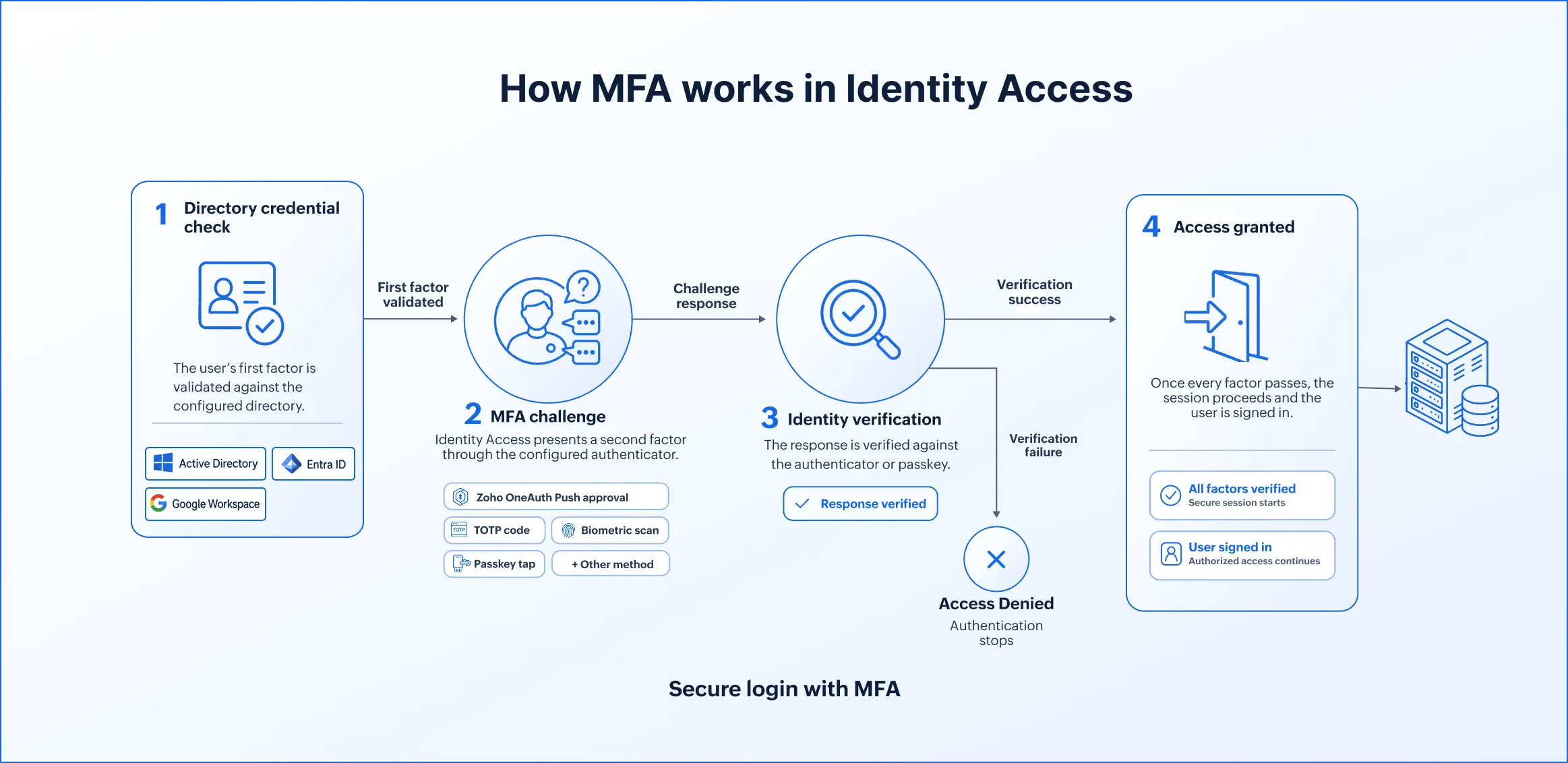
Identity Access inserts a second verification layer immediately after the first-factor credential check. The sequence looks like this:
- Directory credential check: The user's first factor is validated against your directory, such as Active Directory, Microsoft Entra ID, or Google Workspace.
- MFA challenge: Identity Access presents a second factor via the configured authenticator, such as a Zoho OneAuth push approval, a TOTP code, a FIDO2 passkey tap, a biometric scan, or another supported method.
- Identity verification: The response is verified against the authenticator or passkey.
- Access granted: Once every factor passes, the session proceeds and the user is signed in.
Where can Identity Access enforce MFA?
Securing the enterprise means closing every authentication path, not just the app portal. Identity Access enforces MFA across:
Secure machine access
- Windows, macOS, and Linux logins: OS-level agents enforce the factor before access is granted on AD-joined and Microsoft Entra ID-joined machines. Windows Credential Provider covers interactive and RDP sessions, and MFA extends to UAC elevation prompts. Advanced machine controls cover lock, unlock, and idle events.
- Windows Server logins: Server access is protected by the same MFA policy.
- Offline MFA (Windows): Locally cached authenticator state lets remote and traveling users complete the challenge with no network connection.
- SSH login MFA: A second factor protects SSH sessions, covering an access point that on-premises self-service tools do not reach.
Fortify VPN and remote access
- Use MFA for VPN and other RADIUS-based servers to strengthen remote access beyond passwords.
- Apply MFA for Outlook on the web and other IIS servers to add stronger verification to browser-based email and web access.
Protect application logins
- Identity Access adds a verification step before cloud and on-premises application access, so a compromised password cannot open an application on its own.
Extend MFA to multi-cloud directory users
- Enforce MFA for identities across Active Directory, Microsoft Entra ID, and Google Workspace from one cloud console, extending coverage beyond what on-premises MFA tools can provide.
Supported authentication methods and factors
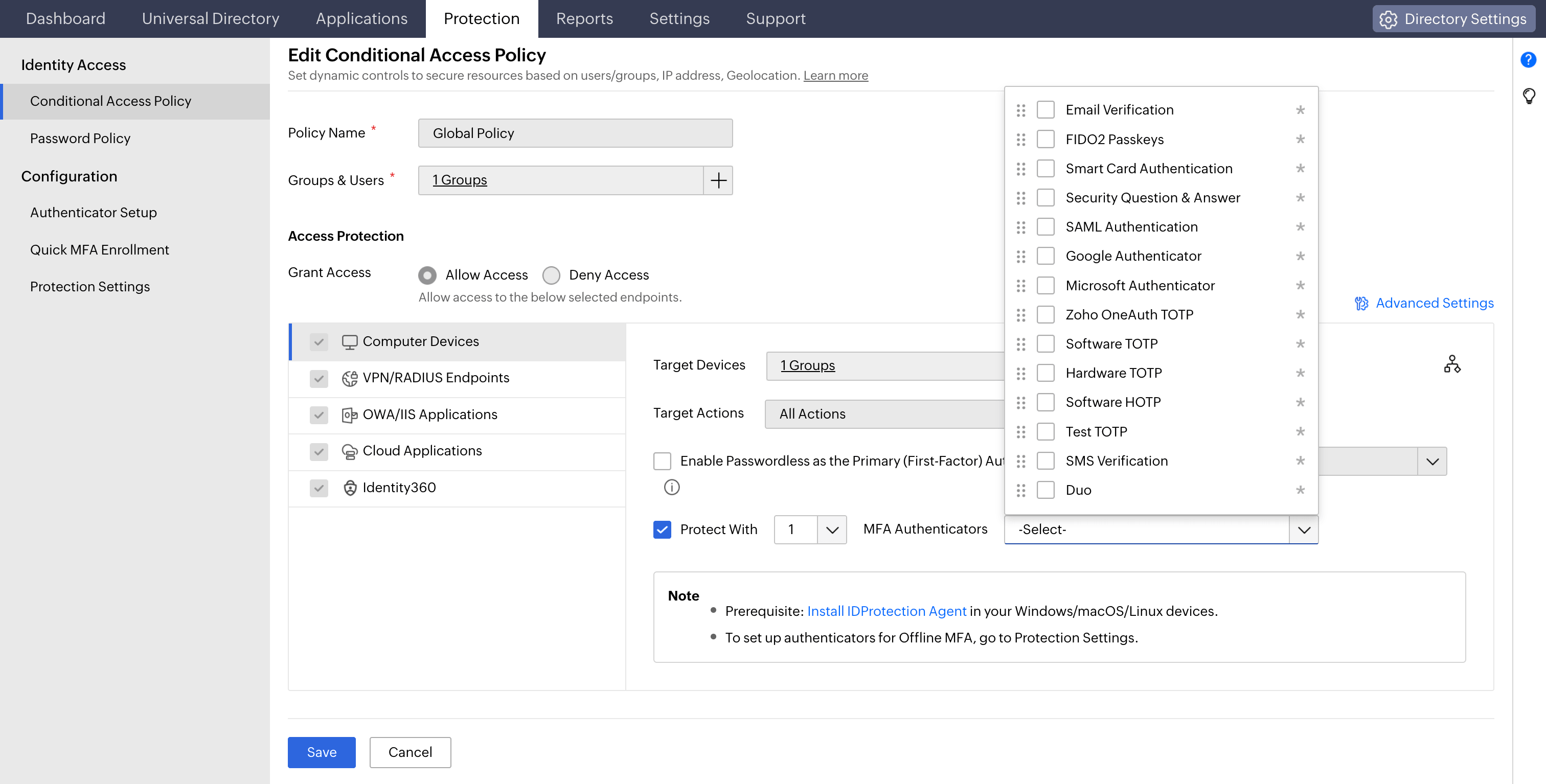
Identity Access supports a broad set of authenticators across the classic factor categories, so you can match the factor to the risk of each login point.
Something you know
- Security questions (SQA): Set security questions and answers. Suited to lower-risk scenarios and fallback verification. The weakest factor in the set. Always pair it with a stronger method.
Something you have
- Authenticator app (TOTP): Generate a time-based code every 30 seconds via Zoho OneAuth, Google Authenticator, or Microsoft Authenticator, computed locally on the device. Custom software and hardware TOTP tokens are also supported.
- Push notification: Trigger an approve-or-deny prompt through Zoho OneAuth with no code to type and no shared secret in transit.
- FIDO2 passkey: Sign the challenge with a private key that never leaves the device and is cryptographically bound to the origin. It is phishing-resistant by design and usable for passwordless login.
- Hardware security key: Require a physical token, such as YubiKey, to be present and touched, which no remote phishing page can reproduce.
- Smart card and certificate-based authentication: Tie the login to a provisioned credential rather than a typed secret, which serves regulated, high-assurance environments.
- Duo Security and RSA SecurID: Reuse an existing MFA investment through supported integrations.
- Email and SMS verification code: Use a lower-assurance possession factor for broad rollout or fallback.
Something you are
- Biometric authentication: Run fingerprint or face verification on the enrolled device. Only the result reaches the server, so the raw biometric never travels the network.
Adaptive authentication and conditional access
Adaptive MFA decides how hard to challenge the login based on context, not a blanket rule. Identity Access evaluates device, network, and location signals at login and steps up verification only when something looks off. A known device on a trusted network takes a light path; the same account from an unfamiliar IP in a new country gets a stronger factor or a denial.
The engine reads several signals together: the device factor checks whether the machine is recognized, the IP factor weighs the source address and proxy or VPN state, and the geolocation factor considers where the request originates. That means less friction for the routine logins that make up the vast majority of traffic, and firmer control on the ones that aren't. It's how Identity Access enforces a Zero Trust posture in practice: no login is trusted by default; each is scored on live signals before access is granted.
Conditional access turns those signals into policy. Conditions include IP address or range, device identity, browser, time of access, geolocation, and business hours; each policy maps to one of three outcomes: allow without a challenge, require a specific set of factors, or block. Different directory groups can carry different rules, so a high-sensitivity team gets stricter conditions than general staff.
Compliance requirements Identity Access MFA can support
Identity Access can support identity-verification and access-control requirements in security and privacy frameworks. Compliance depends on product configuration, organizational policies, system scope, monitoring, and surrounding safeguards.
| Framework | Relevant objective | How Identity Access can help |
|---|---|---|
| HIPAA | Verify the identity of users accessing systems containing electronic protected health information. | Require additional authentication for supported applications, endpoints, and remote-access systems. |
| PCI DSS | Apply MFA to access within or into the cardholder data environment. | Enforce MFA across supported administrative, application, endpoint, and remote-access scenarios. |
| GDPR | Use appropriate technical and organizational measures to protect personal data. | Reduce the risk of unauthorized access caused by compromised credentials. |
Identity Access can contribute to these controls, but enabling MFA does not establish compliance by itself.
Key benefits of Identity Access
- Blocks credential-based attacks at the gate
A stolen password without the second factor can't produce a session. Passwords acquired through phishing, credential stuffing, and pass-the-hash attempts that capture only the password fail at the challenge.
- Phishing-resistant protection for high-value accounts
FIDO2 keys, YubiKey, and biometrics are origin-bound, so they hold up even against sophisticated phishing.
- Cloud-native, no infrastructure to run
No on-premises MFA servers to deploy, patch, or scale, and coverage that spans multi-cloud directories.
- Risk-adaptive enforcement
High-risk sessions face stronger challenges; routine ones stay friction-free.
- Broad enforcement surface
One policy set reaches machines, servers, VPNs, SSH, application logins, and directory users.
Frequently asked questions
An MFA solution adds a second verification factor in front of workforce logins, so a stolen password alone can't produce an authenticated session. Identity Access enforces MFA across cloud and on-premises apps, workstation and server logins, VPNs, and remote sessions from one cloud console, authenticating against Active Directory, Microsoft Entra ID, or Google Workspace.
They're knowledge, possession, inherence, and location factors. Knowledge is a secret like a password. Possession is a device you hold, such as a hardware key or an authenticator app. Inherence is a biometric like a fingerprint. Location is where the request comes from.
However, the standard framework usually lists three core factors: knowledge, possession, and inherence. Location is typically treated as a contextual signal (used in risk-based or adaptive authentication) rather than an independent factor.
Identity Access supports all four factors—knowledge, possession, inherence, and location—and weighs them together at login.
There is no universal best option. Evaluate an enterprise authentication tool based on the factors it supports and whether it includes phishing-resistant methods. Also consider whether its policies respond to risk instead of challenging every login, and how many login points it protects.
Identity Access supports push notifications through Zoho OneAuth, biometrics, FIDO2 passkeys and hardware keys, OTPs, and smart cards. It protects access across applications, machines, and VPNs. It also provides cloud-native deployment with adaptive authentication.
Yes. Identity Access is cloud-native, so there are no on-premises MFA servers to deploy or maintain. Login agents enforce MFA at the OS level for machine logins, and offline MFA covers Windows machines with no network connection.
Other features
SSO
Give users one-click entry to every cloud application using a single set of credentials.
Passwordless authentication
Replace passwords with FIDO2 security keys and platform biometrics, removing the credential most often phished and replayed.
Conditional access
Evaluate every access request against user, device, IP address, geolocation, time, and operating system, then allow, deny, or challenge it accordingly.
Device authentication
Authenticate Windows, macOS, and Linux machines on cloud without Active Directory or Entra ID.
Desktop MFA
Verify identity at the Windows, macOS, and Linux login screen on both domain-joined and cloud-joined machines.
MFA for apps
Set MFA and access rules for each application on its own terms, so that critical applications carry a stronger challenge and routine ones stay quick.