 Free Edition
In this article:
This article explains how to back up Exchange Online mailboxes using RecoveryManager Plus. It helps IT administrators protect critical Microsoft 365 mailbox data by setting up backup schedules, automating mailbox selection, applying customizable retention policies, and securing them with encryption.
This functionality is crucial for ensuring data protection, meeting compliance requirements, and supporting disaster recovery, enabling organizations to quickly restore mailbox items in the event of accidental deletion, data corruption, or security breaches.
 in the Select Mailboxes field, or you can import the mailboxes that you wish to back up from CSV files by clicking the import icon
  . After you’ve selected all the mailboxes that you wish to back up, click OK.
You can also configure RecoveryManager Plus to store your Exchange Online backups forever, in which case backups will not be discarded.
Note: The minimum Item-level retention for Exchange Online backups is 30 days.
Choose the mailboxes to include in the backup schedule
Configure the schedule and frequency for the backup to run
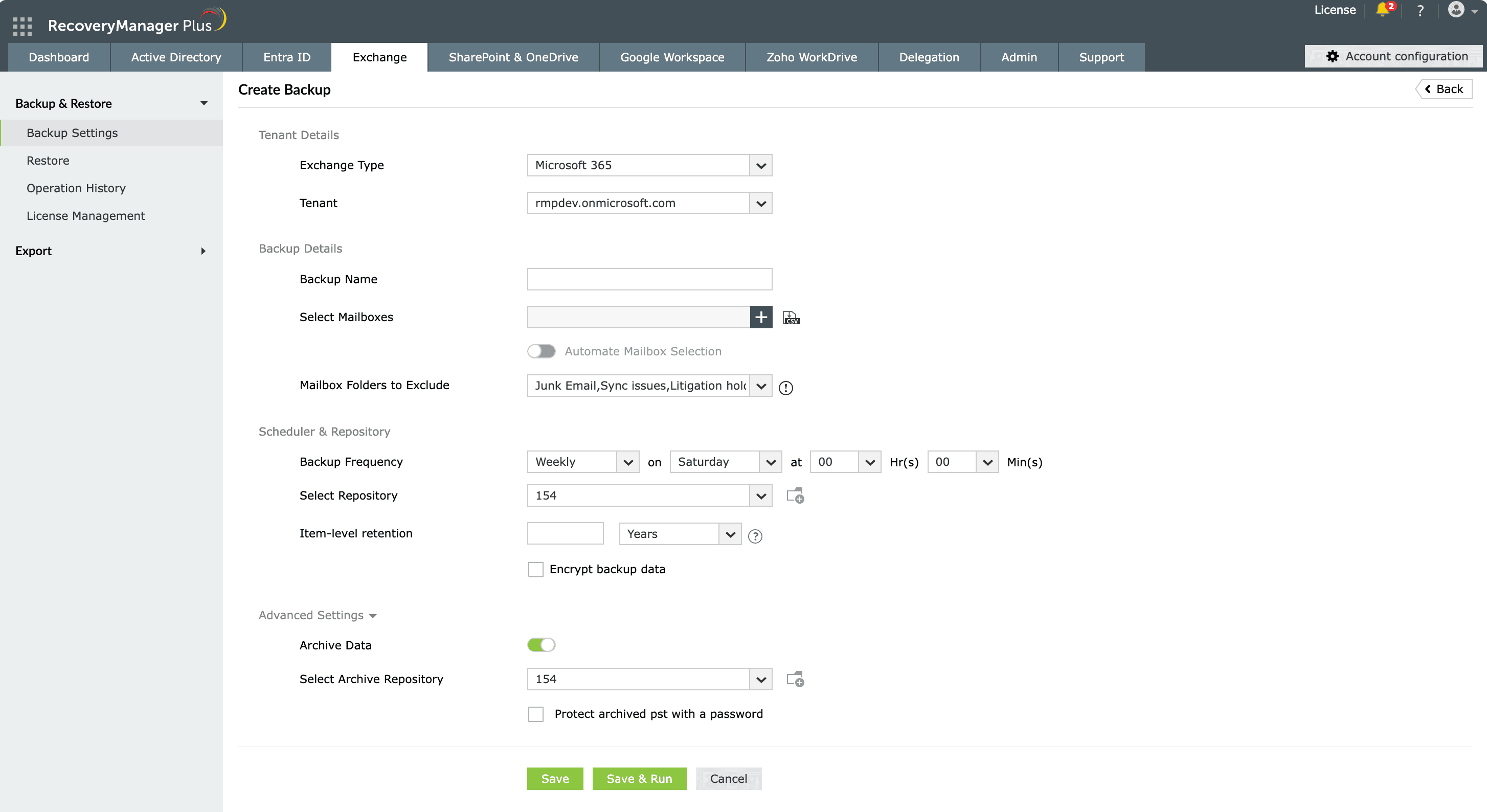
Figure 1: Backing up Exchange Online mailboxes in RecoveryManager Plus.
Choose the mailboxes to include in the backup schedule
Configure the schedule and frequency for the backup to run
By following these steps, you can securely back up Exchange Online mailboxes with RecoveryManager Plus.
Once you’ve configured a backup schedule, you can perform the following actions:
 under the Action column of the corresponding backup schedule.
 /disable icon
  under the Action column of the backup schedule that you wish to enable or disable.
 under the Action column of the backup schedule to trigger a backup.
 under the Action column of the backup schedule that you wish to delete.
Last updated on: 23-05-2025
Fill this form, and we'll contact you rightaway.
Our technical support team will get in touch with you at the earliest."

