Install PHP Agent in AWS Beanstalk
To install the PHP agent in an AWS Elastic Beanstalk environment, follow these steps:
- Within your Elastic Beanstalk application, create a new file named site24x7-php-agent.config inside the .ebextensions folder with the following content.
files:
 "/opt/elasticbeanstalk/hooks/appdeploy/post/site24x7-php-agent.sh":
  mode: "000755"
  owner: root
  group: root
  content: |
    #!/bin/sh
    export $(cat /opt/elasticbeanstalk/deployment/env | xargs)
    wget -O InstallDataExporter.sh https://staticdownloads.site24x7.com/apminsight/S247DataExporter/linux/InstallDataExporter.sh
    sh InstallDataExporter.sh
    wget -O InstallAgentPHP.sh https://staticdownloads.site24x7.com/apminsight/agents/AgentPHP/linux/InstallAgentPHP.sh
    sh InstallAgentPHP.sh
commands:
 site24x7_php_agent:
 command: "sh /opt/elasticbeanstalk/hooks/appdeploy/post/site24x7-php-agent.sh"
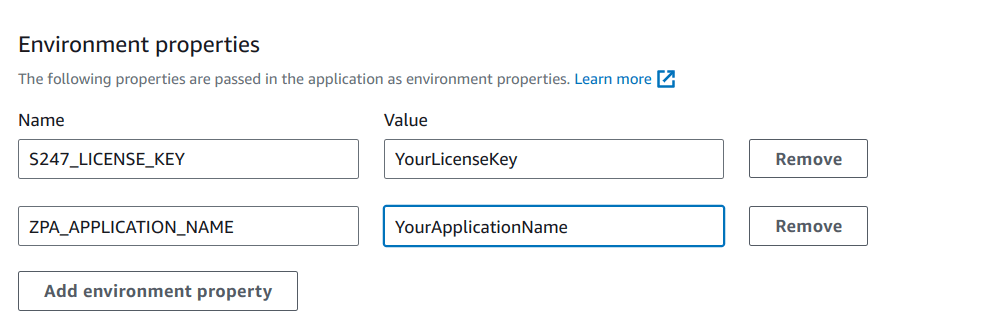
- Edit your Elastic Beanstalk application configuration and add the following environment properties:
- S247_LICENSE_KEY
- ZPA_APPLICATION_NAME
Related article
-
On this page
- Related article