Enable access to your AWS account with CloudFormation stack
For comprehensive AWS infrastructure monitoring, OpManager Nexus needs to automatically discover all instances of various supported services currently running in your account. For this to happen, you need to authenticate and authorize OpManager Nexus to access your resource. Previously, this was done by manually creating IAM user roles or by cross-account IAM roles.
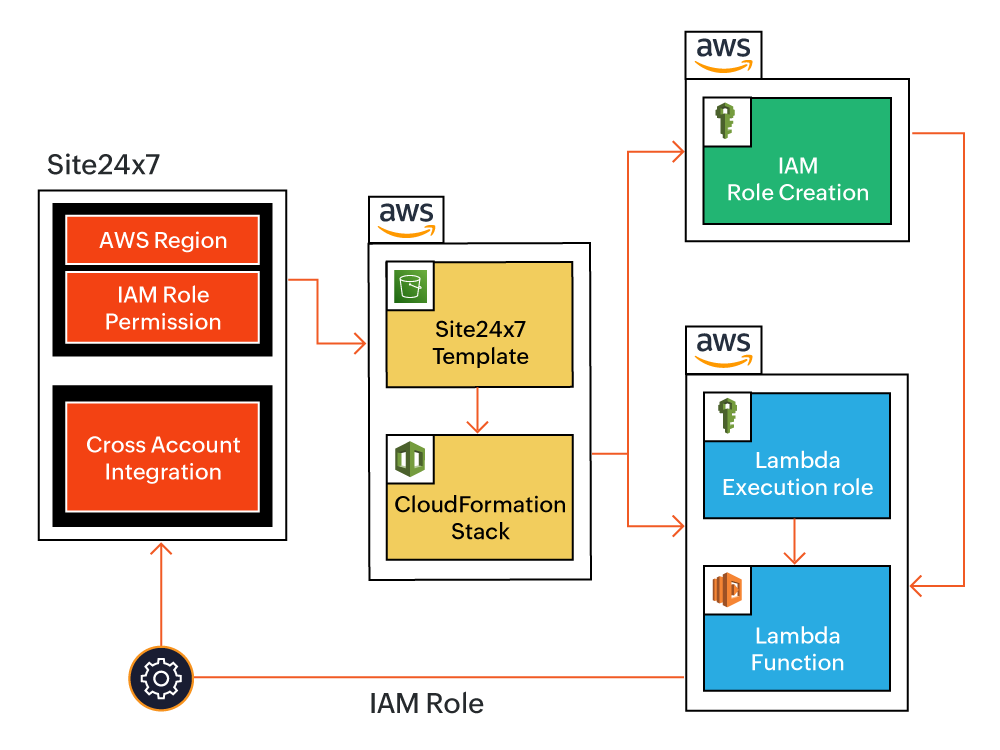
OpManager Nexus uses an AWS CloudFormation template to automatically create an IAM role so that you can effortlessly integrate your AWS account with OpManager Nexus. When you enable access to your AWS environment, you can use the CloudFormation template to automatically create the IAM role.
Benefits of using AWS CloudFormation template
You can leverage the following benefits with OpManager Nexus's CloudFormation template:
- Automatic AWS account integration with single click action
- Support for two different policy permissions for ease of use
- Provision to choose the required AWS region for CloudFormation stack creation
- Track the activities related to role creation using the CloudFormation stack events
- Receive deletion protection for IAM role. The CloudFormation stack deletion does not affect the created role.
How does it work?
The AWS CloudFormation stack, created with the OpManager Nexus template, generates the IAM role with the provided configurations and a Lambda function. The Lambda function securely sends the generated role ARN for integration using OpManager Nexus API key.
Once the role ARN details are fetched, you can configure settings (such as the default threshold profiles for each supported AWS service), mute resource termination alerts, and customize the Guidance Report using the Advanced Configuration option.
Pre-requisites
Make sure you have the following before you begin:
- An AWS account.
- The following IAM permissions to successfully run the CloudFormation template and create an IAM role
- "cloudformation:CreateStack",
- "cloudformation:ListStacks",
- "cloudformation:GetTemplateSummary",
- "iam:AttachRolePolicy",
- "iam:CreatePolicy",
- "iam:CreateRole",
- "iam:PassRole",
- "iam:GetRole",
- "lambda:AddPermission",
- "lambda:CreateFunction",
- "lambda:GetFunction",
- "lambda:InvokeFunction",
- "logs:CreateLogGroup",
- "logs:DescribeLogGroups"
Integrate your AWS account with OpManager Nexus using a CloudFormation template
To integrate your AWS account with OpManager Nexus using a CloudFormation template, follow the steps below:
- Login to OpManager Nexus web console.
- Navigate to AWS > Integrate AWS account.
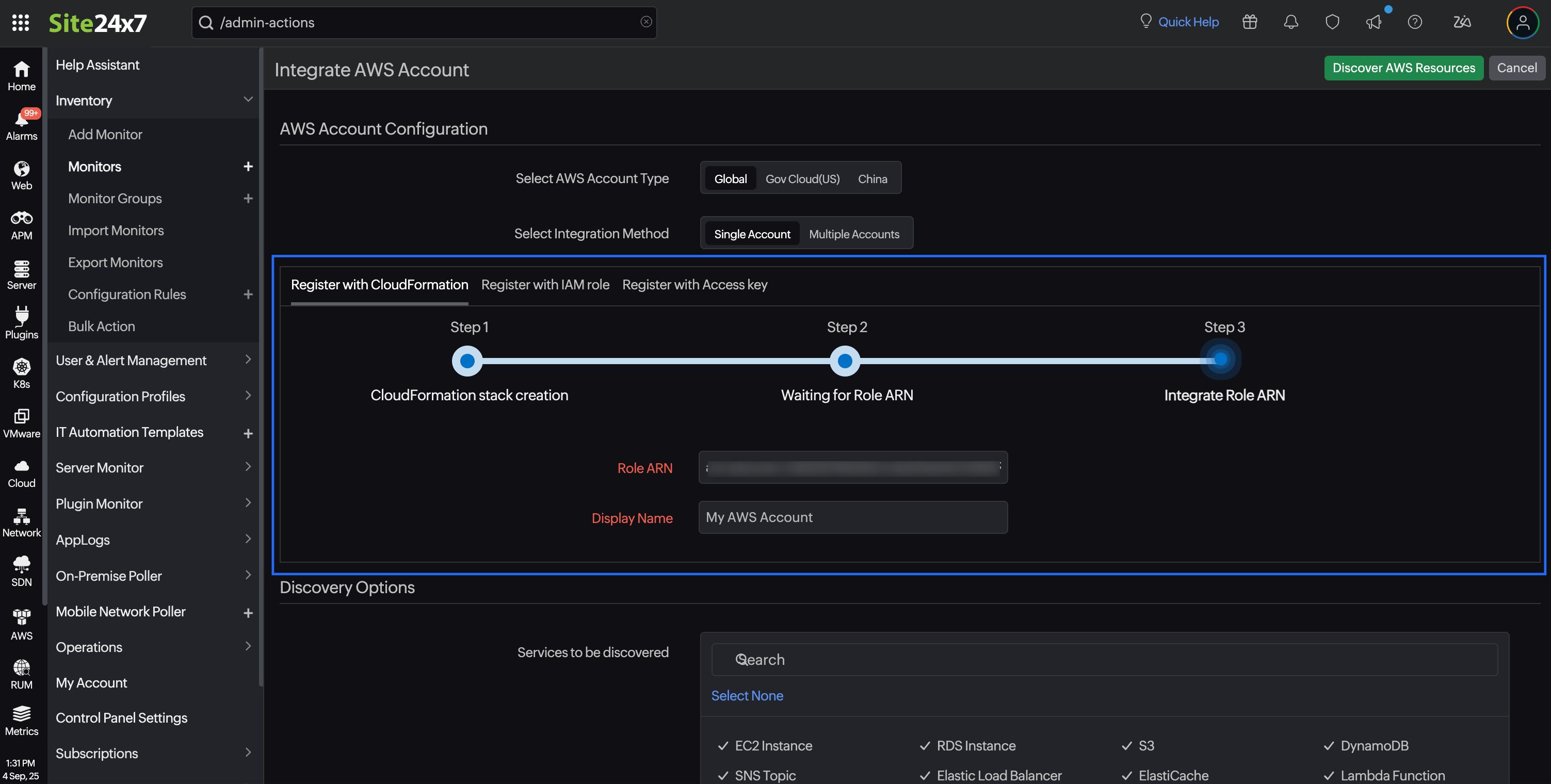
- Select the AWS Account Type. The available options are Global, Gov Cloud (US), and China.
- Select Single Account as the integration method.
- Select Register with CloudFormation.
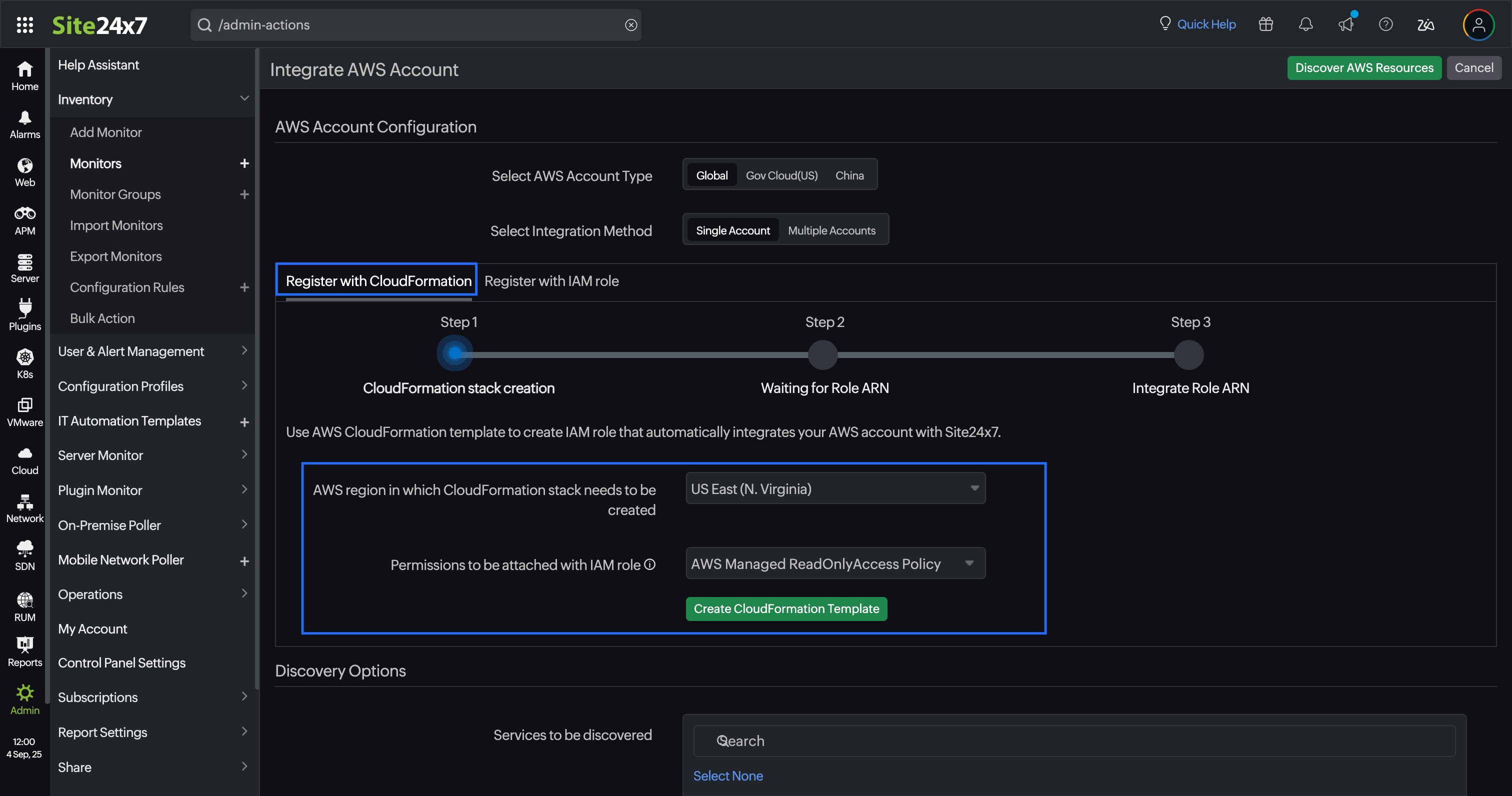
- Select the AWS region in which CloudFormation stack needs to be created.
- Select the preferred Permissions to be attached with IAM role. OpManager Nexus provides two options for IAM role permissions:
- AWS Managed ReadOnlyAccess Policy: The IAM role will be created with the ReadOnlyAccess policy, which is managed by AWS for all services.
- OpManager Nexus Custom Policy: The IAM role will be created with the inline policy formulated with read-only permissions required for OpManager Nexus-supported services. Learn more.
- Click Create CloudFormation Template.You will be redirected to the AWS console.
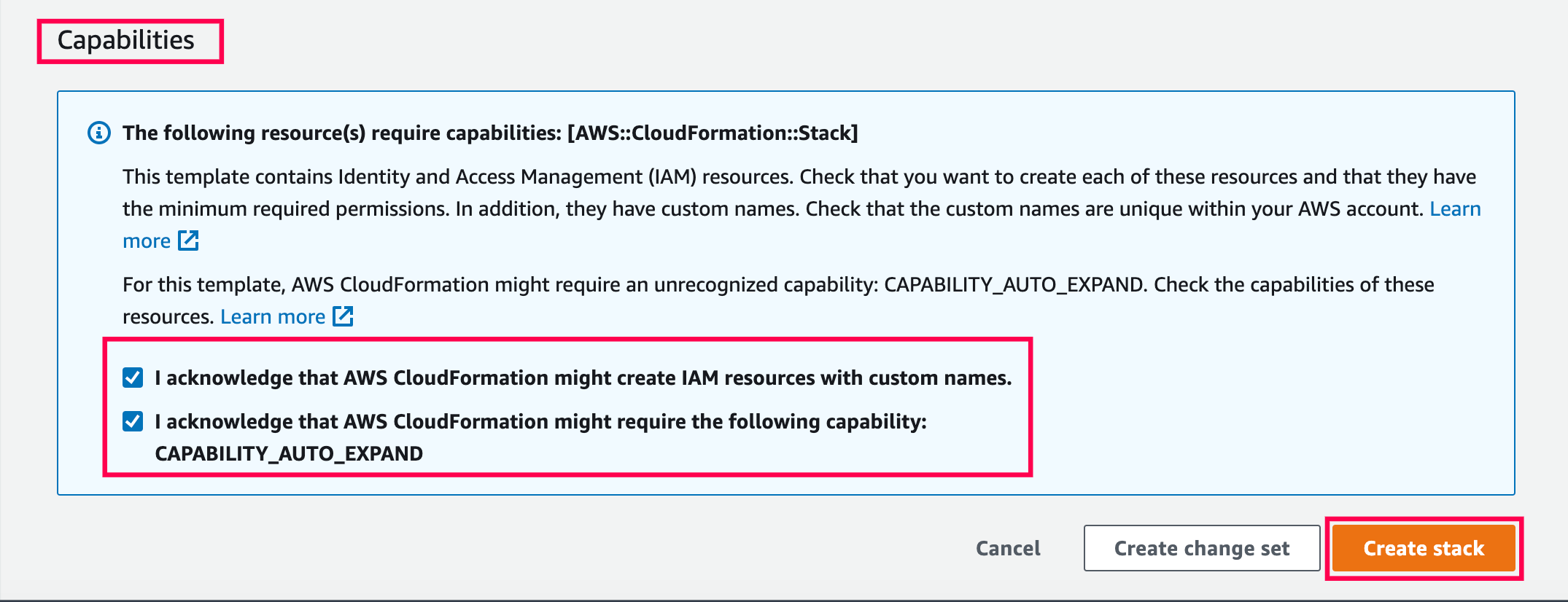
- In the AWS console, select the acknowledgement check boxes at the bottom of the Capabilities section and click Create stack. The IAM role template will be created via the stack after OpManager Nexus receives the Lambda API call.
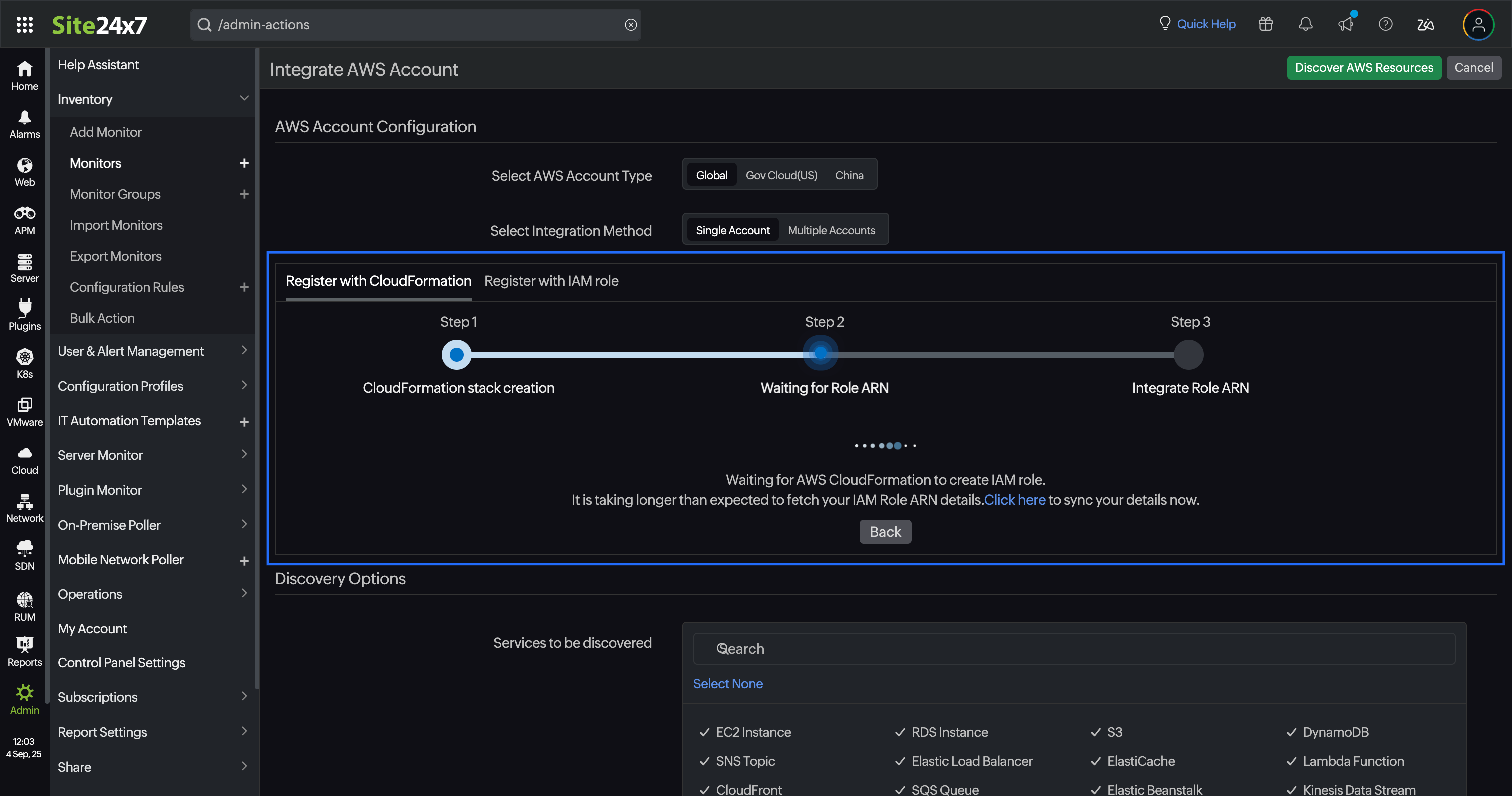
- After creating the IAM role, the CloudFormation stack sends the role ARN to OpManager Nexus via the Lambda function. Once the role ARN details are fetched, you can configure settings (such as the default threshold profiles for each supported AWS service), mute resource termination alerts, and customize the Guidance Report using the Advanced Configuration option.
Deletion of the CloudFormation stack will clear the Lambda function that was created. But the IAM role will remain intact even after stack deletion.