Upload logs from Logstash to OpManager Nexus AppLogs
Logstash is an open-source data-processing pipeline that helps you collect your logs and data from various sources to help build a unified logging layer. You may have different log types in your application infrastructure—with Logstash, you can consolidate various log types under a single roof and track them easily.
You can push your logs using Logstash to OpManager Nexus AppLogs to track, analyze, and manage various log types. Follow the steps below.
Install the OpManager Nexus-Logstash output plugin:
- Open the command prompt and install the plugin using this command:
logstash-plugin install logstash-output-site24x7
Add a Log Profile in OpManager Nexus AppLogs:
- Log in to your OpManager Nexus account > Admin > AppLogs > Log Profile and click Add Log Profile in the top-right corner.
- Click the Choose the Log Type drop-down to select your log type (example: Apache Access logs). The default log pattern will be applied. You can also add a custom log pattern.
- Choose Log Collectors as the Log Source.
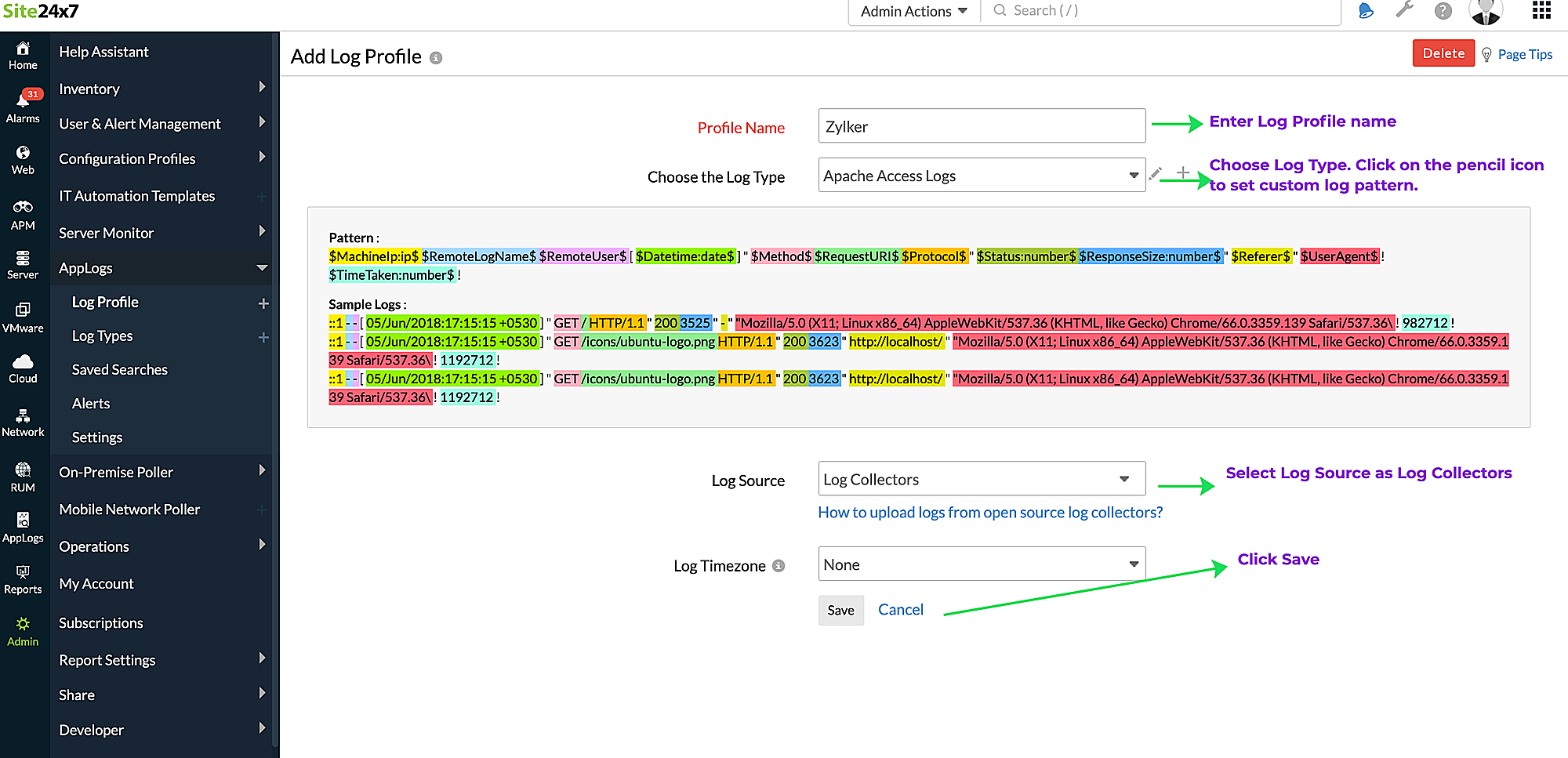
- Click Save.
- After saving your log profile, navigate to Admin > AppLogs > Log Profile, and select your newly created Log Profile from the list.
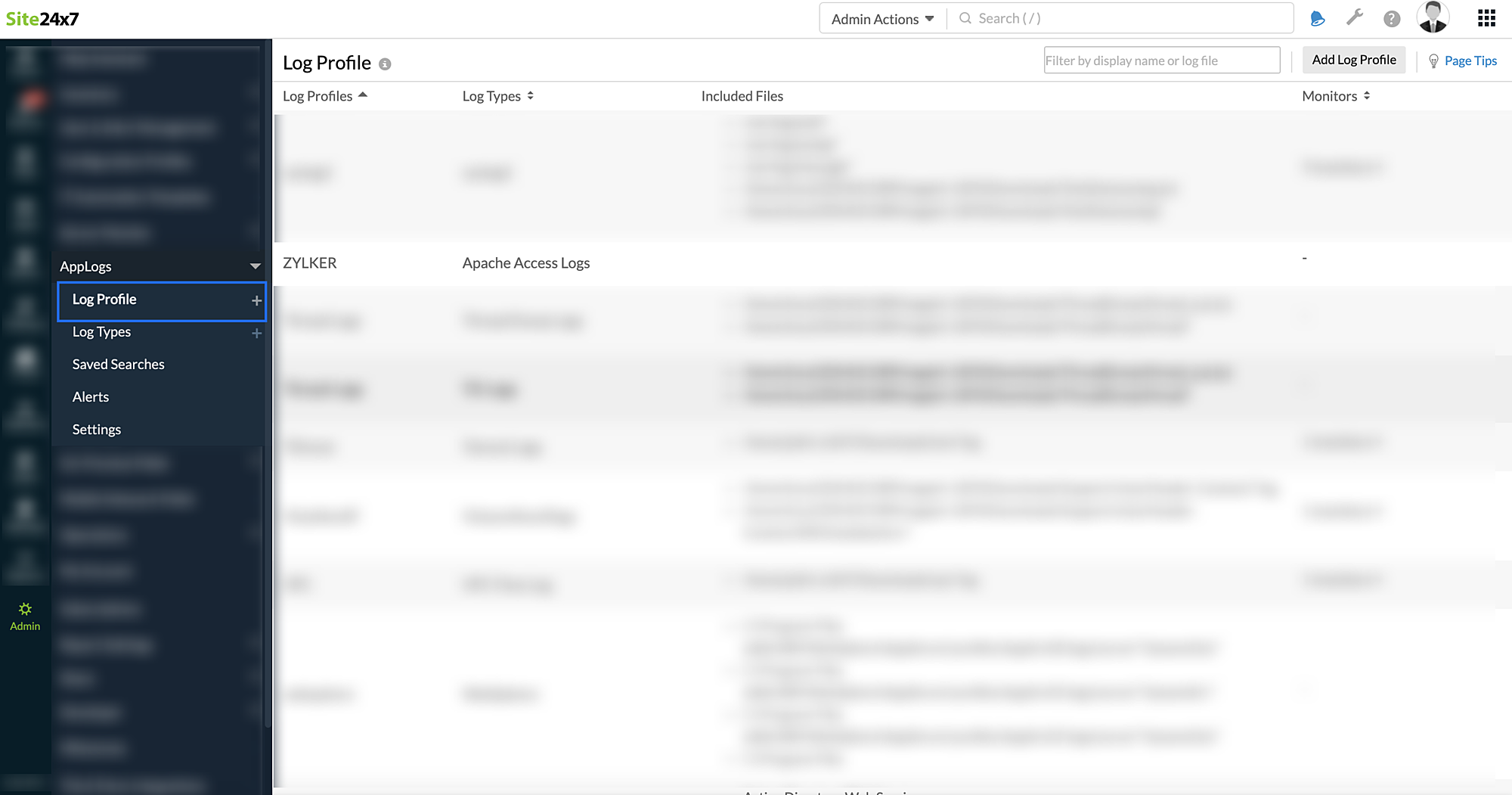
- Copy the input variable text given and enter it in the log collector after the parameter log_type_config.
Send events to OpManager Nexus AppLogs:
- After installing the plugin and creating a log profile in OpManager Nexus AppLogs, add the below configuration in the Logstash configuration file to send events to OpManager Nexus:
You can find the configuration files in this path: '/etc/logstash/conf.d' folder.Example:output {
site24x7 {
log_type_config => ""
}
}
- Optional Parameters:
Property Description Default Value max_retry Number of times to resend failed uploads 3 retry_interval Time interval to sleep between retries with exponential increase on each retry 2 seconds - Restart the Logstash agent to push the configured events to OpManager Nexus AppLogs.
Troubleshooting Instructions:
I don't see logs from Logstash in OpManager Nexus AppLogs. How do I fix this?
If you are not receiving the logs in OpManager Nexus, it could be because:
- The entered log pattern in the configured log profile is incorrect.
- Some additional parameters have been pushed that weren't present in the configured log pattern.
To troubleshoot these issues, follow the below given instructions:
- Enable debug logs in Logstash. You can add the ''--debug'' parameter while starting the Logstash:
Ex: sudo /usr/share/logstash/bin/logstash -f /etc/logstash/conf.d/ --debug - Check for the "/var/log/logstash/logstash.log" log file using the message "pattern not matched" and identify which log types you have not seen data for in OpManager Nexus AppLogs.
- Reconfigure the Log Profile for the identified log types, and update the 'log_type_config value in your Logstash configuration file.
If you run across any other errors, kindly contact support@opmnexus.com with the error logs.