All Accounts Summary
The All Accounts Summary page displays the list of all available AWS accounts integrated with OpManager Nexus. You can view details such as Account Name, Account Type, AWS Account ID, and the number of Active Monitors associated with an account.
You can also add more AWS accounts from this page. Additionally, get service recommendations and guidance best practices for individual accounts.
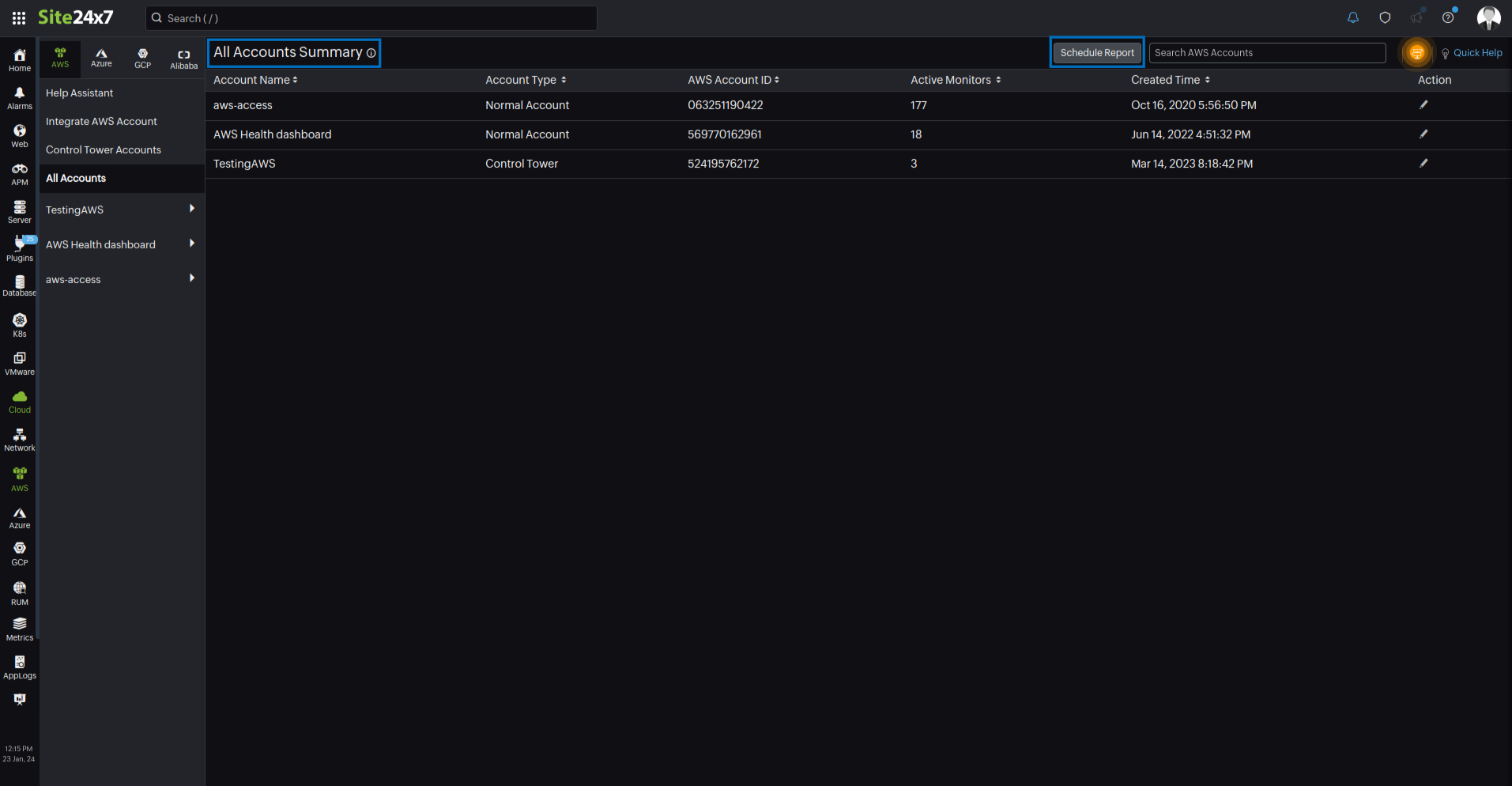
You can also view the organizational unit name for all integrated AWS Organizations accounts in the All Accounts Summary view.
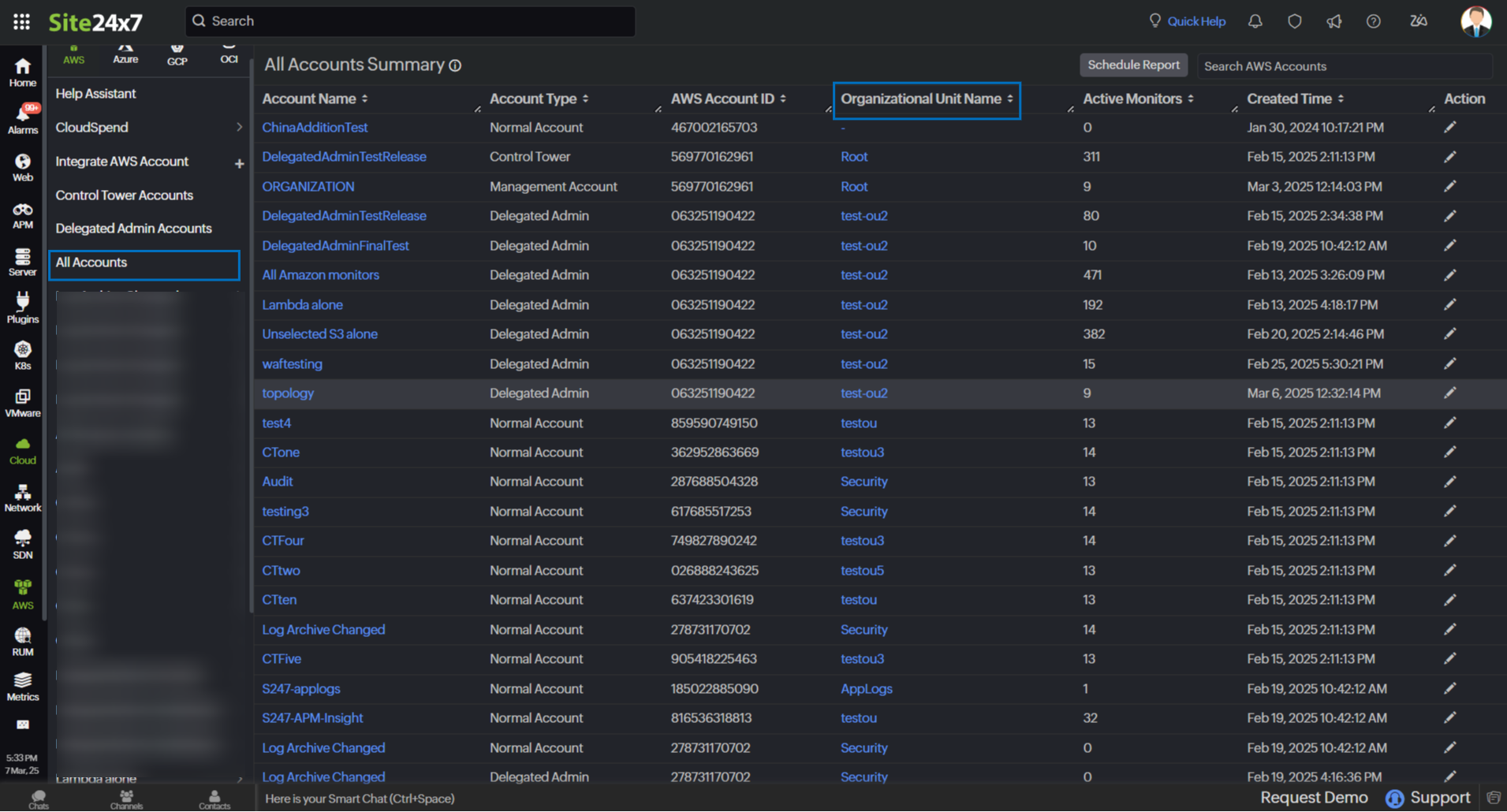
- You can integrate AWS Organizations only if you have integrated management accounts, AWS Control Tower accounts, or Delegated Admin accounts in OpManager Nexus.
- The Organizational Unit Name column in the All Accounts Summary page will be displayed only if you have an AWS Organizations service monitored.
Prerequisite
You must have preconfigured AWS accounts in your OpManager Nexus subscription to access and use the All Accounts Summary page.
Viewing AWS Accounts Summary dashboard
To view the AWS Accounts Summary dashboard:
- Login to OpManager Nexus.
- Navigate to Cloud > AWS > All Accounts.
Schedule Report
You can view all your configured AWS accounts and resource count summary associated with individual AWS accounts using All AWS Accounts Report.
To schedule a report,
- Click Schedule Report.
- Fill the required fields. The Report Type will be selected as All AWS Accounts Report by default.
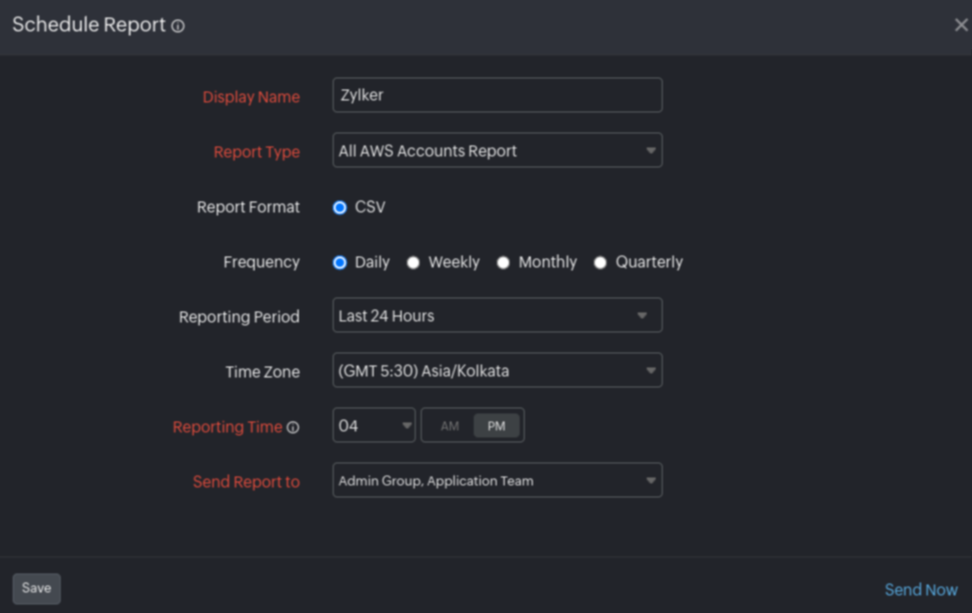
- Click Save to save the report.
- Click Send Now to send the reports to the selected email IDs.