How to authenticate Huawei Cloud for OpManager Nexus monitoring
To monitor your Huawei Cloud resources with OpManager Nexus, you need to generate an access and secret access key from Huawei identity and access management (IAM) console.
These credentials allow OpManager Nexus to authenticate with your Huawei Cloud account securely and smoothen the performance metrics collection across your resources.
Prerequisites
- An active Huawei Cloud account with Read-Only permissions.
- A OpManager Nexus account with Enterprise plan to add cloud monitors.
Generate access key ID and secret access key for Huawei Cloud monitoring
Step 1: Log in to Huawei IAM console
- Go to https://console.huaweicloud.com/.
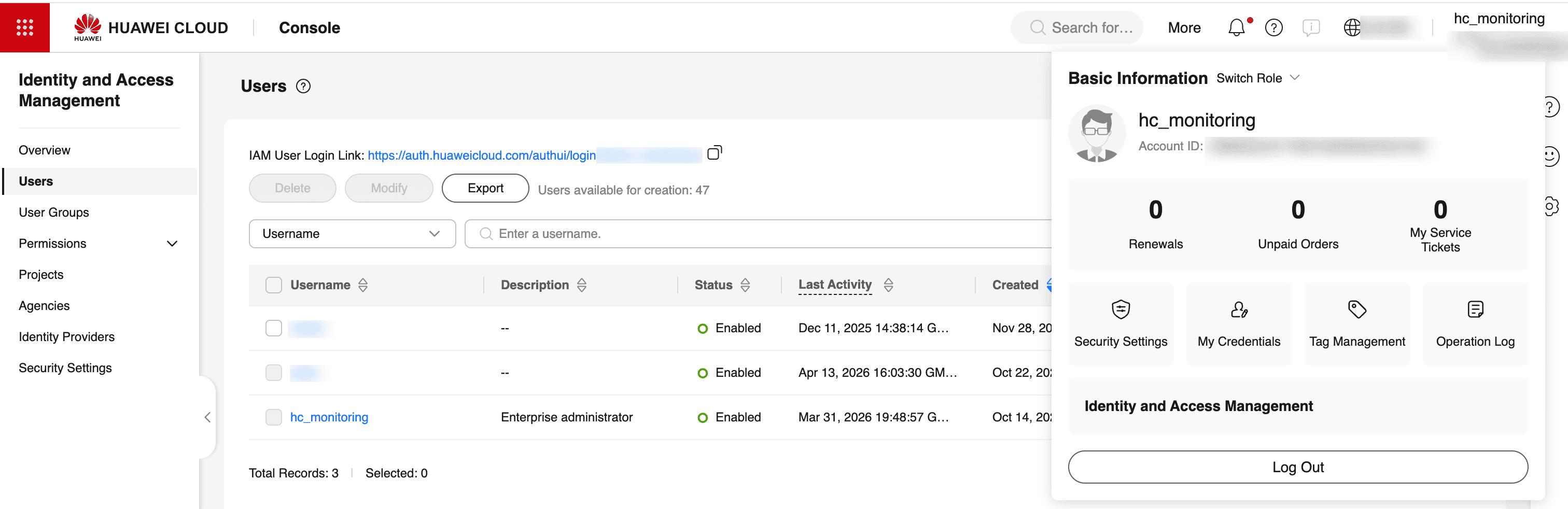
- On the right top corner panel, click on your profile name.
- Select the Identity and Access Management (IAM) to open the IAM console.
Step 2: Create a dedicated IAM user for OpManager Nexus
Creating a separate IAM user for OpManager Nexus is strongly recommended. This ensures that monitoring credentials are isolated from your primary account, making it easier to manage permissions and revoke access if needed.
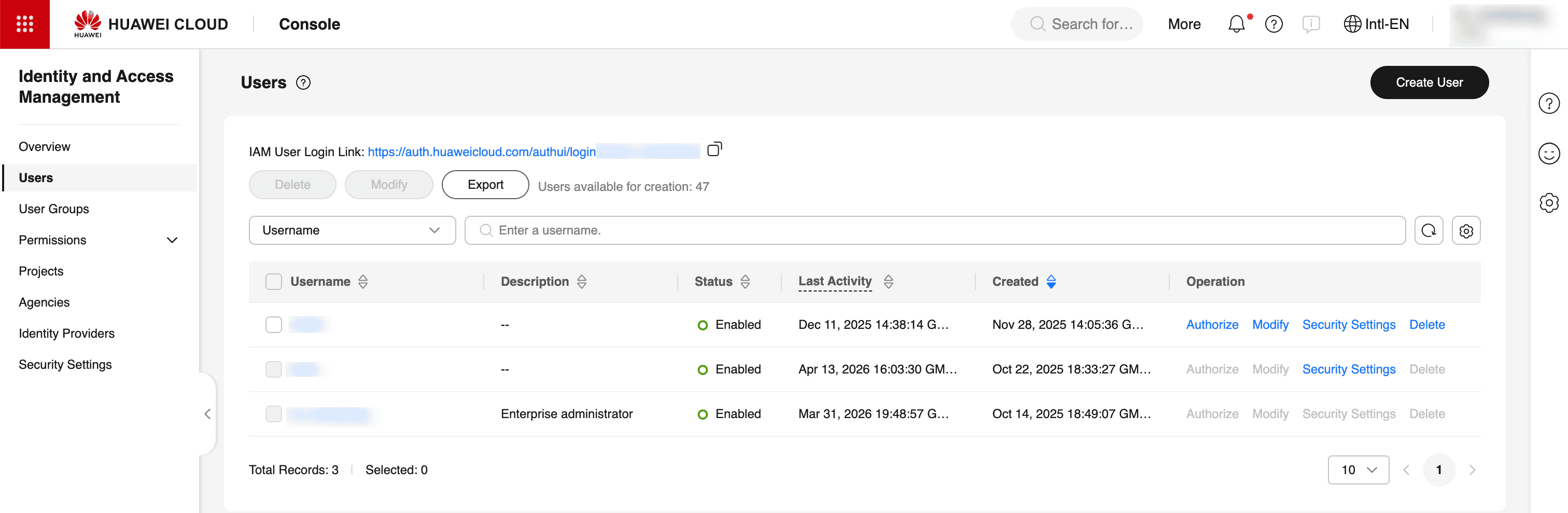
- In the left navigation menu of the IAM console, click Users.
- On the top-right corner of the Users page, click Create User.
- In the User information section, fill in the basic details such as User name, Email Address, Phone number, Password and click Save.
- On the user's detail page, click the Security Settings tab.
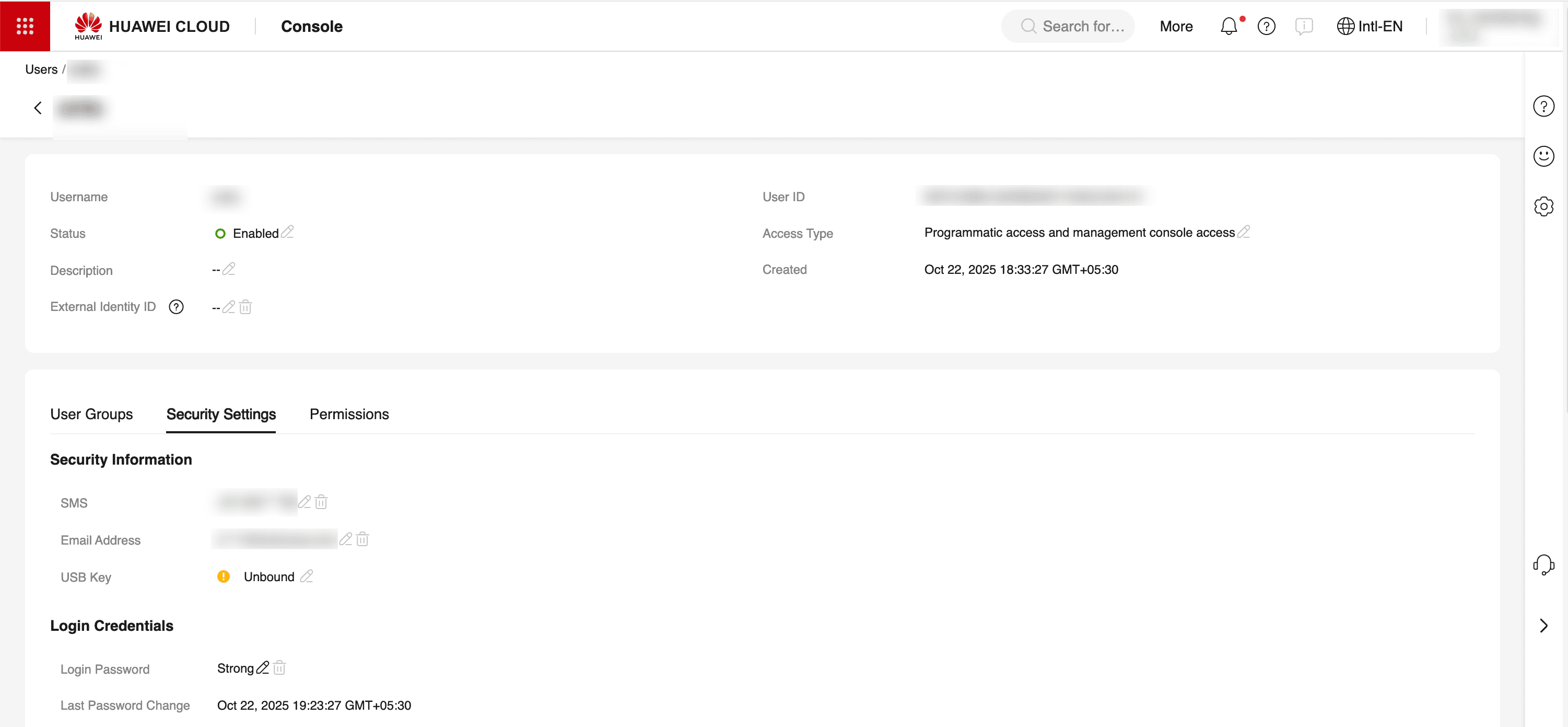
- Scroll down to the Access Keys section.
- Click Create Access Key.

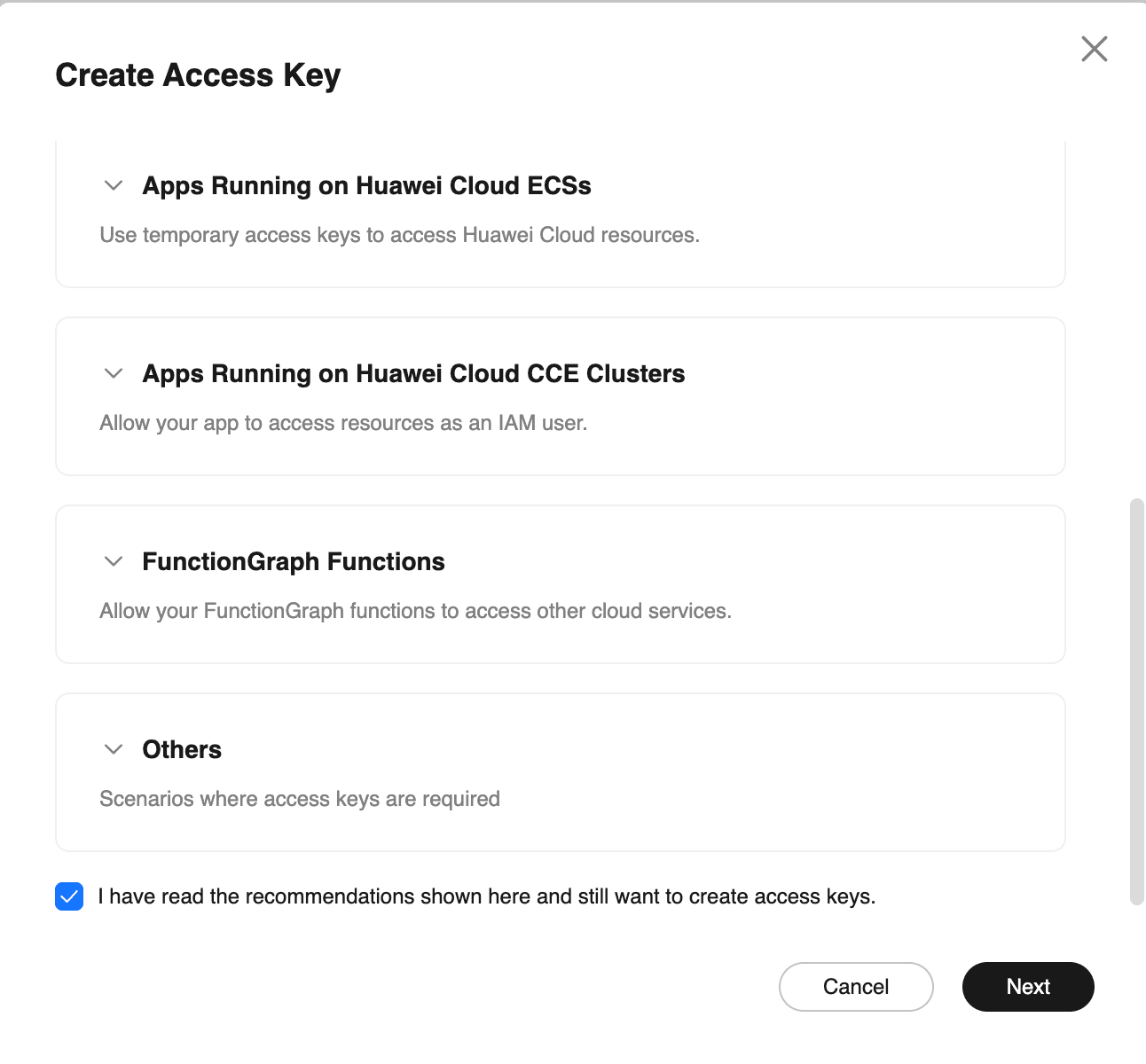
- A confirmation pop-up window appears with security recommendations. Read the guidance, check the acknowledgement box, and click Next.
Step 3: Enter a description and download
Adding a description makes it easy to identify and manage this key later, especially if multiple access keys exist for the same user.
- In the Description field, enter a meaningful label to identify this key. For example, OpManager Nexus Cloud Monitoring.
- Click OK to generate the key.
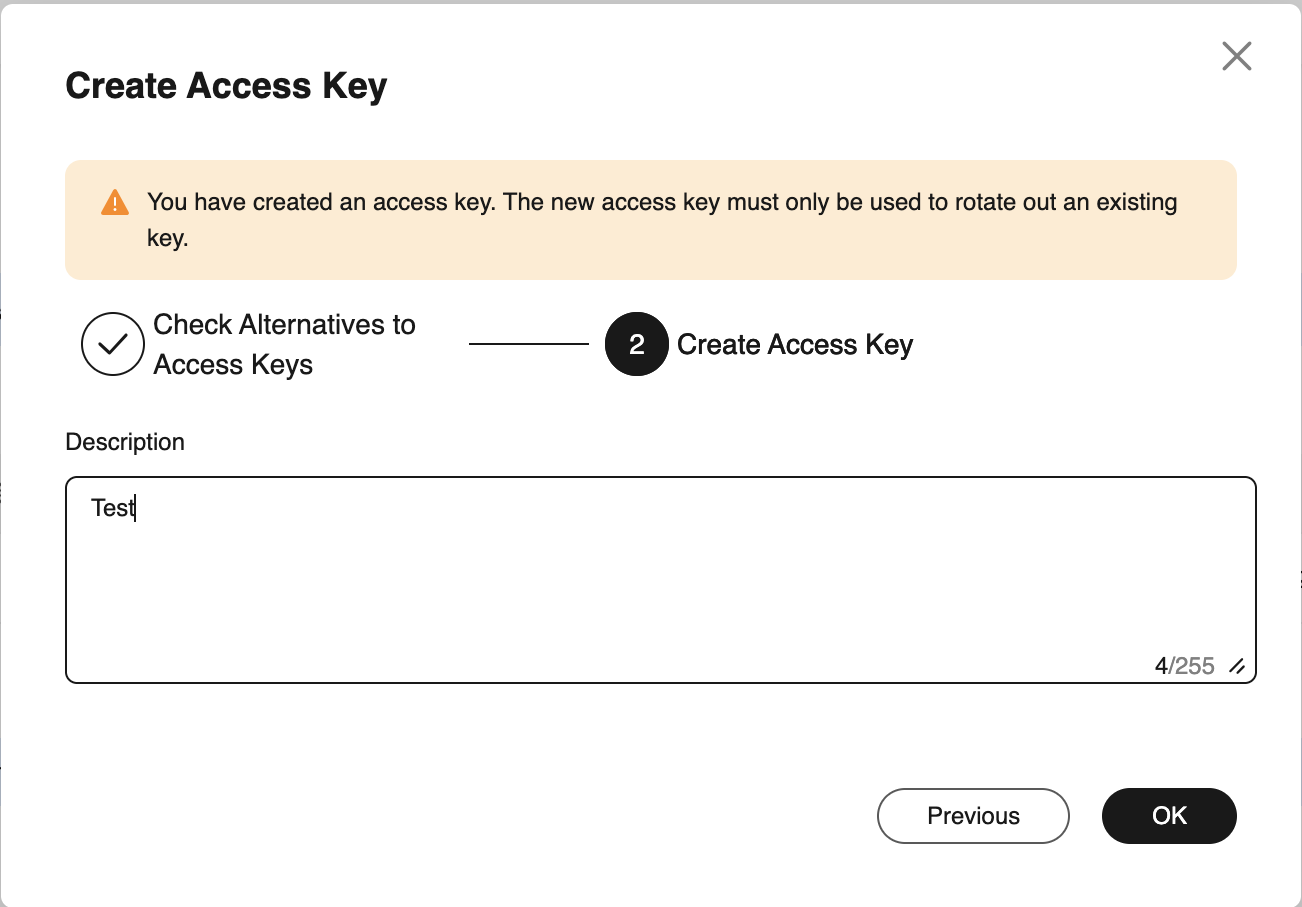
- Once the key is generated, a download prompt will appear.
- Click Download to save the credentials as a CSV file. The file contains:
- Access Key Id: A unique identifier key to access the Huawei cloud.
- Secret Access Key: A confidential key used to authenticate API requests.
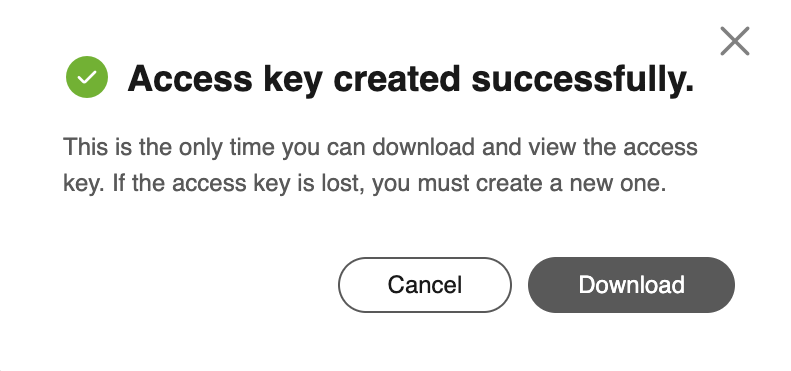
- Store this file in a secure location immediately. The secret access key is only displayed once and cannot be retrieved after this dialog is closed. If lost, a new access key must be generated.
Step 4: Enter the credentials in OpManager Nexus console
- Log in to your OpManager Nexus account.
- Navigate to Cloud > Huawei Cloud from the left menu, and follow the add to Huawei cloud monitor steps to provide the essential details.
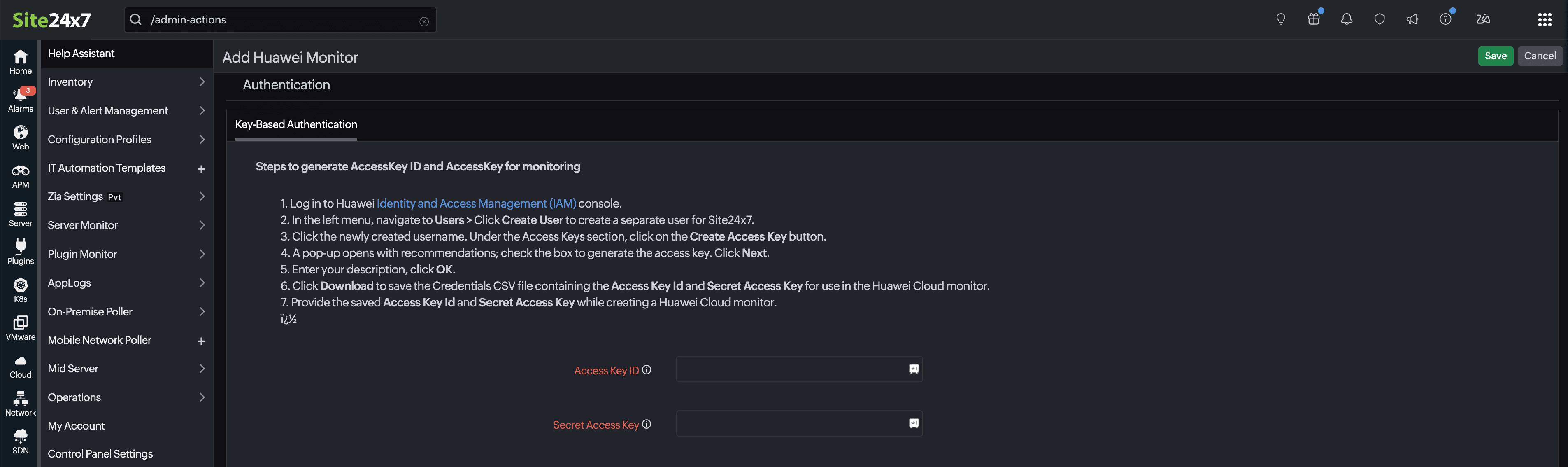
Once you save the credentials, OpManager Nexus will authenticate with your Huawei Cloud account, auto-discover the monitored resources, and begin collecting performance metrics.