Laravel Logs
Laravel is a free, open-source PHP web framework primarily used for building custom web applications in PHP. With OpManager Nexus AppLogs native support of Laravel logs, you can simply write your Laravel application log messages to files using Laravel's built-in logging system and track them down using OpManager Nexus. Learn more about log management with OpManager Nexus.
Instructions:
- Log in to your OpManager Nexus account.
- Download and install the OpManager Nexus Server Monitoring agent (Windows | Linux).
- Go to Admin > AppLogs > Log Profile and select Add Log Profile.
- Enter the Profile Name.
- For Choose the Log Type, select Laravel Logs from the drop-down list.
- The Pattern and Sample Logs are displayed below. By default, this is the log pattern identified by OpManager Nexus AppLogs for Laravel logs:
[$Datetime:date$] $Environment$.$Level$: $Message$
This log is separated into fields, each of which will take its respective value and will then be uploaded to OpManager Nexus. - Sample Logs:
[2021-06-31 12:47:33] production.ERROR: Route [admin.services.customer.show] not defined
- The Pattern and Sample Logs are displayed below. By default, this is the log pattern identified by OpManager Nexus AppLogs for Laravel logs:
- You can also add a Custom Log Pattern instead of the default one. To do so, click on the pencil icon to edit log type and specify your pattern.
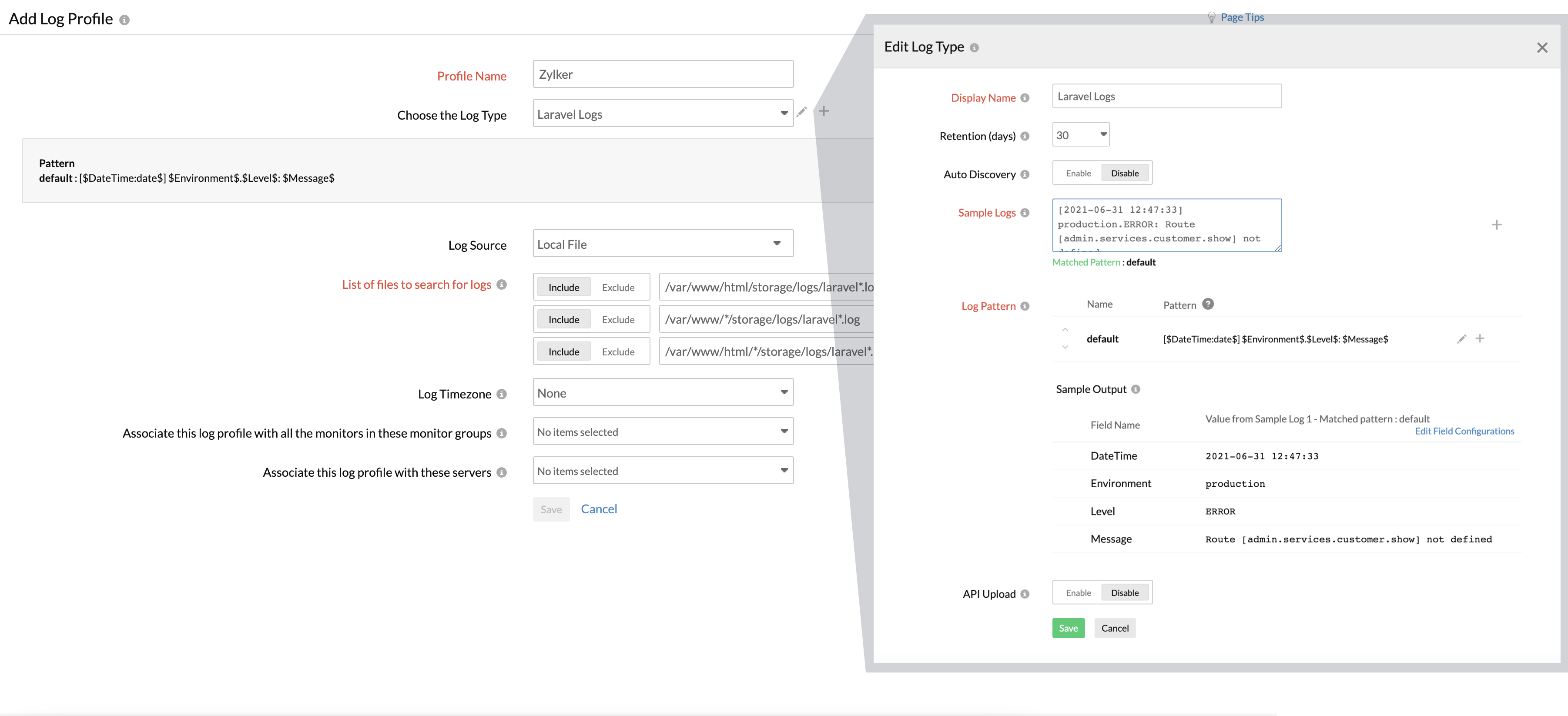
- Select the Log Source. By default, the below paths are used as file source.
Linux: "/var/www/html/storage/logs/laravel*.log",
"/var/www/*/storage/logs/laravel*.log",
"/var/www/html/*/storage/logs/laravel*.log"
If your source path is different from the default path, specify it while adding the log profile. - You can also associate this log profile with monitors, monitor groups, or corresponding severs. Learn more.
- Click Save.