Multiline logs
Multiline logs are log messages that are made of multiple lines. You can upload and manage multiline logs in OpManager Nexus. Learn more about log management with OpManager Nexus.
Getting started
- Log in to your OpManager Nexus account.
- Download and install the OpManager Nexus Server Monitoring agent (Windows | Linux).
- Go to Admin > AppLogs > Log Profile and Add Log Profile.
All you have to do is add <NewLine> in your log pattern every time you add a new line to your log. That way, the OpManager Nexus agent can parse the multiline log correctly.
Example
Let's consider the following multiline log:
Oct 30, 2018 12:27:24 AM com.blackstar.database.DatabaseUtils
getDatabase DEBUG:
Uncaught errors Error: Callback was already called
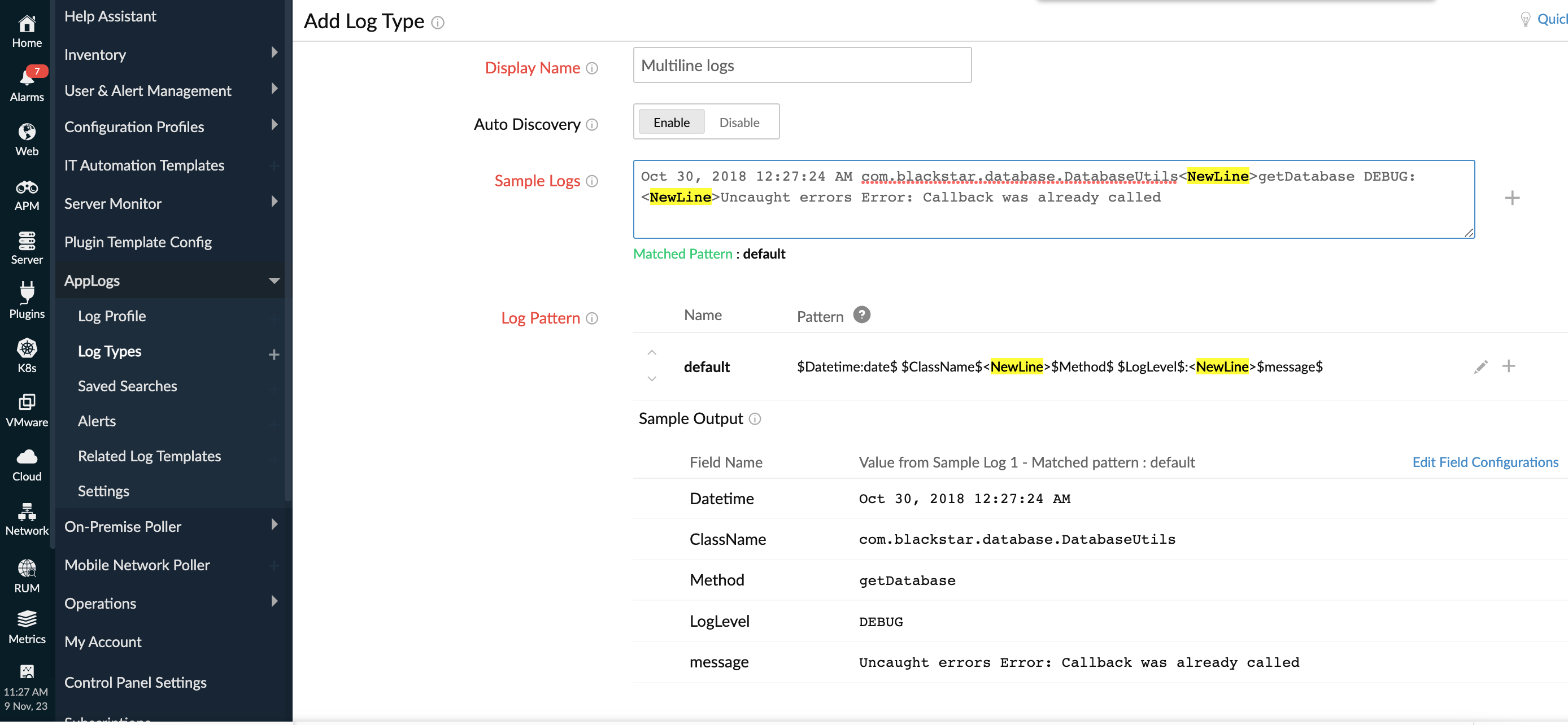
If you want to create a new log type based on a multiline log like the one above, you need to break up the log using <NewLine>. Here's an example using the multiline log above:
Oct 30, 2018 12:27:24 AM com.blackstar.database.DatabaseUtils<NewLine>getDatabase DEBUG:<NewLine>Uncaught errors Error: Callback was already called
Log pattern:
Aside from adding <NewLine> to break up the multiline log, you also need to enter a log pattern while creating a new log type. This is how you should enter the log pattern for the sample multiline log above.
$Datetime:date$ $ClassName$<NewLine>$Method$ $LogLevel$:<NewLine>$message$
If a multiline log contains exception traces, OpManager Nexus will only take the first 100 lines in that trace by default.
Related articles
-
On this page
- Getting started
- Log pattern
- Related articles