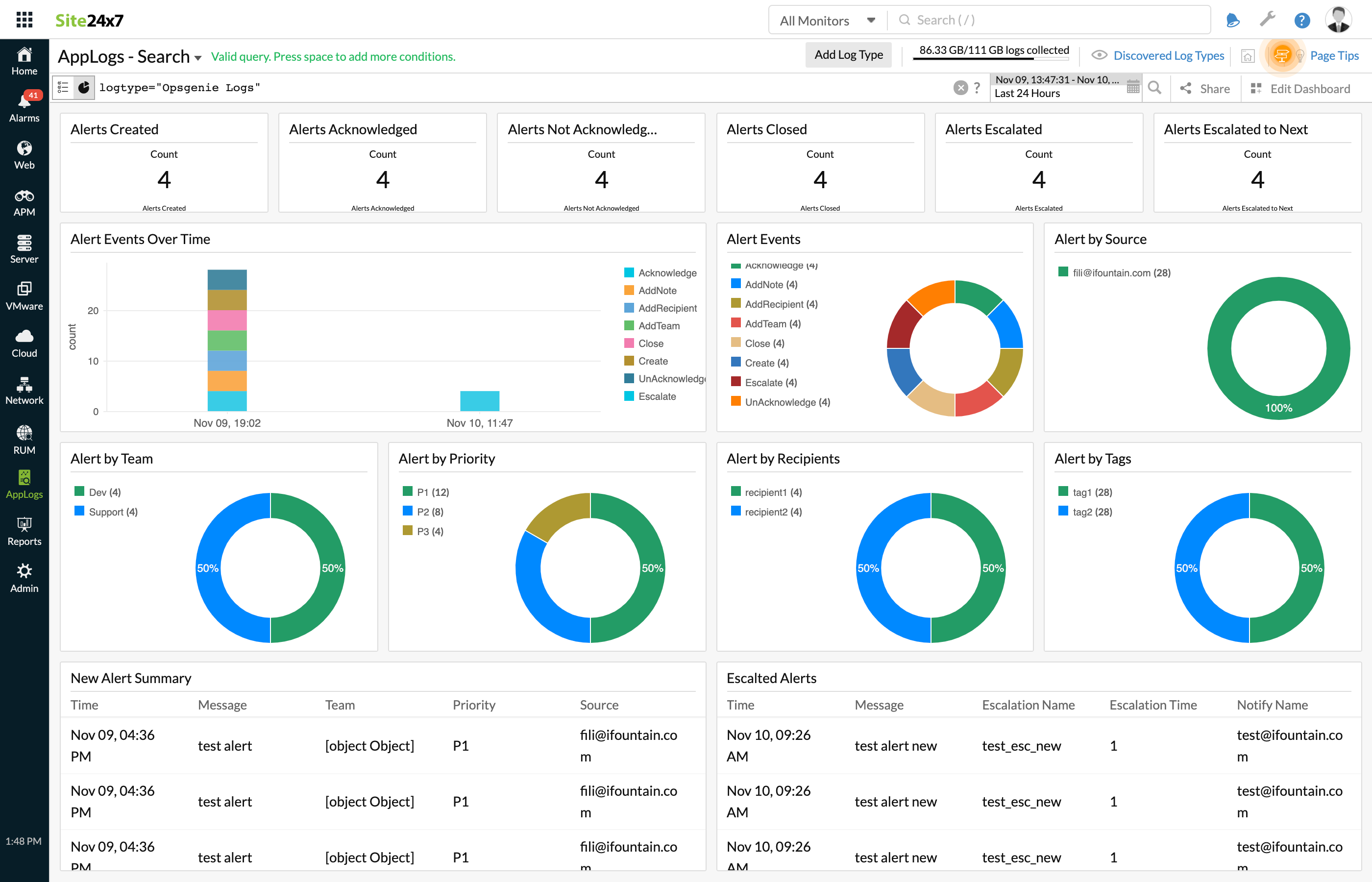
Opsgenie Logs
Opsgenie is an incident management platform that helps you manage your alerts in one console. When an alert is created in Opsgenie from any source, you can forward those alerts to OpManager Nexus AppLogs This enables you to create, monitor, and analyze your dashboards in a single console.
Read on to integrate OpManager Nexus AppLogs with Opsgenie.
Prerequisite
To integrate Opsgenie with OpManager Nexus Applogs, you need a paid version since the free version does not allow the creation of webhooks.
Create a log type
- Log in to your OpManager Nexus account > Admin > AppLogs > Add Log Type.
- Enter a Display Name.
- Choose Opsgenie from the Log Type drop-down menu.
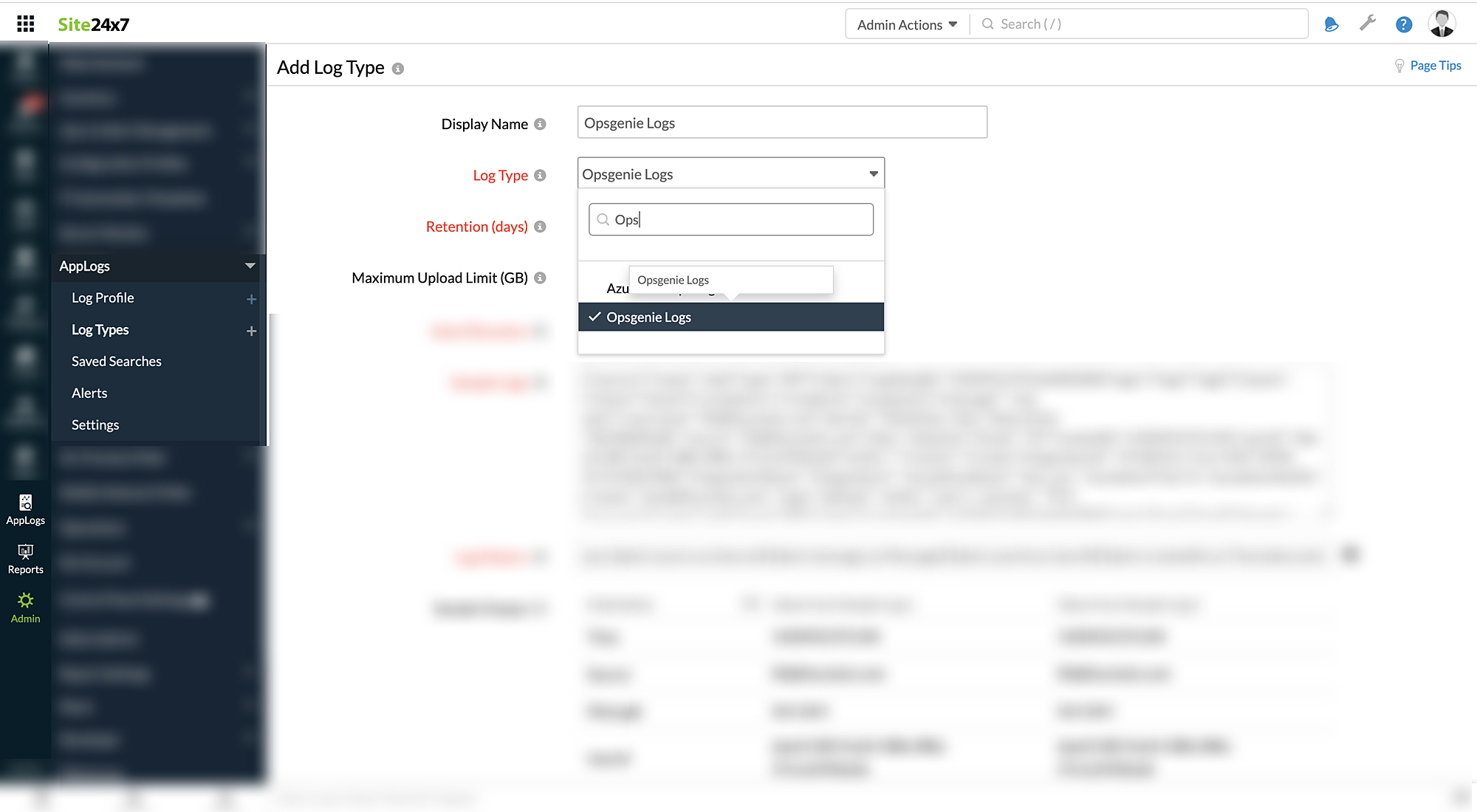
- Enter the Retention Period and Maximum Upload Limit.
- By default, this is the log pattern identified for Opsgenie logs by OpManager Nexus AppLogs.
Log pattern:
jjson $alert.source as Source$ $alert.message as Message$ $alert.userId as UserId$ $alert.createdAt as Time:date:unixm$ $alert.tinyId as TinyId$ $alert.alias as Alias$ $alert.alertId as AlertId$ $alert.entity as Entity$ $alert.username as Username$ $integrationName as IntegrationName$ $action as Action$ $integrationId as IntegrationId$ $source.name as SourceName$ $source.type as SourceType$ $alert.tags as Tag:string-array$ $alert.teams as Teams:string-array$ $alert.recipients as Recipients:string-array$ $escalationName as EscalationName$ $escalationTime as EscalationTime:number$ $escalationNotify.name as EscalationNotifyName$ $priority as Priority$
Sample logs:
{"source":{"name":"web","type":"API"},"alert":{"updatedAt":1420452193166002000,"tags":["tag1","tag2"],"teams":["team1","team2"],"recipients":["recipient1","recipient2"],"message":" test alert","username":"fili@ifountain.com","alertId":"052652ac-5d1c-464a-812a-7dd18bbfba8c","source":"fili@ifountain.com","alias":"aliastest","tinyId":"23","createdAt":1420452191104,"userId":"daed1180-0ce8-438b-8f8e-57e1a5920a2d","entity":""},"action":"Create","integrationId":"37c8f316-17c6-49d7-899b-9c7e540c048d","integrationName":"Integration1", "escalationName":"test_esc", "escalationTime":0, "escalationNotify": {"name":"test@ifountain.com"}, "priority": "P3"} - Copy the API endpoint URL given below as shown in the screenshot.
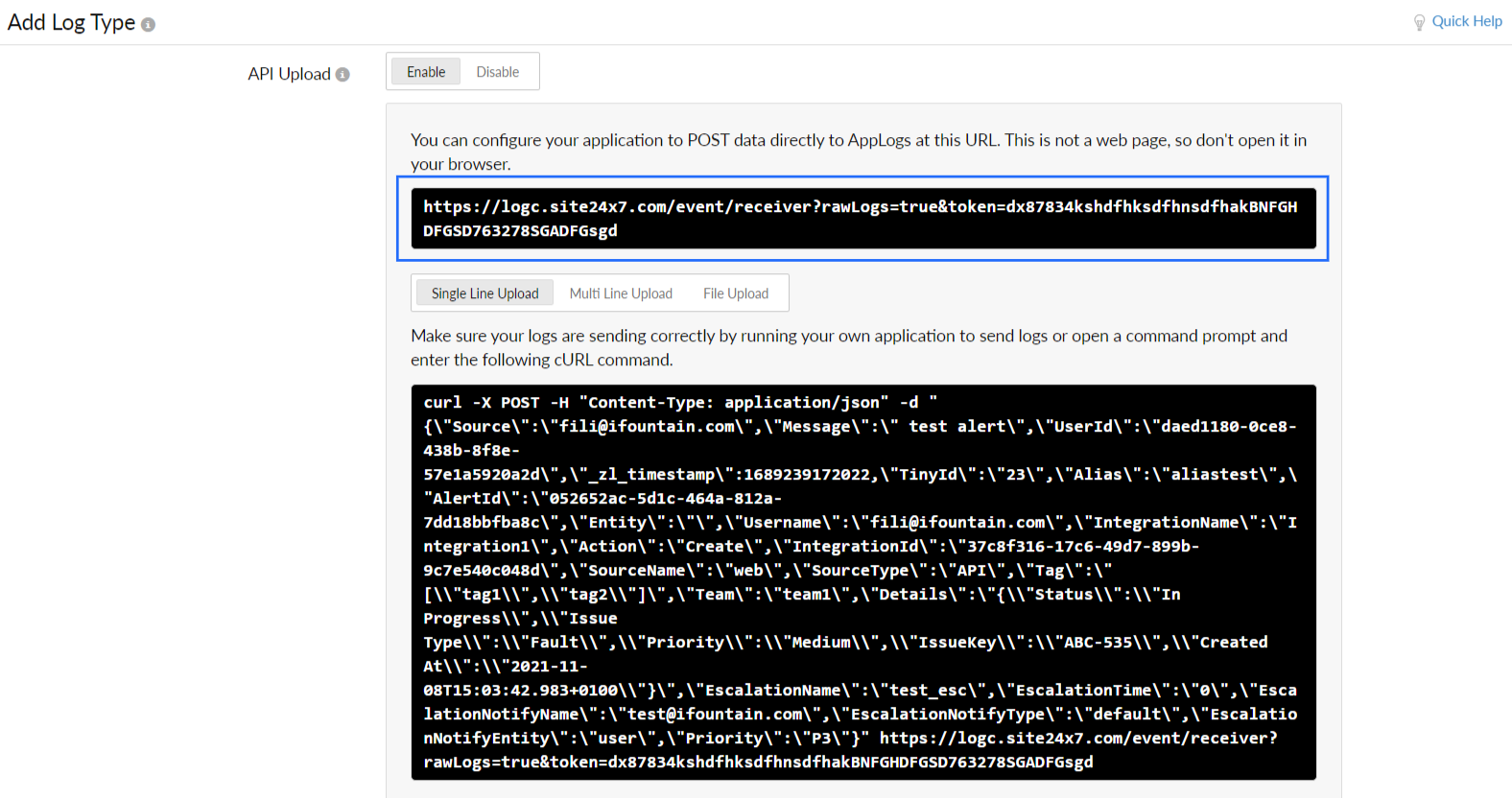
- Click Save.
Integrate Opsgenie with OpManager Nexus AppLogs
Kindly refer to this documentation to integrate your Opsgenie account with OpManager Nexus AppLogs.
View data
- Login to your OpManager Nexus account > AppLogs.
- Enter log type as Opsgenie Logs.