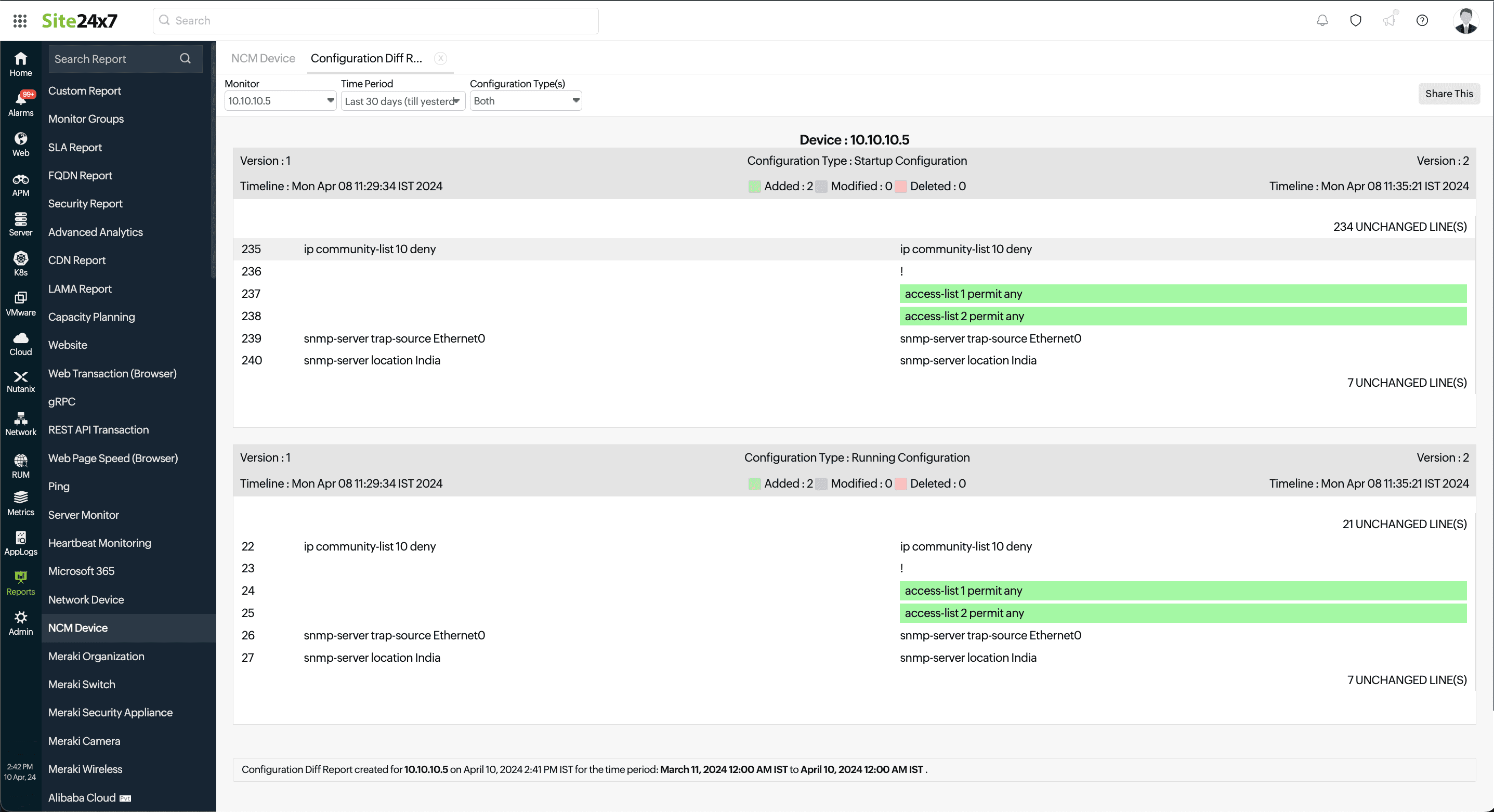
Configuration Diff Report
Configuration Diff Report enables you to view the differences in the startup and running configuration files within a selected time period. For example, if you select the time period as Last 24 Hours, a comparison is made between the last version before the selected period and the last version in the selected period and the report is generated.
- Navigate to Reports > NCM Device.
- Click Configuration Diff Report.
- Select one monitor or All NCM Monitors in the Monitor(s) field for which you wish to generate the report. Then, select the required Time Period.
- In the Configuration Type(s) field, select Startup, Running or Both to generate the report.
Figure 1. Configuration Diff Report.