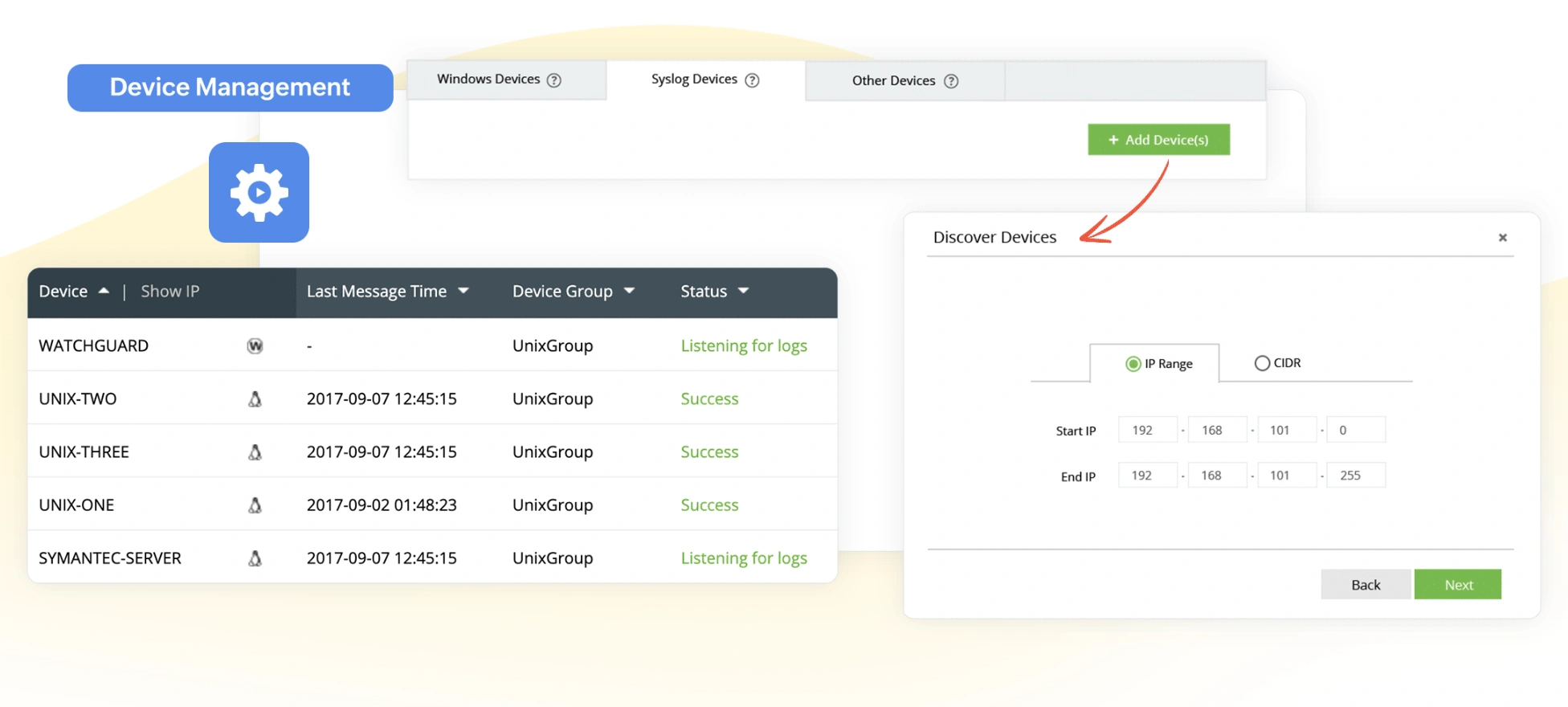
Log360 automatically discovers the Windows and syslog devices on your network and ingests log data. It also automatically imports log data at regular time intervals from applications such as vulnerability scanners, and databases.
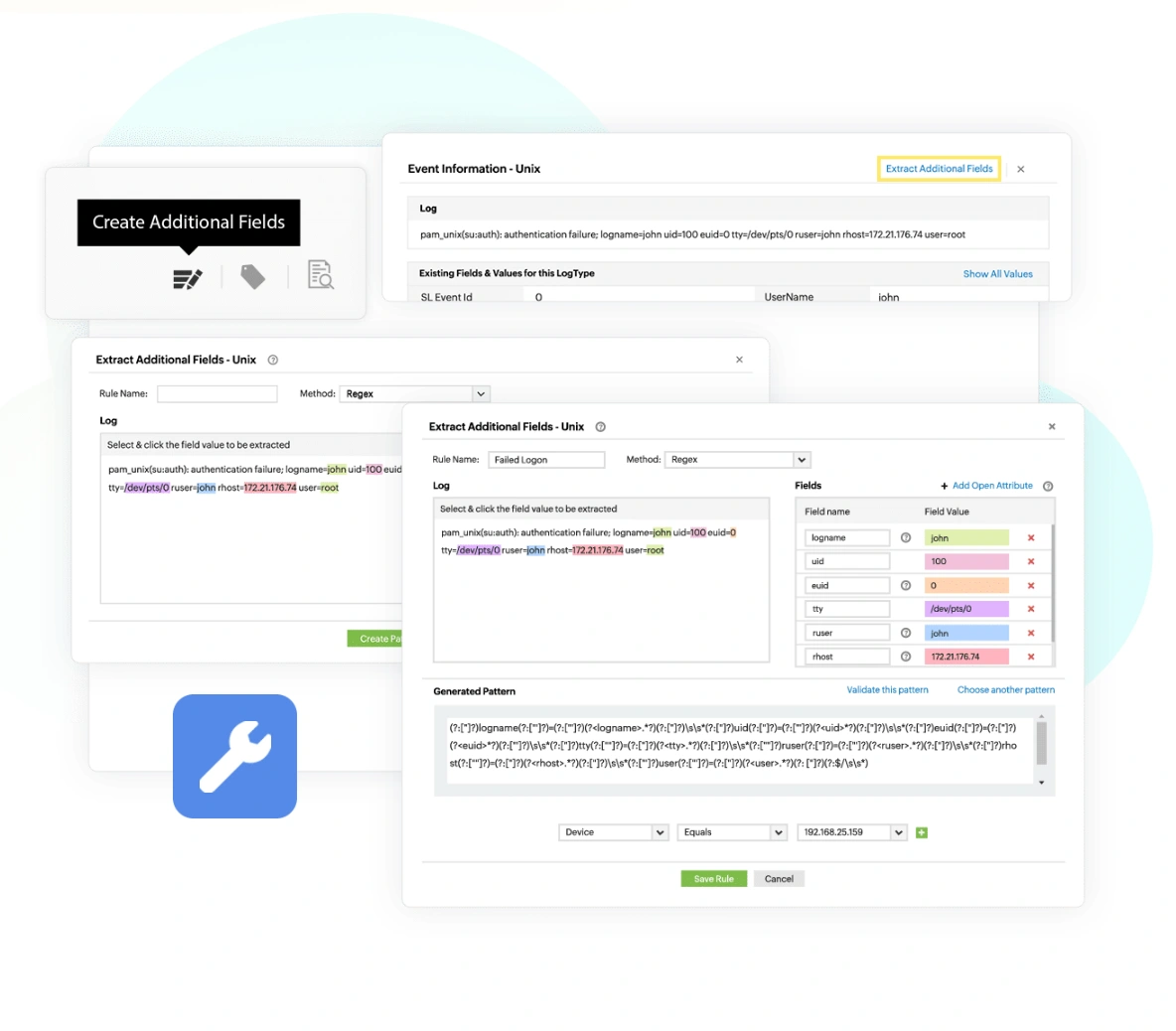
Log360 can ingest and analyze any human-readable log format using its custom log parser. With this module, you can import any custom application log data and the solution automatically identifies 20 fields including source address, destination address, time, date, and other critical information. Further, Log360's interactive Field Extraction UI allows you to create regular expression (RegEx) patterns to help EventLog Analyzer to identify, parse, and index these custom fields from the new logs it receives from network systems.
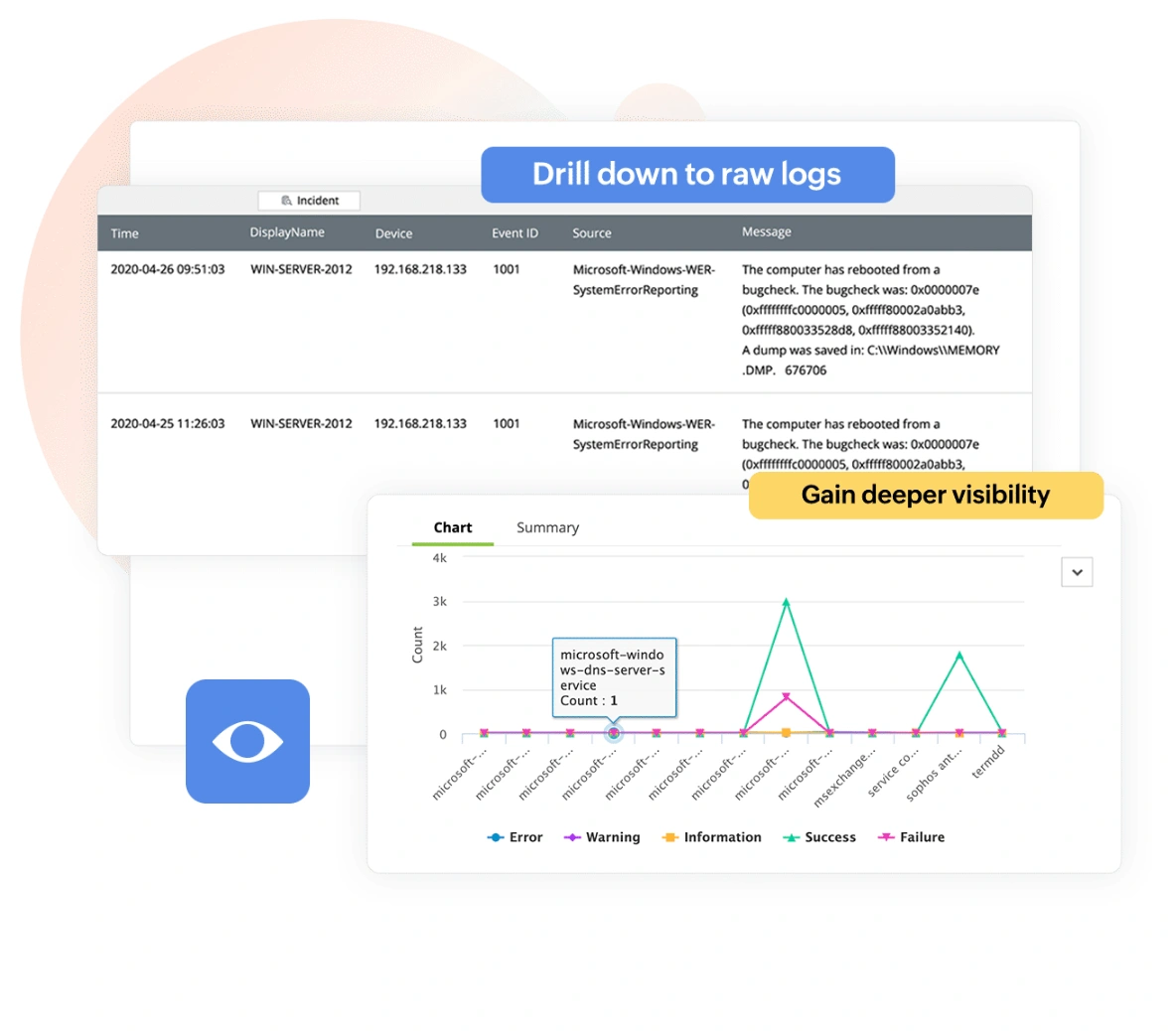
Log360's out-of-the-box dashboard widgets and security analytics consoles provide instant information on suspicious events. It helps you ease your log auditing challenges by generating reports when logs are collected. Using the reporting console, you can keep track of important network events such as AD changes, firewall rule modifications, and more in the form of graphs and charts. Log360 also allows you to drill down to raw log contents from the reports. Apart from the predefined reports, you can create custom reports and configure them to suit your needs.
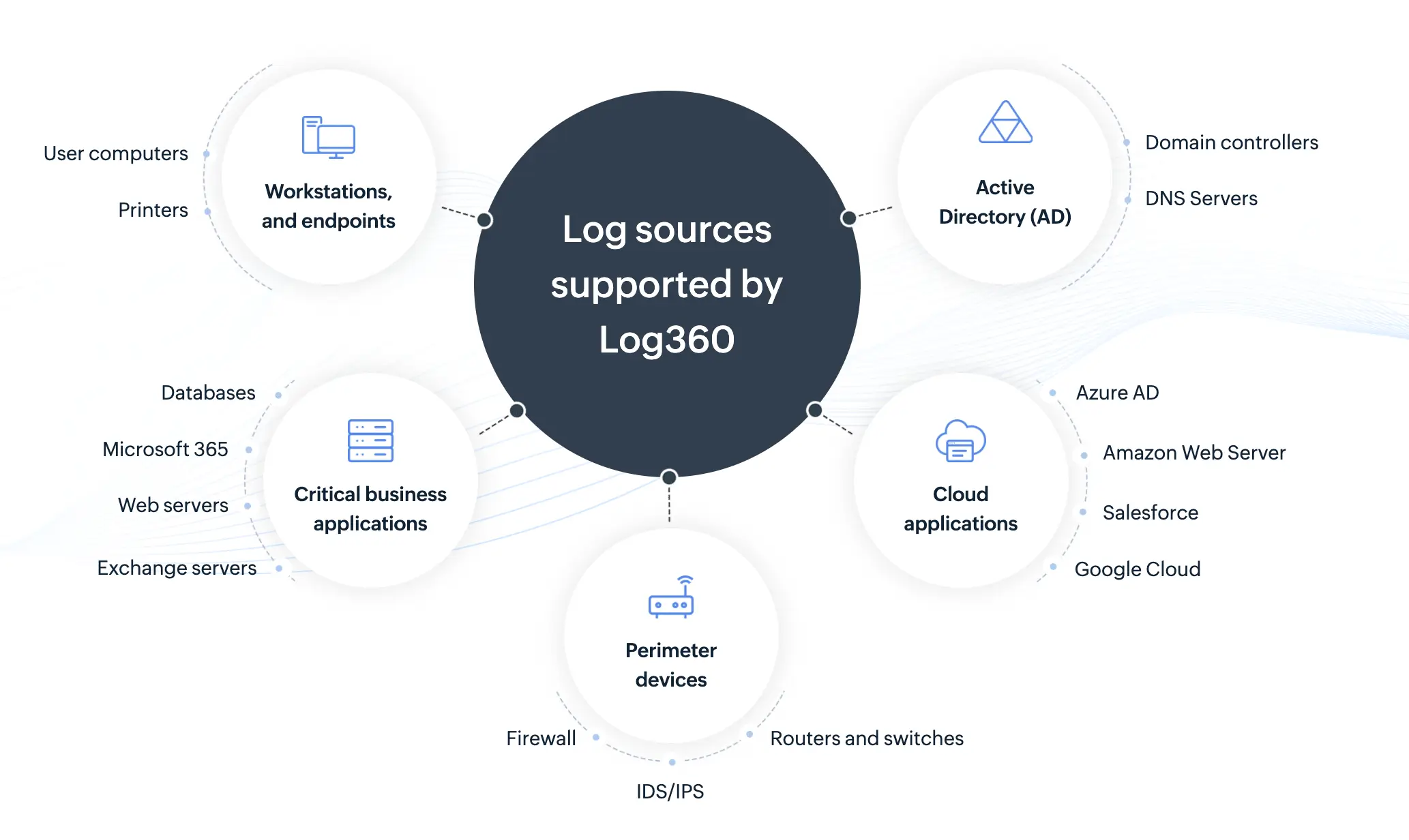
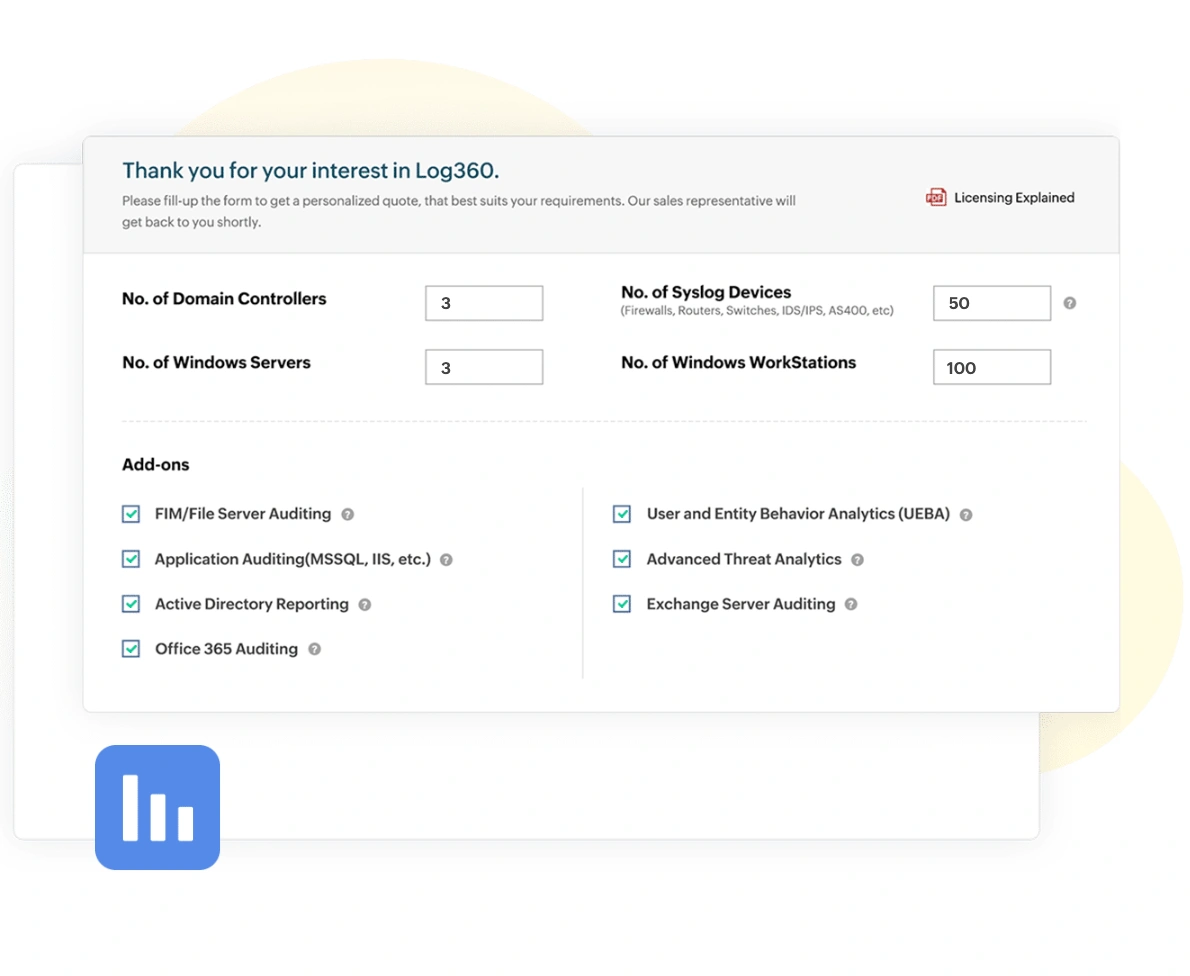
For an enterprise, managing resources spread out over several countries is not a straightforward process. Log360 helps you manage all your resources and offers centralized monitoring from a single console. You can deploy Log360 to monitor a required number of devices and opt for add-ons for more specialized features. You can scale your Log360 deployment to help monitor thousands of resources in your network such as additional domain controllers, and servers. This allows you to tailor your log management solution to ensure a perfect fit for your organization, while also making sure that you pay only for what you use.
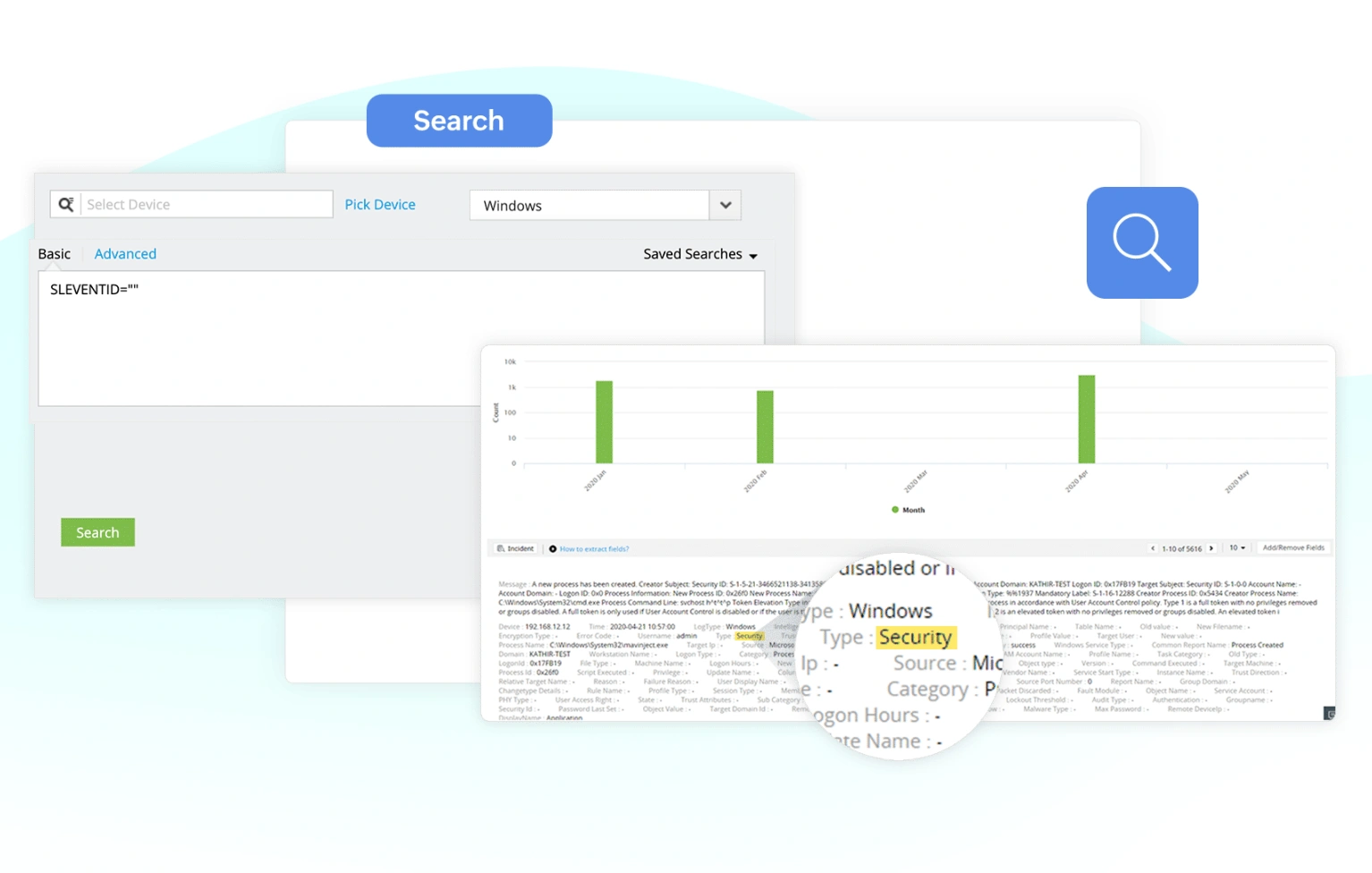
Log360's robust search engine enables you to look for information from raw log data. The solution can process log data at an exceptionally swift 25,000 logs per second. Further, the advanced options allow you to auto-build search queries, point-and-click on specific fields to get more insights, employ boolean, range, and group search options to narrow down the exact long entry. With Log360, you can save the search query as an alert profile and also extract the search results in the form of reports.
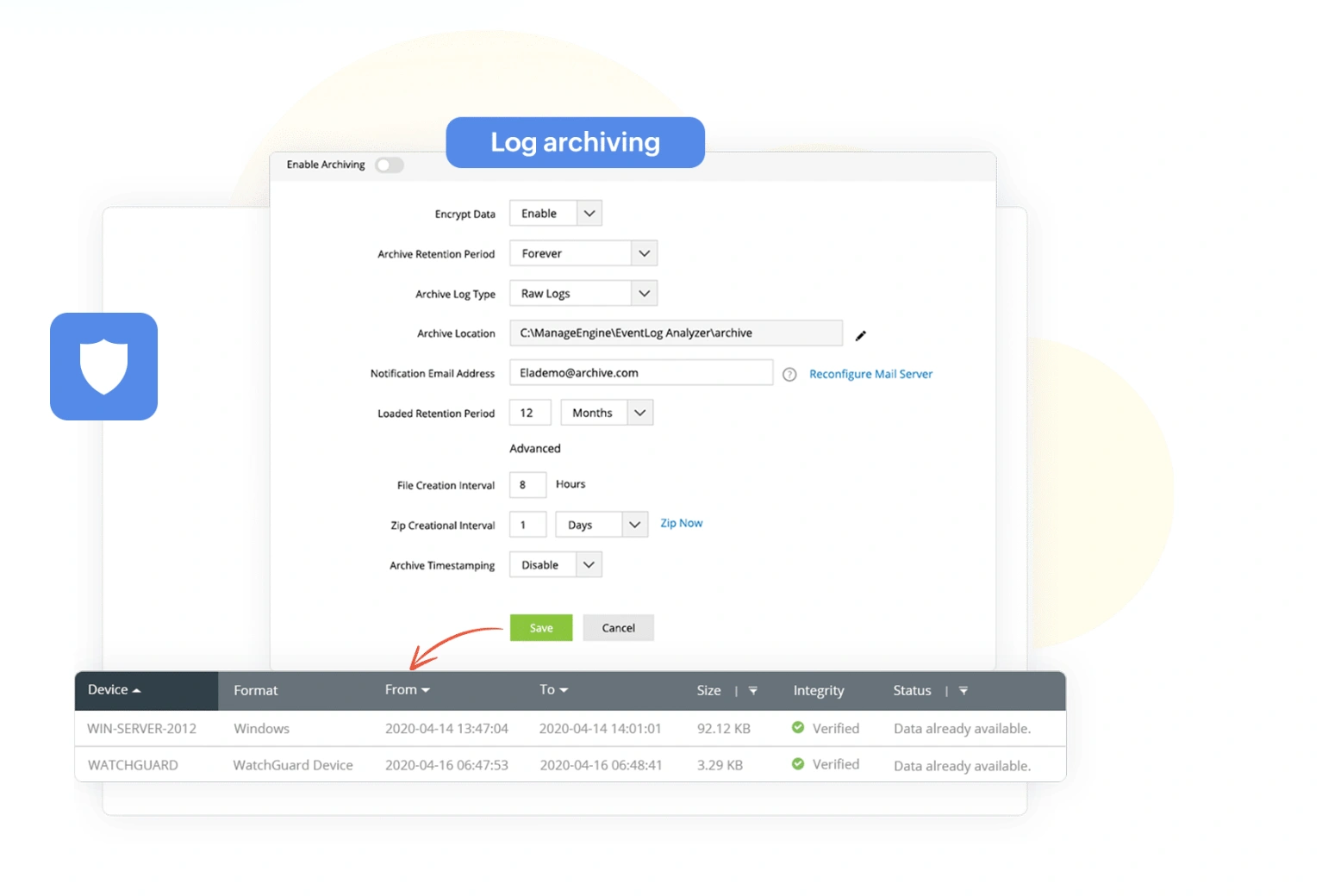
An average enterprise network generates a large amount of log data on a daily basis, increasing disk space usage. However, most compliance laws, such as SOX, GDPR, and PCI-DSS, require enterprises to retain their log data for a designated period of time for forensic analysis purposes. Log archiving is a strategy that can be used to utilize storage resources efficiently. Log360 automatically archives and encrypts the log data at regular intervals. Logs are archived every seven days by default, and the settings can be customized to suit organization's specific archive needs.
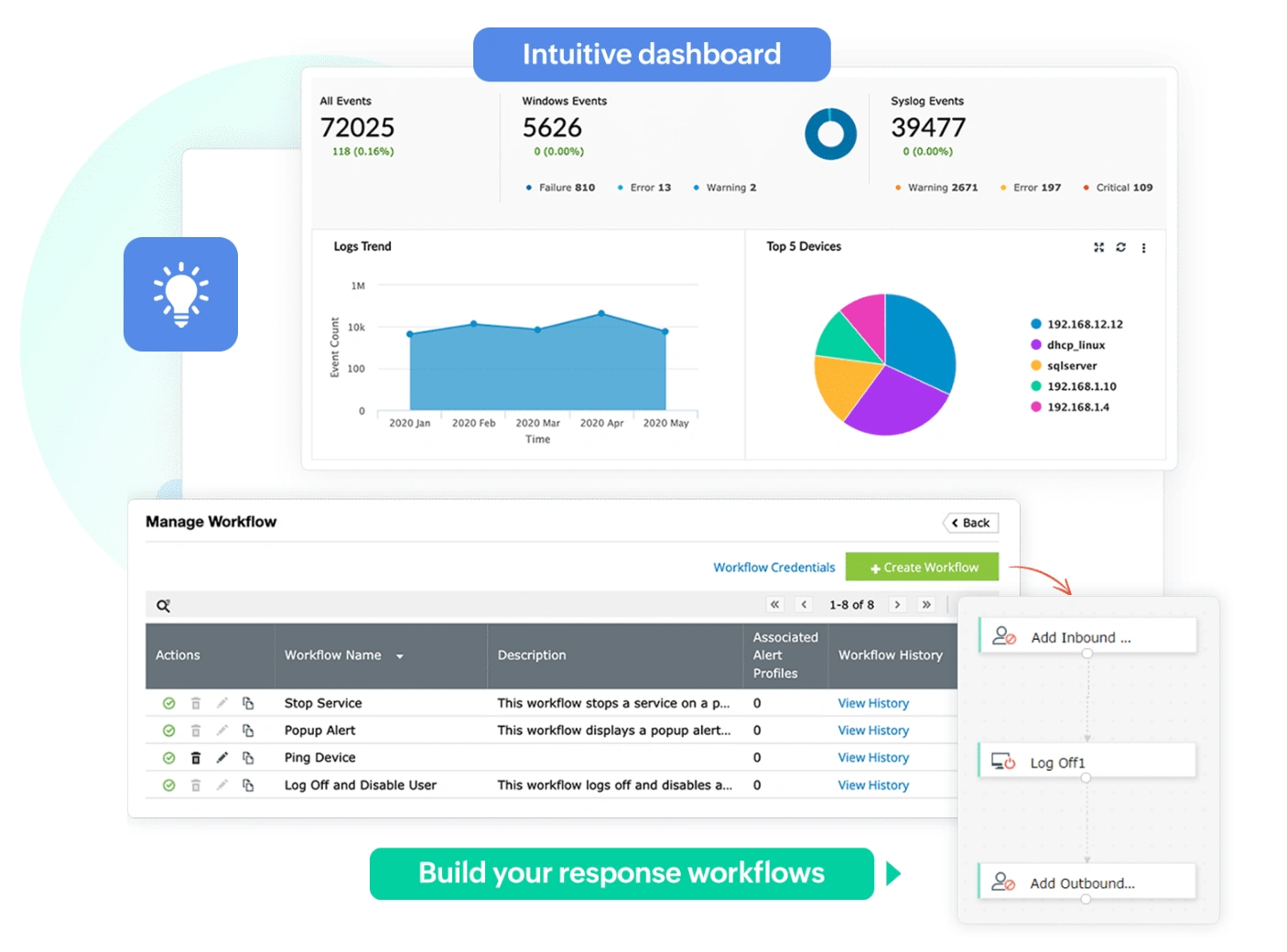
Organizations deal with many IT events in any given day, making it crucial to have a proper incident response strategy in place. Log360's intuitive dashboard, reporting console. and alert profiles ensures you don't overlook important events that occur in your network. These features help you gain actionable insights from the log data and assist you in developing an effective incident response plan. Log360 also enables you to build workflows that can be configured to execute remedial measures in case of a security incident.
We wanted to make sure that one, we can check the box for different security features that our clients are looking for us to have, and two, we improve our security so that we can harden our security footprint.
Carter Ledyard
The drill-down options and visual dashboards make threat investigation much faster and easier. It’s a truly user-friendly solution.
Sundaram Business Services
Log360 helped detect insider threats, unusual login patterns, privilege escalations, and potential data exfiltration attempts in real time.
CIO, Northtown Automotive Companies
Before Log360, we were missing a centralized view of our entire infrastructure. Now, we can quickly detect potential threats and respond before they escalate.
ECSO 911
Log360 collects, analyzes, and correlates logs across your environment to help you detect threats and respond faster.