


What is data staging (T1074)?
Data Staged (T1074) is a MITRE ATT&CK technique describing how adversaries place collected data in a central location prior to exfiltration. Rather than exfiltrating files individually from their original locations, attackers consolidate data into a staging directory where it can be compressed, encrypted, and transferred efficiently.
MITRE defines two sub-techniques:
- Local Data Staging: Data is consolidated on the same system where it was collected. Common staging locations include C:\ProgramData, C:\Windows\Temp, user temp folders, or hidden directories.
- Remote Data Staging: Data from multiple systems is moved to a single designated system within the network for centralized exfiltration. This is common when attackers have compromised many systems but want a single extraction point.
Data staging is a standard step in virtually every data theft operation. The Mandiant M-Trends 2025 report found that in 89% of data theft incidents, attackers staged data to a central location before exfiltration. Ransomware groups like Black Basta, LockBit, and ALPHV/BlackCat routinely stage terabytes of data before deploying ransomware using the stolen data for double-extortion leverage.
Key insight: Data staging is inherently detectable because it involves writing large volumes of files to locations that do not normally receive such writes. Unlike lateral movement or credential access (which can be single-event activities), staging creates sustained, high-volume file system activity that stands out against normal baselines. This makes T1074 one of the best detection opportunities in the pre-exfiltration phase.
Impact, scope, and risk
Data staging itself does not cause damage, but it is the mandatory precursor to data exfiltration. Detecting staging activity gives defenders a critical window to intervene before data leaves the network.
- Pre-exfiltration checkpoint: Staging is typically the last step before data is compressed and exfiltrated. Detecting it provides the last clear intervention opportunity.
- Volume indicator: The amount of data staged directly indicates the scale of potential data loss. Large staging volumes warrant immediate escalation.
- Ransomware double-extortion signal: Modern ransomware groups always stage data before encryption. Detecting staging during an active intrusion may indicate ransomware deployment is imminent.
- Forensic evidence: Staging directories contain the exact set of data the attacker intended to steal, making them invaluable for breach scope assessment and notification requirements.
Common staging locations
| Location | Why attackers use it | Detection approach |
|---|---|---|
| C:\ProgramData\ | Writable by all users, rarely monitored, survives reboots | Audit new directory creation and large file writes |
| C:\Windows\Temp\ | Standard temp directory, high noise makes detection harder | UEBA for volume anomaly above normal temp usage |
| C:\Users\Public\ | Accessible to all users, legitimate-looking path | Monitor for non-standard file types (archives, database exports) |
| Hidden network shares (C$, ADMIN$) | Administrative shares accessible with domain admin credentials | Alert on bulk writes to admin shares from non-DC sources |
| Cloud sync folders (OneDrive, Dropbox) | Auto-syncs to cloud, providing immediate exfiltration | Monitor for bulk file writes to known sync directory paths |
| Web server directories (wwwroot, inetpub) | Allows download via HTTP without triggering egress alerts | Alert on non-web-content file types written to web directories |
How data staging attacks work
Method 1: Robocopy/xcopy across network shares
The attacker uses built-in Windows tools to copy files from multiple network shares to a single staging directory. Robocopy is preferred because it handles large file sets efficiently and can preserve attributes.
robocopy \\fileserver\finance C:\ProgramData\staging\finance /E /R:0 /W:0 /NP robocopy \\fileserver\legal C:\ProgramData\staging\legal /E /R:0 /W:0 /NP robocopy \\fileserver\engineering C:\ProgramData\staging\eng /E /R:0 /W:0 /NP
Method 2: PowerShell bulk copy
Attackers use PowerShell to enumerate and copy files matching specific criteria (file extensions, naming patterns, modification dates) across multiple sources.
$targets = "\\fs01\share","\\fs02\confidential","\\dc01\sysvol" $staging = "C:\ProgramData\Microsoft\temp" foreach ($t in $targets) { Get-ChildItem $t -Recurse -Include *.docx,*.xlsx,*.pdf,*.pst | Copy-Item -Destination $staging -Force }
Method 3: Remote staging via SMB
When the attacker compromises multiple systems, they designate one system as the staging server and copy data from all compromised hosts to that single location over SMB.
From Host-A: copy C:\Users\exec\Documents\*.* \\staging-host\C$\ProgramData\update\ From Host-B: copy C:\backup\database.bak \\staging-host\C$\ProgramData\update\ From Host-C: copy C:\Users\cfo\*.pst \\staging-host\C$\ProgramData\update\
Method 4: Cloud sync folder staging
The attacker copies files to a directory that automatically syncs with a cloud storage service (OneDrive, Dropbox, Google Drive). This combines staging and exfiltration into a single step while appearing as legitimate sync activity.
Detect and investigate with Log360
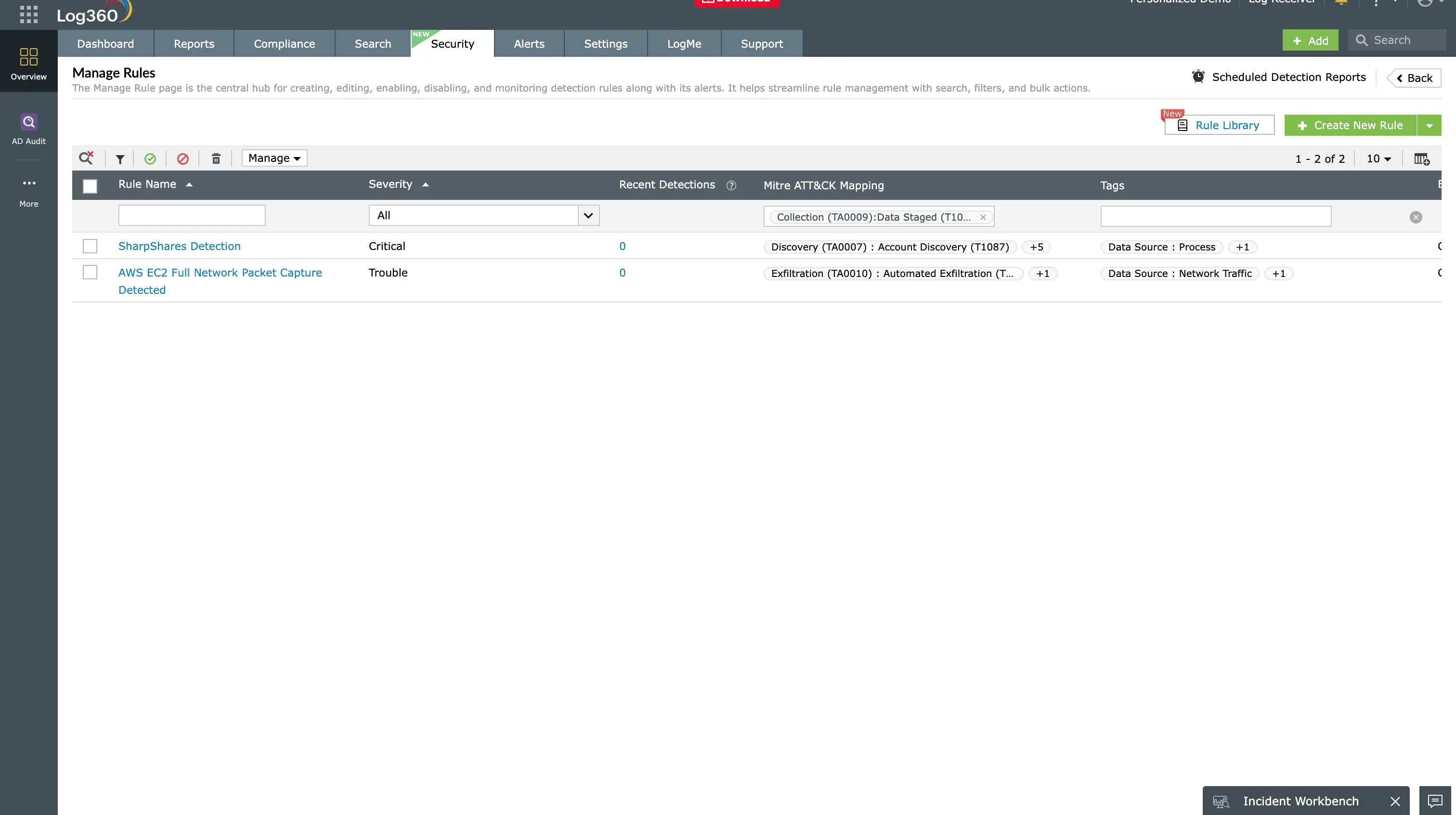
Log360's 8 prebuilt T1074 detection rules
| Rule name | Severity | Data source | What it detects |
|---|---|---|---|
| Bulk file copy to ProgramData/temp | High | Windows Security (4663) | 50+ files written to ProgramData or temp subdirectories within 10 minutes |
| Large file writes to hidden shares | High | Windows Security (4663) | Files written to admin shares (C$, ADMIN$) from non-DC systems |
| Robocopy/xcopy targeting multiple sources | Medium | Windows Security (4688) | Robocopy or xcopy execution with network paths as source |
| PowerShell Copy-Item at volume | Medium | PowerShell Script Block | Copy-Item operations targeting 100+ files across network shares |
| File staging to cloud sync directories | High | Windows Security (4663) | Bulk file writes to OneDrive, Dropbox, or Google Drive local paths |
| Database export to local staging | Critical | SQL/App audit + Windows | Database dump files (.bak, .sql, .csv) written to non-backup locations |
| Bulk file movement after hours | High | Windows Security (4663) | Large file copy operations outside business hours by non-admin accounts |
| New directory with high-volume writes | Medium | Windows Security (4663) | New directory created followed by 100+ files written within 30 minutes |
Investigation workflow
- Identify the staging location - Determine the exact path where data is being consolidated. Capture a file listing with timestamps.
- Determine data sources - Trace the origin of staged files by correlating file creation events with source share access events from the same identity.
- Assess the scope - Calculate the total volume of staged data (file count and size). Identify what types of data are present (financial, legal, PII, IP).
- Check for archiving - Look for subsequent archive creation (T1560) activity on the staging directory. Archive creation after staging confirms exfiltration preparation.
- Check for exfiltration - Review outbound network events for data transfer from the staging host. Look for large uploads, DNS tunneling, or cloud storage sync activity.
- Contain - Quarantine the staging directory (do not delete - preserve as evidence), disable the compromised account, and restrict network access from the staging host.
Remediation and prevention
- Monitor common staging paths - Enable SACL-based auditing on C:\ProgramData, C:\Windows\Temp, C:\Users\Public, and web server content directories. These are the most frequently used staging locations.
- Restrict bulk file tools - Use AppLocker or WDAC to restrict robocopy and xcopy execution to approved administrative accounts. Flag any execution by standard user accounts.
- Implement file integrity monitoring - Deploy FIM on sensitive directories to detect unexpected file creation or modification at scale.
- Restrict admin share access - Disable administrative shares (C$, ADMIN$) where not needed, or monitor them closely with Log360 for non-DC access patterns.
- Cloud sync controls - Restrict which directories can sync with cloud storage services. Block personal cloud storage installation on corporate endpoints.
- UEBA volume baselines - Configure Log360's UEBA module to build baselines for normal file write volumes per user. Alert when writes exceed 5-10x the normal daily pattern.
Need to explore ManageEngine Log360? Schedule a personalized demo
FAQ
What is data staged (T1074) in MITRE ATT&CK?
Data staged describes how adversaries consolidate collected data in a central location before exfiltration. Local Data Staging (T1074.001) consolidates on the compromised host; Remote Data Staging (T1074.002) moves data to a designated extraction system.
How does Log360 detect data staging?
Log360 uses 8 prebuilt rules monitoring file system audit events (Event ID 4663), process creation (4688), and PowerShell script block logging to detect bulk file copy operations, unusual directory writes, and staging behavior patterns.
What Windows event IDs indicate data staging?
Event IDs 4663 (file write access), 4656 (handle request on staging paths), and 4688 (process creation showing robocopy, xcopy, or PowerShell) are the primary indicators. Enable object access auditing on common staging paths.
What is the difference between local and remote staging?
Local staging (T1074.001) consolidates files on the same system. Remote staging (T1074.002) moves data to a designated remote host for centralized extraction. Remote staging is more common in multi-system compromises.
How do I prevent data staging?
Monitor staging paths with file system auditing, restrict bulk copy tools (robocopy, xcopy) to admin accounts, implement UEBA baselines for file write volumes, restrict admin shares, and control cloud sync folder access.
Detect data staging before exfiltration
Start your free 30-day trial of Log360 and activate 8 prebuilt Data Staged detection rules to catch pre-exfiltration consolidation in real time.
- What is data staging (T1074)?
- Impact, scope, and risk
- How data staging attacks work
- Detect and investigate with Log360
- Remediation and prevention
- FAQ

