


What is encrypted channel (T1573)?
Encrypted Channel (T1573) describes how adversaries use encryption to hide the content of C2 communications from network monitoring. By encrypting traffic with TLS/SSL or custom cryptographic schemes, attackers prevent security tools from inspecting the payload of C2 messages, commands, and exfiltrated data.
This technique is nearly universal - over 95% of modern C2 frameworks use encryption by default. Cobalt Strike, Sliver, Brute Ratel C4, Havoc, and Mythic all communicate over TLS-encrypted channels. This makes content-based inspection ineffective unless TLS interception is deployed. However, encrypted C2 still leaks detectable metadata: TLS certificate properties, JA3 fingerprints, connection timing, and traffic patterns.
Key insight: You do not need to decrypt traffic to detect encrypted C2. Certificate metadata, TLS fingerprints, connection patterns, and destination reputation provide strong detection signals without privacy-invasive decryption. Log360 analyzes these metadata signals from firewall and proxy logs to identify encrypted C2 channels.
Detection methods for encrypted C2
1. TLS certificate analysis
C2 servers frequently use certificates with detectable anomalies:
- Self-signed certificates - Legitimate web services use certificates from trusted CAs. Self-signed certificates on public-facing servers are a strong C2 indicator.
- Short validity periods - C2 certificates often have 30-90 day validity vs. legitimate certificates with 1-2 year validity.
- Missing or generic subject fields - C2 certificates may have empty Organization fields or use generic subjects like "localhost" or random strings.
- Let's Encrypt on non-standard infrastructure - While Let's Encrypt is legitimate, its free certificates on VPS/cloud instances hosting no visible web content are common for C2.
- Certificate-IP mismatch - The certificate subject does not match the observed IP address or has no associated DNS record.
2. JA3/JA3S fingerprinting
JA3 creates a hash of the TLS Client Hello parameters (version, cipher suites, extensions). Each C2 framework produces recognizable JA3 hashes:
| C2 Framework | JA3 detection approach | Notes |
|---|---|---|
| Cobalt Strike | Default malleable profile produces known JA3 hash | Custom profiles change the hash but reduce to a set of known variants |
| Sliver | Go TLS library produces distinctive cipher suite ordering | Consistent across Sliver versions |
| Brute Ratel C4 | Unique TLS extension combinations | Less documented but identifiable |
| Metasploit Meterpreter | Known default JA3 values | Easily changed with custom configs |
3. Beaconing over encrypted channels
Even encrypted, C2 beacons produce regular connection patterns detectable in firewall logs:
- Fixed interval connections - Connections every 60s, 5min, or 15min to the same destination
- Jitter patterns - Random variation around a center interval (e.g., 60s +/- 20%)
- Consistent packet sizes - Check-in packets have similar sizes when no tasking is active
- Asymmetric traffic - Small outbound (check-in) with occasional large inbound (commands/tools)
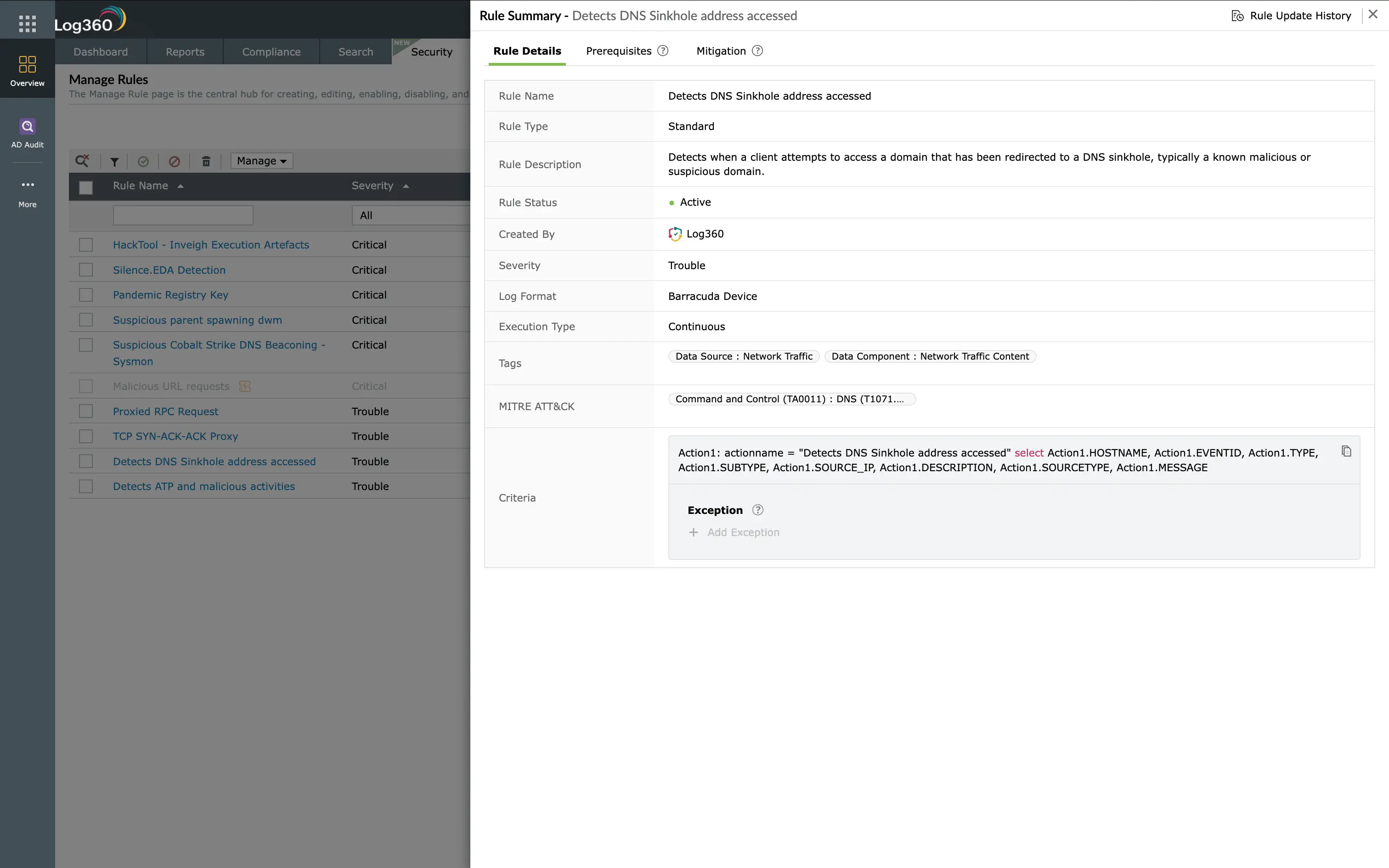
Log360's 18 prebuilt T1573 detection rules
| Rule name | Severity | What it detects |
|---|---|---|
| Self-signed certificate connection | Medium | Outbound TLS to server presenting self-signed certificate |
| Known C2 JA3 fingerprint match | Critical | TLS Client Hello matching Cobalt Strike/Sliver/BR C4 JA3 hashes |
| Short-validity certificate (under 90 days) | Low | Connection to server with certificate valid less than 90 days |
| Certificate subject mismatch | Medium | TLS certificate CN does not match the accessed domain |
| TLS to IP without hostname (SNI empty) | Medium | Direct-to-IP HTTPS with no SNI field - common in C2 |
| Beaconing pattern over TLS | High | Periodic encrypted connections (within 10% jitter) to same destination |
| Newly registered domain with TLS | High | Encrypted connection to domain registered in last 30 days |
| TLS connection to known C2 IP | Critical | Connection to IP in threat intelligence C2 feed |
| Uncommon TLS port (non-443) | Medium | TLS negotiation on non-standard ports (8443, 4443, etc.) |
| Long-duration TLS session | Medium | Single TLS connection lasting over 8 hours (interactive C2 shell) |
| TLS to bulletproof hosting ASN | High | Encrypted connections to ASNs associated with bulletproof hosting |
| Unusual TLS version (TLS 1.0/1.1) | Low | Legacy TLS versions used by older C2 frameworks |
| Certificate issuer anomaly | Medium | Certificate from uncommon CA not seen in baseline traffic |
| High-frequency TLS reconnection | High | Rapid TLS session teardown and reconnection pattern |
| TLS with no subsequent HTTP traffic (proxy) | Medium | TLS tunnel established but no web content observed (requires TLS inspection) |
| Outbound TLS from server tier | High | Servers initiating outbound TLS to internet - unusual in most environments |
| Certificate pinning bypass attempt | Medium | Process attempting to trust non-standard certificates |
| Multiple C2 indicators combined | Critical | Self-signed cert + beaconing + low reputation = high-confidence C2 |
Investigation and response
- Verify the certificate - Pull the full certificate chain. Check issuer, validity, SANs, and whether it appears in Certificate Transparency logs.
- Check destination reputation - Query the IP/domain in threat intelligence platforms. Check registration age, hosting provider, and historical associations.
- Analyze connection pattern - Review connection frequency, duration, and data volumes. True C2 beaconing shows mathematical regularity even with jitter.
- Correlate with endpoint - Identify which process on the endpoint is making the connection. Check for persistence mechanisms, injected processes, or known C2 implant behaviors.
- Block and isolate - Add destination to firewall block list, isolate the compromised host, and search for the same C2 destination on other hosts.
Remediation and prevention
- Deploy TLS inspection on egress - Inspect outbound TLS to analyze certificate properties and detect known C2 patterns in decrypted traffic.
- Block self-signed certificates - Configure proxy policies to block connections to servers presenting self-signed certificates (with exceptions for known internal services).
- Maintain JA3 blocklist - Update JA3 fingerprint databases regularly with known C2 framework hashes and apply at the proxy or firewall.
- Restrict outbound TLS from servers - Production servers should not initiate outbound TLS to arbitrary internet destinations. Whitelist required destinations.
- Implement certificate transparency monitoring - Monitor CT logs for certificates issued for your domains by unexpected CAs, which may indicate domain fronting preparation.
Need to explore ManageEngine Log360? Schedule a personalized demo
FAQ
What is encrypted channel (T1573)?
Encrypted channel describes adversaries using encryption (TLS/SSL or custom cryptography) to conceal C2 communications from inspection. Used in 95%+ of modern C2 frameworks.
How do I detect encrypted C2 without decryption?
Analyze TLS metadata: certificate properties, JA3 fingerprints, connection timing (beaconing), destination reputation, and traffic volume ratios. Log360 provides 18 rules for these metadata-based detections.
What is JA3 fingerprinting?
JA3 hashes TLS Client Hello fields to create a unique fingerprint per application. Known C2 frameworks have documented JA3 values that can be detected in proxy/firewall logs.
How does Log360 detect encrypted C2?
Through 18 rules analyzing TLS metadata from firewall and proxy logs - self-signed certs, known JA3 hashes, beaconing patterns, destination reputation, and certificate anomalies. No decryption required.
Should I deploy TLS inspection?
TLS inspection enhances detection significantly but has privacy and operational complexity tradeoffs. Use metadata-based detection everywhere, and add TLS inspection on high-risk segments for maximum coverage.
Detect encrypted C2 channels in real time
Start your free 30-day trial of Log360 and activate 18 prebuilt Encrypted Channel detection rules.
- What is encrypted channel (T1573)?
- Detection methods for encrypted C2
- Log360's 18 prebuilt T1573 detection rules
- Investigation and response
- Remediation and prevention
- FAQ

