
Businesses depend on their network infrastructure to deliver digital services to clients and end users. These environments include Windows and Linux networking devices. Windows networks with their GUI are relatively easy to manage while Linux networks provide greater flexibility and advanced levels of customizations compared to Windows networks.
Since operating systems help the deployed applications interact with the hardware, you should choose the OS depending on your business needs and your IT team's expertise. Often, businesses like data centers lean towards Linux networks, as they are good at:
- Scalability: Exceptionally scalable.
- Consistency: Consistent with their operating model across all distributions.
- Customization: Easily customizable, because of their freely available source code.
- Security: More secure from cyberattacks.
- Cost-free: Free of licenses (but may include support costs).
Although Linux networks are considered efficient in running applications compared to their Windows counterparts, they still experience performance and bandwidth issues, which ultimately affect their services, so what you really need is a Linux network monitoring tool. With a feature-rich Linux network monitor, you can keep in check the Linux network environment by tracking the network for its availability and health.
What do you need in Linux network monitoring?
The fundamental reason behind performing Linux network performance monitoring is to know your network's state at any given point, so you can maintain and improve your quality of service (QoS). To better understand the state of your Linux network, an IT admin must:
- Maintain an inventory of all your Linux devices.
- Know the real-time state of your Linux devices.
- Identify traffic congestion in the interfaces.
- Get insightful reports on the performance of Linux devices.
While there are tons network monitoring tools for Windows, there are only a handful of network monitoring tools for Linux that can do everything mentioned above. One such powerful Linux network monitor is OpManager.
OpManager: A powerful Linux network monitor tool
ManageEngine OpManager is a highly scalable and powerful Linux network monitor. It monitors all the Linux devices in your network for availability, health, and performance in real time. Using OpManager, a potent Linux network traffic monitor, you can monitor Linux network traffic, generate Linux network performance reports, and automate routine tasks.
How to monitor network traffic in Linux with OpManager
Linux network inventory
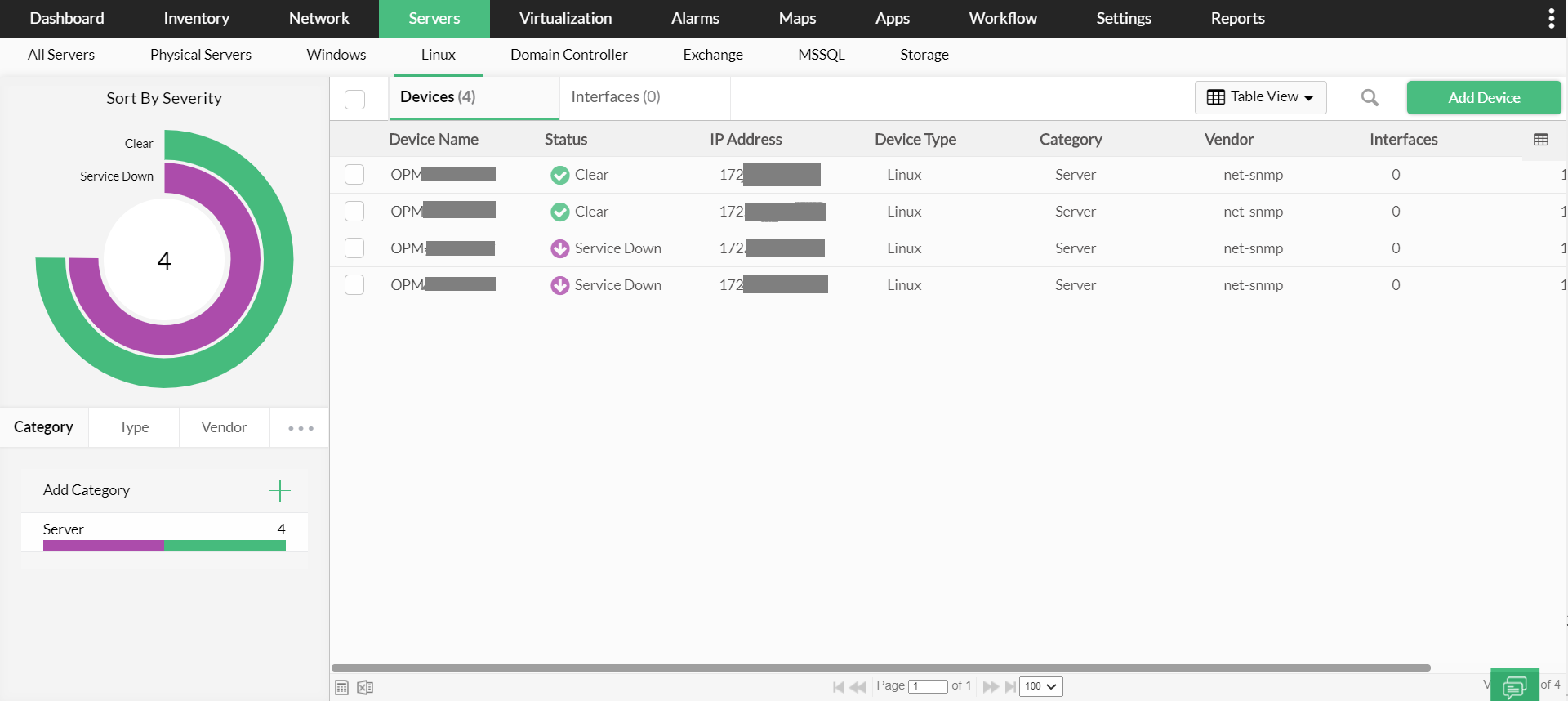
Your Linux network is ever expanding and constantly evolving. New devices are added every day into the network. Manually adding every device and configuring thresholds for new devices is an exhausting task for an IT admin. Keeping this in mind, OpManager - a Linux network management software is designed to automatically scan and add devices into the Inventory with the help of Linux device templates. Further, you can configure the Discovery Rule Engine in OpManager to automatically associate performance monitors to discovered devices.
Real-time network monitor for Linux
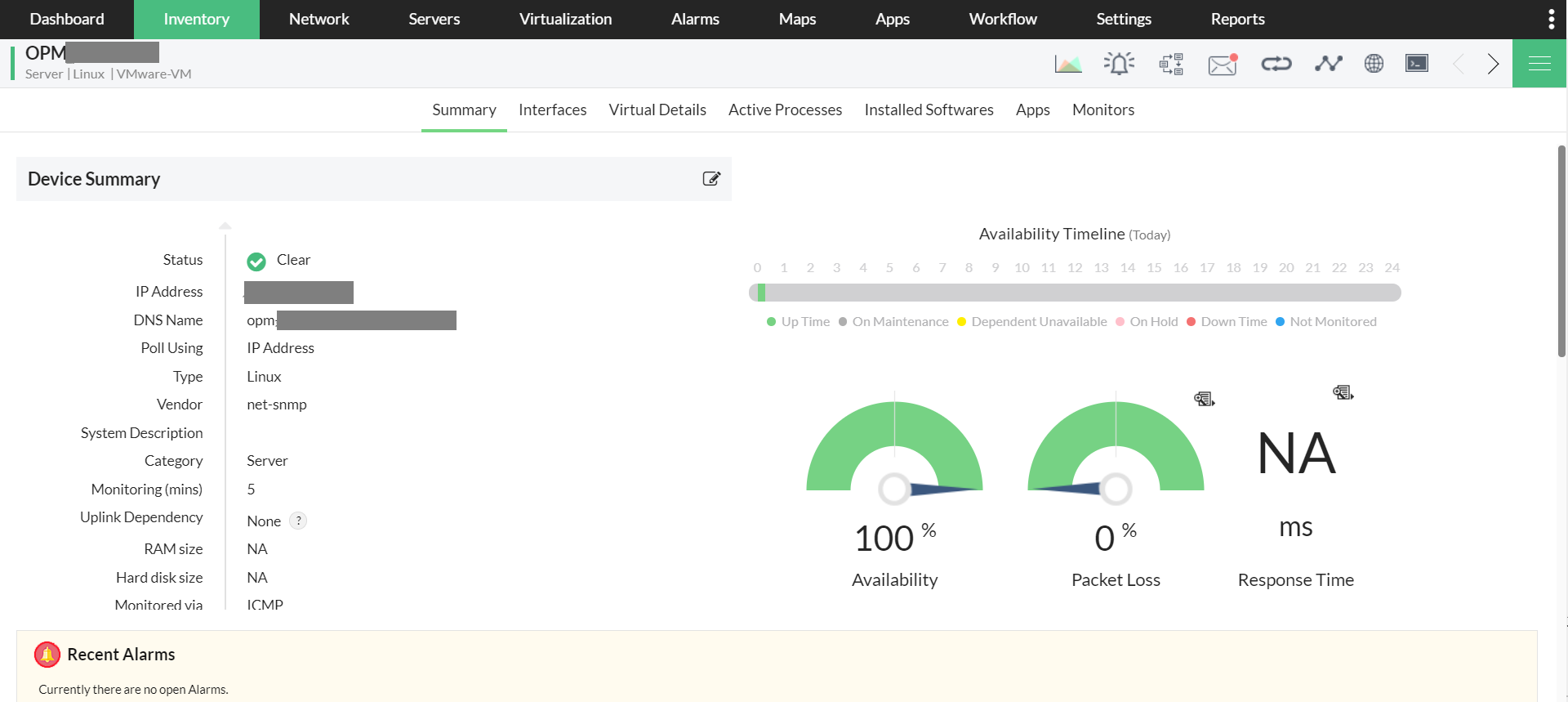
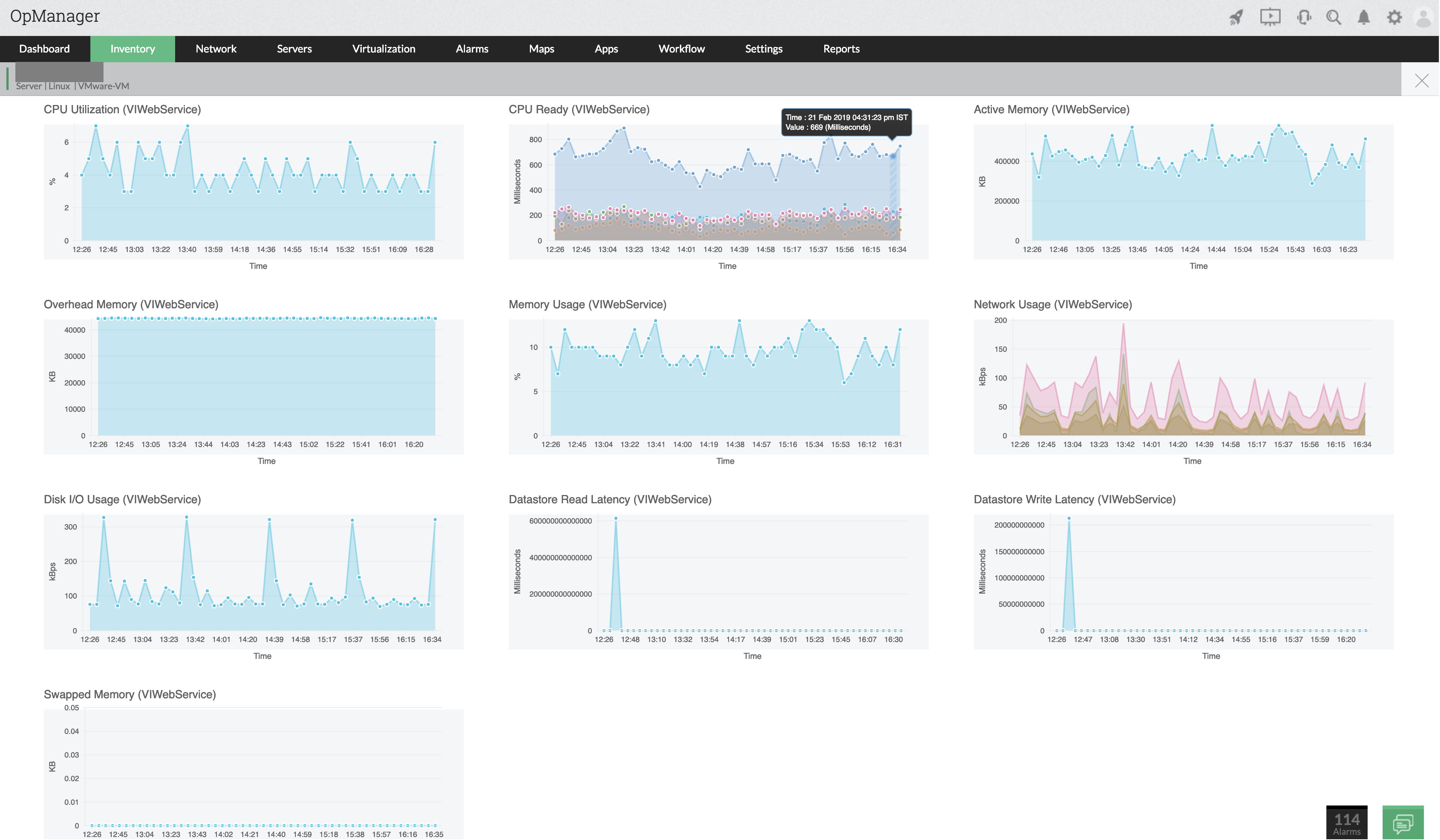
Your Linux network's performance is dependent on the performance of individual Linux network devices. Faults need to be identified in real time with a Linux network performance monitor, so performance issues can be fixed before they impact end users. Using OpManager's Linux based network monitoring, you can monitor the availability and performance of Linux devices in real time (up to one-minute granularity). OpManager offers more than 2,000 metrics for monitoring network device performance, which helps you instantly identify performance issues. With OpManager's Linux network monitoring, you can monitor the network traffic in real time.
Linux network traffic monitor
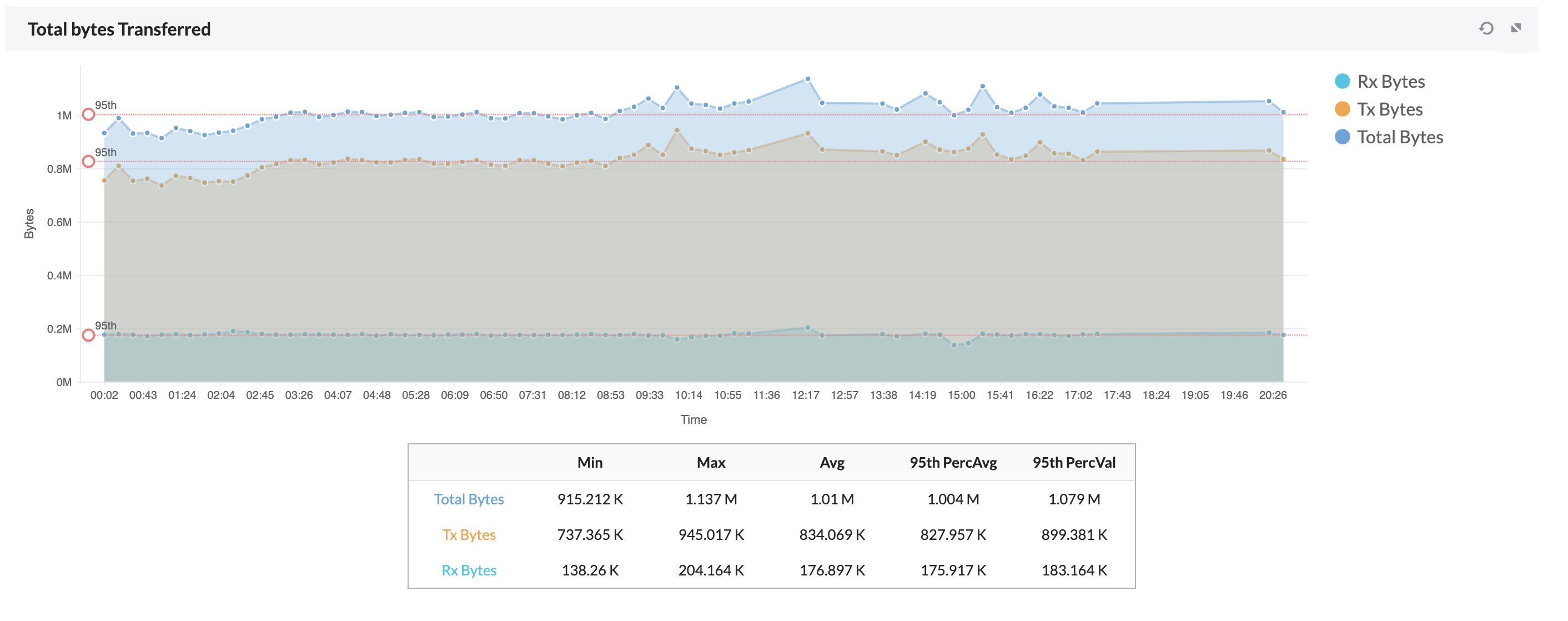
When the Linux application servers in your network are unable to handle incoming requests, the user experience is negatively impacted. This could be due to network congestion, which creates the need for Linux network monitoring. Using OpManager as a Linux network traffic monitor, you can monitor the traffic in the interfaces of Linux servers as well as switches and routers. You can also monitor the response time of the servers, which helps in identifying network lags in Linux server monitoring.
Intelligent Linux network fault management
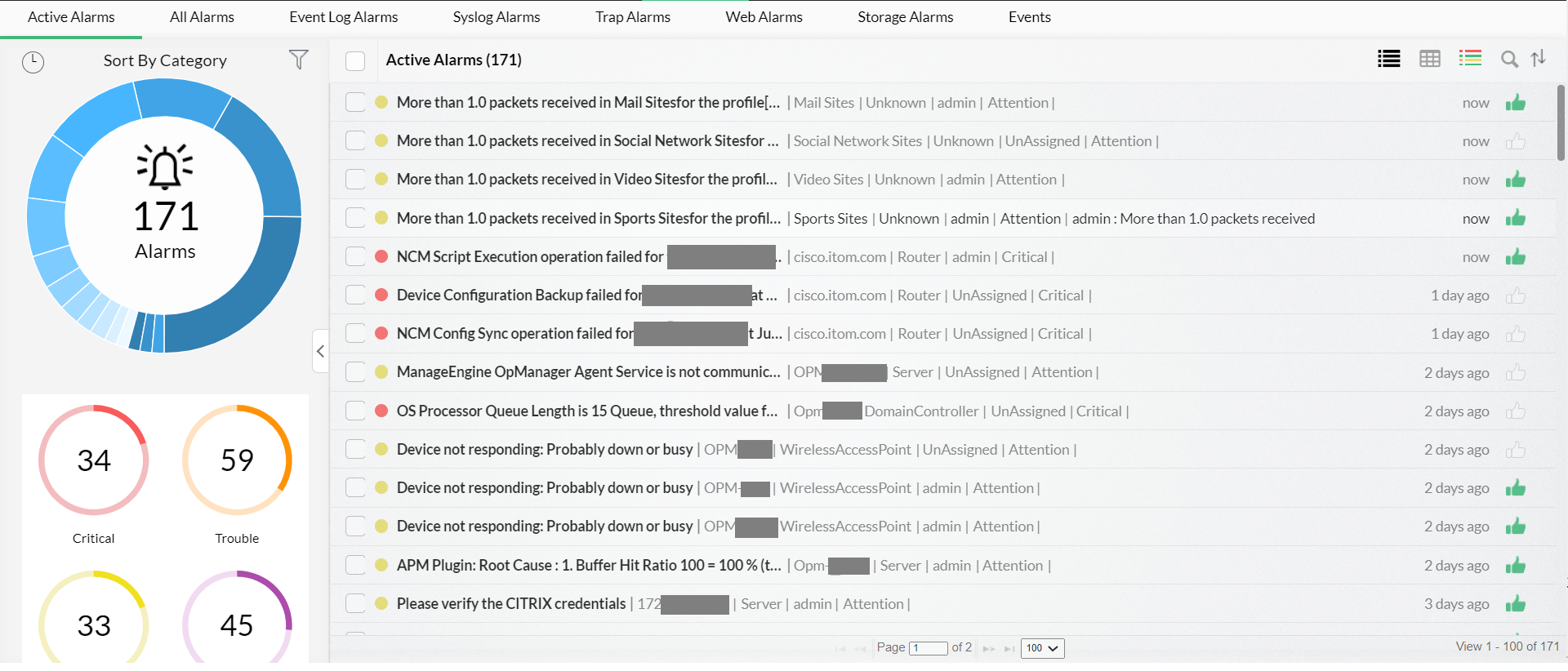
Linux network monitoring tools raise alerts to inform IT admins about network faults, but not all alerts require an IT admin's attention. To help you immediately identify show-stopping alerts so you can quickly act on them, OpManager categorizes network monitoring alerts into Attention, Trouble, Critical, andService Down. This way, you can prioritize alerts and troubleshoot the crucial ones first.
Linux network automation
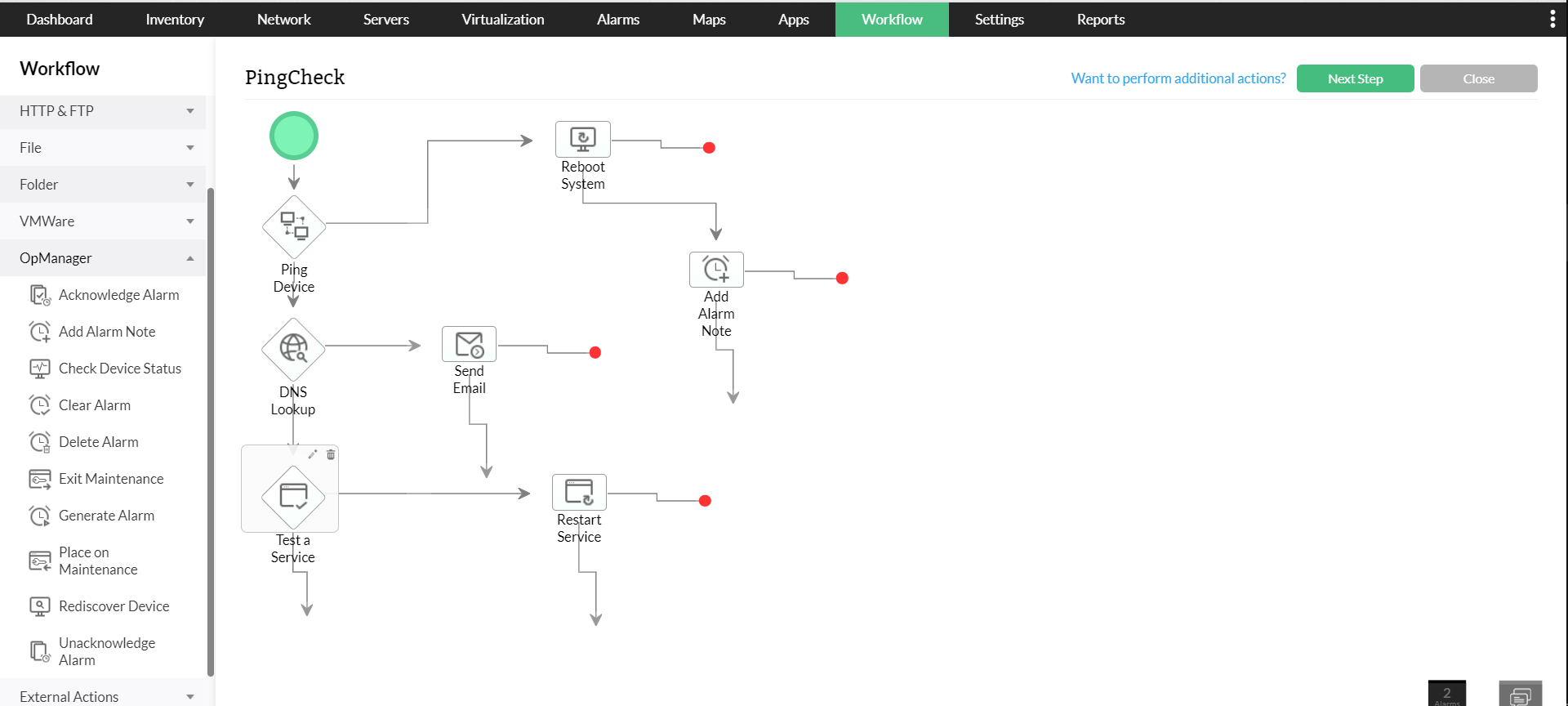
There are certain routine tasks to be executed by an IT admin to maintain a healthy network. These L1 tasks can be exhausting for IT admins. These maintenance tasks can be easily automated using OpManager's workflow automation. OpManager's Workflow feature allows you to select devices, set thresholds, and execute tasks automatically based on pre-defined criteria using a drag-and-drop workflow builder to simplify laborious maintenance tasks.
Advanced reports on Linux network performance
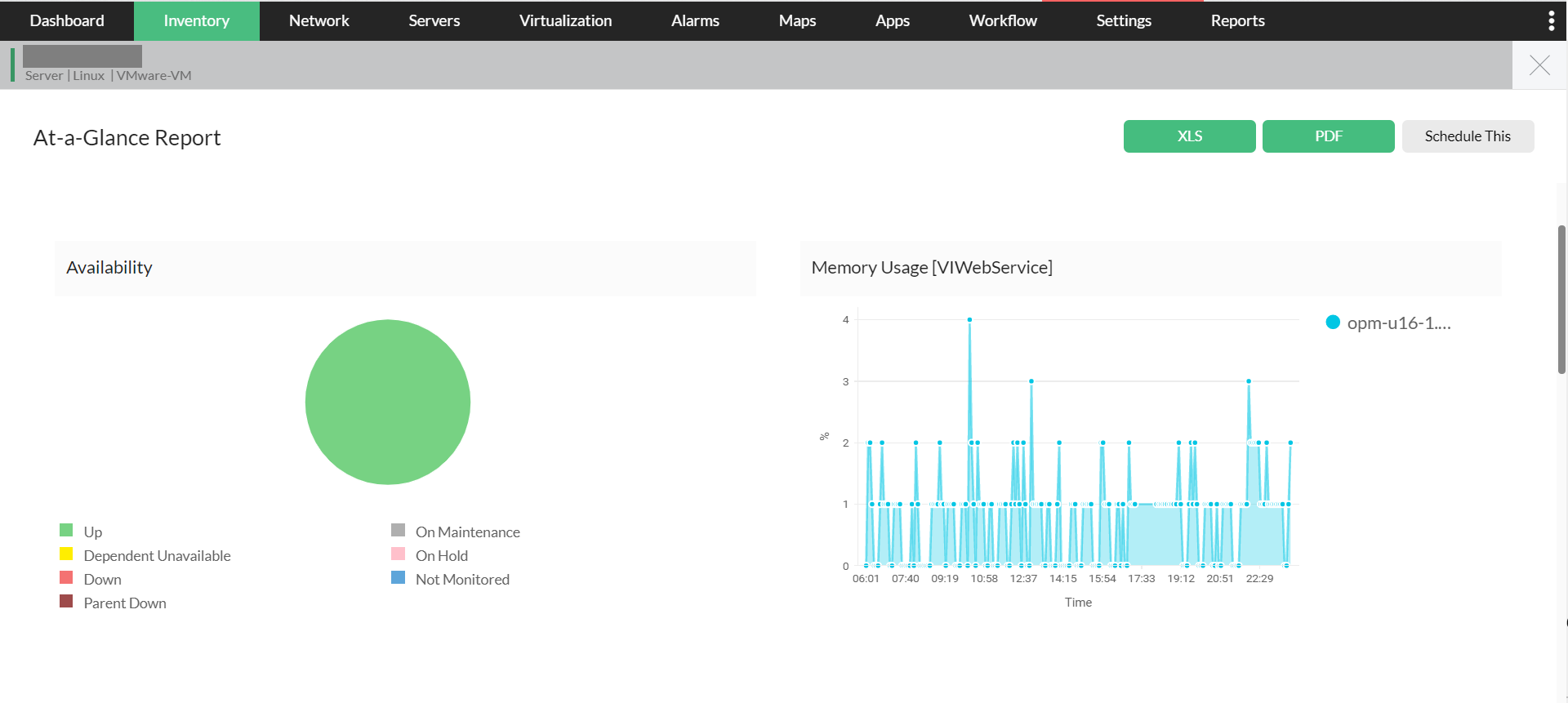
Identifying performance degradation of devices is a crucial aspect of Linux network management. Continuous increase in RAM and CPU usage and increased CPU temperature are some of the key performance indicators that justify why your hardware needs an upgrade. With OpManager, you can generate more than 100 reports on network performance over time, including hardware performance, which helps with planning purchase and upgrade decisions.
Highly scalable Linux tool to monitor network traffic
Unlike most Linux network monitor tools that can't scale to enterprise needs, OpManager can monitor up to 30,000 network devices out of the box. OpManager's Linux network monitoring not only covers your current needs, but also makes your Linux network future-ready for when your business grows.
Handy built-in Linux troubleshooting tools
OpManager's Linux network monitoring software has dozens of built-in tools that aid in faster Linux network troubleshooting. These troubleshooting tools include:
- Ping Tool
- Traceroute
- CLI Tool
- SNMP Tool
- MAC Address Resolver
- DNS Resolver
- DHCP Scope Monitor
- Port Scanner
- And more
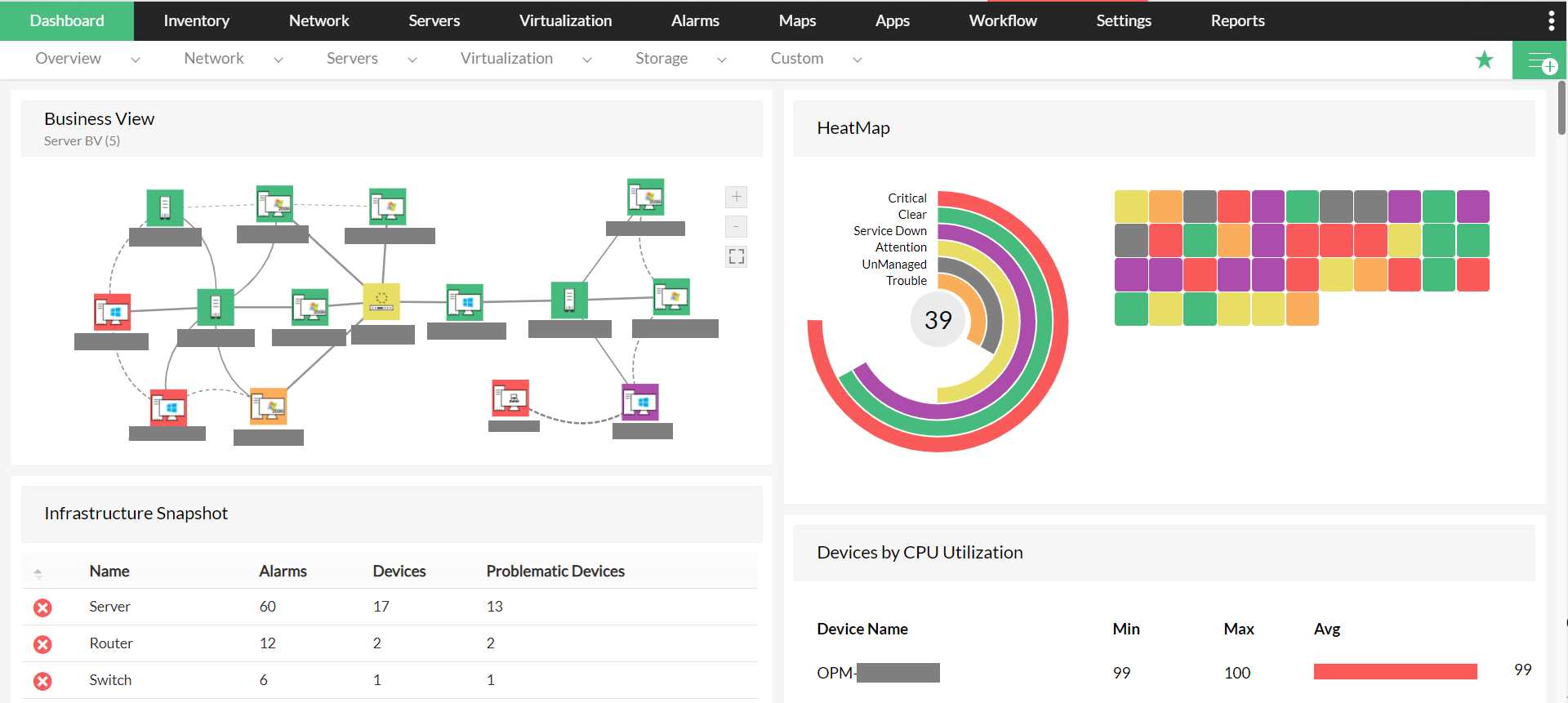
You can also visualize your mission-critical Linux devices and the Linux network traffic in real time with Business Views in OpManager. This helps you instantly identify network faults and troubleshoot them.
OpManager is a comprehensive network monitoring solution, which means OpManager can monitor Windows networks, Linux networks, and hybrid networks — all in a unified console. So download OpManager now, and make the most of your networking environment. Or learn more about OpManager, holistic windows network monitor
FAQs on Linux network monitor
What is Linux traffic monitor?
+Why Linux network monitoring is necessary?
+How to monitor network traffic on Linux?
+Monitor your Linux network seamlessly with OpManager
Download 30-day free trialCustomer reviews

Case Studies - OpManager
Awards & Honors
 Recognized as a May 2019 Gartner Peer Insights Customers' Choice for Network Performance Monitoring and Diagnostics Software
- Recognised as an April 2019 Gartner Peer Insights Customers' Choice for IT Infrastructure Monitoring Tools.
 Network Management and Monitor Vendor of the Year 2018, 2019
 Entered the 2019 Gartner NPMD Magic Quadrant.
 Ranked #2 in the Infotech Research Software Reviews Data Quadrant 2018.