Azure Analytics Services monitoring
Stay on top of your Azure Analytics services
Azure Analytics services help organizations collect, process, analyze, and visualize data to derive valuable insights and support data-driven decision-making. Applications Manager helps system administrators ensure these services perform optimally by monitoring key performance metrics and resource utilization. Applications Manager offers support for the following analytics services:
- Azure Analysis Service
- Azure Application Insight
- Azure Data Explorer Cluster
- Azure Log Analytics Workspace
- Azure Managed Grafana
- Azure Stream Analytics Job
- Azure Synapse Analytics monitoring
Azure Analysis Service monitoring
Azure Analysis Services is an enterprise-grade analytics service that enables organizations to build, host, and manage tabular data models for business intelligence and reporting. It helps transform data from multiple sources into a centralized semantic model, allowing applications and users to perform fast and scalable analytical queries.
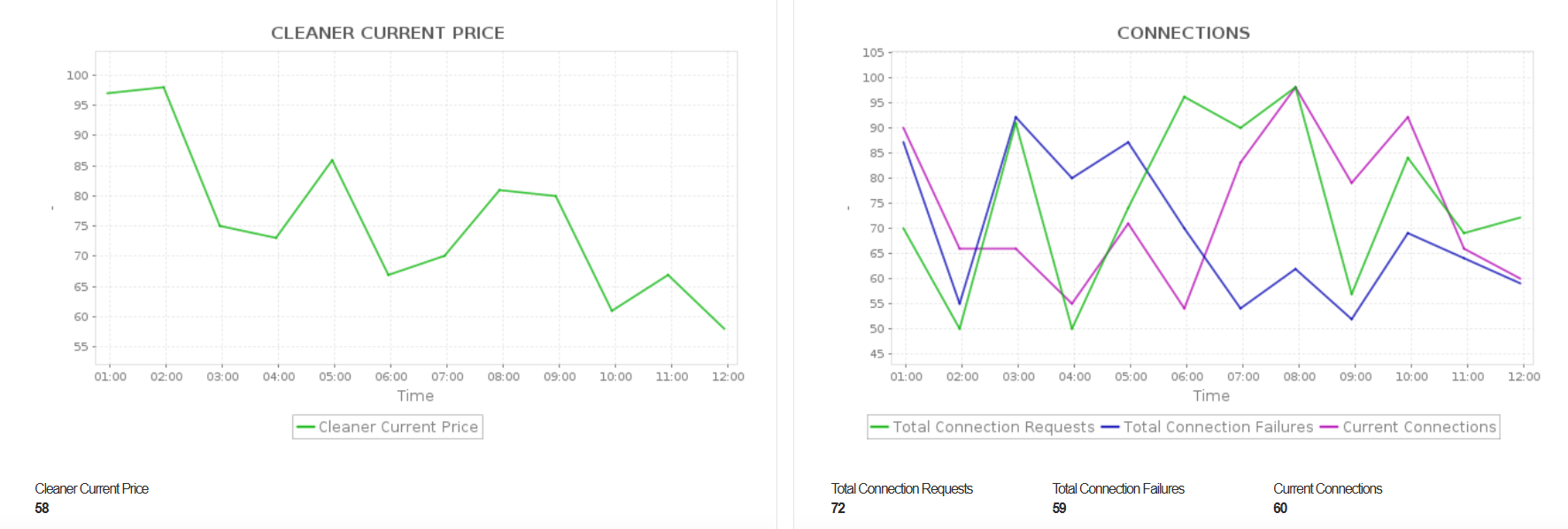
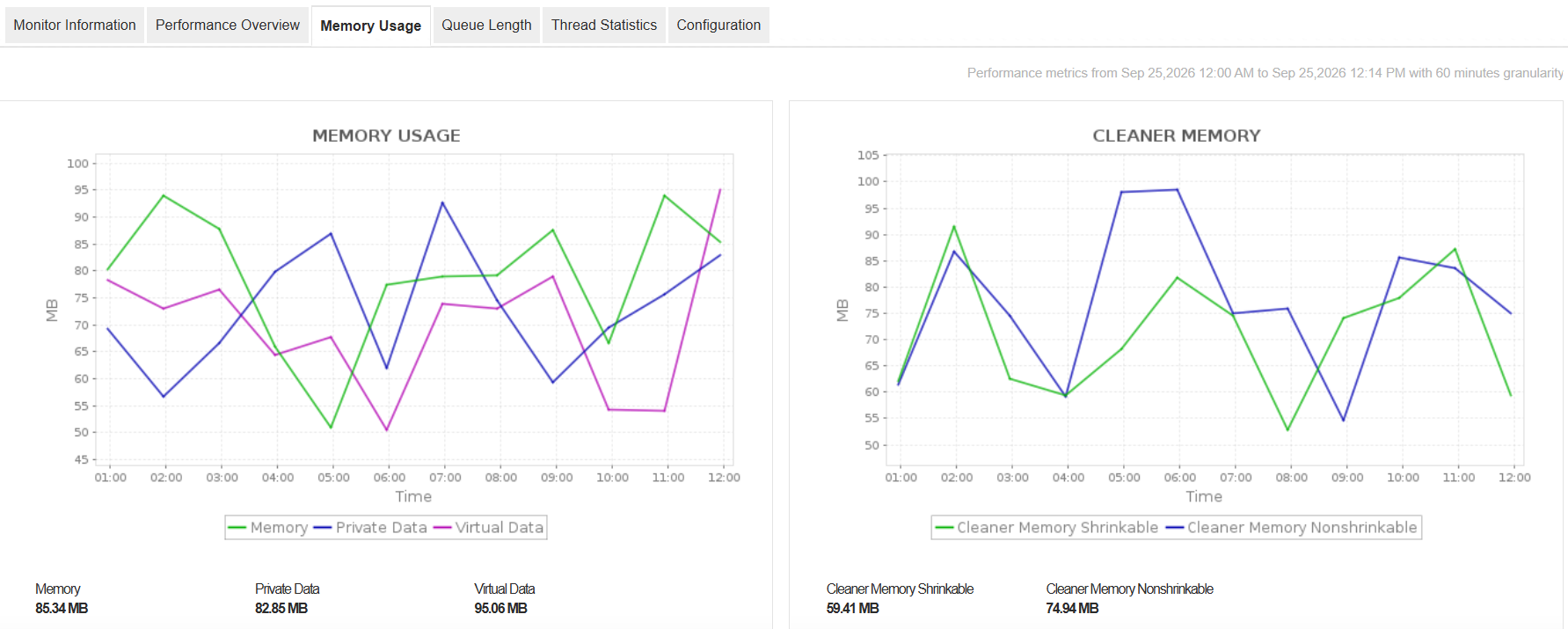
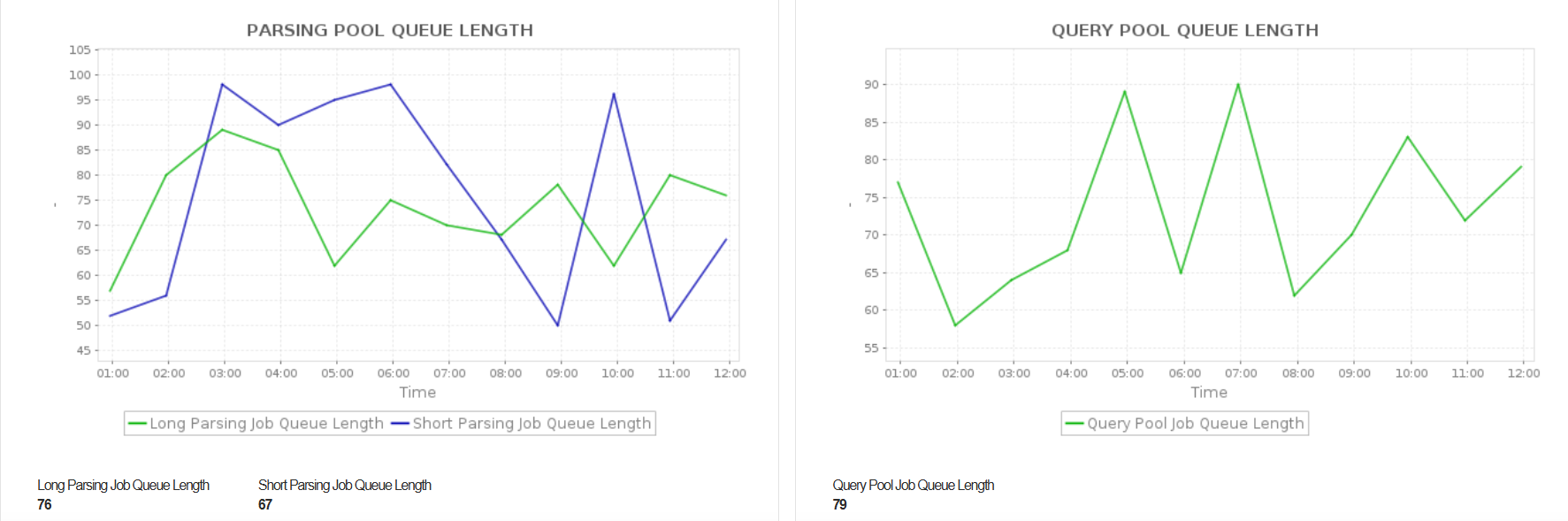
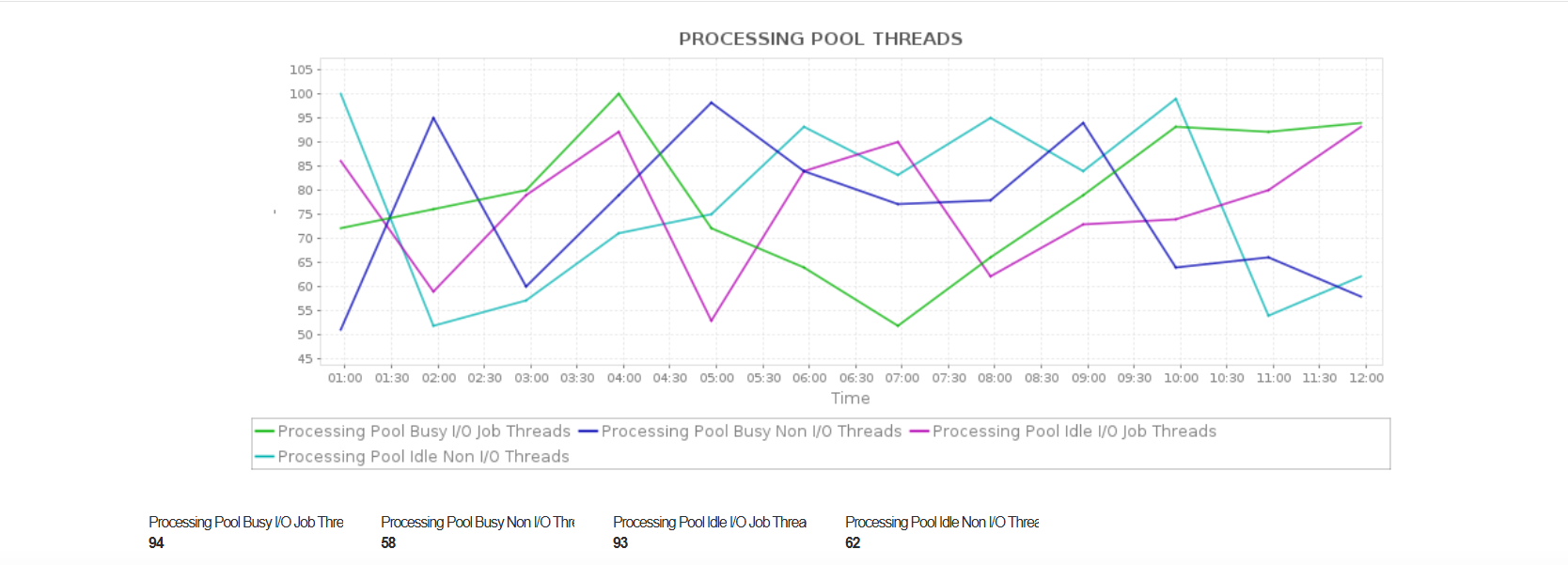
Monitor your Azure Analysis Services instances by tracking key metrics related to memory utilization, query performance, connections, sessions, and processing activities. Keep track of Query Processing Units (QPU), Mashup Engine usage, connection statistics, rows processed, memory limits, job queue lengths, and thread pool utilization to identify performance bottlenecks, resource constraints, and query processing issues.
Azure Application Insight monitoring
Azure Application Insight is an application performance monitoring service that helps you monitor application availability, performance, and user experience. It collects telemetry from applications to track requests, dependencies, exceptions, page views, and other application activity, helping you identify performance issues and application failures.
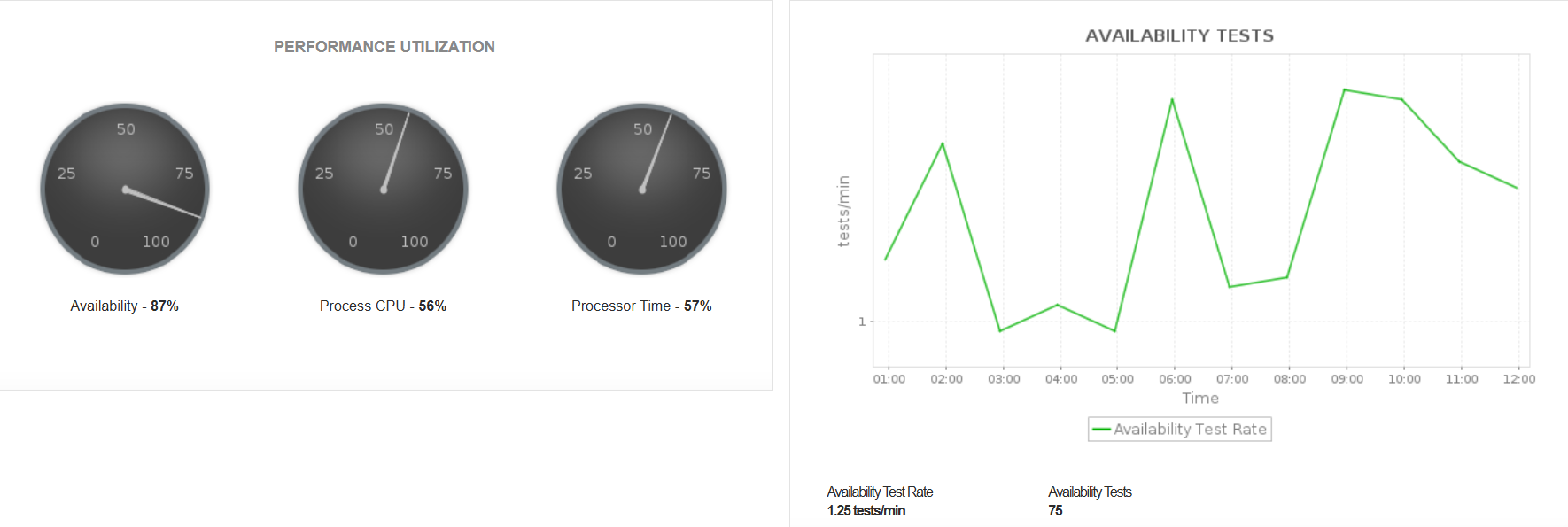
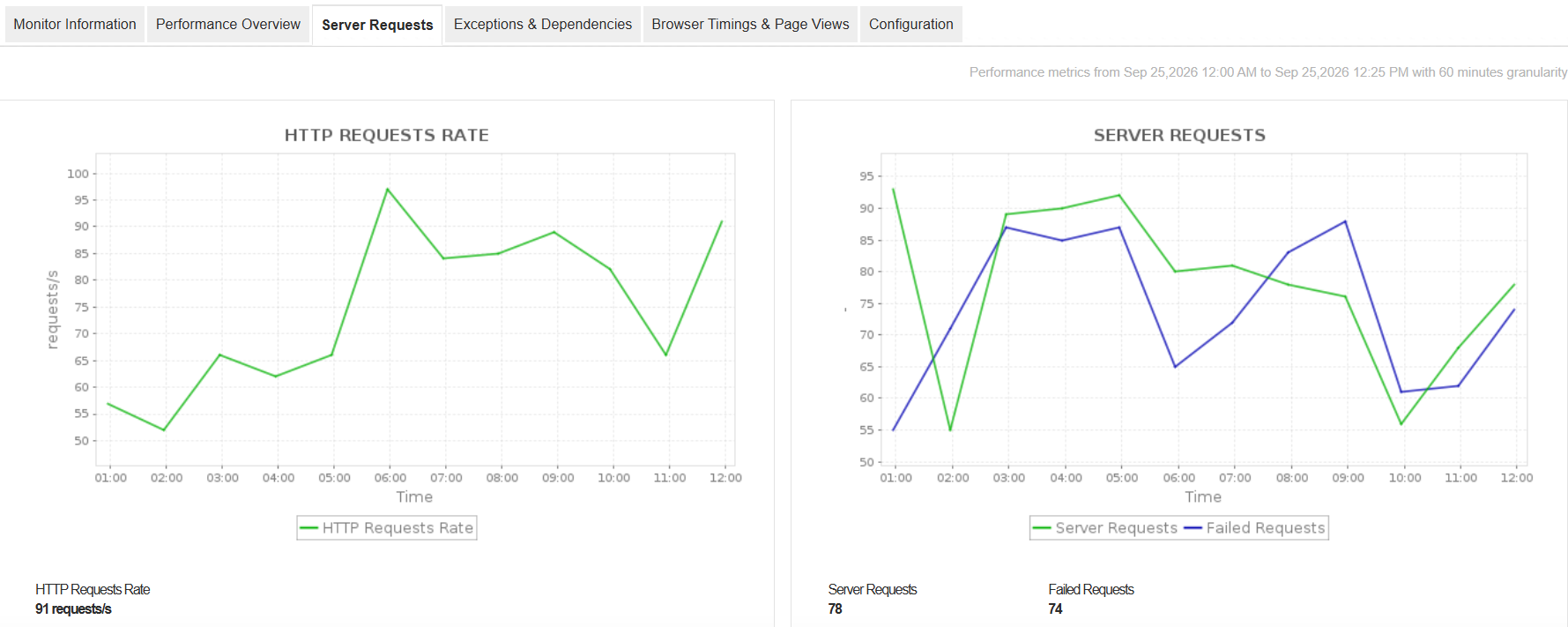
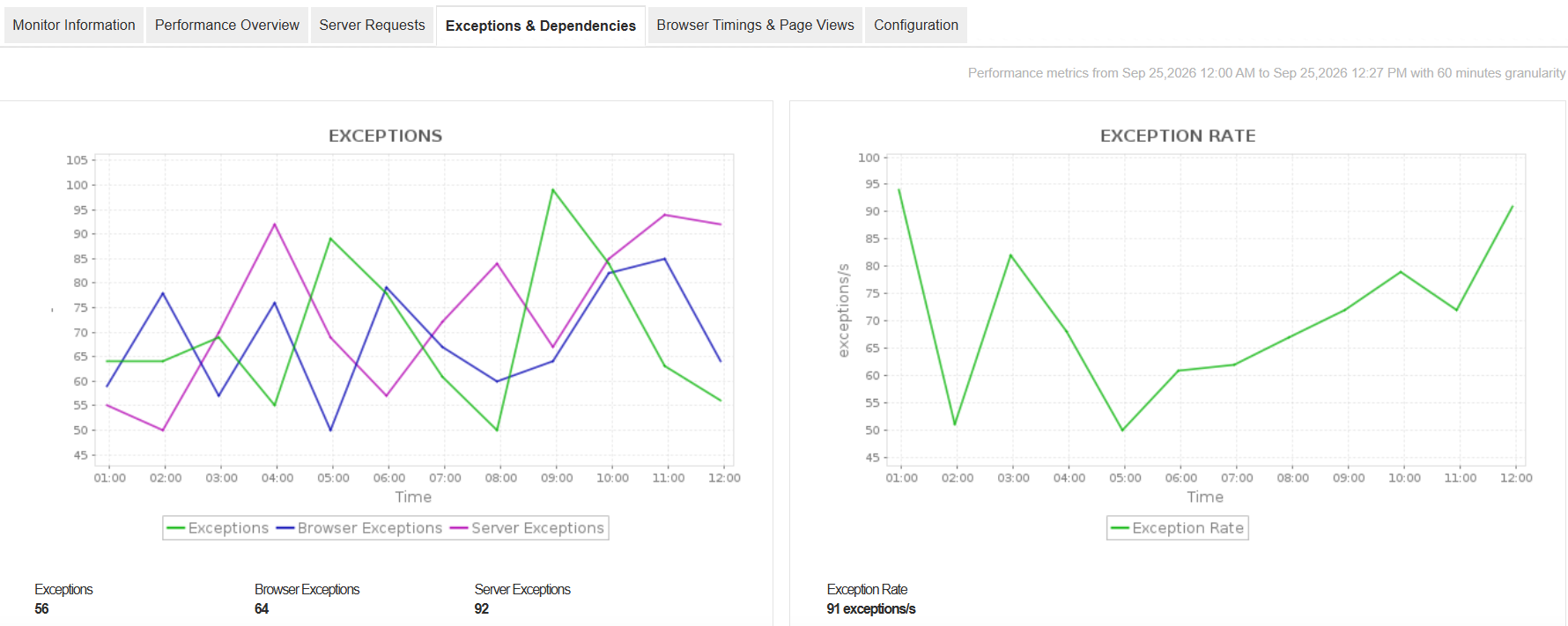
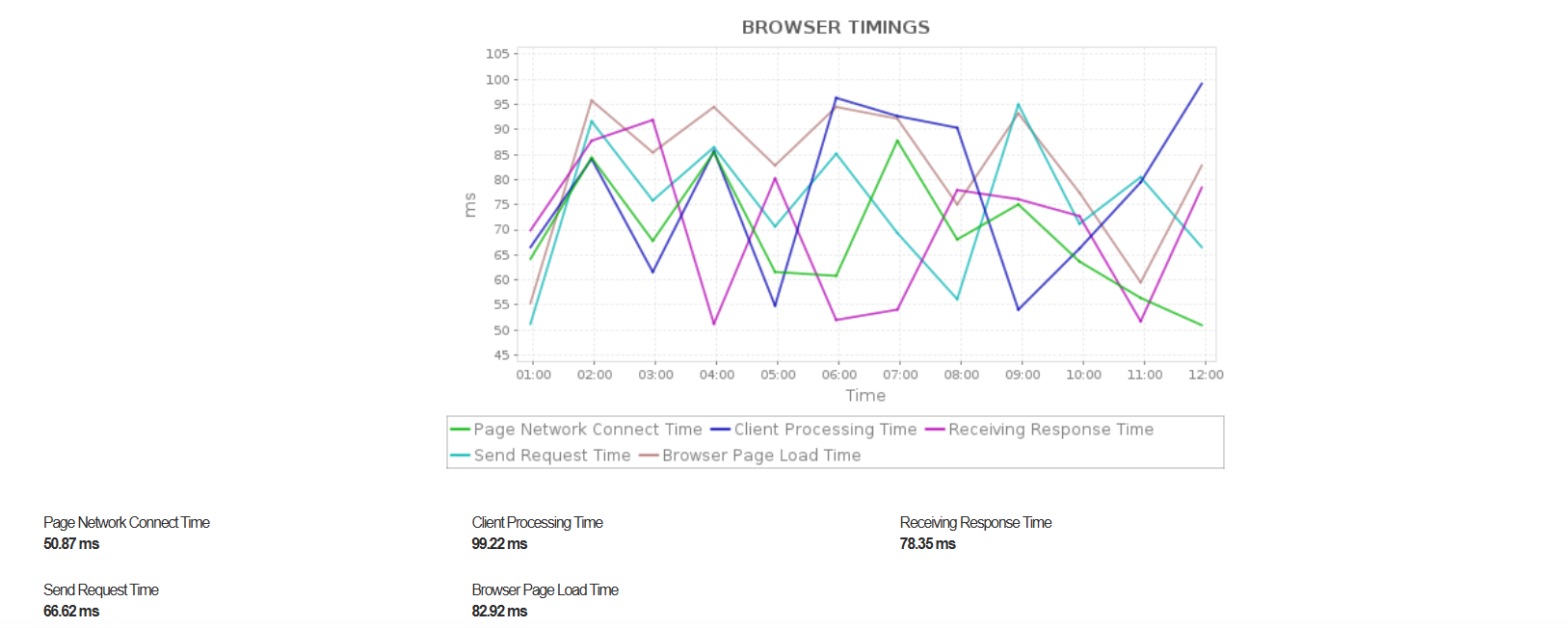
Monitor your Azure Application Insights resources with metrics covering availability, server requests, exceptions, dependencies, and page views. Track availability tests, CPU and memory usage, HTTP request rates and response times, failed requests, dependency calls and failures, exceptions, page views, and page load performance to monitor application health and user experience.
Azure Data Explorer Cluster monitoring
Azure Data Explorer Cluster is a fast and scalable analytics service designed to ingest, store, and analyze large volumes of data in real time. It enables organizations to explore data using high-performance queries and supports continuous data ingestion and export for analytics workloads.
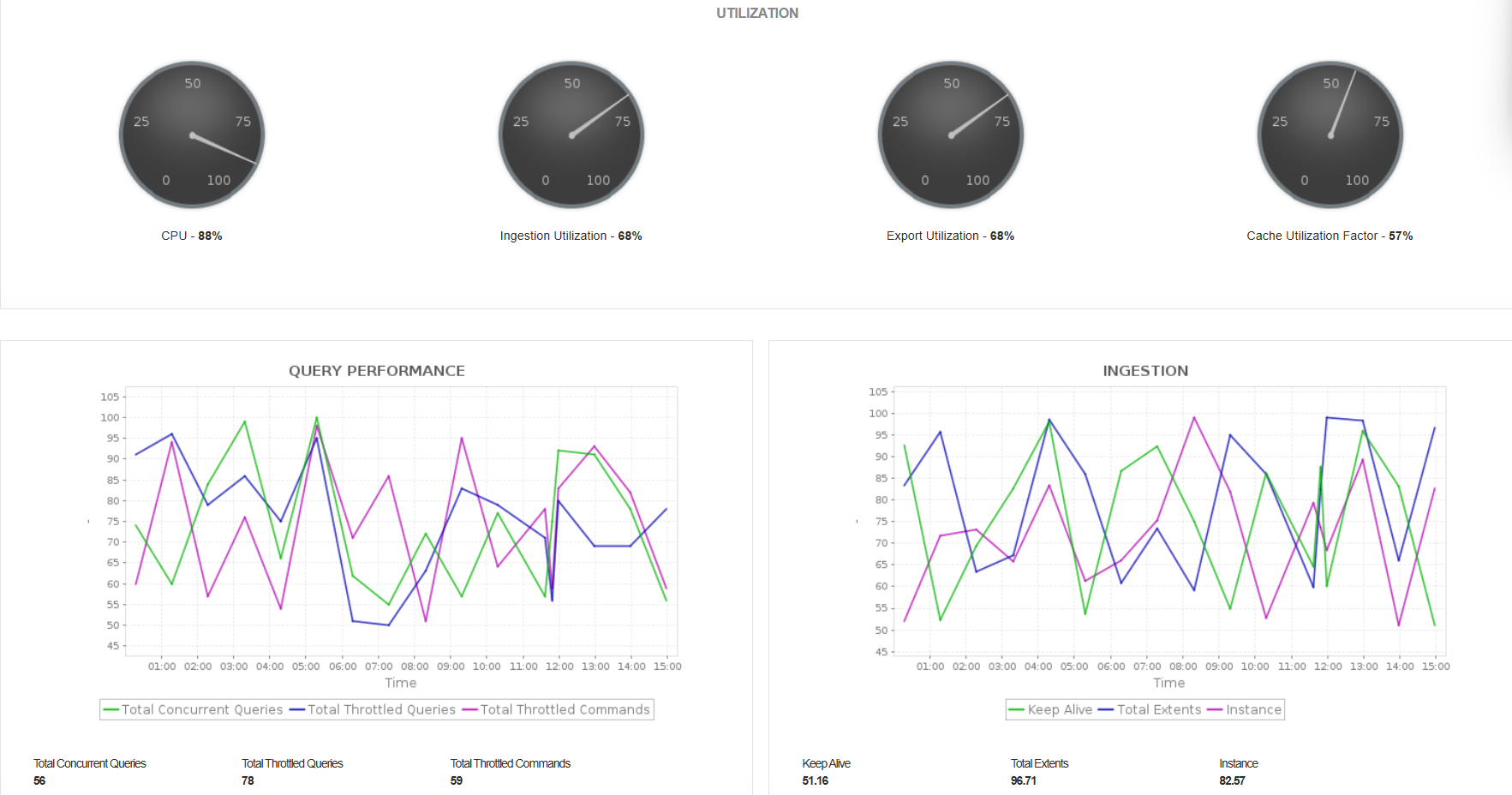
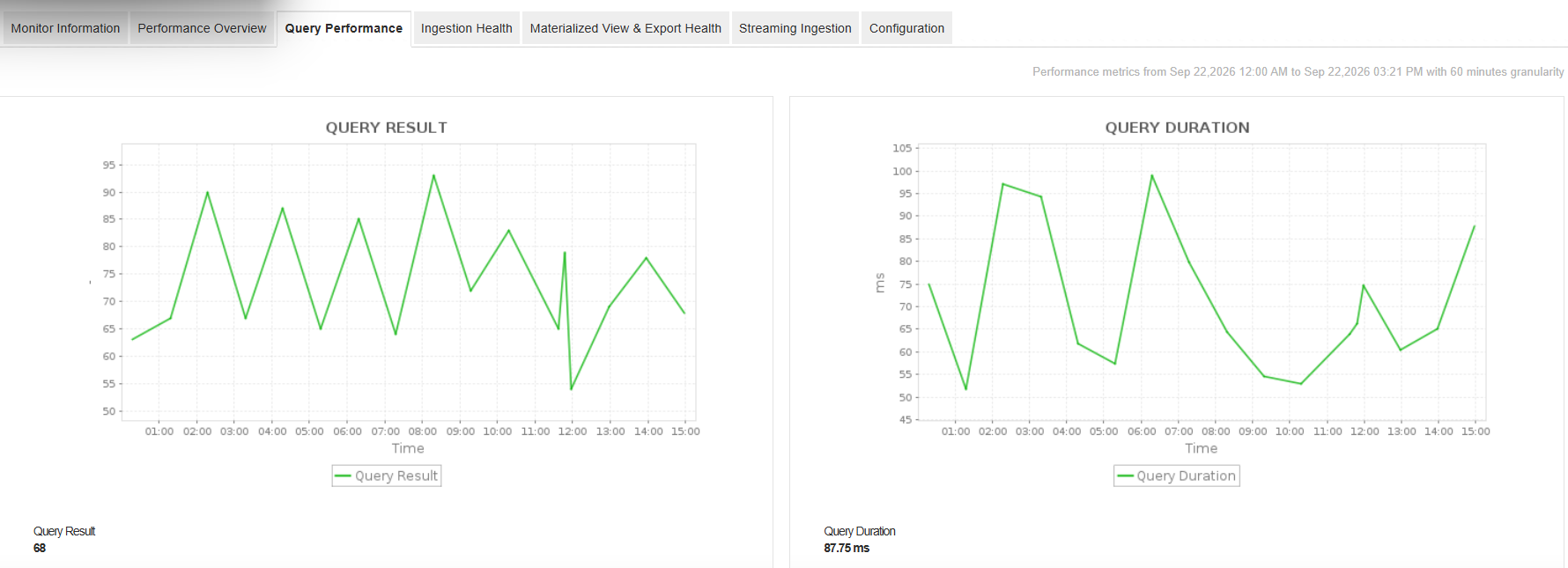
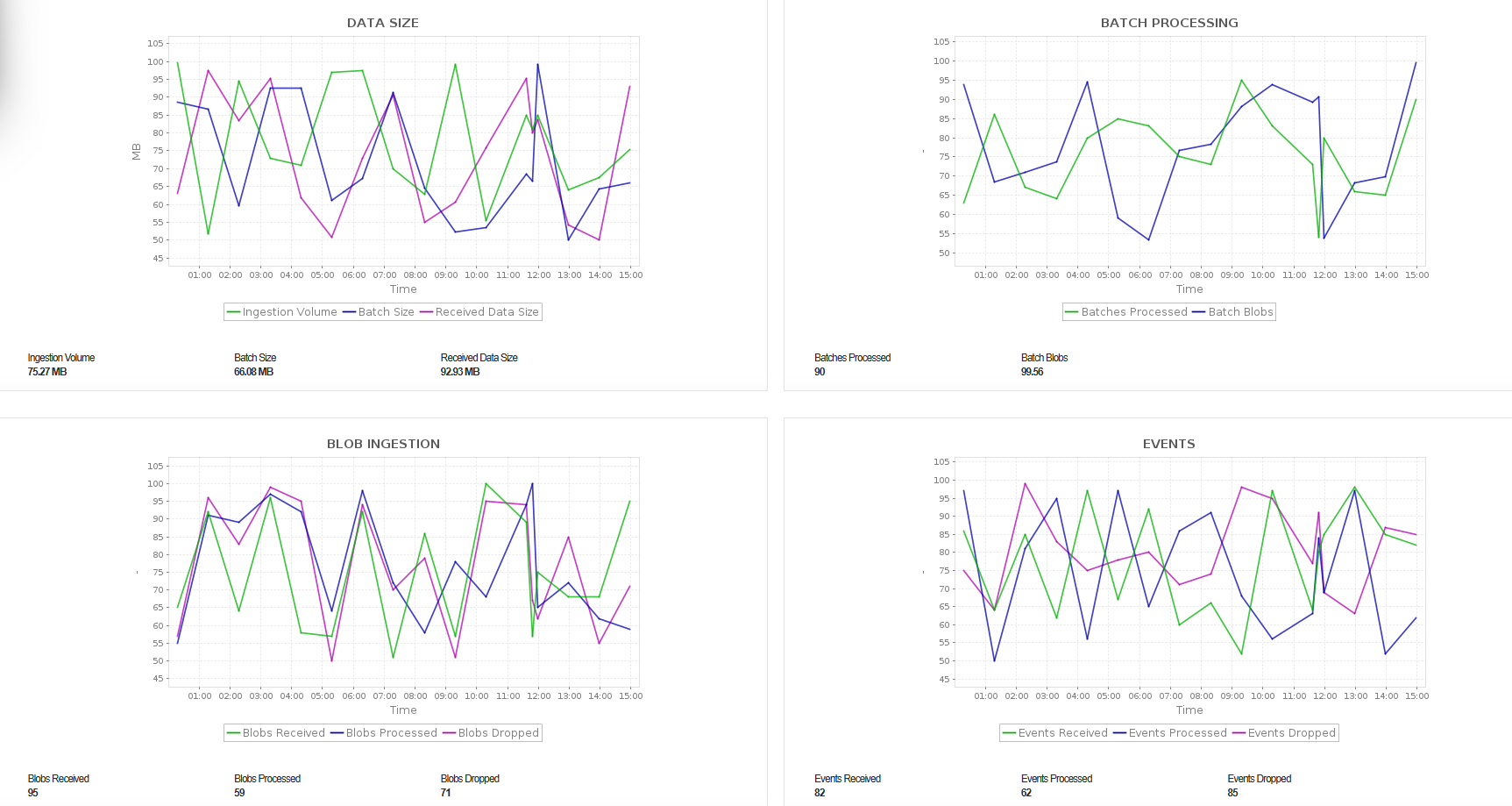
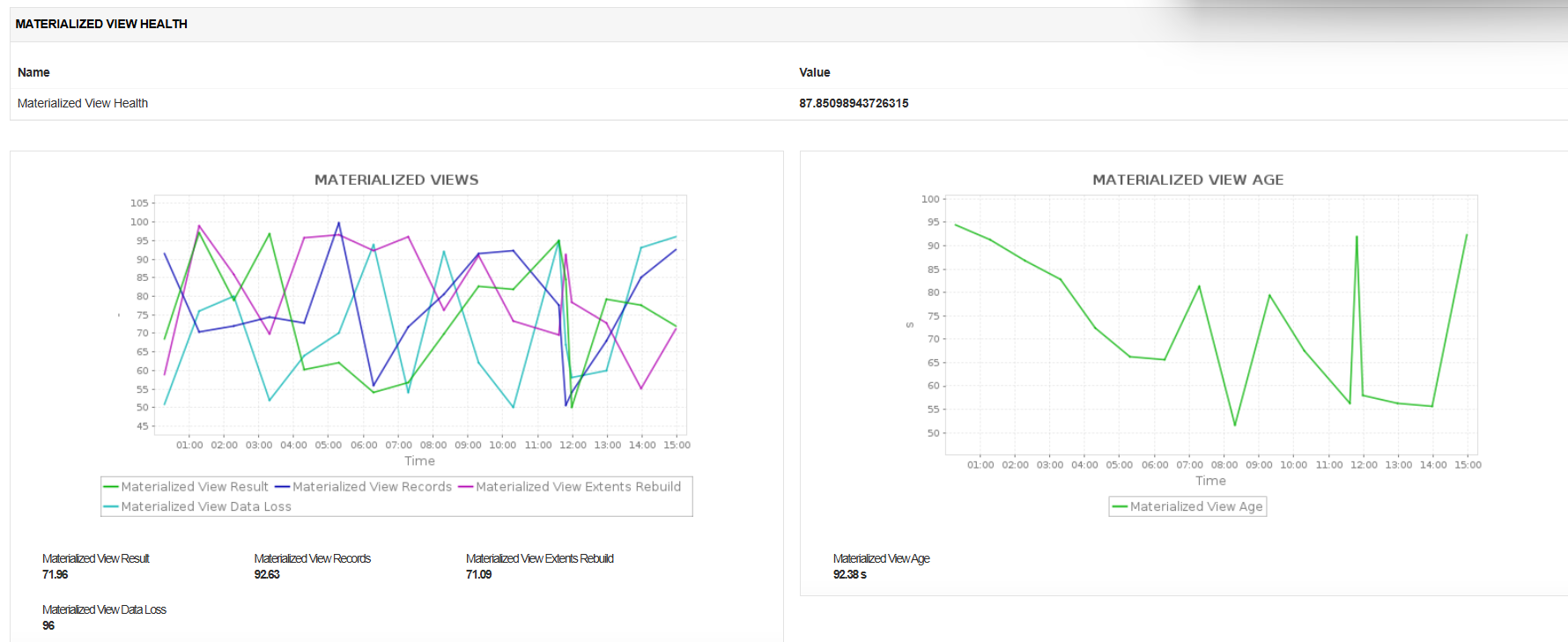
Monitor your Azure Data Explorer Clusters by tracking CPU, ingestion and export utilization, cache utilization, query activity, and ingestion performance. Monitor concurrent and throttled queries, query duration, ingestion latency and volume, queue activity, continuous export, streaming ingestion, and materialized view health to identify resource constraints, processing delays, and data ingestion or query performance issues.
Azure Log Analytics Workspace monitoring
Azure Log Analytics Workspace provides a centralized environment for collecting, storing, and querying telemetry and log data from applications, infrastructure, and Azure resources. It lets you analyze operational data and troubleshoot issues with queries across the collected logs.
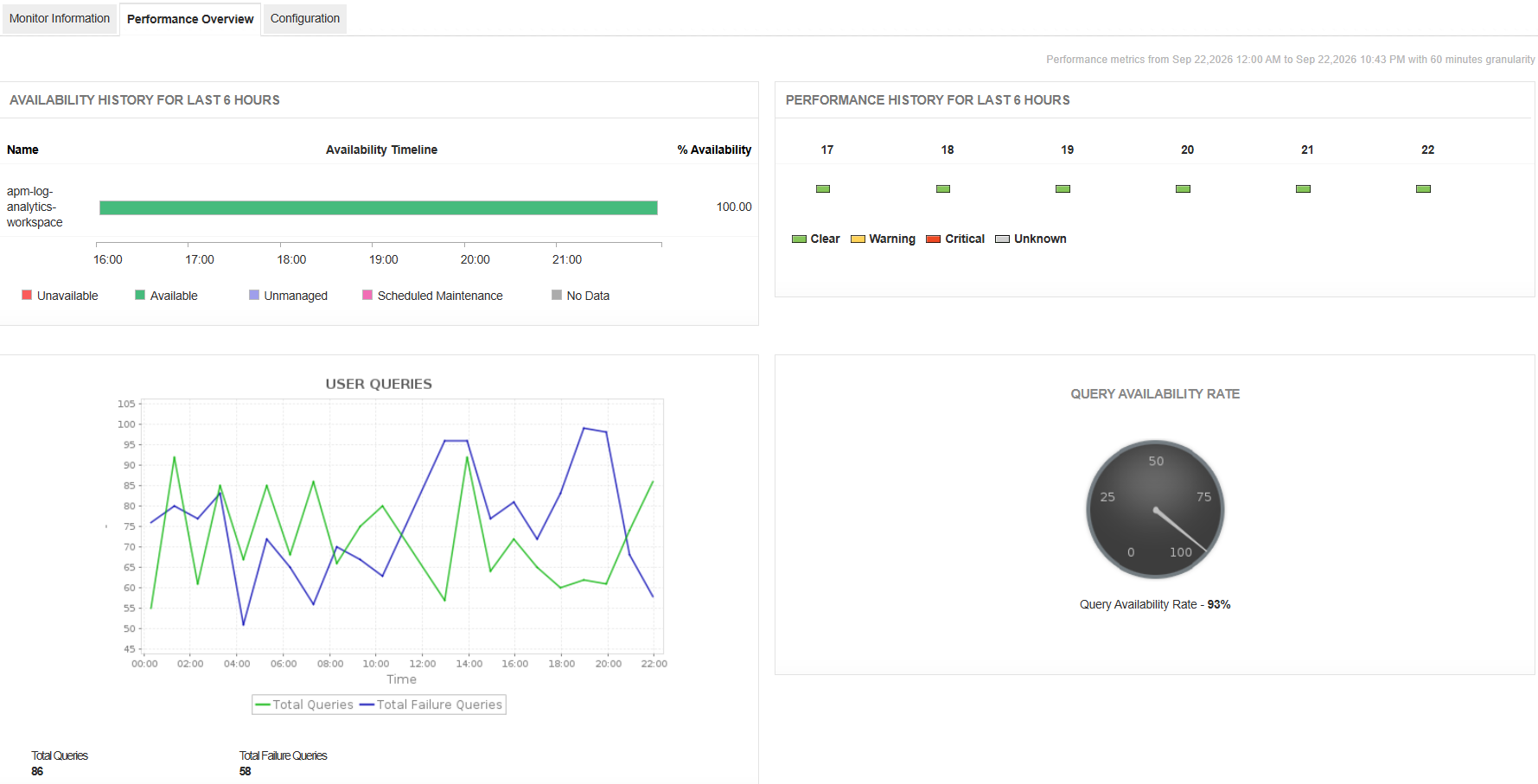
Applications Manager monitors query availability and query activity to help track the reliability of log analysis. It also monitors data ingestion volume and time, along with data export activity, failed exports, and records exported, providing visibility into how data is being collected and transferred from the workspace.
Azure Managed Grafana monitoring
Azure Managed Grafana is a managed visualization service that enables you to create interactive dashboards and visualize data from multiple sources. It simplifies dashboard management while providing a centralized view of your monitoring data.
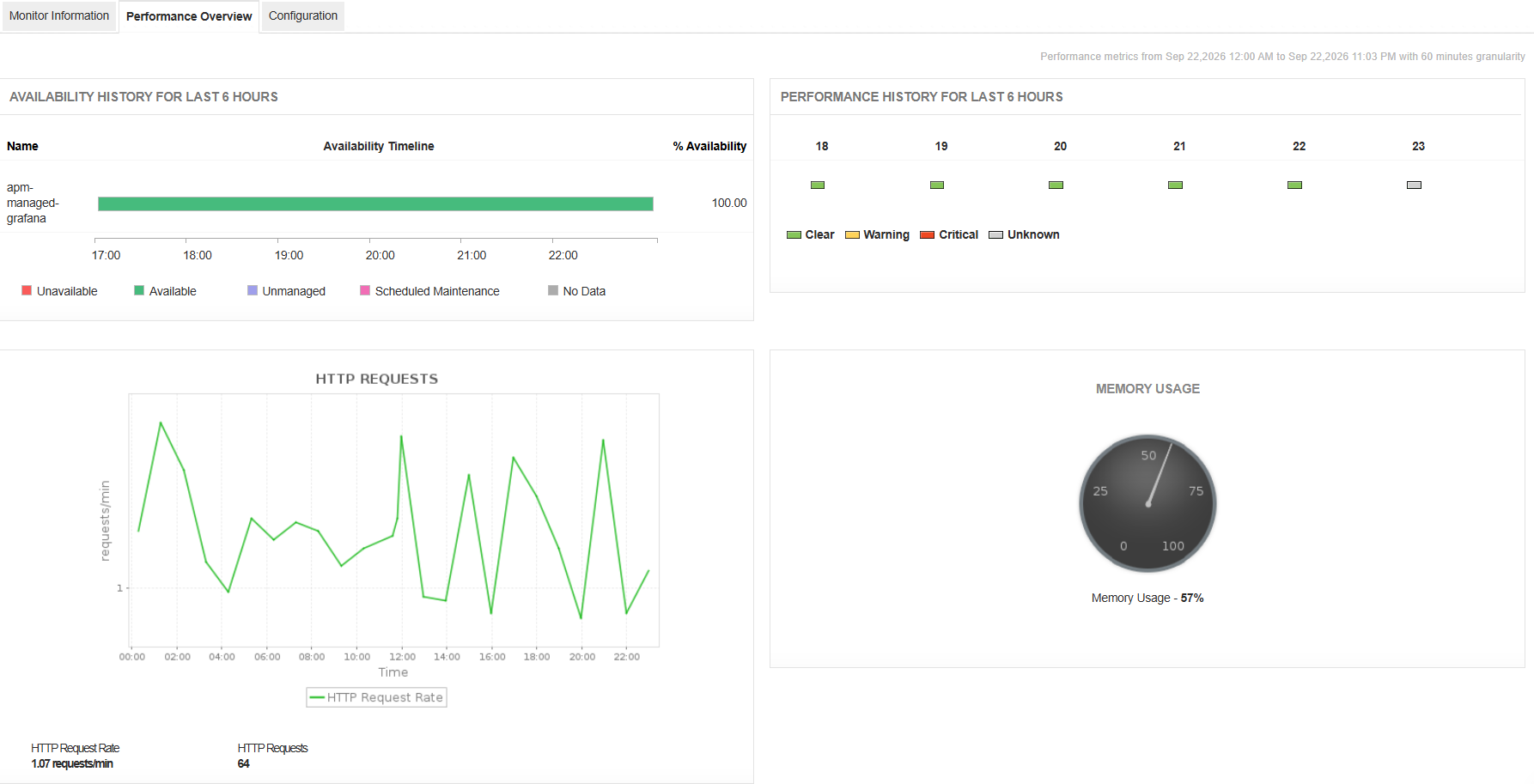
Applications Manager monitors HTTP request activity and memory usage, helping you track dashboard access and resource consumption. This can help you identify unusual request activity and potential resource constraints before they affect dashboard availability or responsiveness.
Azure Stream Analytics Job monitoring
Azure Stream Analytics Job is a real-time analytics service that processes and analyzes streaming data from sources such as IoT devices, applications, and other data streams. It enables you to transform and analyze incoming events and deliver processed data to downstream services in near real time.
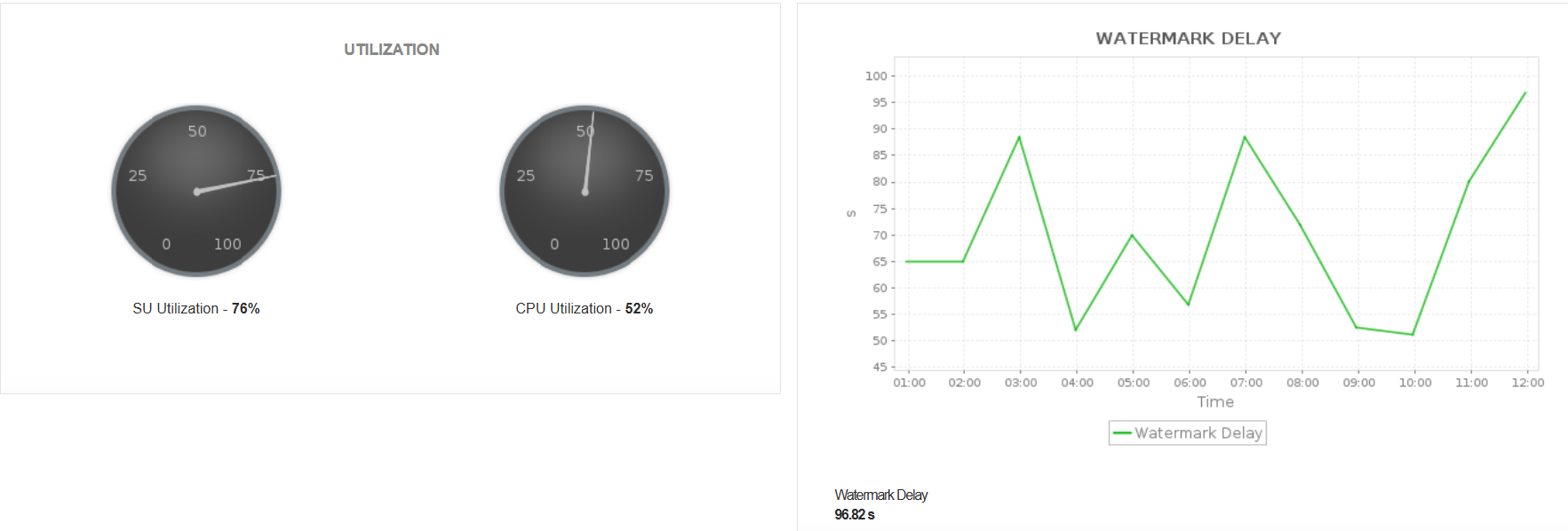
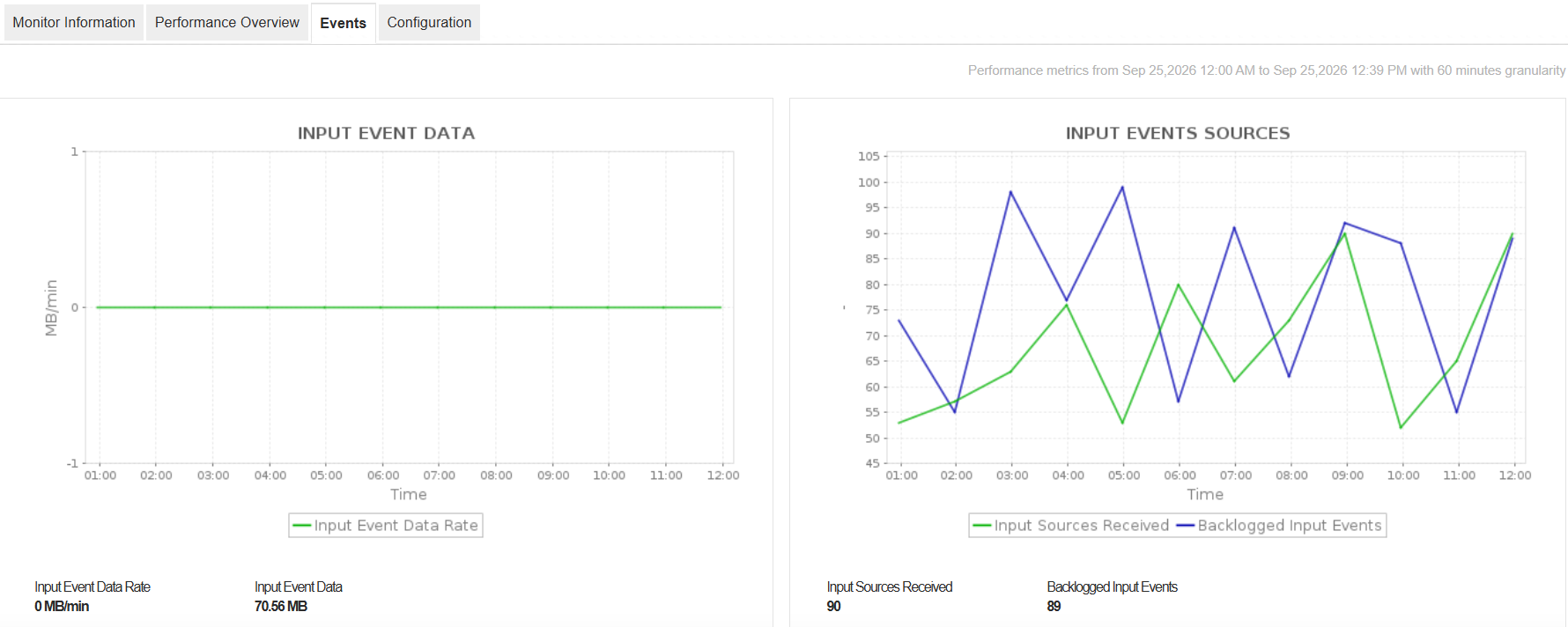
Applications Manager monitors Streaming Units (SUs), the compute resources allocated to a Stream Analytics job, along with CPU utilization and watermark delay to track resource usage and processing performance. It also monitors input and output events, function activity, runtime and data conversion errors, and backlogged or out-of-order events, helping identify processing delays, resource constraints, and issues with incoming data.
Get started with Azure Analytics services monitoring in minutes!
Unlock the full potential of Azure Analytics services with Applications Manager. Set up seamlessly and explore comprehensive Azure monitoring capabilities by downloading a 30-day, free trial today!
Supported Azure monitoring services
Applications Manager also offers monitoring for the following Microsoft Azure services:
- Azure Network Management and Delivery monitoring
- Azure VM monitoring
- Azure Service Bus monitoring
- Azure Storage monitoring
- Azure SQL database monitoring
- Azure Kubernetes monitoring
- Azure SQL managed instance monitoring
- Azure Load Balancer monitoring
- Azure App Service monitoring
- Azure Functions monitoring
- Azure Premium Storage monitoring
- Azure Cache for Redis monitoring
- Azure Synapse Analytics monitoring
- Azure Virtual Machine Scale Sets monitoring
- Azure Virtual Networks monitoring