Azure Integration Services monitoring
Ensure optimal performance of your Azure Integration services
Azure Integration services facilitate seamless integration of diverse applications, data sources, and services, allowing you to connect, transform, and coordinate data and workflows with ease. Applications Manager helps system administrators ensure optimal performance of these services by tracking KPIs that matter. Applications Manager offers support for the following integration services:
- Azure API Management Service
- Azure App Configuration
- Azure Automation Account
- Azure Data Factory
- Azure Event Grid Topic
- Azure Event Grid System Topic
- Azure Event Hub Cluster
- Azure Event Hub Namespace
- Azure IoT Hub
- Azure Logic Apps (Consumption)
- Azure Logic Apps (Standard)
- Azure Maps Account
- Azure Notification Hub
- Azure Relay
- Azure ServiceBus
- Azure SignalR
- Azure Web PubSub Service
Azure API Management Service monitoring
Azure API Management enables secure and scalable API publishing and management through a centralized API gateway with built-in security policies and analytics. Applications Manager helps you monitor the health and performance of your Azure API Management instances by tracking request throughput, gateway and backend request duration, capacity utilization, gateway resource utilization, Event Hub event publishing, network connectivity, and WebSocket activity. Gain insights into API traffic patterns, identify performance bottlenecks, and ensure reliable API delivery to your applications and consumers.


Azure App Configuration monitoring
Azure App Configuration provides a centralized service for managing application settings and feature flags, enabling dynamic configuration updates without redeploying applications. Applications Manager helps you monitor the health and performance of your Azure App Configuration stores by tracking incoming and throttled HTTP requests, request duration, storage utilization, request quota usage, snapshot storage, and geo-replication latency. Gain visibility into service usage, identify performance bottlenecks, and ensure your configuration stores operate reliably across distributed applications.

Azure Automation Account monitoring
Azure Automation Account enables process automation and configuration management across your Azure infrastructure and on-premises resources. It simplifies complex operational tasks through runbooks and desired state configuration. Applications Manager helps you monitor the operational health of your Automation Accounts by tracking automation job activity, update deployment runs, and Hybrid Worker connectivity. Gain visibility into automation workloads and ensure your automation infrastructure operates reliably across your environment.

Azure Data Factory monitoring
Enhance the performance and reliability of your Azure Data Factory using comprehensive monitoring in Applications Manager. Get end-to-end visibility into pipeline, trigger, and activity executions by tracking succeeded, failed, cancelled, and elapsed runs, enabling you to quickly identify failures and performance bottlenecks. Gain deeper insights through detailed run statistics such as success rates, execution status, start and end times, and total duration, helping you ensure that pipelines and triggers are executing as expected.
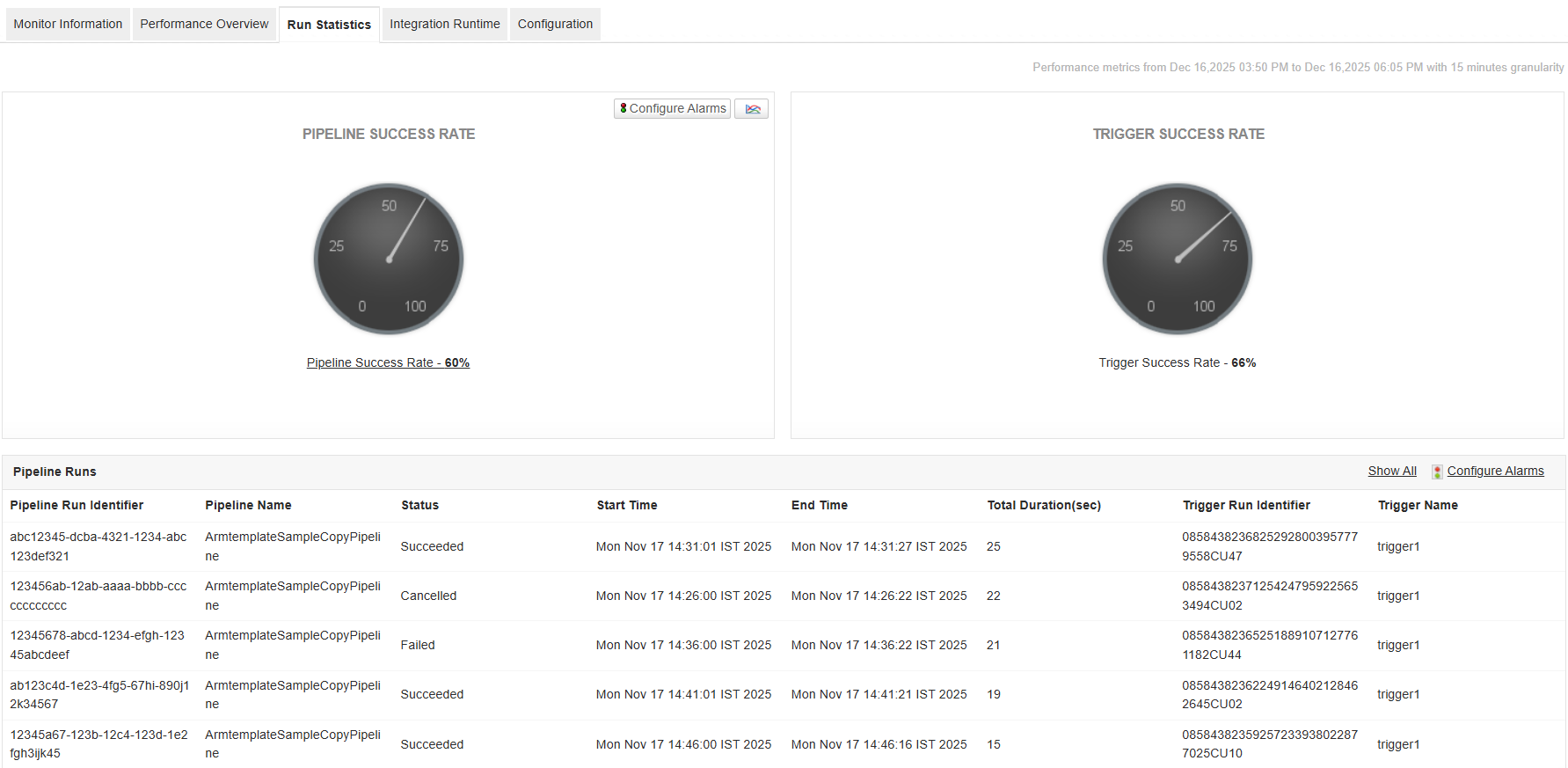
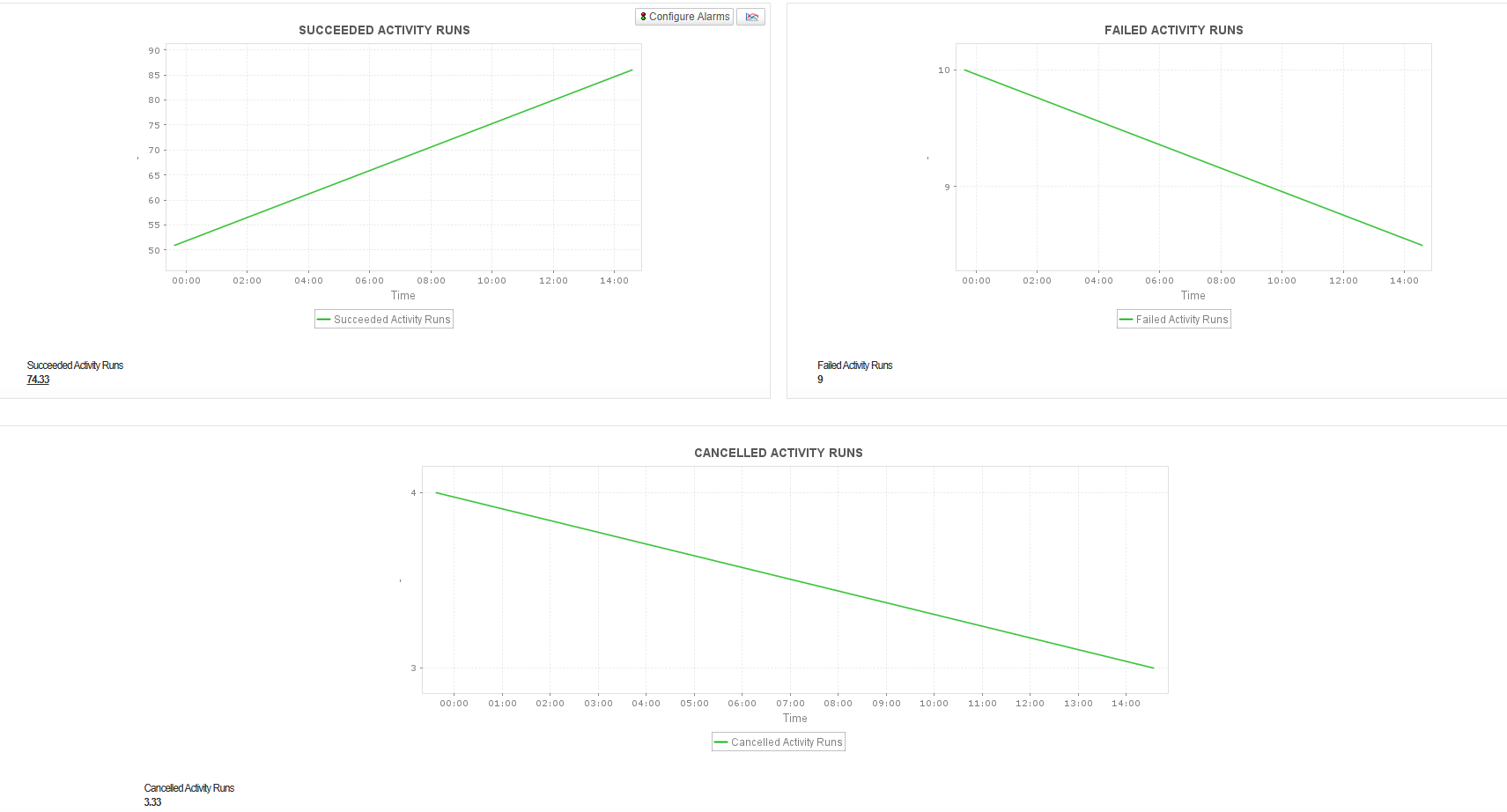
In addition, keep a close watch on Integration Runtime health by monitoring CPU utilization, available memory, available nodes, queue length, and queue duration. These metrics help ensure that data integration activities are processed efficiently without delays. Receive timely alerts on abnormal trends to proactively troubleshoot issues, ensure smooth data orchestration, and maintain reliable data movement across your Azure data ecosystem.
Azure Event Grid Topic monitoring
Azure Event Grid Topic is an event routing service that enables applications and Azure services to publish and distribute events in real time, supporting scalable event-driven architectures. Applications Manager helps you monitor Azure Event Grid Topics by tracking event publishing, event delivery, publish latency, destination processing duration, and event processing metrics. Gain visibility into event flow, identify delivery issues, and ensure reliable event-driven operations across your Azure environment.

Azure Event Grid System Topic monitoring
Azure Event Grid System Topic automatically publishes events from Azure services to event handlers, enabling seamless event-driven integration without requiring custom topic management. Applications Manager helps you monitor Azure Event Grid System Topics by tracking event publishing, event delivery, server delivery success rate, publish latency, destination processing duration, and event processing metrics. Gain visibility into event flow, identify delivery and processing issues, and ensure reliable event-driven operations across your Azure environment.


Azure Event Hub Cluster monitoring
Optimize the performance of your Azure Hub clusters and ensure effective communication and data transfer between your applications, services, and devices.
Become aware of throttling in your cluster by monitoring the size of your Azure Event Hub Cluster. Keep an eye on Available Memory to ensure that the cluster has sufficient memory to support its operations. Get notified of abnormal values to avoid insufficient memory/out of memory errors. Get detailed insights about the requests in the cluster to prevent exceeding usage quotas. You can also monitor connection metrics to ensure there are no connection leaks and ensure reliability for clients connecting to the cluster.

Azure Event Hub Namespace monitoring
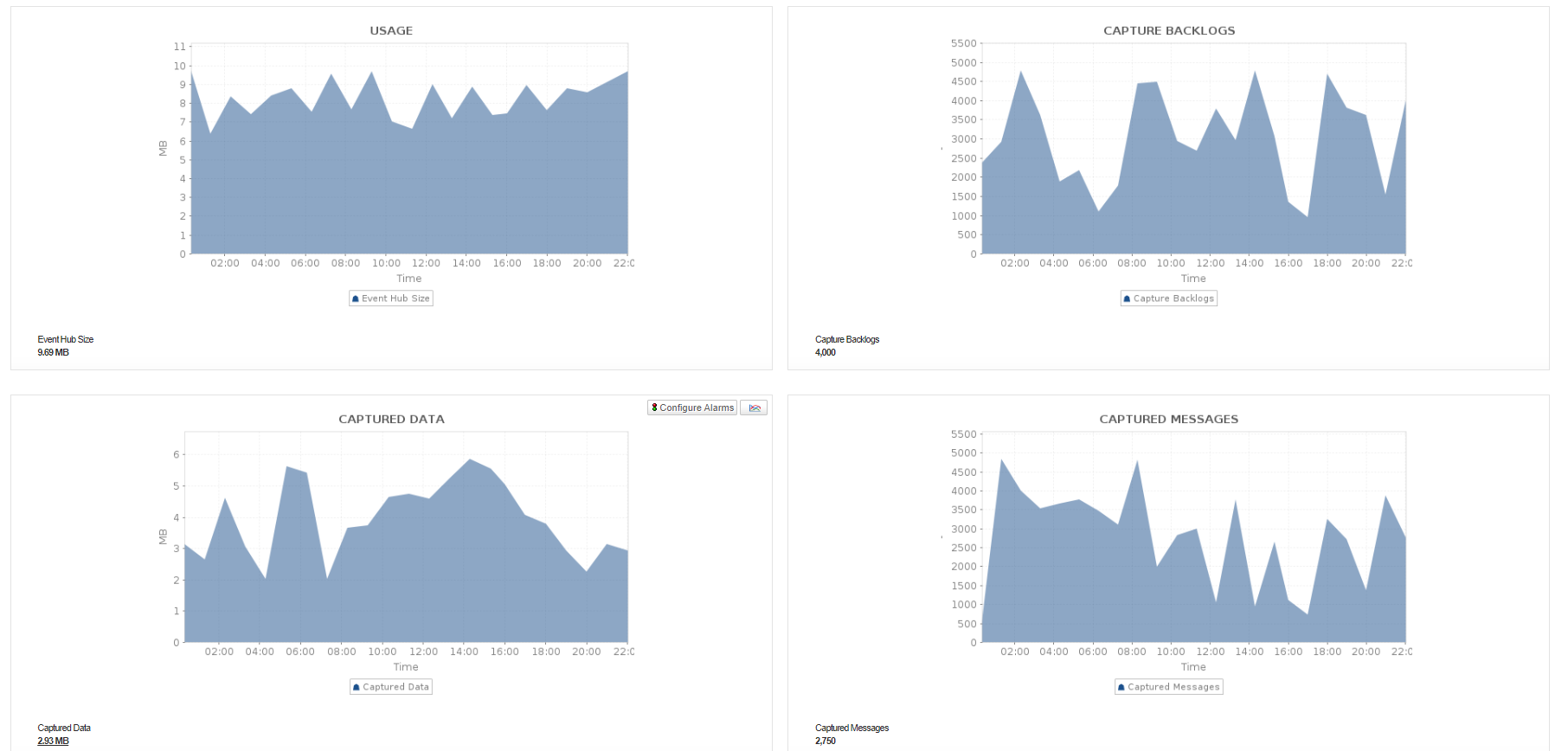
Monitor critical KPIs in your Azure Event Hub Namespace. Keep an eye on Namespace utilization and ensure that the namespace can handle the expected workload without reaching capacity limits. Obtain detailed insights into message capture metrics to understand message ingestion rates, backlog, and storage usage. Also, measure the volume of incoming and outgoing data and messages processed by the Azure Hub Namespace. Additionally, you can also monitor the requests in the namespace to identify potential issues or errors in message processing.
Azure IoT Hub monitoring
Monitor the performance and reliability of your Azure IoT Hub using Applications Manager. Track device connectivity, successful connections, message usage, and device data consumption to understand the health and activity of your IoT environment. Monitor telemetry messages sent, delivered, throttled, dropped, orphaned, and incompatible, along with routing and Event Grid deliveries, helping you identify message delivery issues and ensure reliable communication between devices and your IoT Hub.
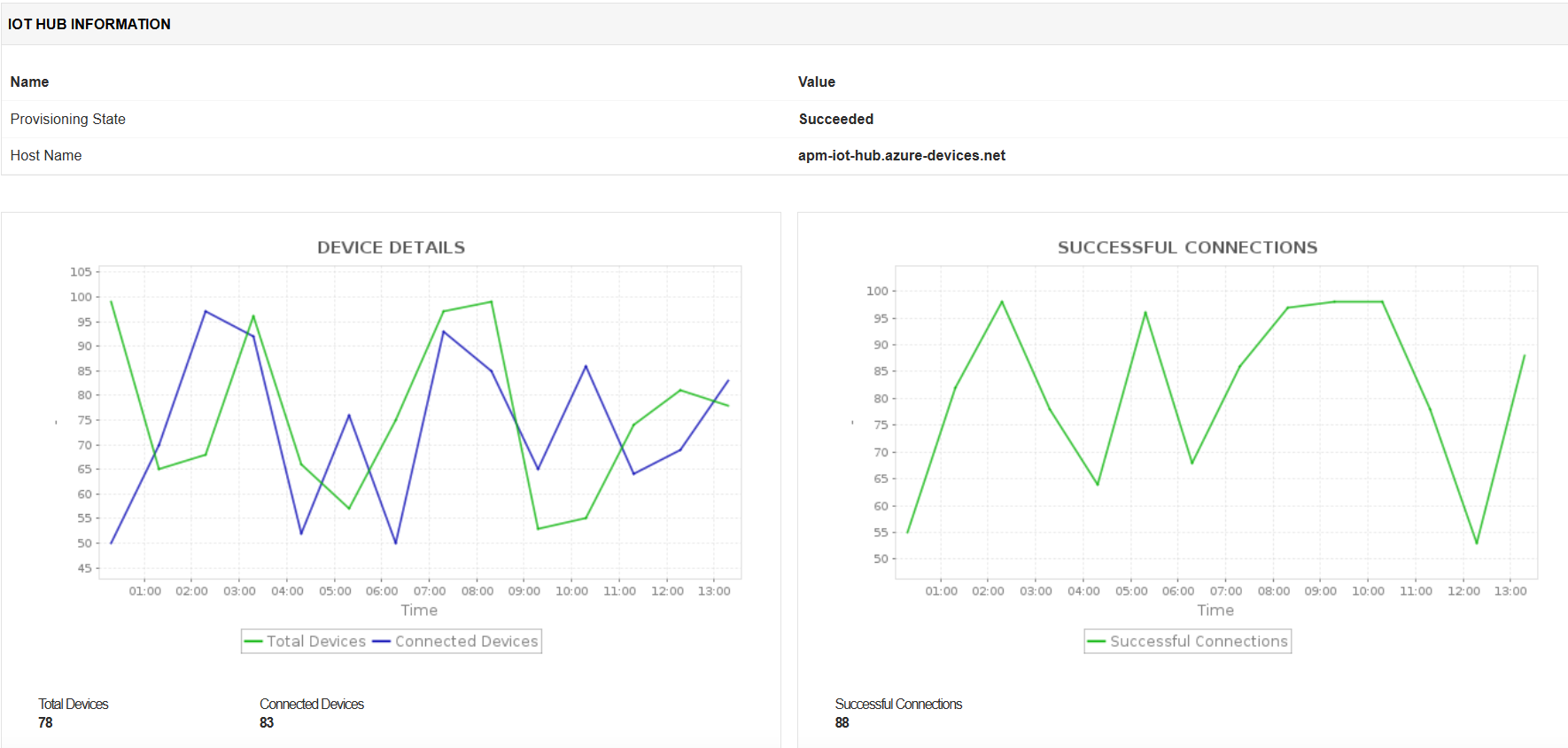
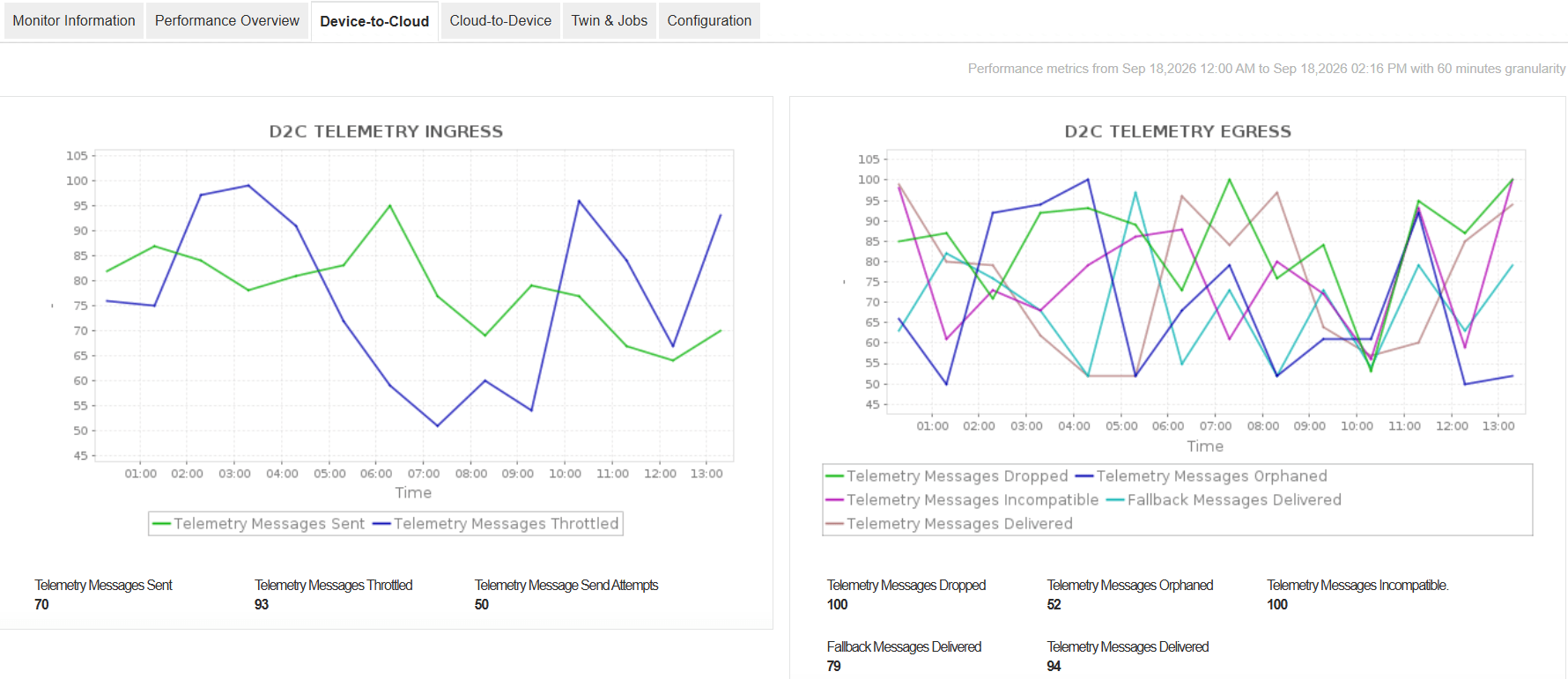
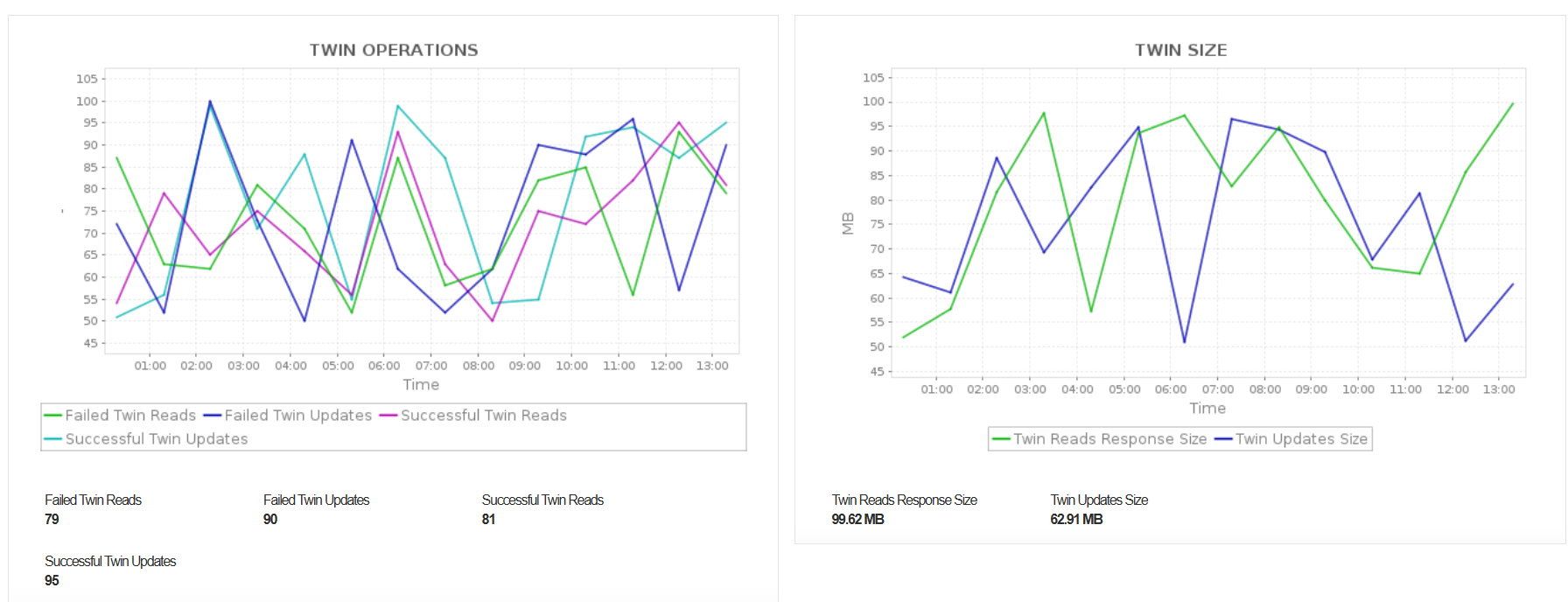
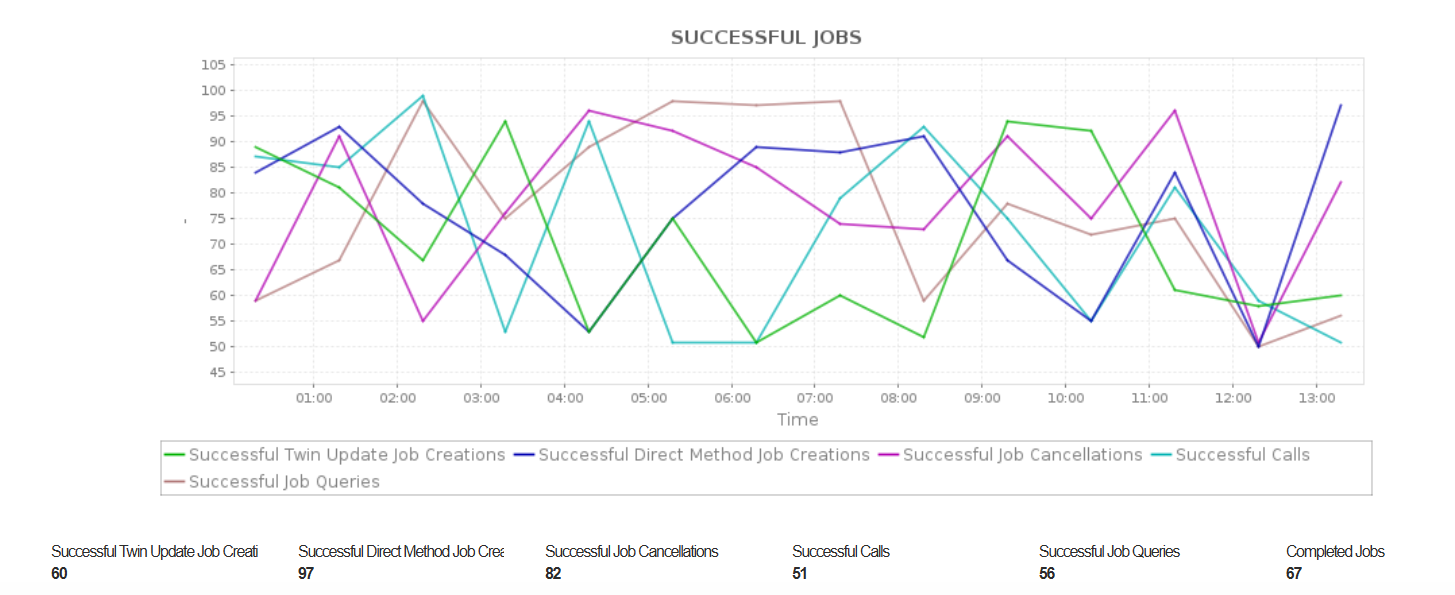
In addition, monitor message delivery latency and data delivered through Event Hub, Service Bus, and Storage endpoints. Track device twin operations, including successful and failed reads, updates, queries, and job operations, along with direct method invocations, message deliveries, and abandoned, rejected, or expired messages. These metrics help you identify communication and processing issues, troubleshoot failed operations, and maintain reliable data flow across your Azure IoT environment.
Azure Logic Apps (Consumption) monitoring
Applications Manager helps you optimize the performance of your Logic Apps as the resources scale dynamically based on usage. Become aware of trigger latencies to understand the responsiveness of the Logic App to the incoming events. You can also get insights into the efficiency of trigger invocations and pinpoint inefficiencies in triggering workflows as you measure trigger failures, skipped, and succeeded.
You can also obtain a holistic view of your Logic App's execution efficiency and throughput by studying the run statistics. Identify underlying configuration issues, avoid resource contention, and improve the reliability and performance of your Logic App. Get detailed insights into actions of individual workflows to improve overall responsiveness and optimize workflow logic.


Azure Logic Apps (Standard) monitoring
With Applications Manager, you can monitor the overall execution of your workflows to ensure they are running as expected and completing within acceptable timeframes. Evaluate function execution efficiency and optimize them if required. You can also identify slow response times and tweak HTTP actions. Get notified about traffic patterns and identify authentication failures, client errors, server errors, and not found errors, and ensuring the availability and reliability of your Logic App's endpoints.


Azure Maps Account monitoring
Azure Maps Account provides mapping and location-based services that enable applications to incorporate capabilities such as maps, search, routing, and geospatial data. It allows applications to access location intelligence and deliver location-aware experiences.
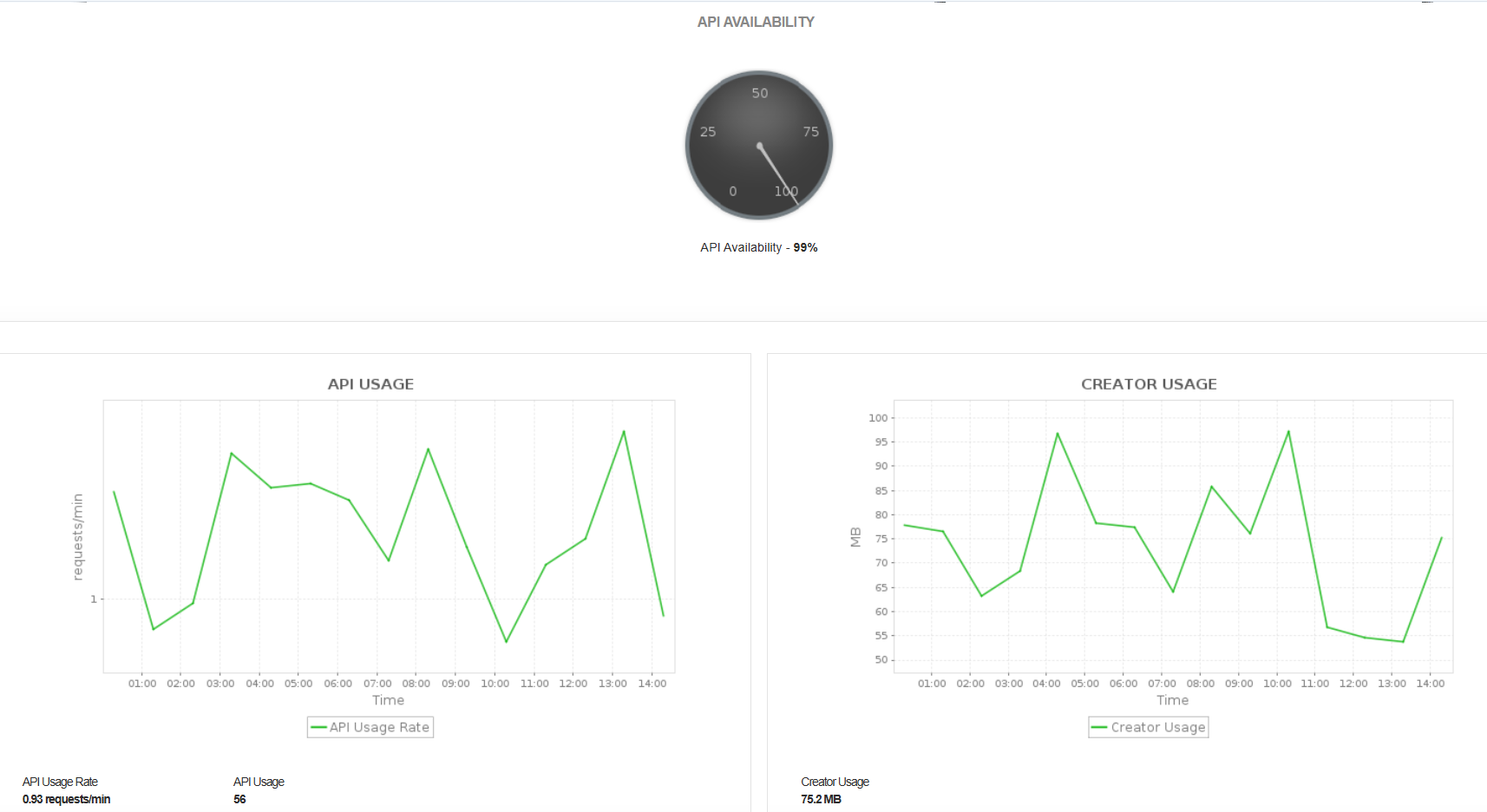
Monitor the availability and usage of your Azure Maps Account through metrics such as API Availability, API Usage Rate, API Usage, and Creator Usage. Track API request activity and Creator resource consumption to understand usage levels and identify potential service availability or utilization issues.
Azure Notification Hub monitoring
Azure Notification Hubs is a cloud-based push notification service that helps you send notifications to mobile and client applications across multiple platforms. It simplifies cross-platform notification delivery and supports managing device registrations, installations, and notification channels.
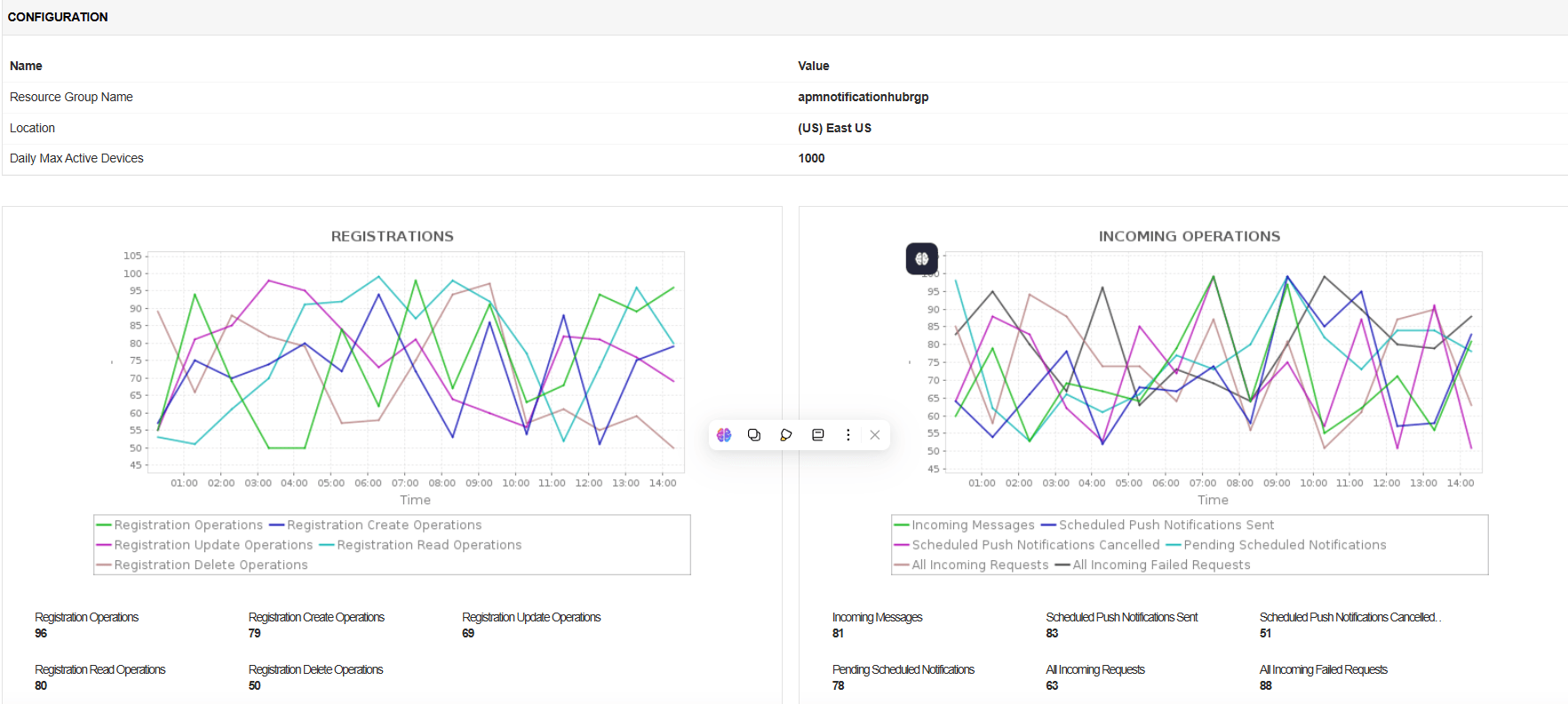
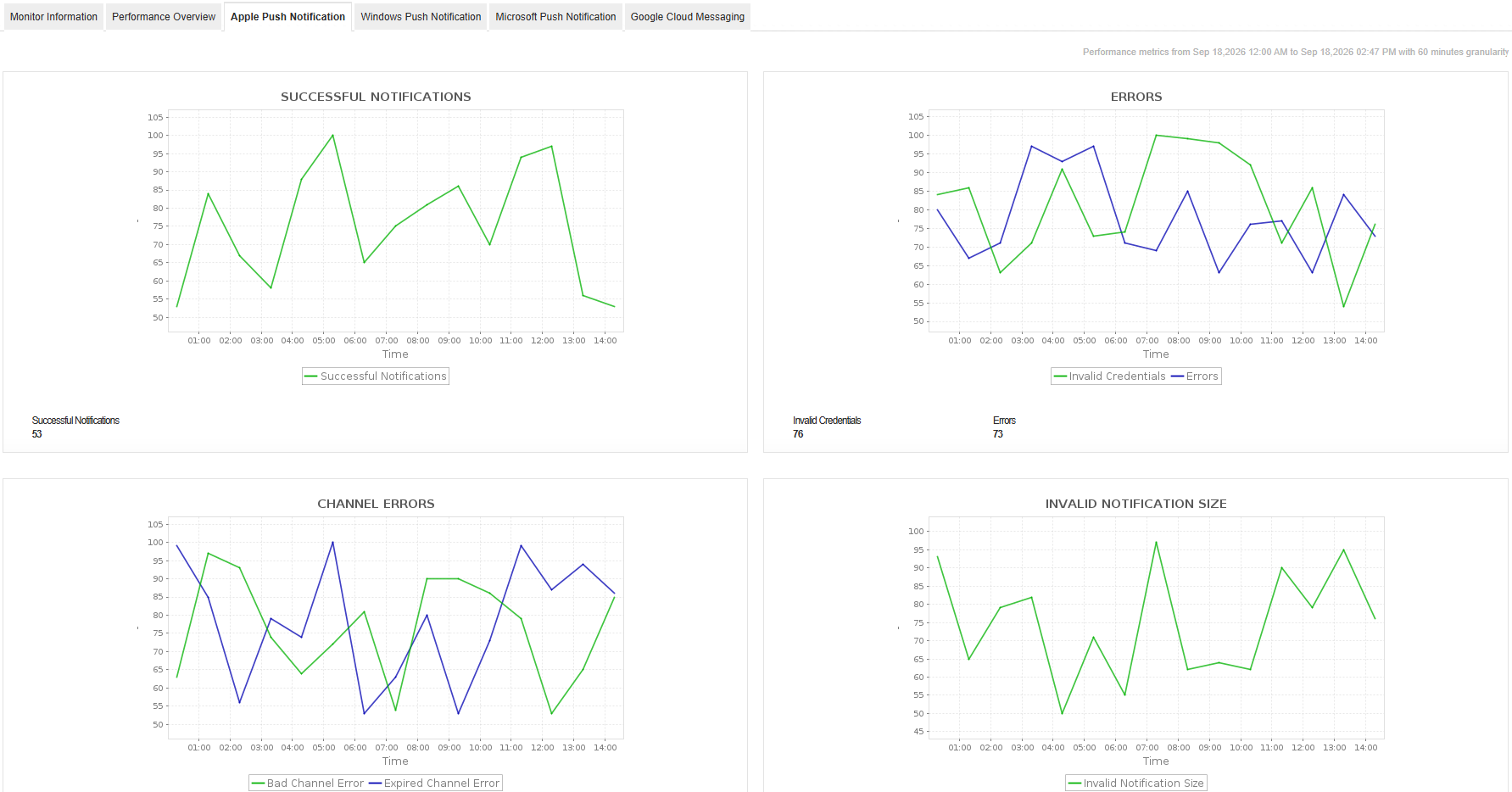
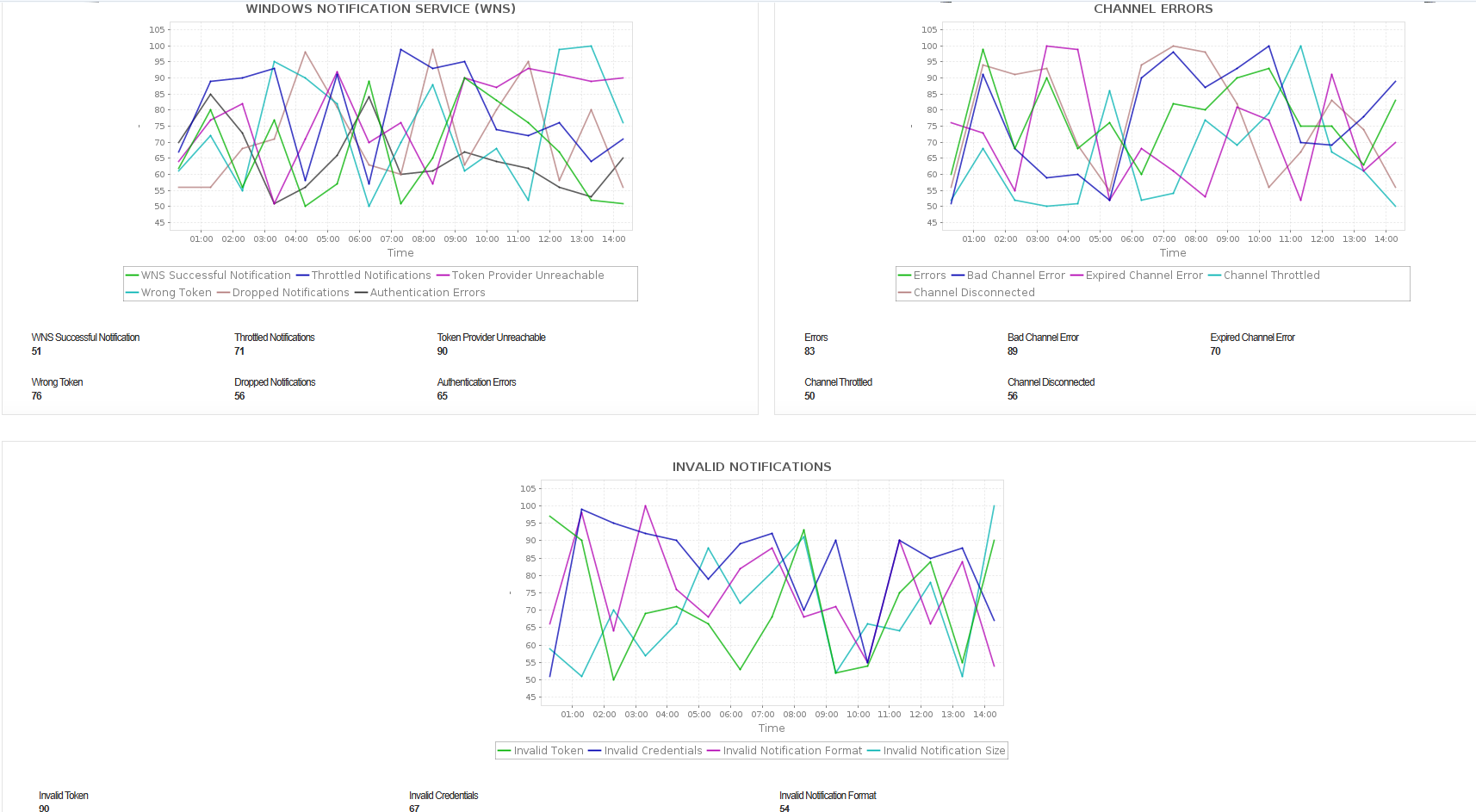
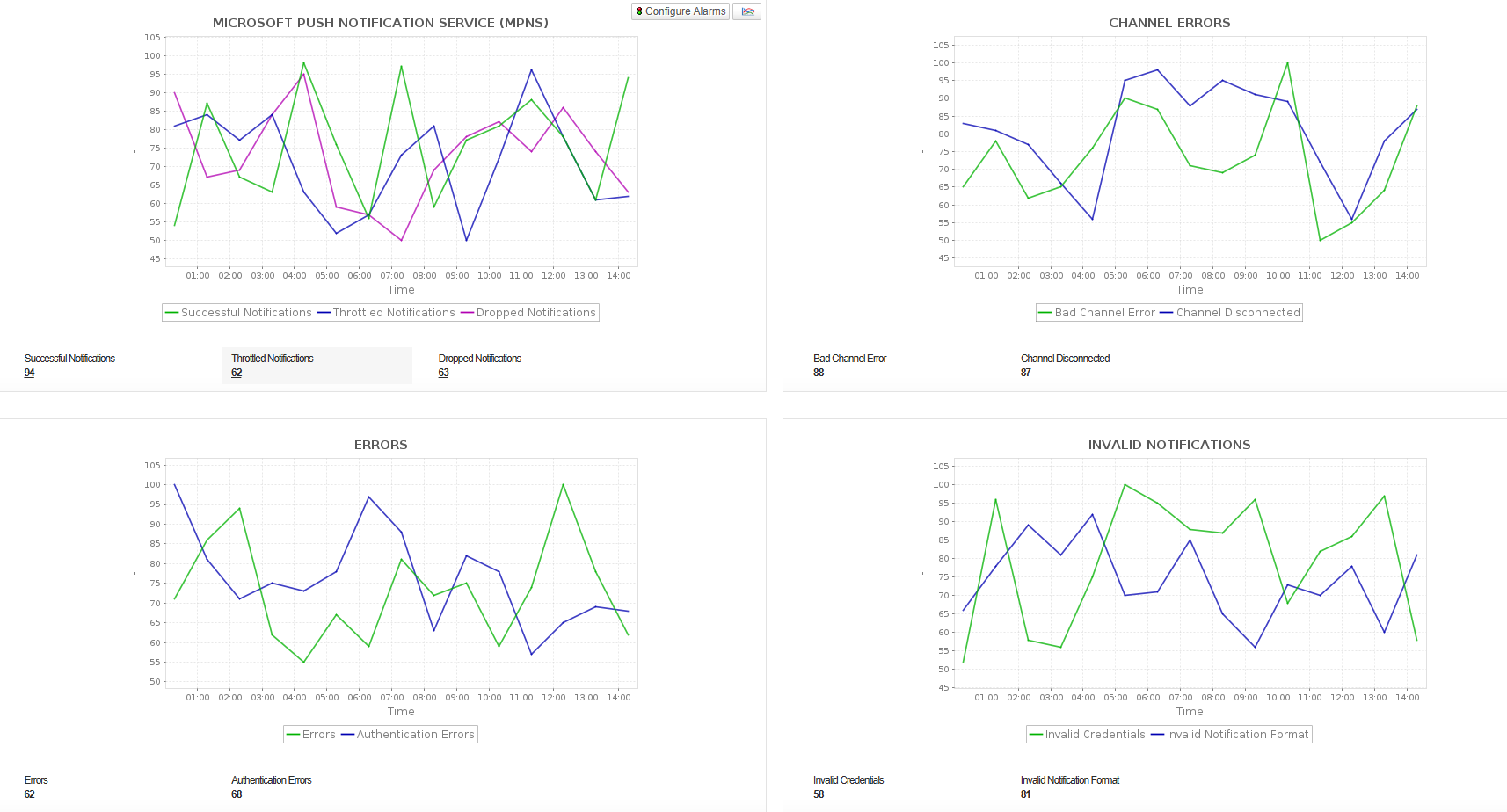
Monitor your Notification Hubs to track Registration Operations, Incoming Messages, Installation Management Operations, and Outgoing Notifications. Monitor notification delivery across Apple, Windows, Microsoft, and Google Cloud, along with channel errors, throttling, invalid credentials, and other delivery-related errors to identify issues affecting notification delivery.
Azure Relay monitoring
Azure Relay services facilitate secure and reliable communication between applications and services, regardless of their location. It helps you to securely expose the services on your network without opening a port on the firewall or making intrusive changes to your network infrastructure.

Optimize the performance of your Azure Relays and ensure effective resource allocation by monitoring various KPIs like Active Connections and Active Listeners. Gain deep insights into the usage patterns of the Relays and identify potential performance bottlenecks. Obtain detailed stats of the Listener/Sender connection requests to maintain high availability and reliability.
Azure Service Bus monitoring
Azure Service Bus is a fully managed messaging service that enables applications and services to exchange messages reliably through queues and topics. It supports asynchronous communication between distributed applications, helping decouple application components and manage message delivery.
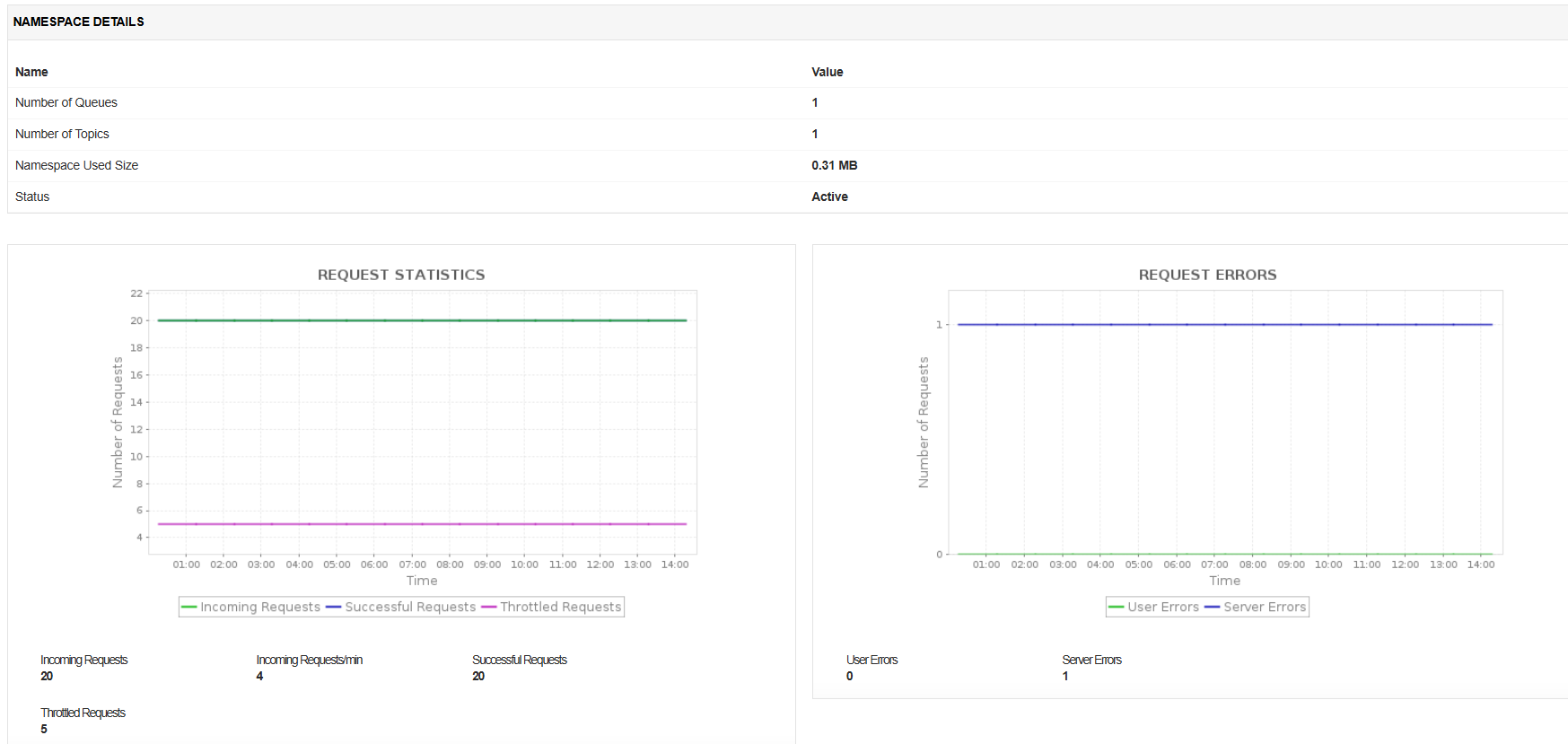
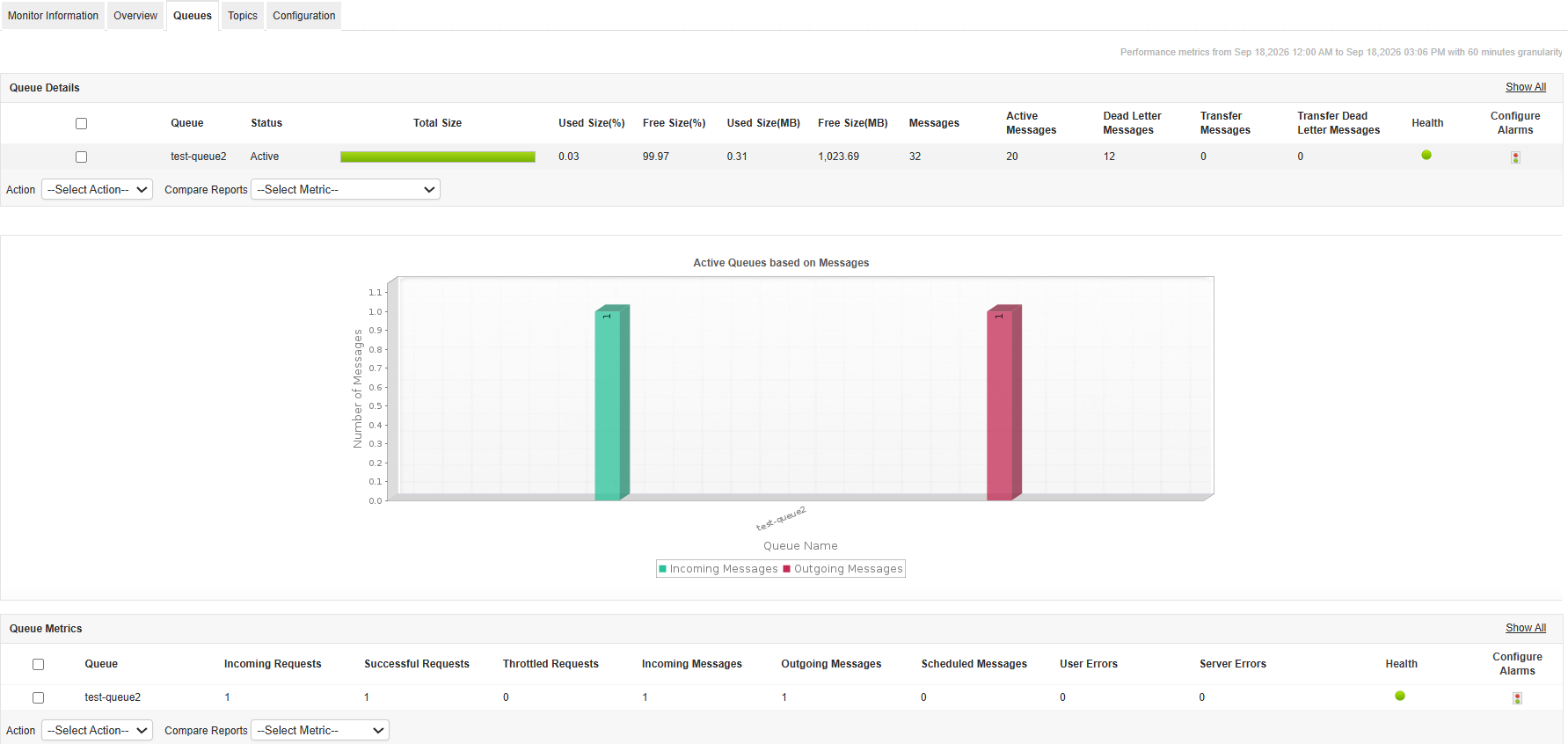
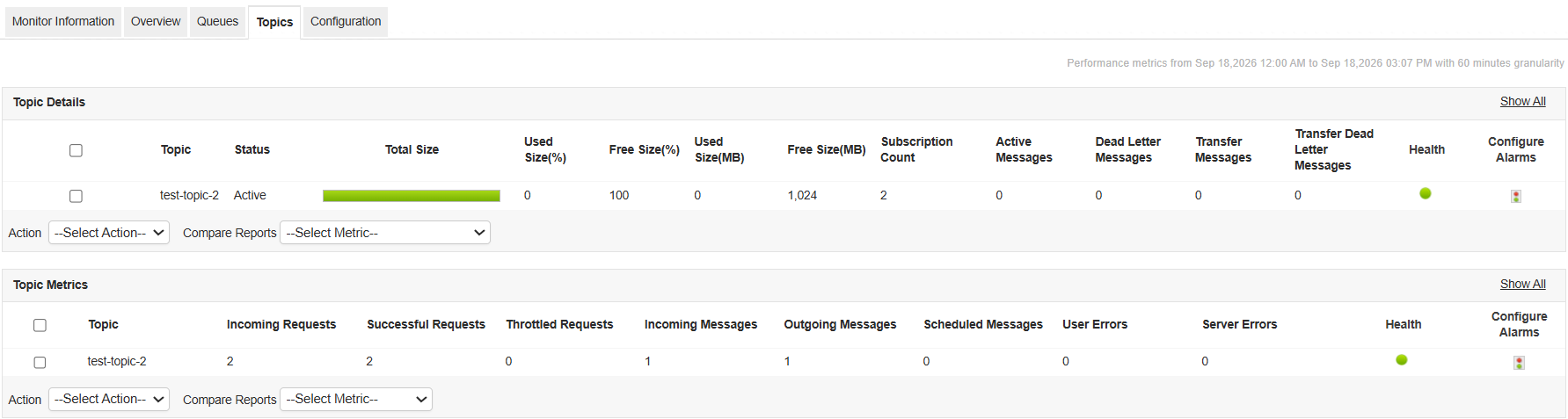
Monitor your Azure Service Bus namespaces to track Incoming Requests, Incoming Messages, Total Messages, and Active Connections. Monitor queues and topics for message activity, scheduled and dead-letter messages, request throttling, user and server errors, and resource usage to identify potential issues and maintain reliable message processing.
Azure SignalR monitoring
Azure SignalR Service provides real-time bidirectional communication between servers and clients over WebSocket. It simplifies building real-time applications with automatic scaling and high availability. Applications Manager helps you monitor Azure SignalR instances by tracking active connections, connection activity, message throughput, inbound and outbound traffic, server load, connection quota utilization, and error metrics. Gain visibility into service performance, identify communication issues, and ensure reliable real-time messaging across your applications.


Azure Web PubSub Service monitoring
Azure Web PubSub Service enables building scalable real-time messaging applications with WebSocket support. It provides serverless pub-sub messaging for real-time communication scenarios. Applications Manager helps you monitor Azure Web PubSub Service by tracking active connections, inbound and outbound traffic, server load, connection quota utilization, client requests, and REST API response time. Gain visibility into service performance, identify communication issues, and ensure reliable real-time messaging across your applications.


Get started with Azure Integration services monitoring in minutes!
Unlock the full potential of Azure Integration service with Applications Manager. Set up seamlessly and explore comprehensive Azure monitoring capabilities by downloading a 30-day, free trial today!
Supported Azure monitoring services
Applications Manager also offers monitoring for the following Microsoft Azure services:
- Azure Network Management and Delivery monitoring
- Azure VM monitoring
- Azure Service Bus monitoring
- Azure Storage monitoring
- Azure SQL database monitoring
- Azure Kubernetes monitoring
- Azure SQL managed instance monitoring
- Azure Load Balancer monitoring
- Azure App Service monitoring
- Azure Functions monitoring
- Azure Premium Storage monitoring
- Azure Cache for Redis monitoring
- Azure Synapse Analytics monitoring
- Azure Virtual Machine Scale Sets monitoring
- Azure Virtual Networks monitoring