Comprehensive IP scanning in minutes
OpUtils' IP scanner empowers IT teams to instantly scan networks, discover connected devices, and manage IPs in real time. Gain complete visibility, prevent IP conflicts, and ensure seamless network operations - all from a single, intuitive dashboard.
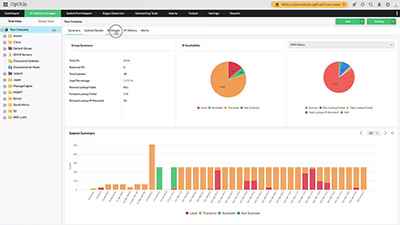
How OpUtils' IP scanner works: Advanced IP scanning & seamless network management
- Comprehensive IP discovery
- Automated IP scanning
- Real-time IP status monitoring
- Rogue device detection
- Actionable IP scan reports
Comprehensive IP discovery
Effortlessly scan entire IP ranges to detect active devices across your network. Gain a structured, real-time overview of all assets and drill down for deeper insights.
Automated IP scanning
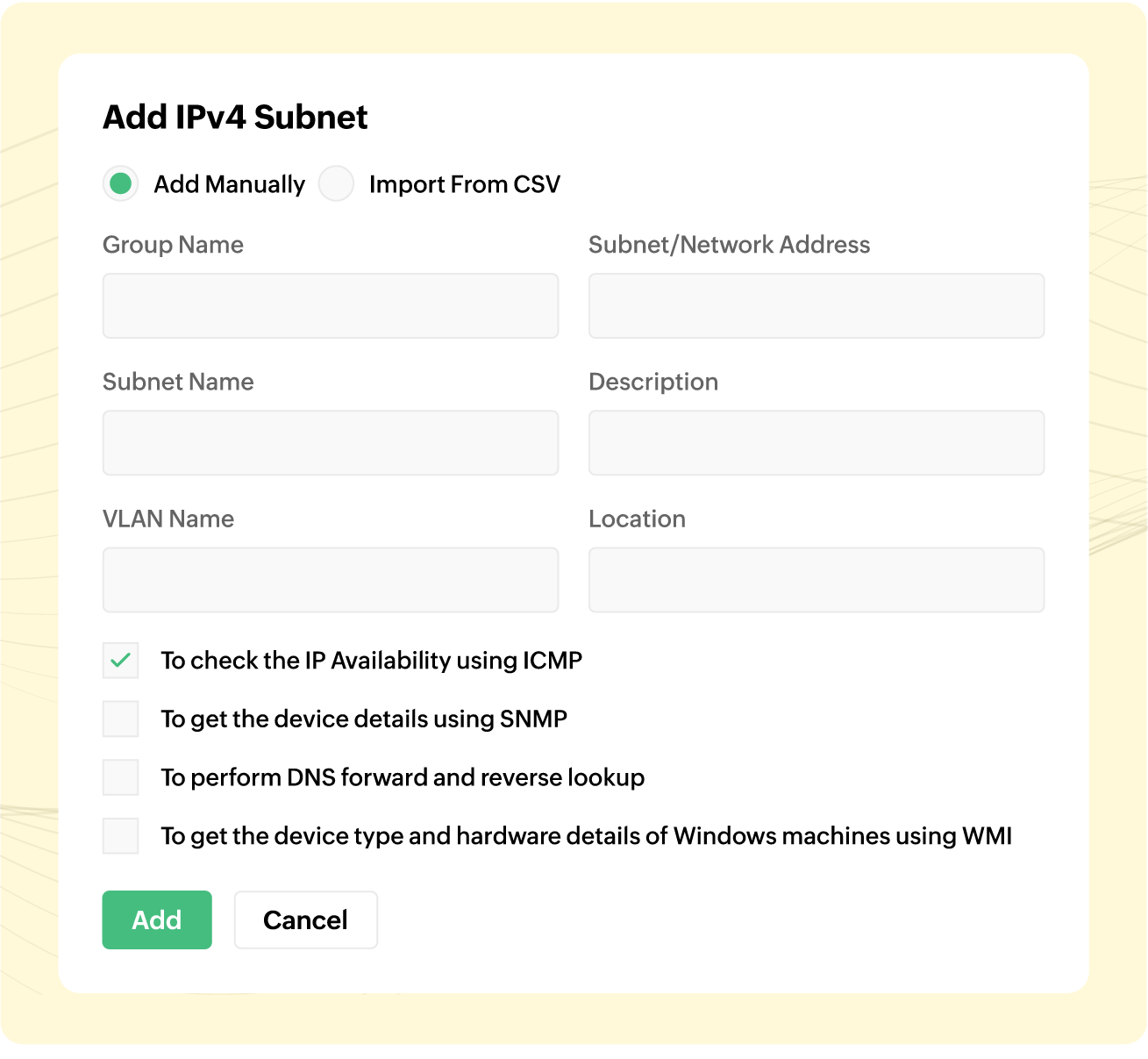
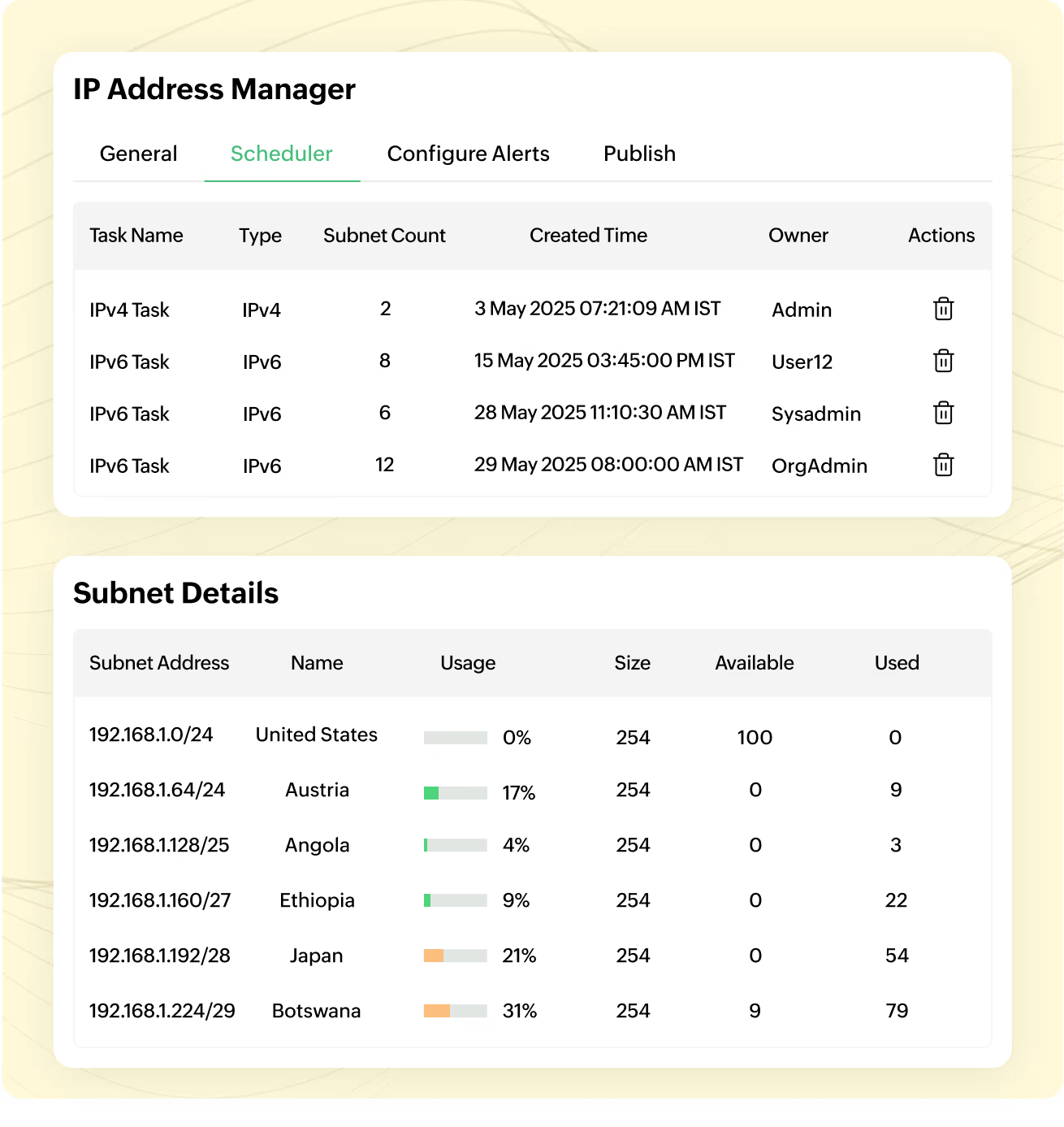
Automatically scan networks to detect active devices, map IP allocations, and provide real-time insights. Manage multiple subnets with a structured view of IP utilization.
Real-time IP status monitoring
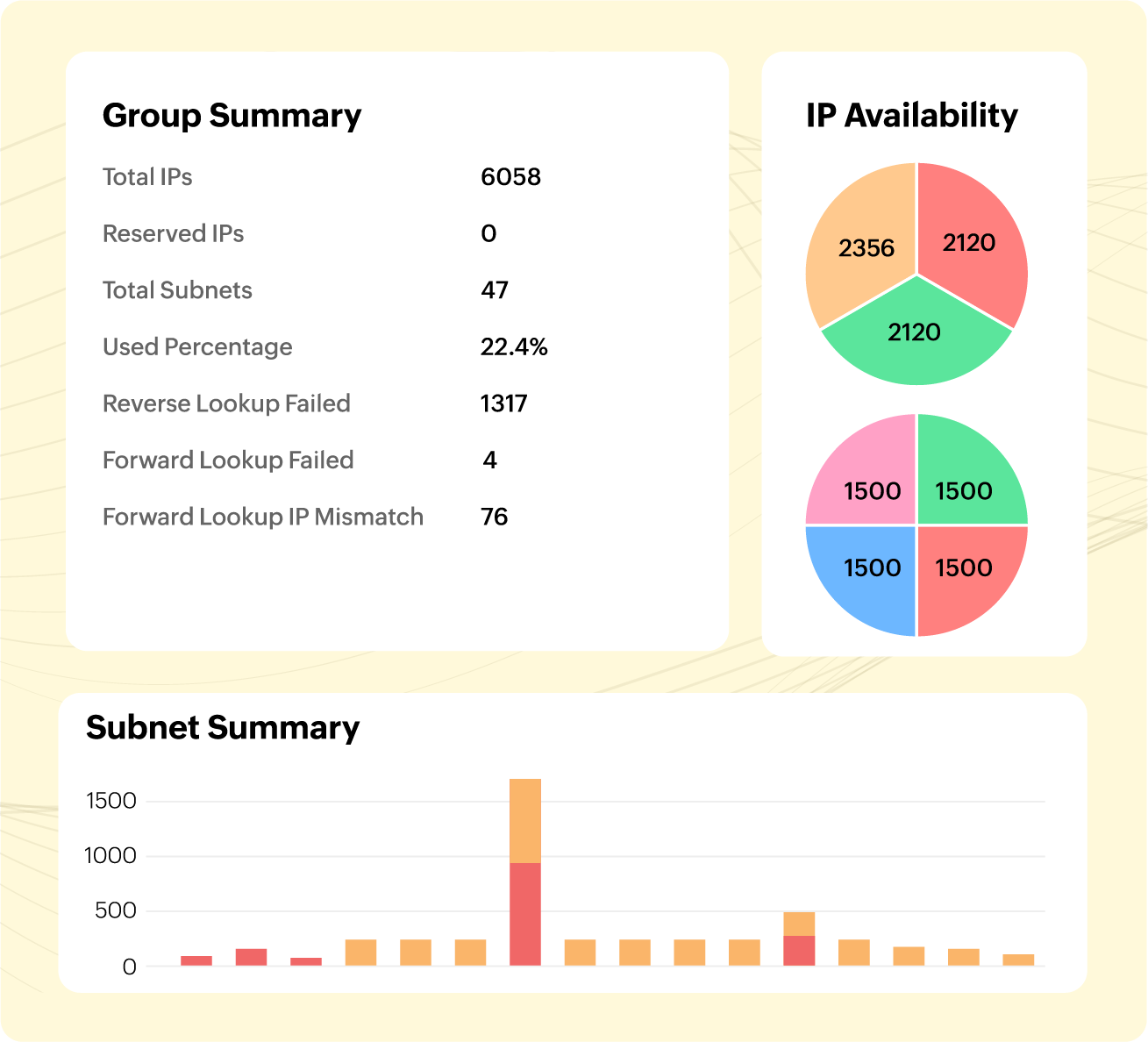
Continuously track IP availability, utilization, and conflicts across your network. Detect unauthorized changes and ensure seamless IP management.
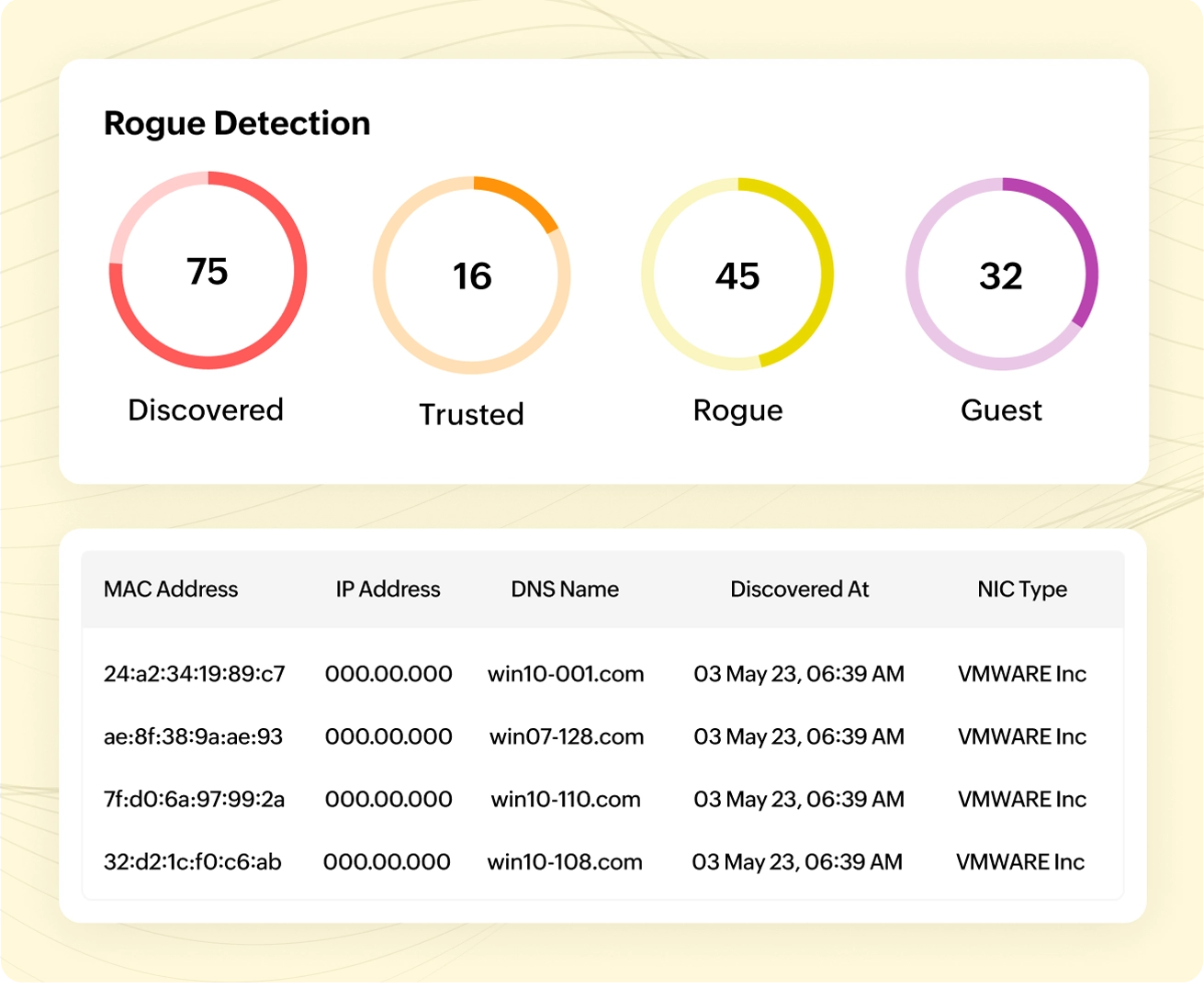
Rogue device detection
Identify and mitigate rogue devices before they pose security risks. Strengthen network security by detecting unknown MAC addresses and unrecognized endpoints.
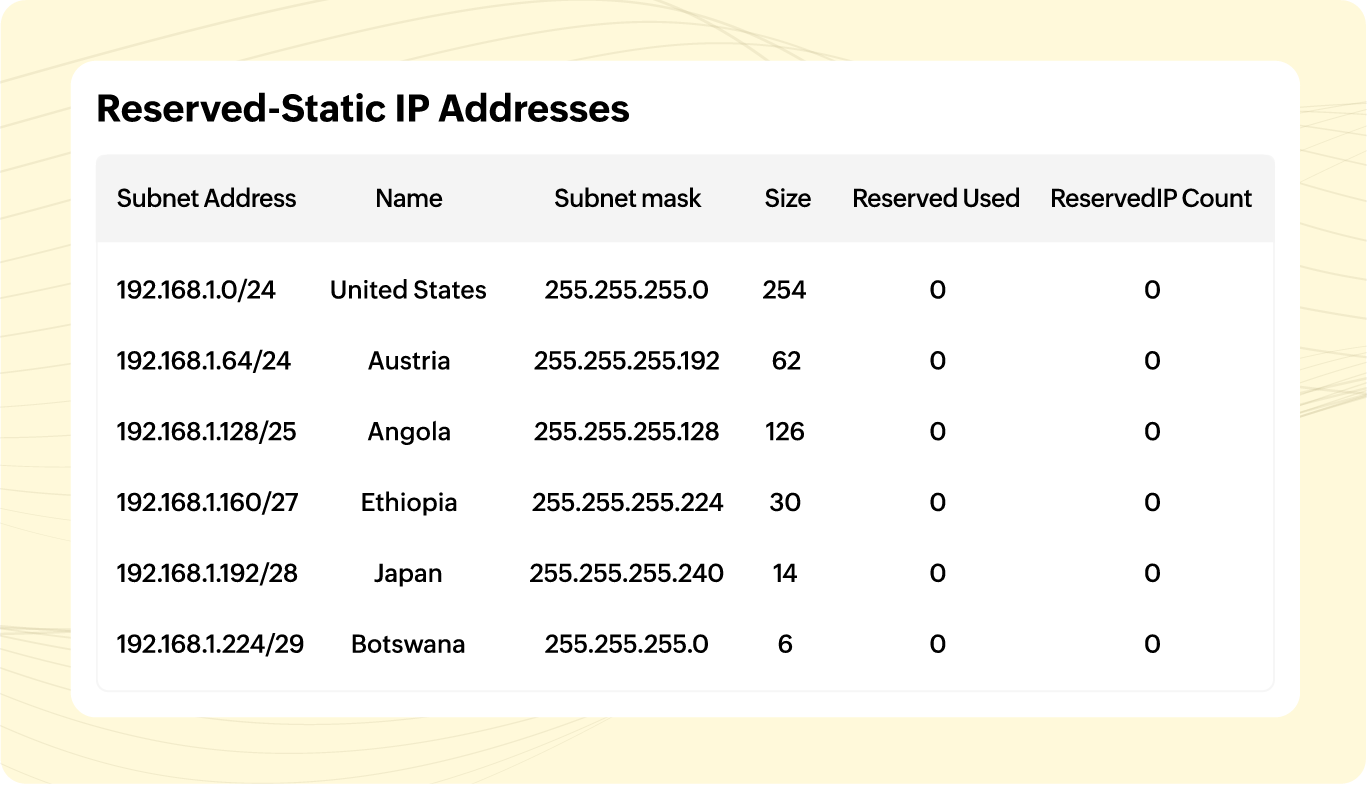
Actionable IP scan reports
Generate detailed reports on IP usage, availability, and historical allocations. Simplify audits and export reports in PDF, CSV, or XLS for future reference.
4 reasons why OpUtils is the best IP scanner for network management
Beyond its core IP scanning capabilities, here's why OpUtils is the right choice for your network!
Seamlessly scan, track, and manage both IPv4 and IPv6 addresses for complete network visibility and adaptability for modern and legacy networks.
Map devices, monitor ports, and troubleshoot faster with built-in scanning. Integrates seamlessly with network tools and Active Directory for complete visibility.
Go beyond IP tracking with detailed insights into devices, OS versions, hardware specifications, and manufacturers.
Prevent IP conflicts, detect rogue devices, and receive real-time alerts on unauthorized network changes.
Why OpUtils is the best choice over online free IP scanners
| Features | Online IP scanners | OpUtils IP scanner |
|---|---|---|
| Real-time IP address management | ||
| Device information | Basic details | Detailed profiling |
| Automated IP address scanning | ||
| Integrated switch port tracking | ||
| DHCP & DNS integration | ||
| Historical IP & MAC address tracking | ||
| Rogue device detection | ||
| Built-in port scanner | ||
| Custom alerts & notifications | ||
| Multi-vendor support | ||
| Pricing | Mostly free | Affordable |
Flexible plans with a 30-day free trial
Frequently asked questions on IP scanner
An IP scanner scans a range of IP addresses to identify active devices within a network. It helps IT admins monitor devices, detect unauthorized connections, and enhance network security. With an IP scanner, you can gather details like MAC addresses, hostnames, and device types, making it essential for network troubleshooting, asset management, and preventing IP conflicts. Tools like OpUtils offer real-time IP scanning, ensuring optimal network performance and security.
To scan an IP, use an IP scanner tool like OpUtils. Simply install the software, enter the IP range, and start scanning. The tool will detect active devices, their statuses, and key details. For quick checks, an online IP scanner works, but for advanced scanning, a dedicated IP scanner with SNMP and ARP scanning provides more accurate results.
The best IP scanner offers real-time scanning, automated device discovery, and strong security features. OpUtils is a top choice, providing in-depth network scanning, subnet scanning, IP conflict detection, and rogue device identification. While a free IP scanner may work for instant scanning needs in small networks, enterprise environments need an advanced IP scanner like OpUtils for complete network visibility and control.
No, using an advanced IP scanner is legal when used within an authorized network. IT admins, security analysts, and network engineers rely on IP scanners for IP management, troubleshooting, and security monitoring. However, scanning external networks without permission may be unethical or illegal. It is always the best practice to follow company policies and cybersecurity regulations when performing IP scans.
A network IP scanner like OpUtils helps identify devices by retrieving details such as MAC address, hostname, OS, and manufacturer. IT teams can use IP scanning to detect active devices, spot unauthorized connections, and track network assets. Integration with DNS and DHCP further simplifies device identification in complex networks.
An IP port scanner checks for open and closed ports on a device. While an IP scanner detects devices and their statuses, a port scanner helps assess security risks and verify firewall configurations. OpUtils combines IP and port scanning, enabling organizations to detect vulnerabilities and prevent unauthorized access.
Yes, an online IP scanner allows quick IP address scanning without installation. These cloud-based tools help check IP availability and detect active devices. However, for large-scale networks, IP scanner software like OpUtils is recommended for automated scanning, real-time conflict detection, and deeper network insights. Advanced IP scanning ensures better security and control than most online tools.
An IP scanner software like OpUtils simplifies IP management, enhances security, and automates tracking. Key benefits include:
- Real-time network monitoring to detect active IPs.
- Prevention of IP conflicts with advanced scanning.
- Automatic device discovery for better asset tracking.
- Centralized IP management for IT teams.
A free IP scanner may work for small setups, but enterprise-grade tools like OpUtils provide scalability and reliability for complex networks.
A simple IP scanner detects active IPs, while an advanced IP scanner offers enhanced features like subnet scanning, DHCP integration, and real-time alerts. OpUtils functions as both, providing detailed network visibility for IT teams. Whether you need to scan IPs for quick checks or an advanced IP scanner for full-scale monitoring, OpUtils delivers the right solution.
To install an IP scanner tool, visit the provider's website, download the software, and follow the installation steps. Configure the network IP scanner settings and start scanning. The best IP advanced scanner tools, like OpUtils, offer custom scan settings, automated reports, and in
Yes, free IP scanner tools exist for basic scanning, but they often lack real-time monitoring, security features, and automation. For enterprise-level IP scanning, a full-featured IP scanner software like OpUtils ensures comprehensive network visibility and proactive management.
IP scanning frequency depends on network size and complexity. Regular scans help prevent IP conflicts, detect rogue devices, and update inventory records. A network IP scanner like OpUtils enables automated scheduling, reducing manual effort and ensuring continuous network security.
Related Resources
Features List
- IP Address Management
- Advanced IP Scanner
- Supernet monitoring
- IP Address Conflict Detection
- IP Request Tool
- IP Address Tracker
- IP Address Monitoring Tools
- MAC Address Scanner
- MAC Address Filtering
- MAC Address Resolver
- MAC Address Tracker
- IP Monitor
- Subnet Monitor
- IP Scanner
- Best IP Scanning Software
- IPv6 Address Management
- IP Address Scanner
- Access port vs Trunk port
- IPv4 vs IPv6
- IPv6 addressing
- IP address configuration
- IP Subnetting
- Supernet
- Virtual IP
- IPAM in DNS resolution
- Network segmentation in IPAM
- How to resolve IP address conflict
- IP Spoofing
- Basics of DHCP server
- DHCP DORA process
- DHCP snooping
- DHCP fingerprinting
- DHCP Lease Time
- DHCP Reservation
- DHCP vs Static IP addressing
- DNS vs DHCP
- Forward lookup
- Forward vs Reverse lookup
- Reverse IP lookup
- Rogue DHCP server
- Address Resolution Protocol
- Switch port management challenges
- Switch port flapping
- Switch spoofing
- Layer 3 vs layer 2 switches