The Health Insurance Portability and Accountability Act (HIPAA) establishes a framework for the protection of protected health information (PHI), encompassing identifiable information in medical records generated during healthcare services. Achieving and maintaining HIPAA compliance possess significant challenges. However, Log360, as a HIPAA compliance tool, simplifies adherence to HIPAA regulations by offering comprehensive auditing, risk assessments, and breach detection, making it easier for healthcare organizations to ensure compliance.
Discover how Log360 serves as a HIPAA compliance tool
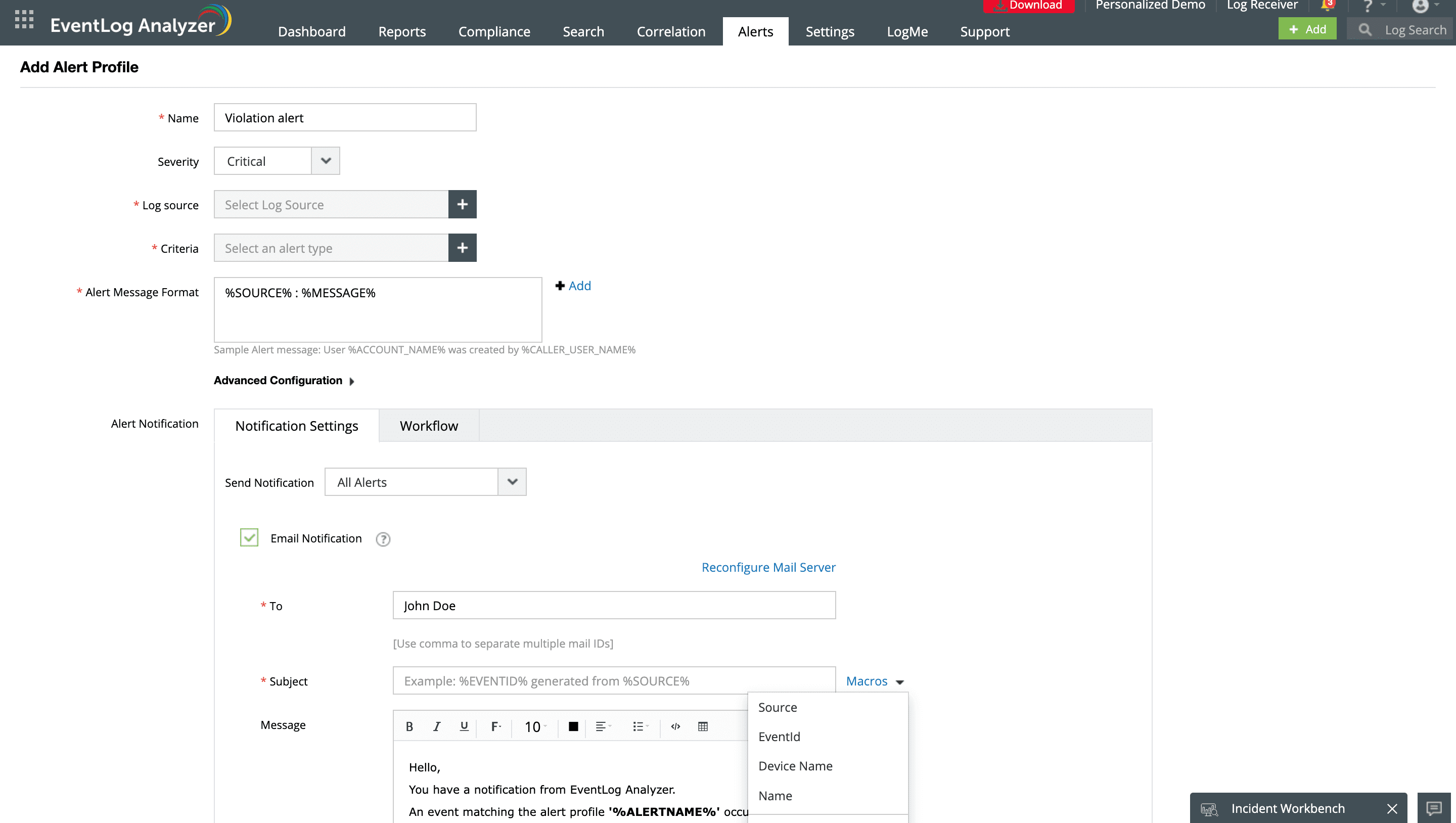
Real-time alerting for requirement violations
Log360 provides secure and tamper-proof log storage, which is a critical aspect of HIPAA compliance security rule under 45 C.F.R. § 164.312(b). This ensures that log data containing sensitive information is protected against unauthorized access and manipulation.
Receive instant notifications about unusual activities or compliance violations that could potentially compromise the integrity of your patient data stored in the database. The solution's file integrity monitoring feature sends real-time alerts on any unauthorized file access, modifications, and deletions that could jeopardize the security and privacy of patients.
HIPAA incident reporting
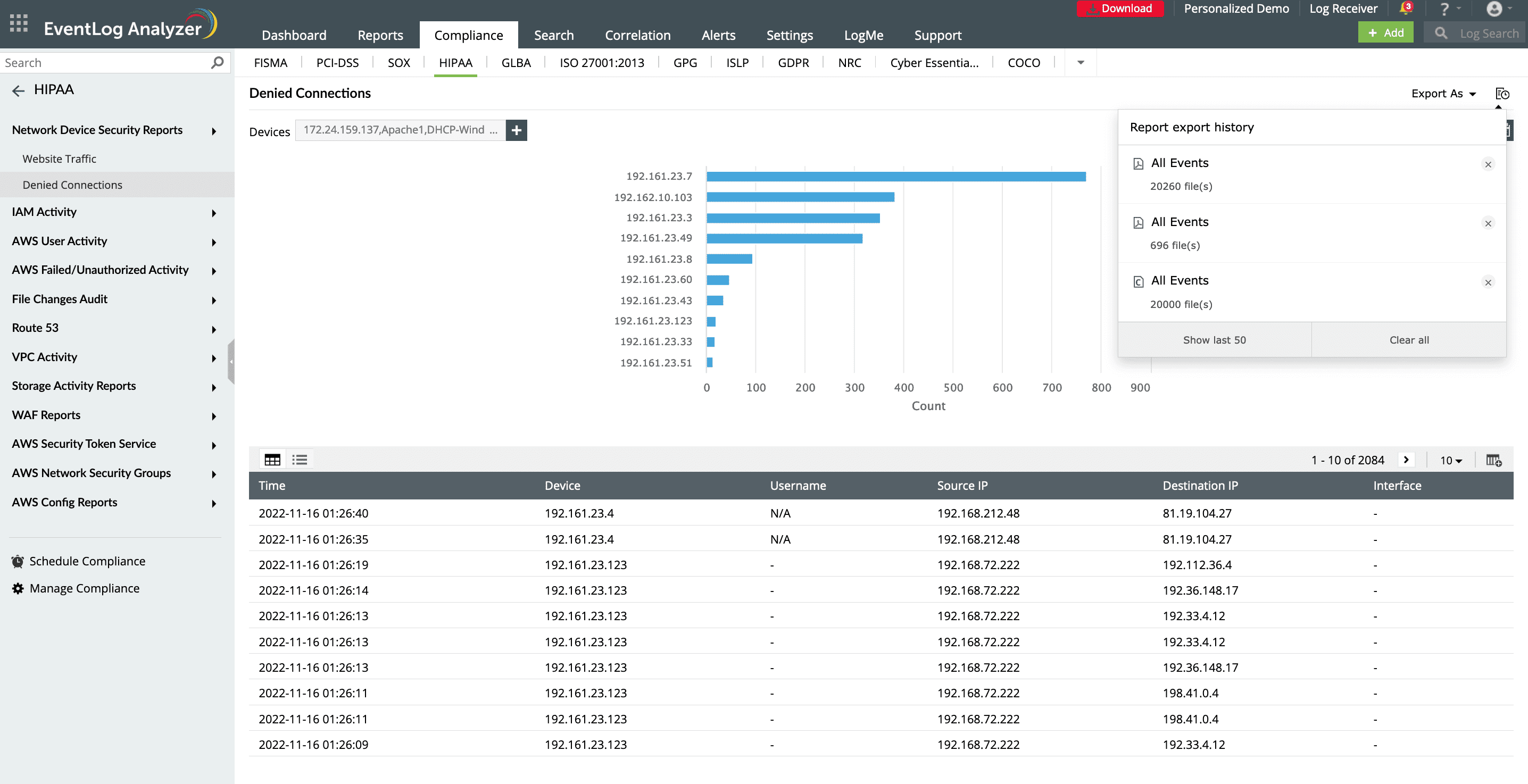
Log360 offers predefined incident reports in various formats, and you can also customize them according to your organization's specific compliance needs. This capability is instrumental in demonstrating adherence to HIPAA's breach detection and notification mandates outlined in 45 C.F.R. § 164.408 through the provision of detailed audit trails and evidence of proactive security measures.The solution maintains log archives that are essential for incident management and forensic analysis. These archives enable organizations to conduct thorough investigations of security breaches, helping them to understand the full extent and impact of such incidents. The solution helps generate comprehensive reports for incident assessment and offers real-time alerts for HIPAA breach indicators, facilitating immediate action and reporting to higher authorities.
Breach notification
Under the HIPAA breach notification rules (45 CFR §§ 164.400-414), it's obligatory for health care entities to issue notifications following a breach of unsecured PHI. The prompt alert system of Log360 aligns with this requirement by ensuring that any potential breaches are quickly identified and addressed, allowing for timely notifications. The solution sends real-time violation alerts upon detecting a security breach. You can easily generate HIPAA compliance report and detailed summary to track security events and policy violations within few minutes. These capabilities help ensure the protection of sensitive patient information, and adhere to legal requirements outlined in the HIPAA, and avoid costly penalties resulting from breaches or non-compliance.
Conducting forensic analysis for breach impact
In the event of a security breach, archived logs are invaluable for forensic analysis. Log360 plays a crucial role in facilitating incident response and forensic investigation. By providing detailed logs and audit trails, this HIPAA compliance tool empowers you to conduct thorough log forensic analysis. Leveraging its powerful log search functionality and high-speed log processing, you can effectively drill down into raw logs related to any security incident using a variety of search queries, including wildcard, phrase, boolean, and grouped searches. You can also use event IDs, severity, source, username, and IP address to identify unauthorized access, unusual logons, application errors, and more. Through this, security teams can quickly access relevant log data to understand the scope and impact of the breach, identify the root cause, and take appropriate remedial actions.
Log archival for evidence gathering
In accordance with HIPAA compliance regulations, logs must be retained for a minimum of six years. Log archiving creates a comprehensive audit trail that not only meets regulatory requirements but also bolsters data integrity and accountability. In the event of a security incident, a detailed user audit trail allows investigators to reconstruct the sequence of events leading up to the incident, identify the scope of the impact, gather evidence, and determine the root cause. They help in understanding how the breach occurred, the scope of the breach, and the data that was compromised. This information is crucial for effective incident response and for preventing future breaches.
Enhance your security and HIPAA compliance posture with Log360
Instant security alerts
1
1
Get real-time alerts via SMS or email when malicious sources interact with your network.
File audit
1
1
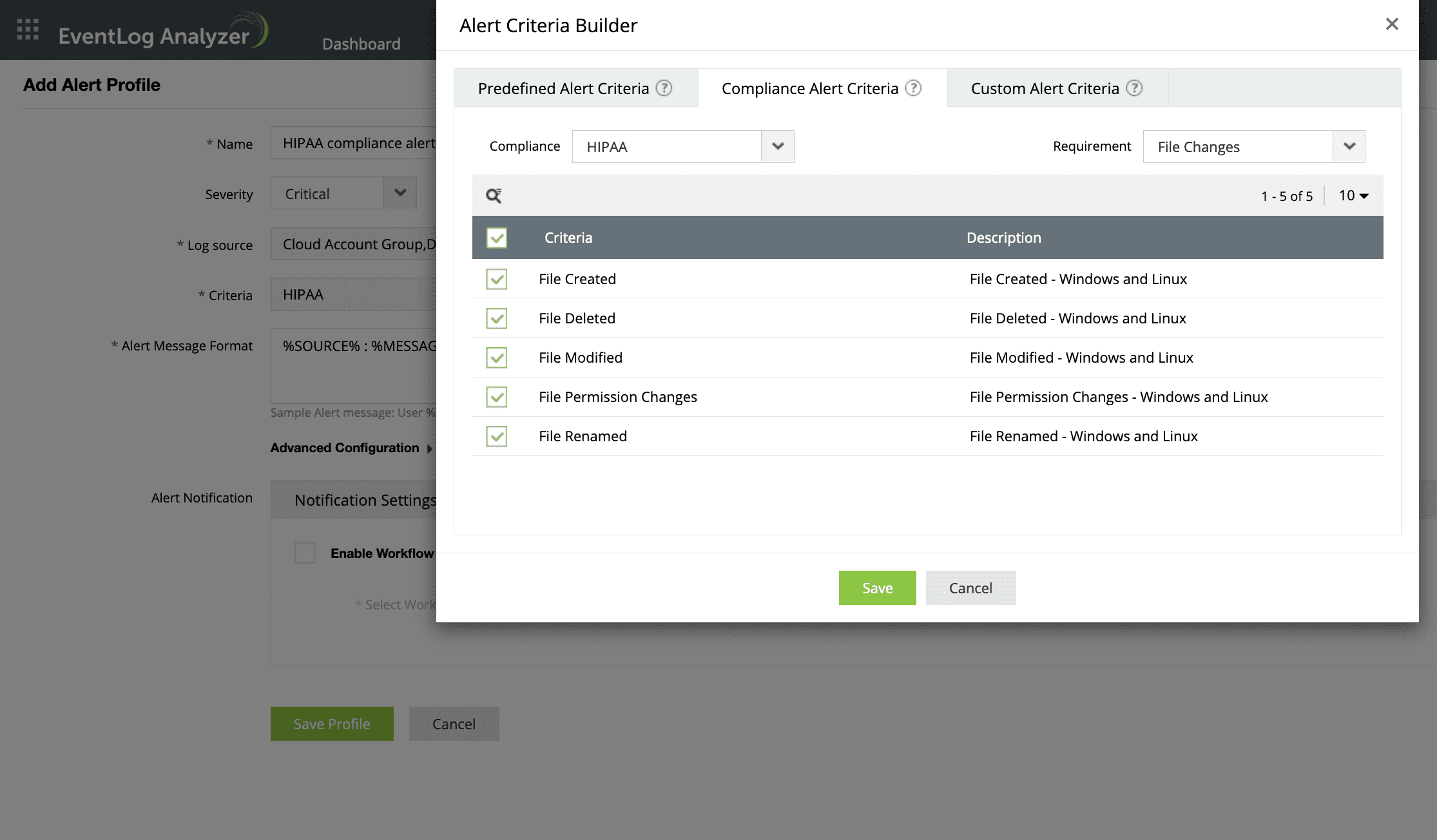
Spot file permission changes like new file created, existing files modified, renamed, or deleted accurately..
Forensic analysis
1
1
Archive log data, access historical reports, and conduct forensic investigations into attempted or ongoing attacks.
Comprehensive audit trials
12
1
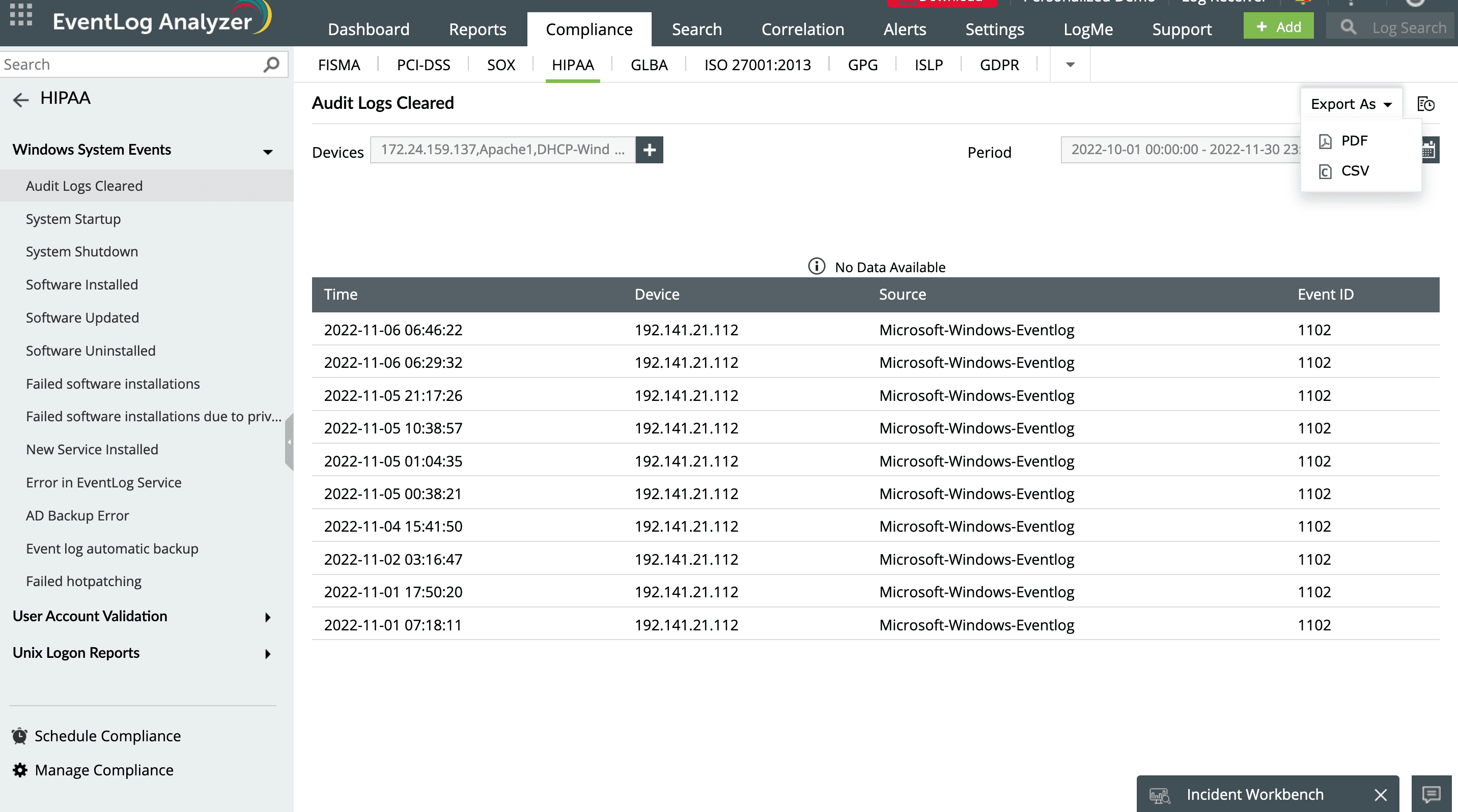
Get an audit trail of all events across systems, applications, and networks to identify areas of risk.
2
Export audit log reports in multiple formats, like PDF or CSV.
Schedule compliance reports
1
1
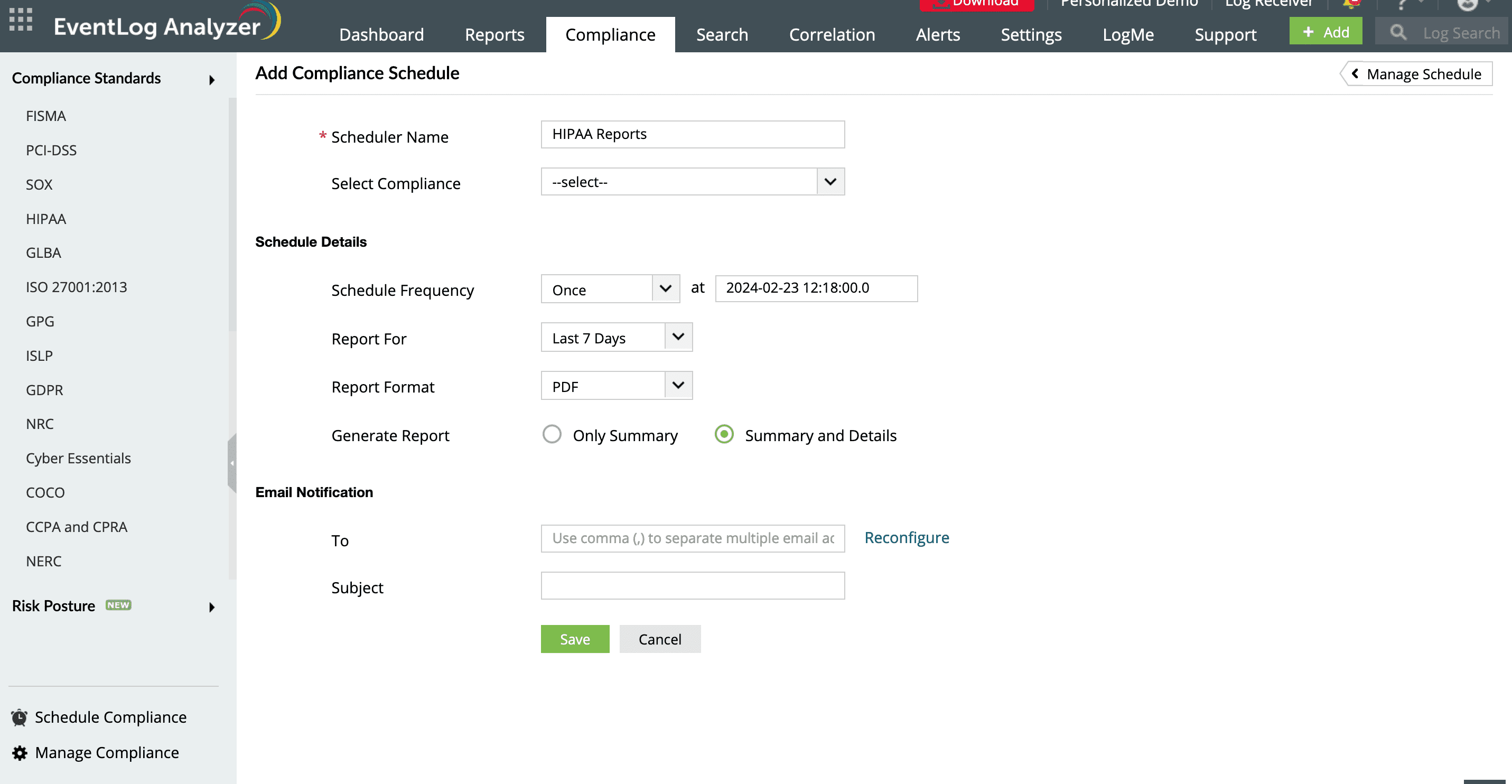
You can schedule and send compliance reports directly to your email.
What else does Log360 offer?
Real-time event correlation engine
Detect suspicious security events, unauthorized access attempts, and attack patterns within your logs in real-time.
Learn more
Threat intelligence
Gain instant alerts through sms or email when your network encounters malicious IPs, or URLs leveraging global threat intelligence feeds from STIX, TAXII, and AlienVault OTX.
Learn more
User session tracking
Get detailed insights into user activities, including login attempts, file accesses, and system changes, which helps you monitor and control access to sensitive data.
Learn more
Incident workbench
Enhance network security and minimize disruptions by enabling precise control over trusted IP addresses, URLs, and domains, thereby reducing false positives.
Healthcare organizations require a reliable HIPAA compliance tool to ensure adherence to HIPAA guidelines. With a multitude of HIPAA compliance tools on the market, selecting one that fully meets your organization's compliance requirements can be a daunting task. When choosing a HIPAA compliance tool, it's important to consider several key features: its scalability to grow with your organization, user-friendliness to ensure smooth adoption, seamless integration with your existing systems, robust support from the vendor, and regular updates to stay aligned with the latest HIPAA regulations and industry best practices.
If your organization falls into any of the following categories, it is required to adhere to HIPAA compliance standards and implement proper HIPAA compliance management.
Healthcare providers
Health plan providers
Healthcare clearinghouses
Business associates of the above-mentioned entities
Ransomware and malware attacks: These malicious software attacks that can lock healthcare providers out of their systems or encrypt patient data, demanding a ransom for access restoration. Log360 identifies signs of malicious software activities, alerting on unusual file access patterns and changes.
Phishing attacks: Attackers use deceptive emails or messages to trick healthcare employees into divulging sensitive information, such as login credentials. By analyzing email logs, Log360 detects suspicious emails that may indicate phishing attempts.
Insider threats: Insider threats refers to the employees or contractors who may intentionally or unintentionally leak or misuse patient data. Log360 tracks user behavior, and alerts you on anomalous activities such as unauthorized access to patient data.
Log360, as your HIPAA compliance tool, helps collect, archive, store, and search through logs containing sensitive patient information. The solution monitors your network for any traces of breaches, thereby safeguarding against the adverse effects of non-adherence to compliance standards.
Additionally, Log360 is equipped with an audit-ready report template feature, offering over 150 compliance report templates to meet various regulatory requirements. These templates can be customized, or you can create new compliance reports to suit your specific needs.
To know more about how Log360 is a comprehensive HIPAA compliance tool, please read our HIPAA compliance page.
Resources you might be interested in
EBOOK
Achieve PCI DSS v4.0 compliance with SIEM
Download now
CHECKLIST
PCI DSS compliance checklist
Access the checklist
VIDEO
Six crucial SIEM functions for complying with the PCI DSS
Watch now
EBOOK
PCI DSS Resource Kit for security monitoring
Explore now
Compliance ManageEngine adheres to
Our solutions undergo rigorous third-party audits to ensure compliance with the same global security and privacy standards we help you achieve.
Navigate the complexities of HIPAA compliance with confidence