USB drive security best practices: A guide for enterprises

  •  
     
  • -Select-
By clicking 'Download PDF', you agree to processing of personal data according to the Privacy Policy.

Thank you!

The PDF link has been sent to your email.

We hope you enjoy reading and sharing these best practices.

USBs and other removable storage devices give employees a fast, offline way to move data. However, it is this very convenience that makes them dangerous. A single unmanaged drive can move sensitive files past every network-layer control an organization has in place or introduce malware into endpoints that no perimeter tool ever sees. This guide covers the top ten actionable best practices for removable storage security, explaining how to secure USB drives across an organization—from policy and device control to incident response and secure disposal.

How to secure USB drives and prevent data leaks


Define and enforce a removable storage usage policy

  • Specify which employees and roles are permitted to use USB drives and under what conditions.
  • Define which data may and may not be transferred via removable storage.
  • Allowlist the approved devices, such as company-issued drives or a list of vetted brands and models.
  • Include consequences for policy violations and have employees acknowledge the policy.
 

Enforce USB access through allowlisting

  • Register every approved USB drive with its hardware ID, device class, assigned user, and asset tag.
  • Use endpoint device control software to allowlist each registered device.
  • Block the use of all unrecognized removable storage devices by default.
  • Remove decommissioned drives from the authorized list immediately upon retrieval.
 

Encrypt data stored on USB drives

  • Mandate hardware-encrypted USB drives for any organizational use.
  • Where hardware encryption is not feasible, use OS-level encryption such as BitLocker To Go.
  • Ensure encrypted drives meet a recognized standard such as FIPS 140-2 or FIPS 140-3.
 

Disable USB ports on high-risk endpoints

  • Identify endpoints that handle the most sensitive data—such as finance systems, HR platforms, and IP repositories—and disable USB storage access entirely.
  • Apply port restrictions through Group Policy or endpoint security tools.
  • For environments that require occasional USB use, enable port access on a time-limited or per-request basis with an approval workflow.
  • Disable only USB storage, not peripherals such as keyboards, mice, and other input devices.
 

Scan USB drives for malware before use

  • Configure endpoints to run an automatic malware scan the moment a removable device is plugged in.
  • Use up-to-date antivirus and endpoint detection tools that cover known BadUSB and firmware-level USB threats.
  • Disable AutoRun and AutoPlay on all endpoints.
  • For high-security environments, deploy a dedicated USB scanning kiosk that clears all media before it reaches a production endpoint.
 

Monitor and audit USB activity

  • Log every USB device connection event with details like device identifier, user, machine, and timestamp.
  • Track file transfer activity to and from removable storage devices.
  • Set alerts for high-risk events like large transfers, usage outside working hours, and access attempts to blocked devices.
  • Retain USB activity logs for a period consistent with your organization's compliance requirements.
 

Enforce copy protection for USB devices

  • Restrict copy-paste operations from endpoints to removable storage devices.
  • Allow file transfers only for authorized users, devices, or specific data types.
  • Apply content-aware controls to prevent transferring of sensitive data to USB drives.
  • Enforce read-only access on removable storage devices where full write access is not required.
  • Enforce copy protection across all managed endpoints through endpoint device control tools.
 

Investigate USB security incidents and securely decommission drives

  • When a suspicious USB event is detected, end the USB session and isolate the affected endpoint immediately.
  • Review USB activity logs to determine what data was accessed or transferred.
  • Follow a USB incident response rule book to contain and remediate the incident.
  • If the USB drive is to be decommissioned, back up any required data and perform a certified wipe.
 

Train employees on removable media risks

  • Teach employees about threat scenarios such as data exfiltration, malware injection, and social engineering drops.
  • Run USB baiting exercises by placing unbranded drives in common areas and tracking how many get plugged in to analyze user behavior.
  • Make USB security a standing item in periodic security awareness sessions.

Defending against USB-based data leaks with DataSecurity Plus

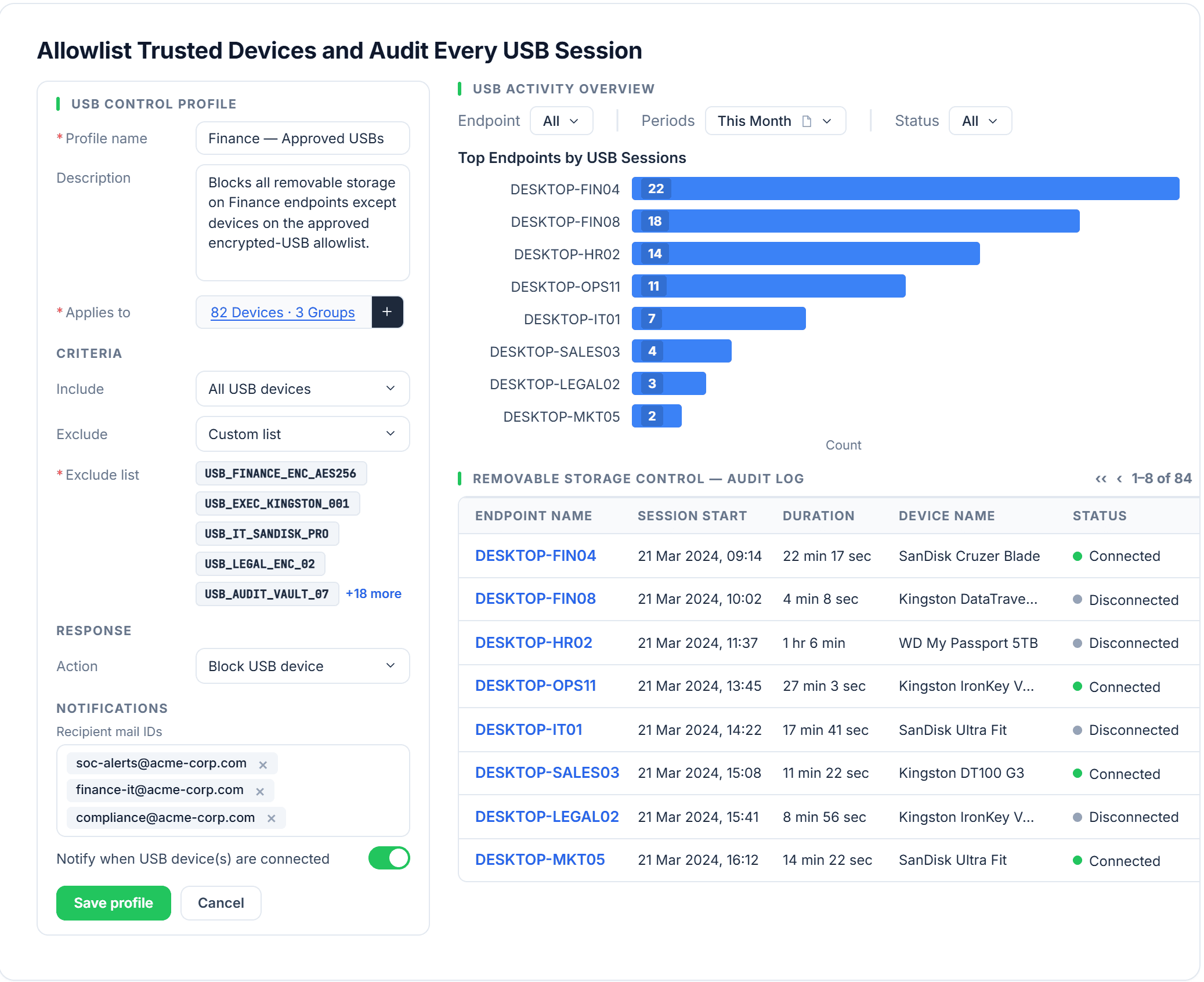
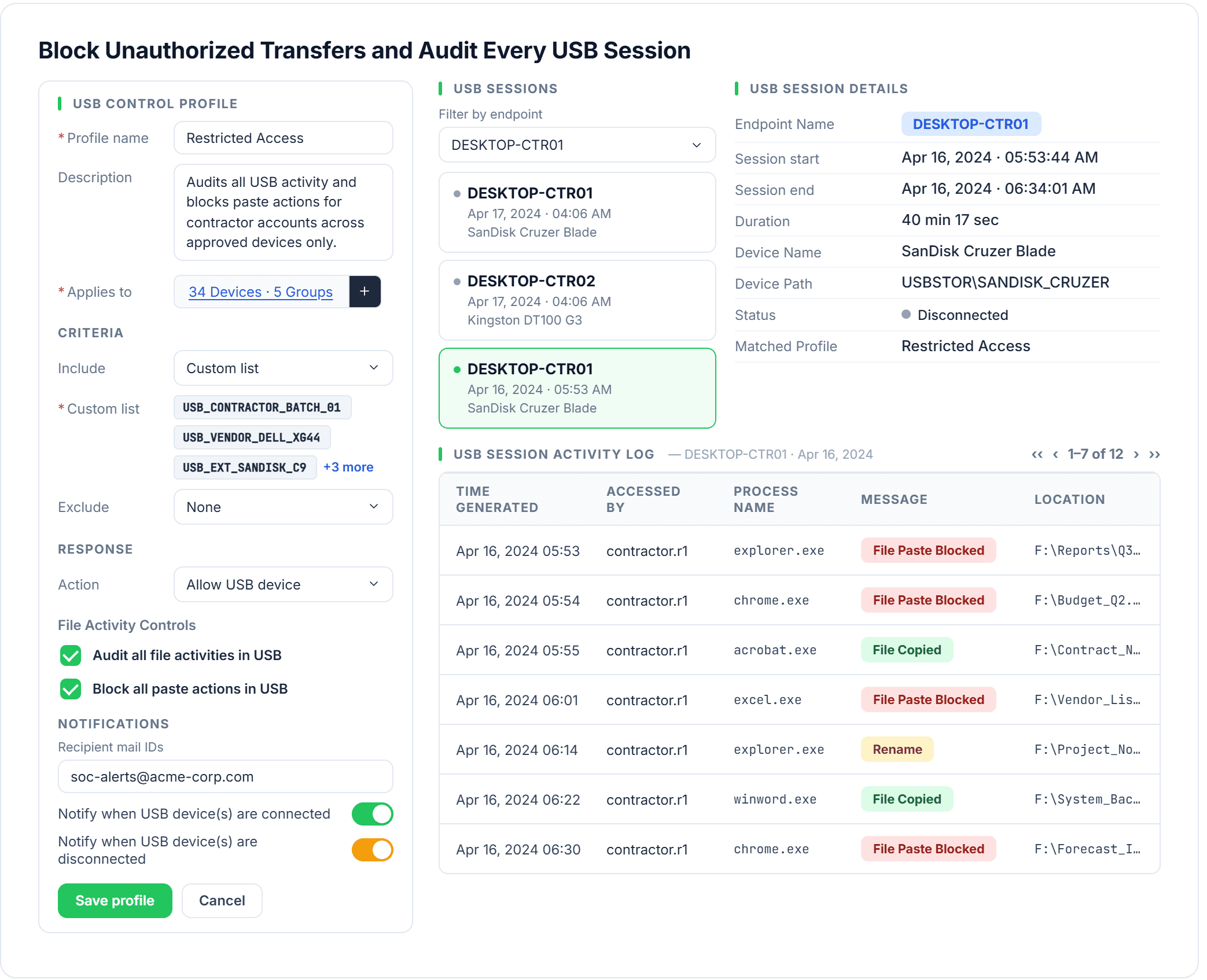
ManageEngine DataSecurity Plus provides security teams with precise control over how removable storage devices interact with endpoints. USB access control lets administrators define granular control policies for secure and efficient data transfers. When enforced, these policies are applied in real time and across the environment. Learn more about DataSecurity Plus' USB data theft protection solution.

  • USB drive security best practices
  • USB drive security best practices

FAQs

Unmanaged USB drives pose two primary risks:

  • Data exfiltration: A standard USB drive may hold tens of thousands of documents—enough to carry most of an organization's sensitive intellectual property in a single transfer. If no endpoint-level controls are in place, this data can be exfiltrated silently, bypassing network monitoring and traditional DLP tools.
  • Malware infection: A single infected USB drive can introduce malicious code directly into an endpoint, evading network-based defenses entirely. Once connected, it can execute automatically or trick users into running infected files—allowing malware to establish persistence, spread laterally, or deploy payloads like ransomware before any security system detects it.

A blanket ban is operationally disruptive and often leads to workarounds that introduce greater risks, like employees using personal cloud storage or unapproved file transfer services. The more effective approach is a risk-based policy:

  • Restrict USB access tightly on high-risk endpoints (e.g., systems handling financial data, PII, or intellectual property).
  • Permit USB devices with controls on endpoints where there is a legitimate operational need.
  • Eliminate USB device usage entirely on air-gapped or critical infrastructure systems.

The goal is to reduce exposure without driving users toward hard-to-monitor visible alternatives.

Several major frameworks require organizations to control the use of removable media:

  • HIPAA requires covered entities to implement technical and physical safeguards to protect ePHI, including placing controls over the use of portable media.
  • PCI DSS requires strict control, handling, and protection of media containing cardholder data, including portable devices.
  • The GDPR requires organizations to implement appropriate technical and organizational measures to protect personal data, which can include restricting and managing the use of USB devices.
  • ISO 27001 includes a control for removable media handling under Annex A controls (A.8.3 in the 2013 edition; A.7.10 in the 2022 edition).
  • NIST SP 800-53 Rev. 5 includes media protection controls (MP-7) that address restricting the use of USBs and enforcing safeguards such as sanitization.

Blocking all USB storage devices is a blunt control that prevents both authorized and unauthorized use. Allowlisting permits only specific pre-approved devices—identified by hardware ID, serial number, or both—to connect and transfer data while blocking everything else. This gives organizations granular control. An IT-issued encrypted drive assigned to a specific user can be permitted on that user's machine, while every other drive is blocked. Allowlisting also enables a clear audit trail, tying every connection event to a known, registered device and a known user, making anomaly detection and incident investigation far more accurate.

The immediate response depends on whether endpoint controls are in place. If device control software is deployed, the connection should be blocked automatically and an alert should be generated. No manual intervention would be needed at the moment of connection; however, the security team should:

  • Review the alert and the employee's recent USB activity history to determine intent and scope.
  • Interview the employee and document the incident per the organization's incident response policy.
  • If malware introduction is suspected, isolate the endpoint and initiate a forensic review before returning it to full service.
  • If data exfiltration is suspected, assess what files were transferred and whether notification obligations would apply in accordance with HIPAA, the GDPR, or applicable breach disclosure laws.
  • Take corrective action consistent with the organization's policy, such as re-education, formal warning, or escalation.

If device control software is not deployed, or if the USB connection is discovered after the fact:

  • Identify the affected endpoint, review logs and file activity, and determine whether files were copied, modified, or executed from the device.
  • Scan the system for malware, isolate the endpoint if compromise is suspected, and assess whether sensitive data may have been exposed or exfiltrated.
  • Document the incident, follow obligatory breach disclosure laws, and implement stronger device control measures, monitoring, or policy enforcement to prevent similar incidents in the future.

Get DataSecurity Plus easily
installed, configured and running within minutes.

Download Now  
Email Download Link