Centralized DNS security policies for protecting remote and roaming clients with DDI Central
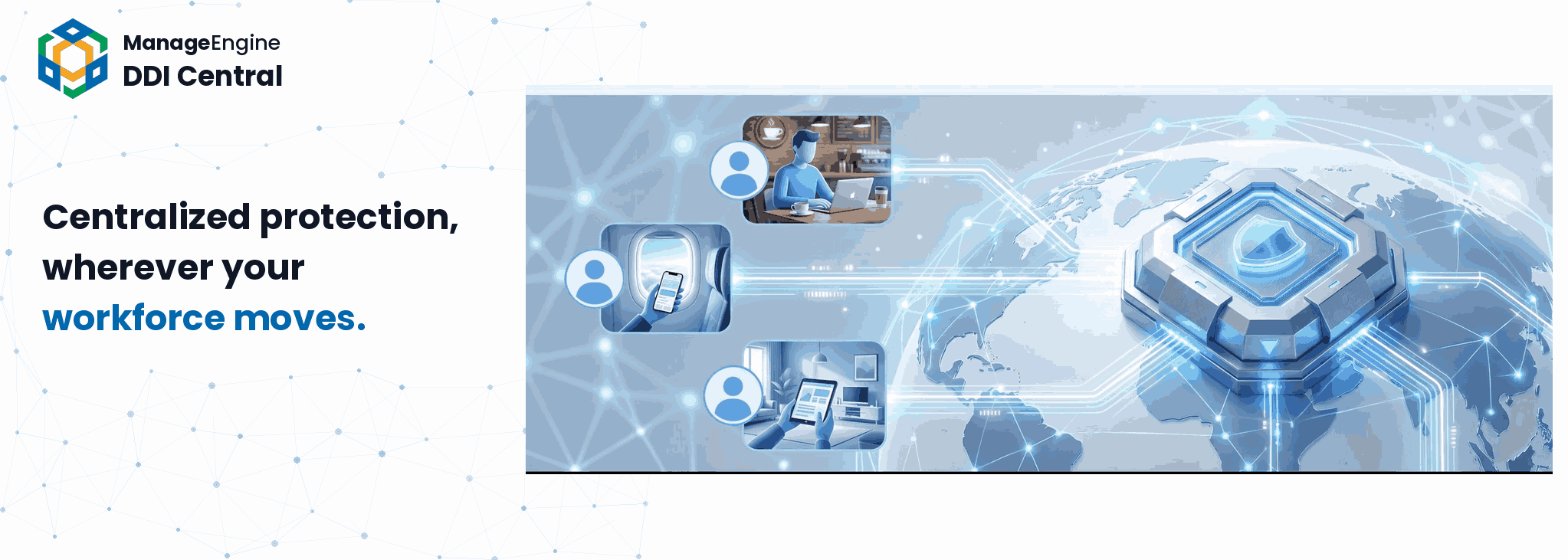
For decades, enterprise security architecture rested on a comforting fiction: that inside the network and outside the network meant something. The user on the corporate LAN was protected. The user anywhere else was somebody else's problem.
Then the workforce stopped sitting still.
Hybrid work, branch sprawl, BYOD, contractor laptops, field engineers, sales teams permanently on the road—your workforce stopped being a place and became a population. Today, on any given Tuesday, your network includes a developer on hotel Wi-Fi in Singapore, a sales rep on a tethered phone in a client parking lot, a customer success manager working from a coworking space, and a contractor connecting from a home router last updated in 2019.
Today, the most exposed user in your enterprise isn't in the building . And that surfaced a hard truth for almost every CISO and network leader:
The workforce walked out of the building. How do we make the security stack follow them?
Two employees, the same Threat—two different endings
Two employees at the same company receive the same phishing email at the same moment.
The first is at headquarters (HQ). Her click never reaches a malicious server—enterprise DNS controls quietly resolve the domain into a sinkhole, log the attempt, and move on. She'll hear about it in next week's security newsletter.
The second is a remote user working from a rented apartment in another city. Her click works perfectly. The page loads. The credentials get entered. By morning, an attacker is already inside.
Same company. Same threat. Same second. Two completely different outcomes—because the organization's protection stopped at the building. The HQ employee sits behind a stack of layered controls built over a decade. The roaming employee sits behind whatever their hotel's IT contractor configured last year. This is the story of nearly every enterprise with a distributed workforce, and it's the problem a centralized DDI security strategy was built to solve.
These are your roaming and remote users—and on any given day, they handle the same data, the same credentials, and the same sensitive sessions as the colleagues sitting in HQ. The most valuable people in your enterprise are increasingly the least protected, and almost every breach report from the last three years suggests attackers have noticed them as valuable.
The difference isn't the work. It's the protection.
At no point in this scenario did the remote employee do anything differently. But at no point did the organization's security policies actually reach them at the layer that matters most—the resolution layer and the address-assignment layer, where attacks are decided minutes before they're delivered.
Roaming employees aren't a category of user. They're a category of exposure.
This is the gap a centralized DDI security strategy was built to close. And it closes it more elegantly than you'd expect: It doesn't chase users across hostile networks. It brings them—through the same full-tunnel VPN they're already using—into the policy plane that's already governing the enterprise.
Why DNS is the layer that matters here
So what is the policy plane that's already governing the enterprise? At its core, it's DNS.
No matter where a user works—HQ, home, hotel, airport, or customer site—their device does the same thing every time it tries to reach anything. It asks a name server: Where is this website? Every website visit, every cloud app login, every link clicked in an email, every silent callback from a piece of malware on a compromised laptop—they all begin with a DNS lookup. DNS is the one conversation every device has before any other conversation can happen, which makes it the most universal control point an enterprise has. Govern it, and you govern what your users can reach. Lose control of it, and the rest of your security stack ends up reacting to threats that have already landed.
That's why the full-tunnel VPN matters so much for roaming and remote users. It doesn't just route their traffic. It routes their DNS decisions—and their DHCP behavior—back through the same governed layer that's already deciding for every other user inside the enterprise.
The scenario in plain terms
Let's be precise about what's actually happening when a roaming or remote user does their job.
Most of them aren't on the corporate network all day. They're at home, on the road, in coworking spaces, at customer sites—connecting to whatever Wi-Fi is closest. That's fine, until the moment they need to access internal resources, work on enterprise data, or do anything that touches the organization. The way they do it is through a full-tunnel VPN back into the private enterprise network.
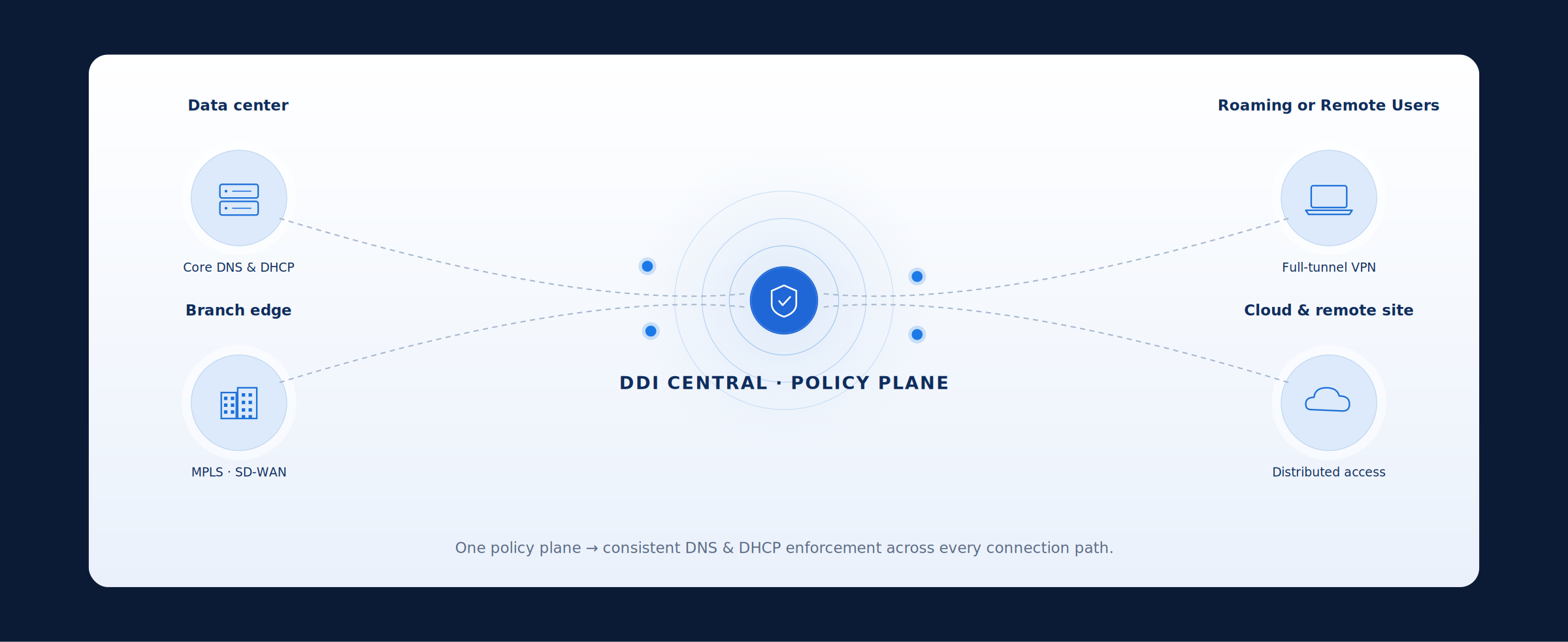
For remote and roaming workforces, full-tunnel VPN is the secure on-ramp they use to reach the private enterprise network from wherever they work. It gives employees outside the corporate boundary a controlled path back to internal resources, enterprise data, and the core services that govern every session. It isn’t the only on-ramp the enterprise supports; branch office employees may reach the same private network over point-to-point links, MPLS core circuits, MPLS augmented with VPN overlays, or SD-WAN fabrics. Different transports, different geographies, different SLAs—but once users connect, every session still depends on core network services such as DNS, DHCP, and IPAM.
This is why enterprises need a centralized DDI solution. A DDI platform brings DNS, DHCP, and IP address management into one governed layer, helping network teams control how users are addressed, how domains are resolved, and how policy is applied across access paths. With DDI Central, that centralized control can extend to remote and roaming clients, so DNS security policies follow the workforce wherever they connect.
And here's the key:
The moment a roaming or remote user is connected to the private enterprise network—through full-tunnel VPN, or any other corporate connection path—they are inside the same DDI Central policy plane that protects a user sitting on the corporate LAN.
It doesn't matter that they're physically in a hotel in Frankfurt or a kitchen in Bengaluru. As far as the security architecture is concerned, their session is on-network. Their DNS lookups are resolved by the same governed resolvers. Their DHCP and addressing decisions are visible to the same control plane. The organization's policies don't have to follow them through some endpoint work-around—the user has come to the policies, by virtue of how the tunnel works.
That single architectural fact—every path into the private enterprise network is governed by the same DDI policy plane, and the full-tunnel VPN is the path that brings roaming and remote users into it—is what makes consistent protection possible. Everything that follows is about what DDI Central does once they're there.
How DDI Central protects roaming and remote users
DDI Central treats DNS and DHCP not as plumbing but as a security policy plane—one that operates identically whether the user is at HQ, in a branch office, on SD-WAN, or coming in over a full-tunnel VPN from somewhere you've never been. The protection model rests on four things the platform does in concert.
1. Govern: One policy plane, every environment
Define DNS and DHCP security policy once, then govern it from a single control plane across data centers, branches, roaming users, and the cloud—no fragmented consoles, no drift.
For roaming and remote users, this is the foundation. There is no separate remote policy to author, drift from, forget about, or fall behind on. The rule that blocks a malicious domain for the HQ employee is the same rule, written once, that blocks it for the contractor logging in over VPN from a network you've never audited. One source of truth. One place to update it. One place to prove what's in force.
2. Analyze: See every path in real time
Live DNS query and DHCP lease activity flows back through the same plane, so suspicious behavior is correlated with identity and location the moment it happens.
When a roaming user's laptop starts behaving oddly—a sudden burst of lookups to newly registered domains, a query rhythm that doesn't match its own history, a DHCP lease pattern that doesn't fit the device's profile—DDI Central sees it in the same telemetry stream as everything else. The user's location stops being an obstacle to detection. A compromised device in a hotel room is just as visible as one three floors down from the SOC.
3. Enforce: The same controls for every connection path
Block, redirect, sinkhole, or rate limit malicious activity consistently across MPLS, SD-WAN, VPN, and full-tunnel remote access—protection no longer depends on where the user is.
This is the part that closes the unevenness. The same enforcement actions—sinkholing a malicious domain, applying a response policy zone, rate limiting a suspicious query flood, redirecting to a safe landing page—execute identically whether the query came from an HQ workstation or a sales rep's laptop on full-tunnel VPN. The user can't tell the difference. The attacker definitely can.
4. Contain: Quarantine at the doorway
When risk crosses a threshold, the same plane triggers DNS, DHCP, or MAC-level containment—automatically—so attacker dwell time shrinks without waiting for manual handoffs.
For roaming and remote users, this is the difference between a contained incident and a multi-day breach. A traditional containment workflow—open a ticket, dispatch the IT team, physically isolate the laptop—collapses when the laptop is in another time zone. DDI Central's containment doesn't care where the device is. Resolver access can be revoked. DHCP leases can be denied. Network access at the MAC level can be cut. All of it happens at the same policy plane that was already governing the session—no handoffs, no field trip, no waiting for the user to come in tomorrow.
What this looks like for a roaming user on a real day
The phishing click from a hotel room at 11pm
An employee is tired. She clicks. The lookup hits DDI Central—the same governance, intelligence, and enforcement that would have caught it at HQ—and the malicious domain is sinkholed. The attack ends at the resolver. She gets a clear notice. The SOC gets the event. Nothing more.
The slow burn compromise of a field engineer
Something quiet got onto an employee's laptop two weeks ago. The moment he reconnects over full-tunnel VPN, the behavior shows up in the analyze layer—anomalous patterns and lookups inconsistent with his historical profile. Contain takes over. Resolver access is revoked. DHCP is denied on his next renewal. The device is quarantined while he's still in the hotel.
The contractor on an unknown network
The network a contractor is coming from is untrustworthy. The path she's coming through isn't. Once the VPN is up, she inherits the same posture as every full-time employee—govern applies, analyze watches, enforce acts, contain stands ready. Her network doesn't need to be safe. Her session is.
The employee who never notices anything
The vast majority of roaming and remote users, on the vast majority of days, will never see a sinkhole page or trigger an alert. They will simply work—resolving names, getting answers, going about their day exactly as if they were at headquarters. That is the security outcome. Consistency, not visibility. Sameness, not separateness. They are no longer a different risk category from the on-premises employee, and they didn't have to do anything for it to be true.
Why this matters more for roaming and remote users than for anyone else
Look at where modern attacks actually land first. They don't land on the user behind three layers of corporate defense. They land on the salesperson on a hotel network, the engineer working from home, the contractor whose personal device shares a network with their family's gaming PCs, or the executive on a long flight reconnecting through airport Wi-Fi.
These are the people for whom the gap between policy at HQ and policy on the device has historically been widest. They are also the people most likely to have the credentials, the access, or the data that attackers actually want.
A centrally governed DDI security strategy that governs, analyzes, enforces, contains produces its greatest marginal value not at HQ, where many other controls already exist, but at the edges of the workforce, where almost nothing else is consistently governing resolution and addressing. Roaming and remote users are where centralized DDI security pays for itself.
One policy, every user—everywhere
The remote and roaming workforce isn't a phase. It is the operating model. Security architectures that still treat off-network employees as a secondary concern are leaking protection at exactly the seams where attackers are most active.
DDI Central reunifies what hybrid work fragmented. Through a full-tunnel VPN back to a centrally governed DNS and DHCP policy plane, the organization's complete defense-in-depth stack reaches every user—the one at HQ, the one in the home office, the one in the airport lounge, the one at the customer site, and the contractor on a network you've never seen and never will.
One policy, one source of truth, one enforcement posture—whether they're at their desk or on the other side of the planet.
With DDI Central, your security controls finally do what your workforce already did:
They travel.
See how DDI Central extends defense-in-depth DNS and DHCP securityto every roaming and remote user—without endpoint agents nor policy drift. Start a 30-day free trial or book a personalized demo today.