DDI Central 6.1: Enhanced IPAM visibility, root hint templates, trusted feeds in threat intelligence, and more

Previously, DDI Central version 6.0 introduced several enhancements designed to elevate the administrative experience, including streamlined importing of multiple servers in Windows environments, granular control over network resources through hierarchical roles, and a more in-depth view of network clusters.
Now, DDI Central version 6.1 delivers broader and more comprehensive visibility into IP Address Management, featuring enhanced segmentation and multiple viewing options. It also enables administrators to differentiate legitimate domains from threat feeds and configure templates for accessing root servers within the network.
Here is a detailed overview of the new features and enhancements available in DDI Central version 6.1. Let’s explore what DDI has to offer!
What's new in DDI Central 6.1?
1. IPAM Tower with Site, Cluster and Supernet views
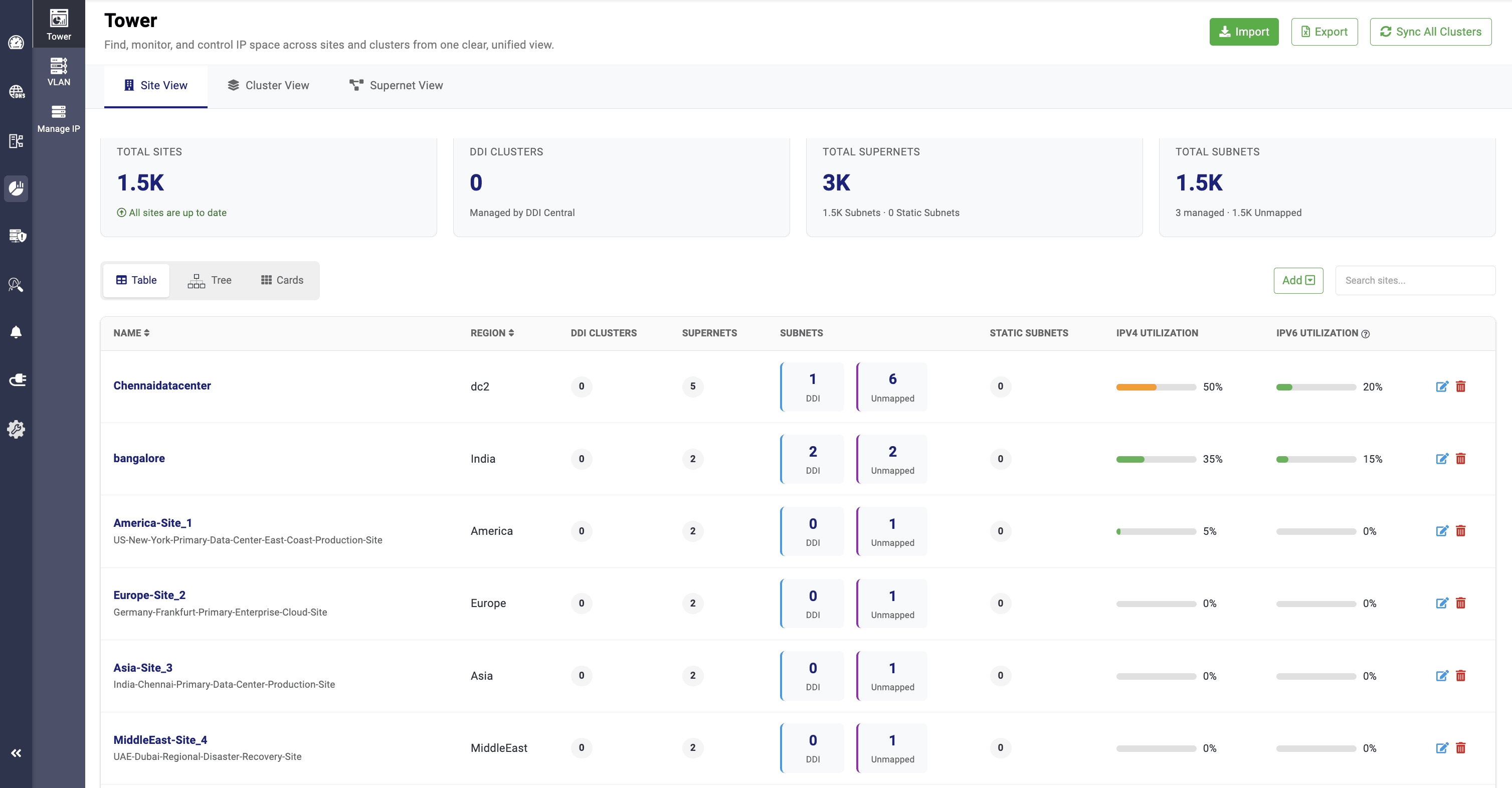
The new and improved IPAM dashboard delivers data-enriched visibility across three key network segments: Site, Cluster, and Supernet views. Each view provides detailed insights, including the total number of sites, clusters, and supernets in the network: clusters associated with sites, clusters managed by DDI Central, clusters imported externally, and subnets and static subnets under each supernet, among other details.
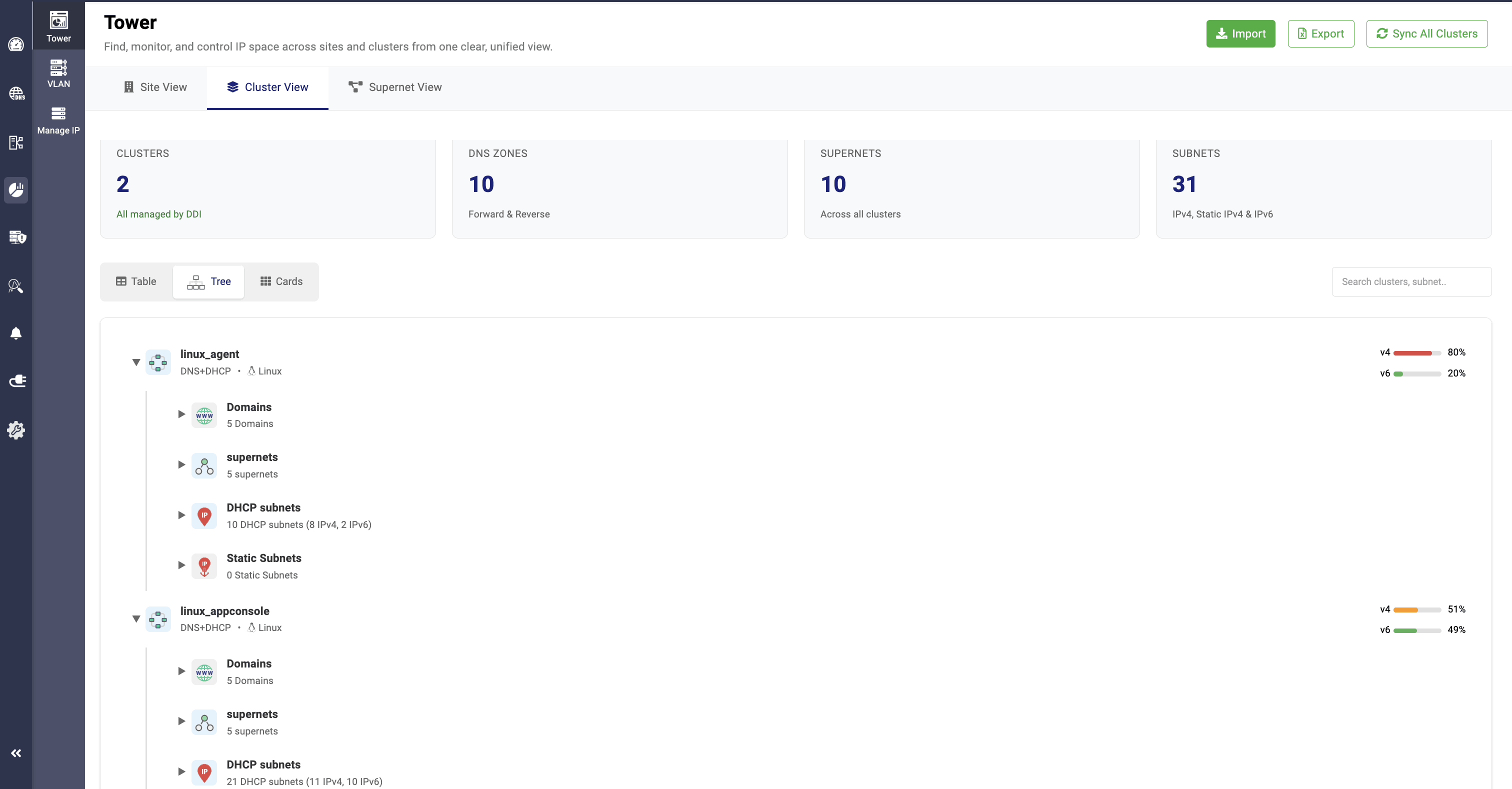
Each view further offers three visual formats for improved data analysis: Table view, Tree view, and Card view.
The Table view highlights key details such as the name, associated site, total number of respective network resources, and IP utilization values.
The Tree view presents a hierarchical representation of sites, clusters, and supernets, along with their associated subnets, static subnets, cluster-level domains, and site or cluster-level supernets.
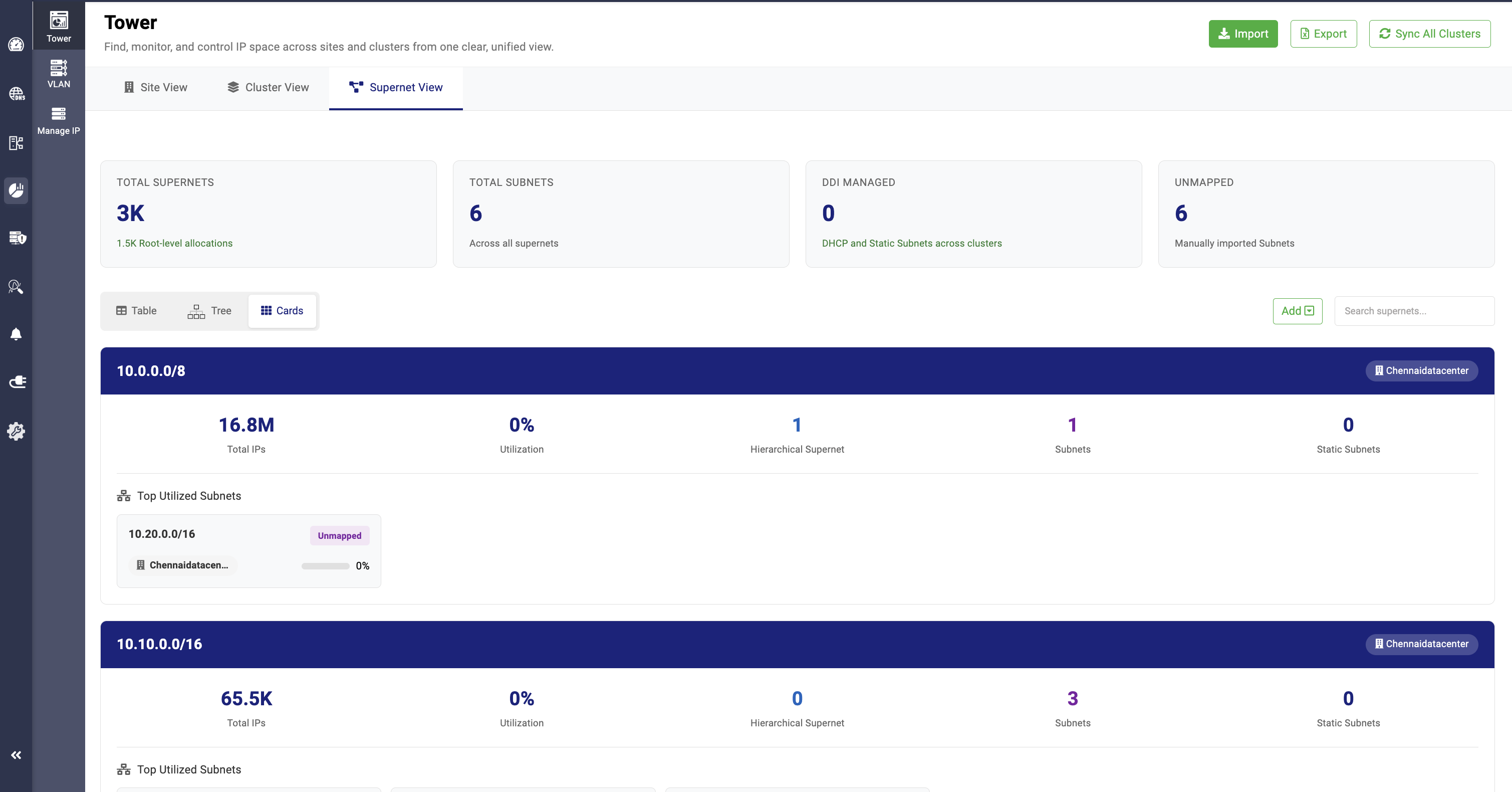
Finally, the Card view provides a graphical visualization of the total number of respective network resources and their utilization values.
2. Trusted feeds in DNS threat intelligence
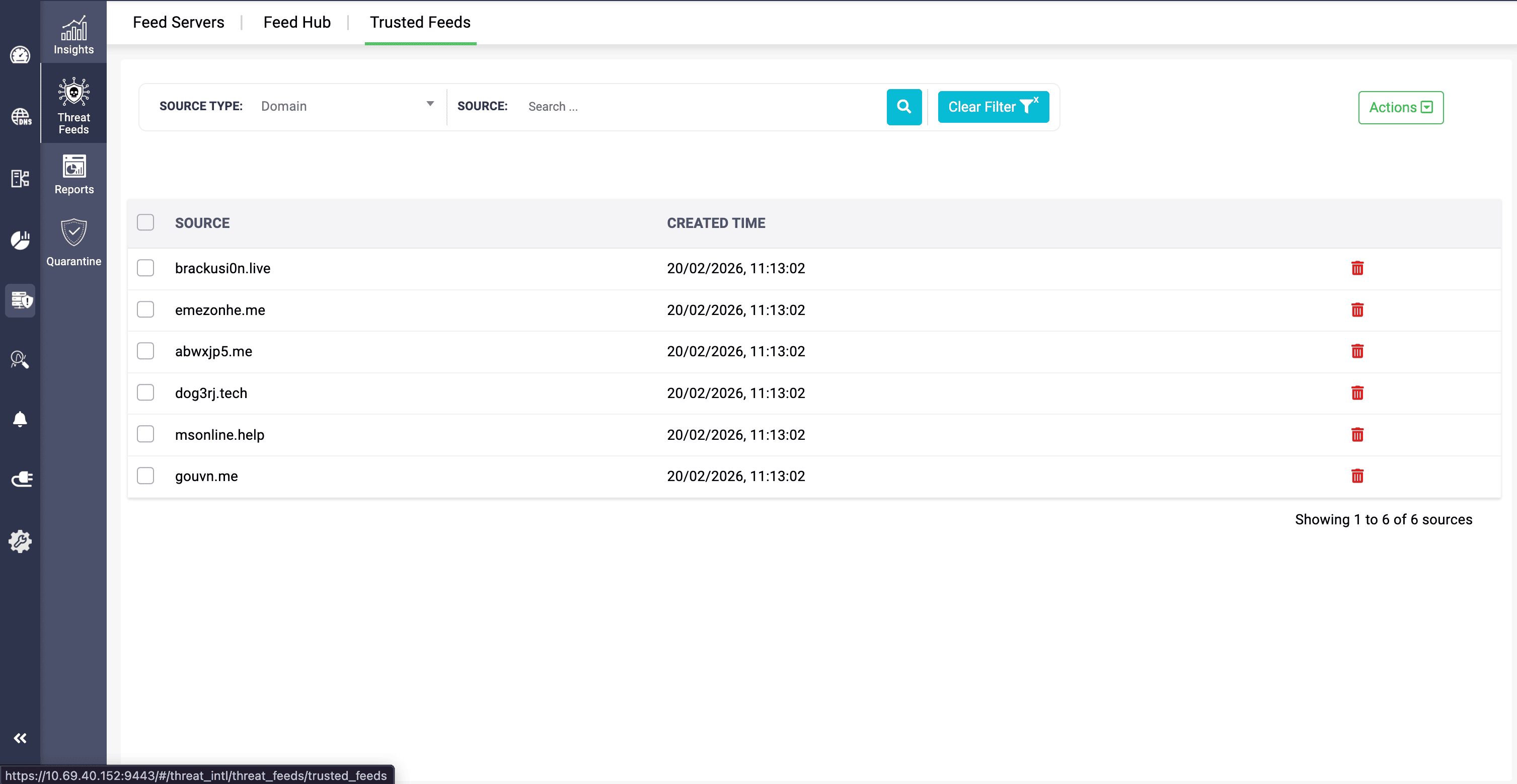
The Trusted Feeds feature in DNS Threat Intelligence allows network administrators to mark and designate specific domains from the threat feeds as trusted, enabling clients to access those domains without restriction. This helps recover legitimate domains that were mistakenly included in the threat feeds section.
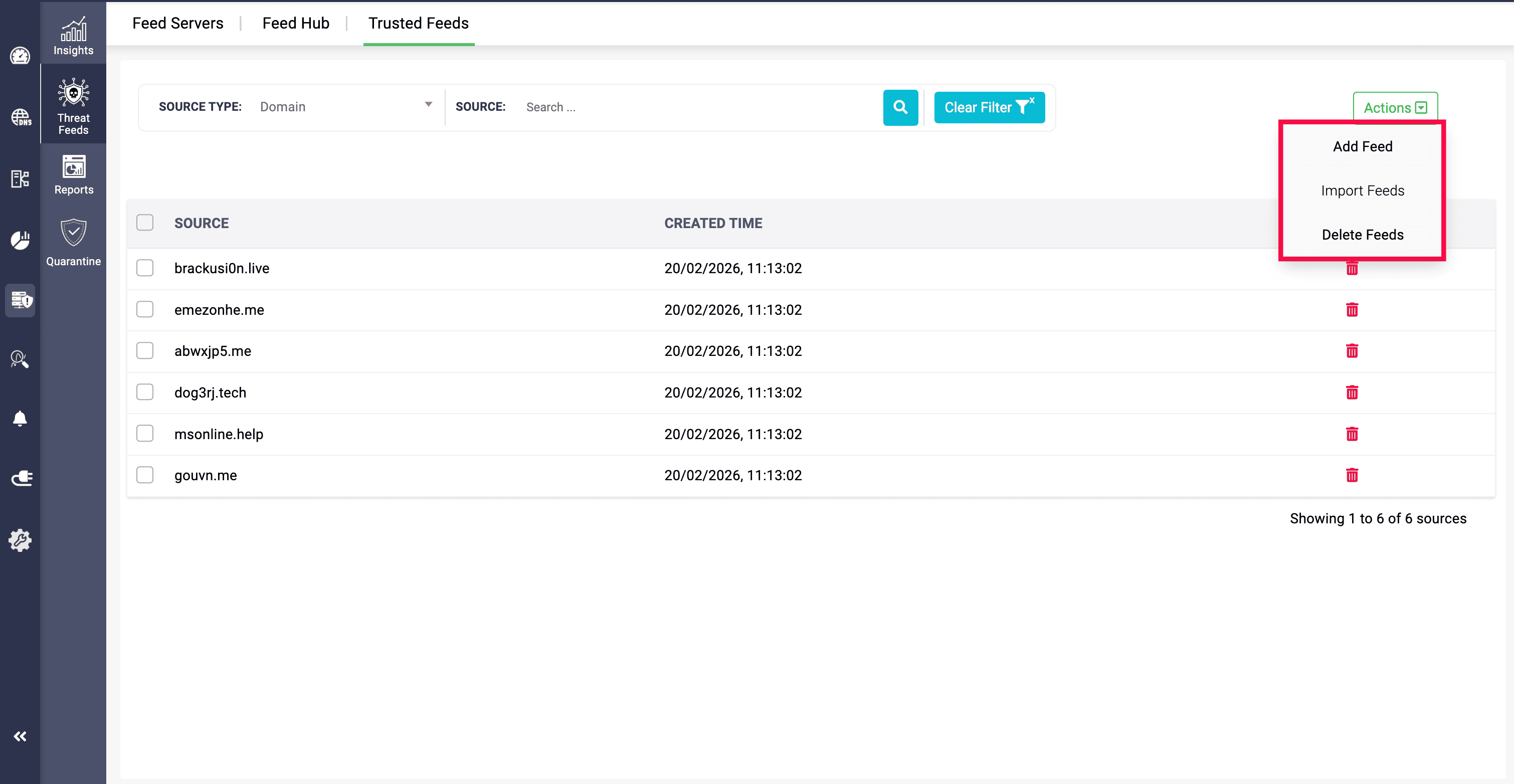
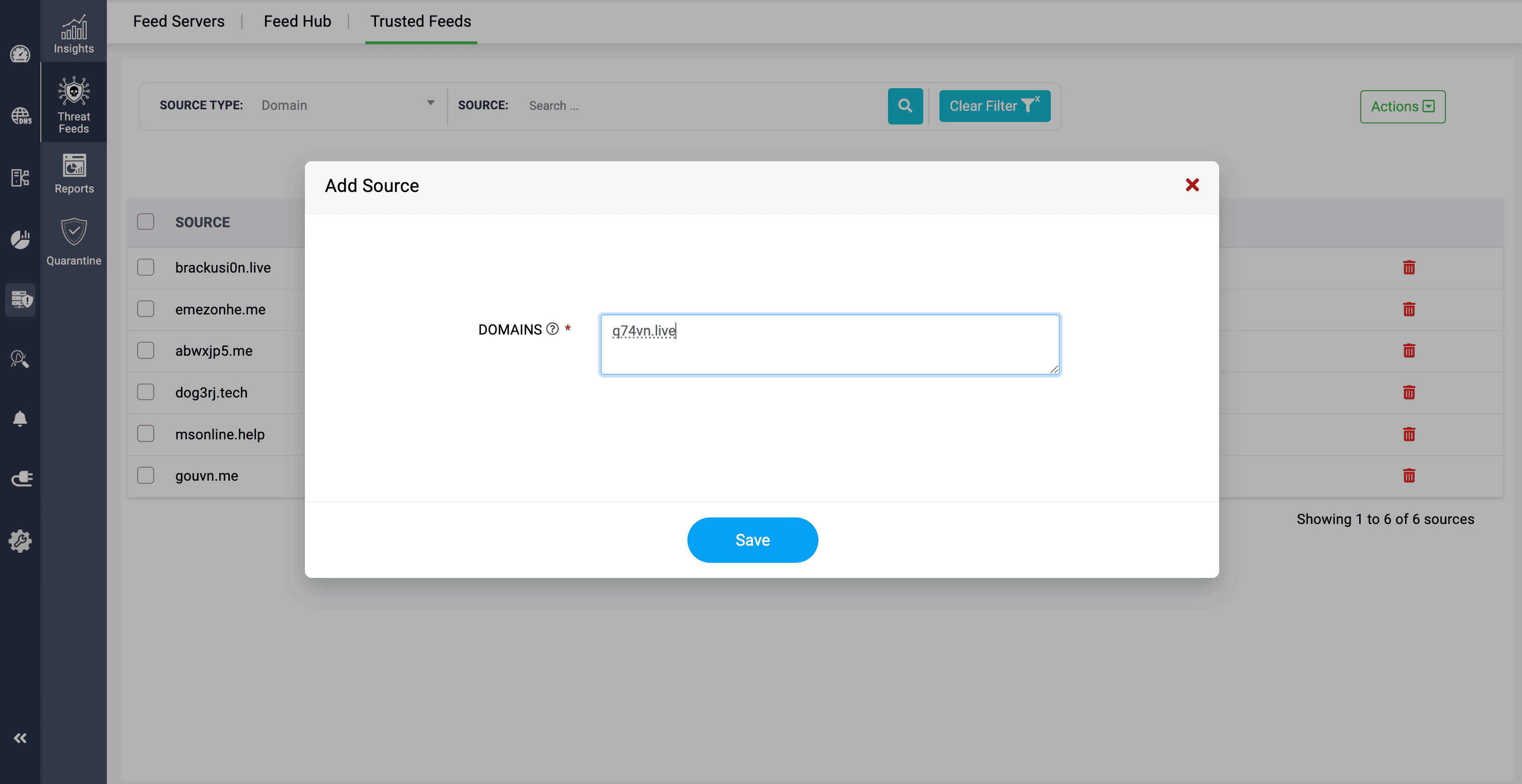
Domains can be added manually to the Trusted Feeds section using the Add Feed option, or imported into the application in CSV or XLSX formats through the Import Feeds option. Domains in the Trusted Feeds section can also be deleted individually or in bulk using the Delete Feeds option.
3. Root Hint template
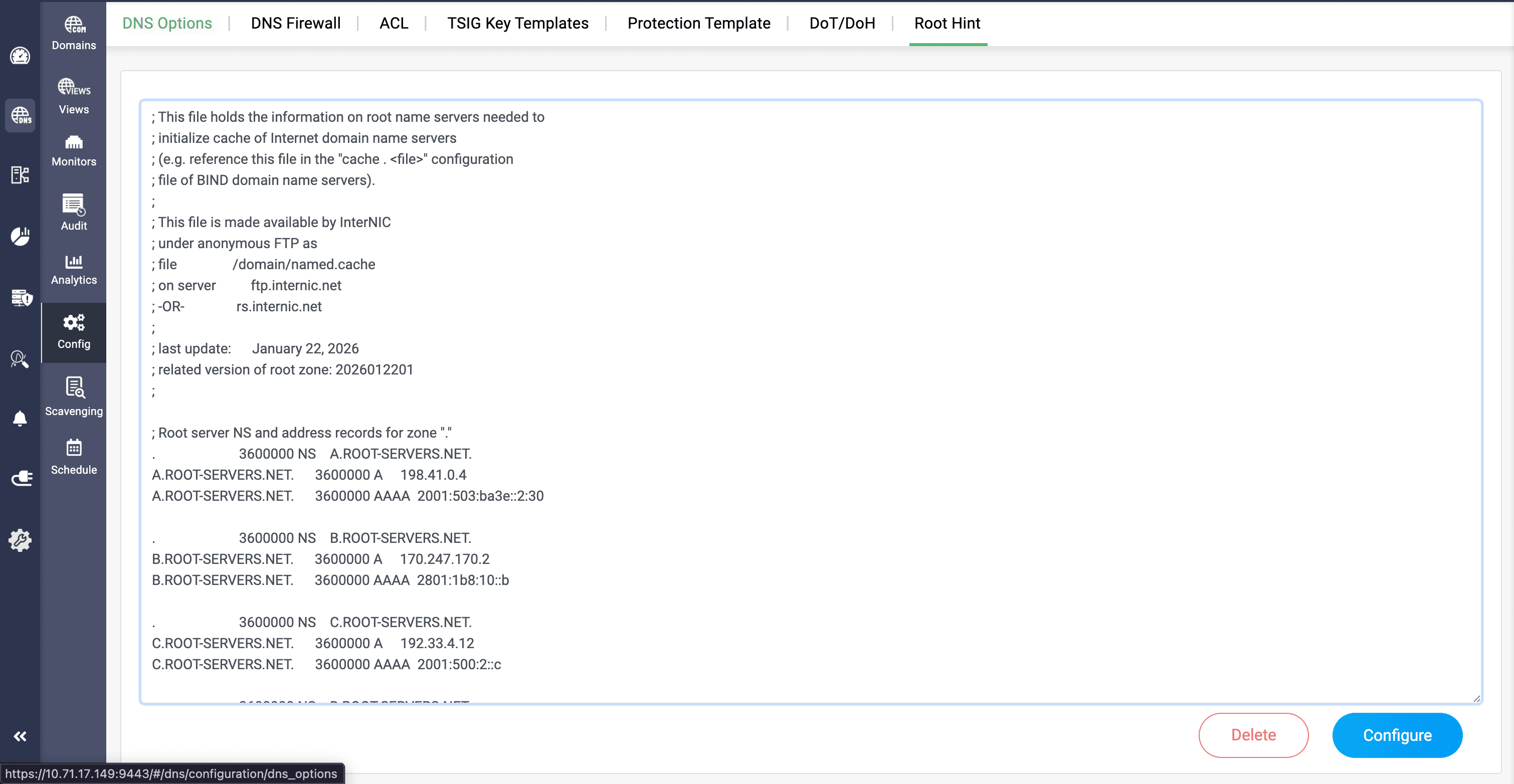
The Root Hint feature in DDI Central allows organizations to configure templates and access the domains, IP addresses, and address records of all root servers for the zones. This reduces the need to manually go through the entire DNS resolution process to obtain root server details within the network. Root hints can be modified using the Configure option and removed using the Delete option.
Redirection IP and Score threshold fields:
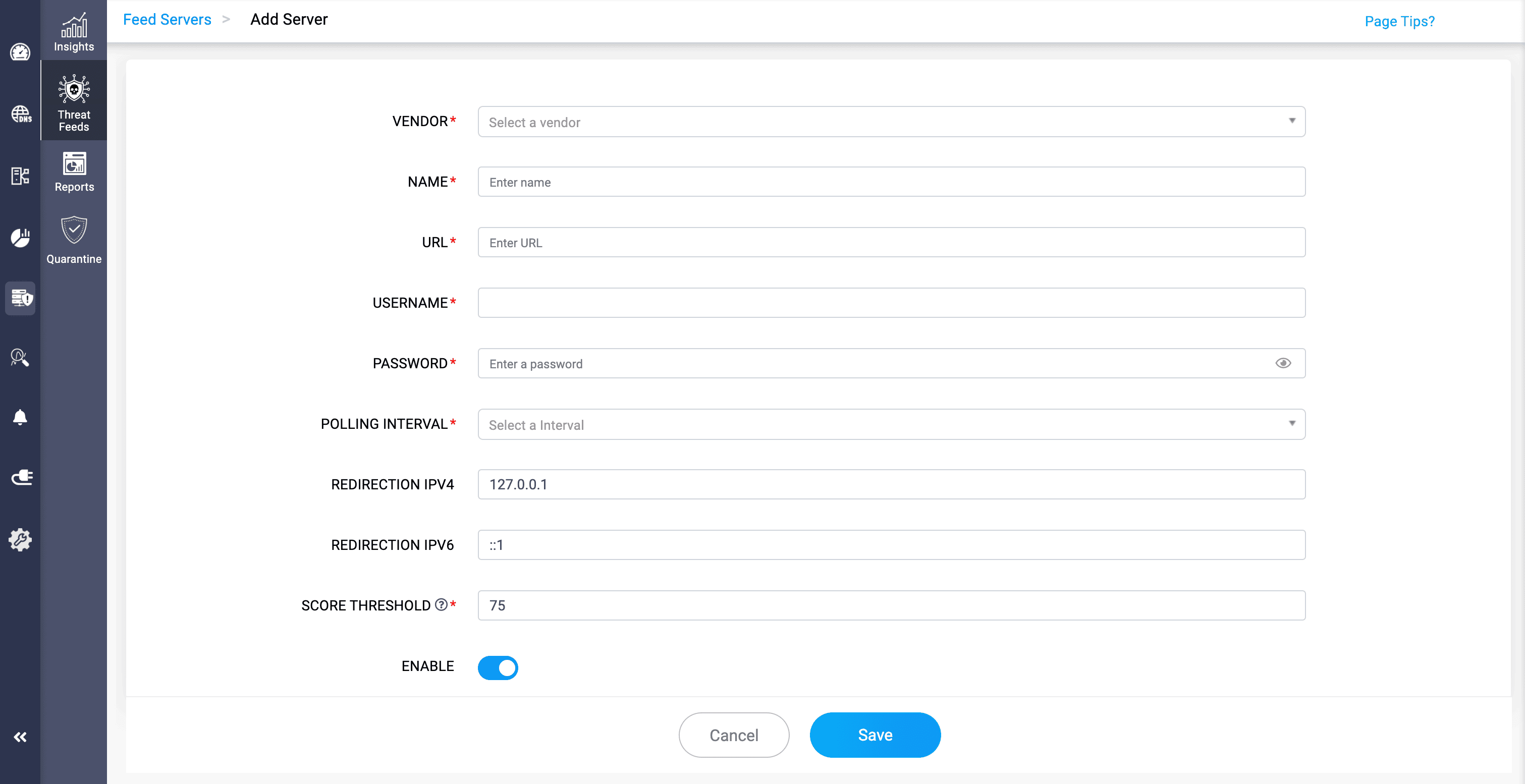
The Redirection IP fields for both IPv4 and IPv6 addresses allow DNS queries for blocked threat domains to be redirected to a safer page . This prevents client devices from accessing malicious domains through DNS queries and helps protect the organization’s DNS servers from potential threats.
The Score Threshold field allows administrators to define the minimum confidence score required for threat enforcement to take effect.
Ready to manage your network resources with the new DDI?
With the release of DDI Central 6.1, you are invited to elevate your organization’s network management and administration processes with our improved, user-friendly, and seamless solution.
By upgrading to this version, network administrators gain broader and deeper visibility into network resource utilization and configurations. Administrators also gain the ability to designate legitimate domains as trusted from threat feeds, access root server details directly within the application, and much more.
Upgrade to 6.1 today or start your 30-day free trial to discover how DDI can enhance your organization’s network administration and management.